
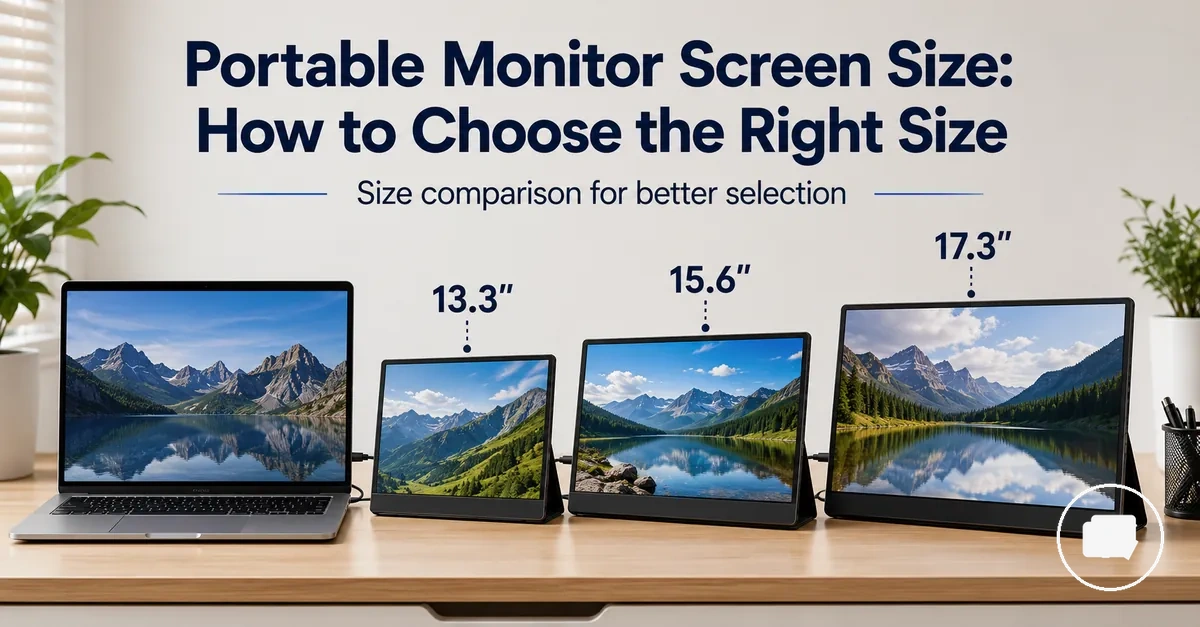
Portable Monitor Screen Size Guide
Portable monitor screen size is the physical display size that determines how a portable monitor fits beside a laptop, inside a travel bag, and within available desk space. It influences screen area, viewing comfort, portability, and usable workspace, making screen size the primary decision before comparing other display characteristics. The main choice is balancing portability with the amount of working area needed for your use case.
A larger screen usually provides more screen area for multitasking and text readability, while a smaller screen can be easier to carry and may suit limited desk space or frequent travel. Viewing comfort, laptop pairing, and overall workspace often depend on where and how the portable monitor will be used. Screen size is also separate from resolution, display quality, and price value, although those factors can influence the overall experience when comparing different size ranges.
The most suitable portable monitor screen size depends on travel needs, laptop size, workspace constraints, viewing distance, and acceptable trade-offs between portability and usable screen area. The following sections explain how different size ranges support different usage scenarios without assuming that one option suits every user.
What Portable Monitor Screen Size Changes
Screen size changes the amount of usable workspace, the physical footprint, and how a portable monitor fits into everyday use. It directly affects screen area beside a laptop, the desk footprint, and the space available for multitasking. The main trade-off is balancing a larger working area against portability and carrying practicality.
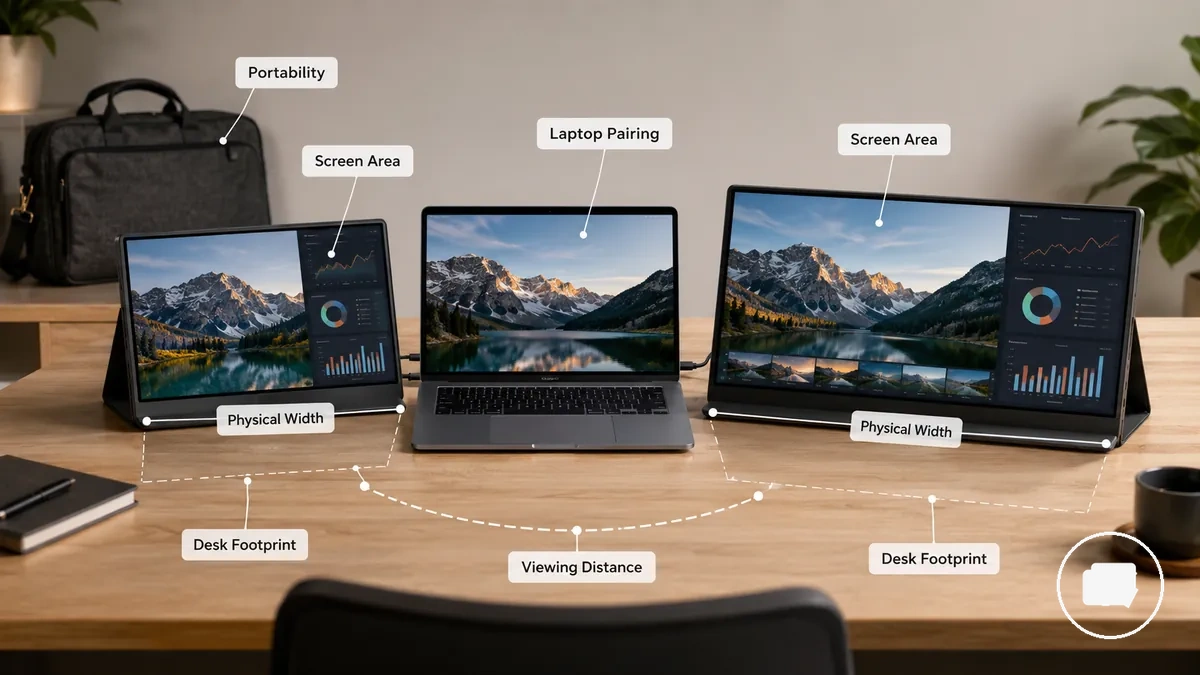
What Portable Monitor Screen Size Changes is easiest to understand by comparing physical space rather than display quality alone. The illustration highlights how screen size influences desk footprint, physical width, and usable screen area during everyday use.
- Screen size changes: screen area, physical width, desk footprint, viewing distance, and the amount of space available for multitasking.
- Screen size does not determine alone: resolution, panel quality, colour performance, or overall display value.
- Comfort and productivity: may vary depending on laptop pairing, available desk space, viewing distance, and individual working habits.
A larger screen provides more screen area and usually requires a wider desk footprint. That extra usable workspace can support multitasking, while the increased physical width may require more viewing distance for comfortable use. The practical result depends on the available workspace and how the portable monitor is positioned beside a laptop.
Screen size also affects weight and carrying practicality. Larger portable monitors may occupy more space in a travel bag and can be less convenient for frequent travel, while smaller displays are often easier to carry and fit into compact work setups. The most suitable balance depends on travel frequency, bag space, and how often the display is used away from a desk.
The same screen size can suit one situation but feel less practical in another. A frequent traveller may prioritise portability, while a permanent desk setup may benefit more from additional second-screen space, and laptop pairing can further influence posture and side-by-side layout. For a broader overview before comparing specific size ranges, see the portable monitor guide.
Screen Diagonal, Width, and Usable Screen Area
Diagonal size is the advertised measurement taken from one corner of the display to the opposite corner, not the physical width of the monitor. Screen Diagonal, Width, and Usable Screen Area describe related but different sizing attributes. Diagonal size is only one measurement.
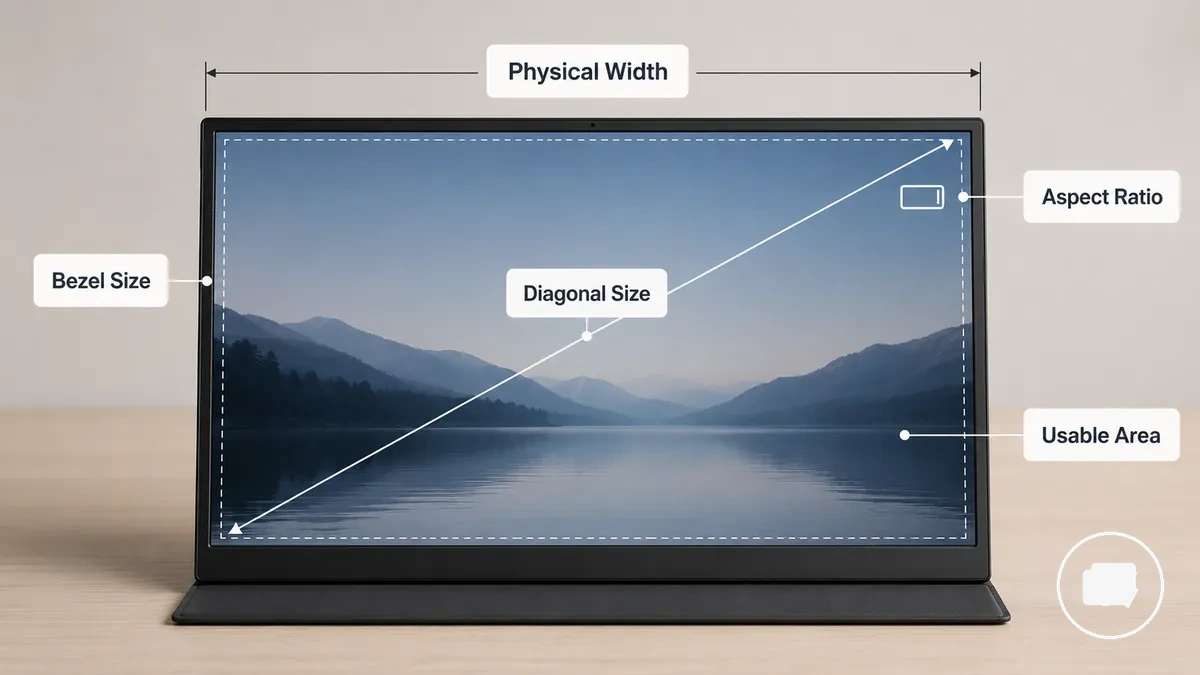
Screen Diagonal, Width, and Usable Screen Area become clearer when physical measurements are viewed together rather than treated as the same value. Aspect ratio influences how the display diagonal translates into screen width, while bezel size can increase the overall footprint without expanding the usable screen area. Two monitors with a similar monitor size may therefore occupy different amounts of desk space or provide a different practical viewing area.
The table below separates common measurement terms to help interpret advertised monitor size more accurately.
| Measurement term | What it describes | Why it matters |
|---|---|---|
| Diagonal size | The display measured from corner to corner | Represents the advertised monitor size |
| Physical width | The horizontal size of the monitor | Influences footprint and desk fit |
| Aspect ratio | The relationship between screen width and height | Affects display shape and layout |
| Bezel size | The border around the display panel | Can increase overall footprint without adding viewing area |
| Usable screen area | The visible display workspace | Reflects practical viewing and working space |
Considering these measurements together provides a more practical understanding of monitor size than relying on the advertised diagonal size alone, especially when aspect ratio, bezel design, and overall layout differ.
Common Portable Monitor Size Ranges
Common portable monitor size ranges organise similar display sizes into practical size bands instead of treating every inch as a separate decision. These ranges help compare portability, screen area, and likely use cases without acting as fixed recommendations. The most suitable size range still depends on physical fit, workspace, and intended use.
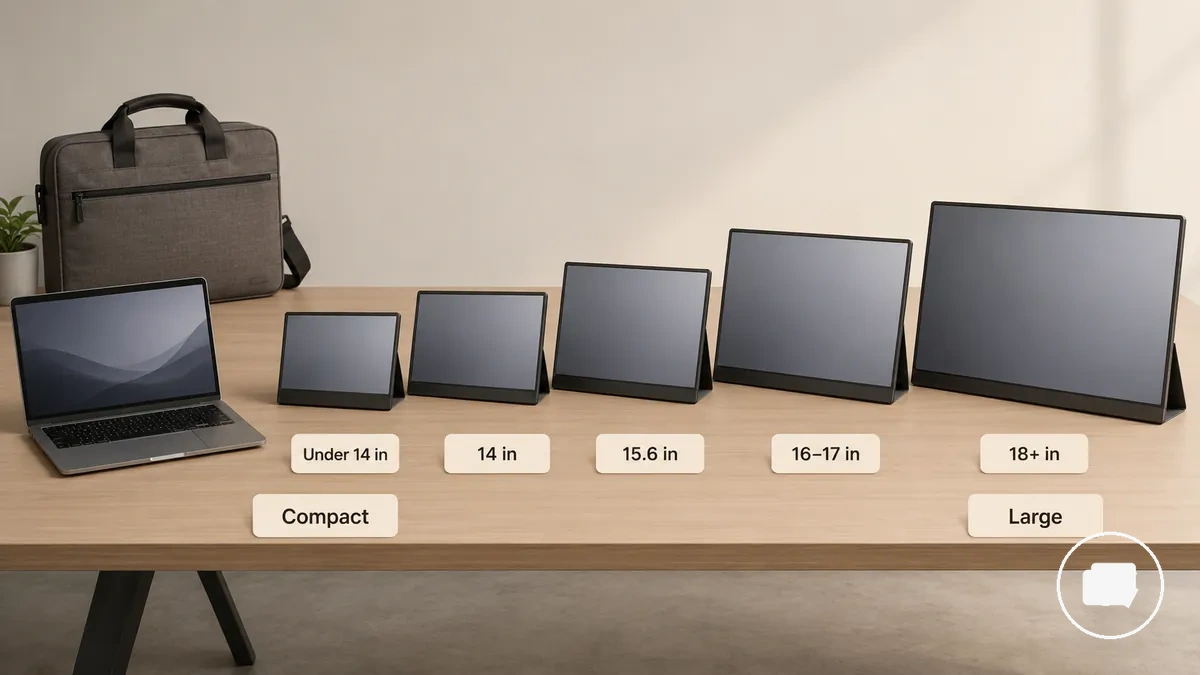
Common Portable Monitor Size Ranges are easier to understand when grouped by physical scale rather than individual models. The table below summarises compact, standard, wider, and large portable monitor categories and the trade-offs they commonly represent. Read the inch labels as orientation bands and consider physical fit alongside your working environment.
| Size range | Practical fit | Main trade-off | Likely use case |
|---|---|---|---|
| Under 14 inches | Compact with easy bag fit | Higher portability with less screen area | Frequent travel and light second-screen use |
| 14 inch | Compact with slightly more workspace | Balances portability and viewing area | Mobile work and everyday laptop pairing |
| 15.6 inch | Standard size | Balanced portability and usable workspace | General productivity and mixed use |
| 16 to 17 inches | Larger screen with a wider footprint | More screen area with reduced portability | Extended multitasking and regular desk use |
| 18 inches or larger | Large portable monitor with substantial desk space requirements | Greater viewing area with lower carrying practicality | Semi-fixed setups where portability is a lower priority |
Small Portable Monitors Under 14 Inches
A small portable monitor under 14 inches is most suitable when mobility is a higher priority than screen area. As a compact secondary screen, it can fit travel-focused setups where a smaller footprint and easy carrying matter more than extended multitasking. The trade-off is a more limited workspace for larger documents or multiple windows.
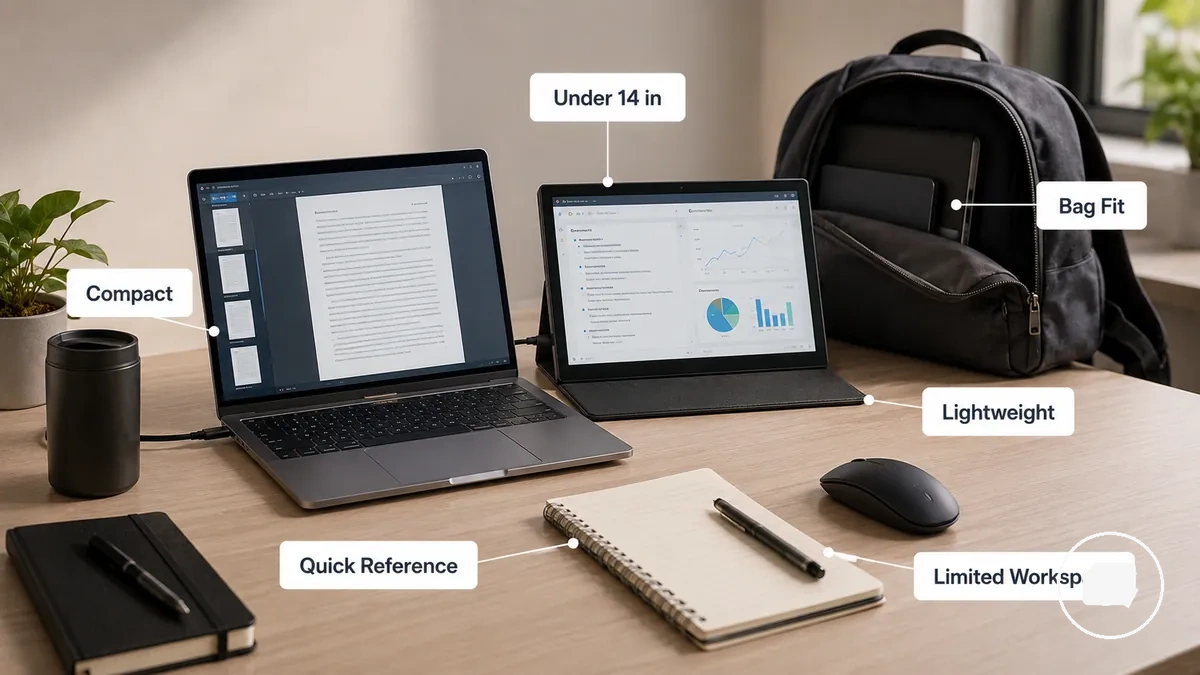
Small Portable Monitors Under 14 Inches typically support easy bag fit and lower carrying weight, making them a practical option for travel or quick reference tasks. Viewing comfort and available workspace may depend on text size, display layout, and viewing distance. Under-14-inch screens prioritise mobility over workspace, so consider whether these criteria match your needs:
- Easy bag fit is more important than a larger screen area.
- You carry the monitor frequently during travel or commuting.
- Your desk offers limited workspace.
- You mainly use the display for quick reference or as a compact secondary screen.
- You are comfortable with smaller text or less multitasking space when needed.
14 Inch and 15.6 Inch Portable Monitors
A 14 inch portable monitor and a 15.6 inch portable monitor are often cross-shopped because both provide a balanced size for everyday use. The better choice depends on whether daily carry or additional workspace is the higher priority, rather than one size being the better option for every situation.
A 14 inch portable monitor may be easier to carry and can support better bag compatibility for frequent travel. A 15.6 inch portable monitor may offer more workspace for spreadsheets, browser windows, and viewing comfort, but it can also require a larger desk footprint and more bag space. Laptop-size matching, working distance, and desk-based use all influence which size feels more practical.
If you carry the monitor most days, the smaller size may suit your routine more comfortably. If the monitor is used mainly in a desk-based setup, the additional workspace of a 15.6-inch display may be more useful when the larger footprint fits your available space.
| Criterion | 14 inch tendency | 15.6 inch tendency | Decision signal |
|---|---|---|---|
| Portability | More carry-friendly | Less compact | Consider daily carry frequency |
| Workspace | More limited screen area | More space for spreadsheets and browser windows | Depends on multitasking needs |
| Laptop-size matching | May pair well with compact laptops | May complement larger laptops | Consider screen height and side-by-side use |
| Bag compatibility | Usually easier to pack | May require more bag space | Match the size to your carrying setup |
| Viewing comfort | Can suit closer viewing | May provide a larger viewing area | Depends on viewing distance and preference |
| Desk footprint | Smaller footprint | Larger footprint | Consider available desk space |
16 Inch and 17 Inch Portable Monitors
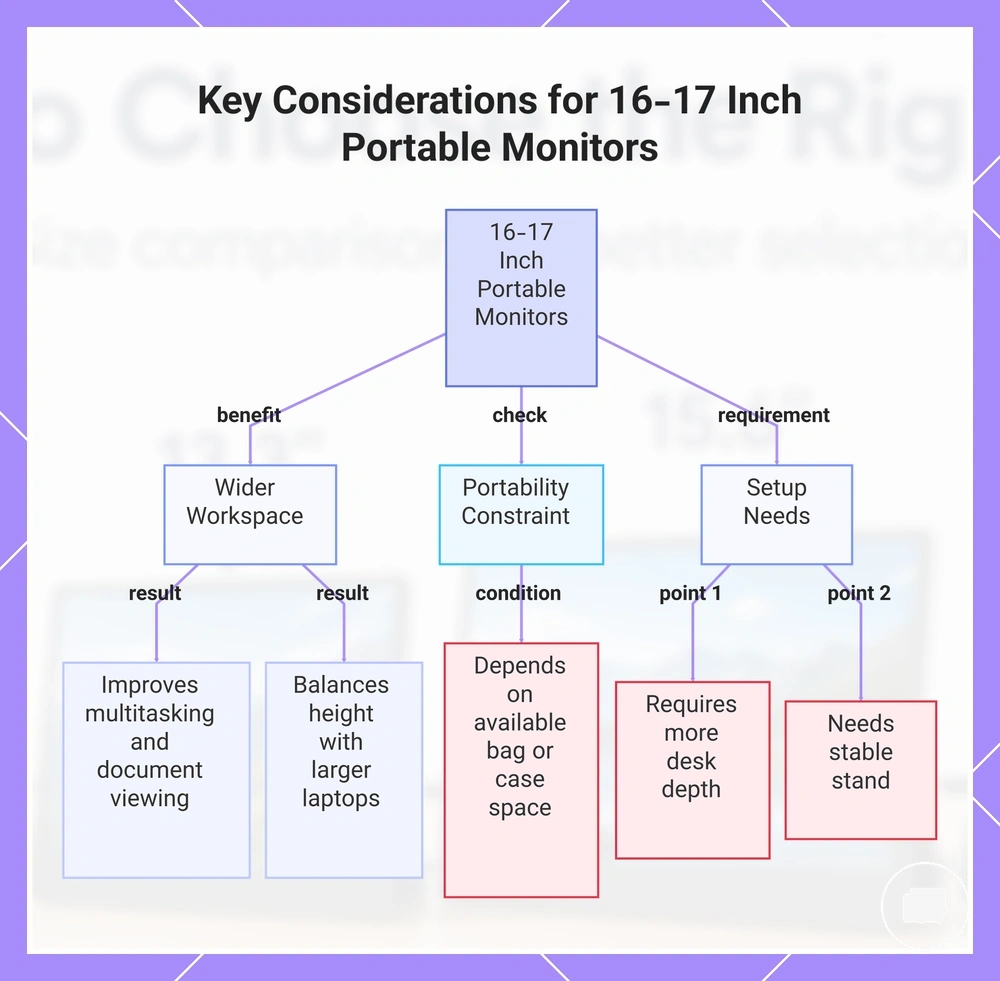
A 16 inch portable monitor or 17 inch portable monitor is most suitable for users who want a wider workspace while keeping some portability. These larger mid-size screens can provide more room for multitasking and side-by-side content, but portability may depend on bag space, case fit, and the intended workspace.
A 16 inch portable monitor or 17 inch portable monitor may pair well with a larger laptop because the screen height and overall display size can create a more balanced side-by-side setup. The larger display also increases desk footprint, so viewing distance and stand stability become more important during everyday use. This size range is often suitable when additional workspace is the priority and the carrying setup can accommodate the larger display.
- Workspace: Wider workspace can improve multitasking and viewing larger documents.
- Laptop match: May complement a larger laptop with a more balanced screen height.
- Case fit: Portability depends on available bag or case space.
- Desk footprint: A larger display usually requires more desk depth and working space.
- Stand stability: A stable stand becomes more important as screen size increases.
This chart shows the main factors to evaluate when choosing a 16 or 17 inch portable monitor, including workspace benefits, portability constraints, and setup requirements.
18 Inch and Larger Portable Monitors
An 18 inch portable monitor or larger portable monitor prioritises usable workspace over lightweight portability. These large-screen displays provide more screen area, making them more suitable for users who value workspace first while accepting that carrying convenience may be reduced.
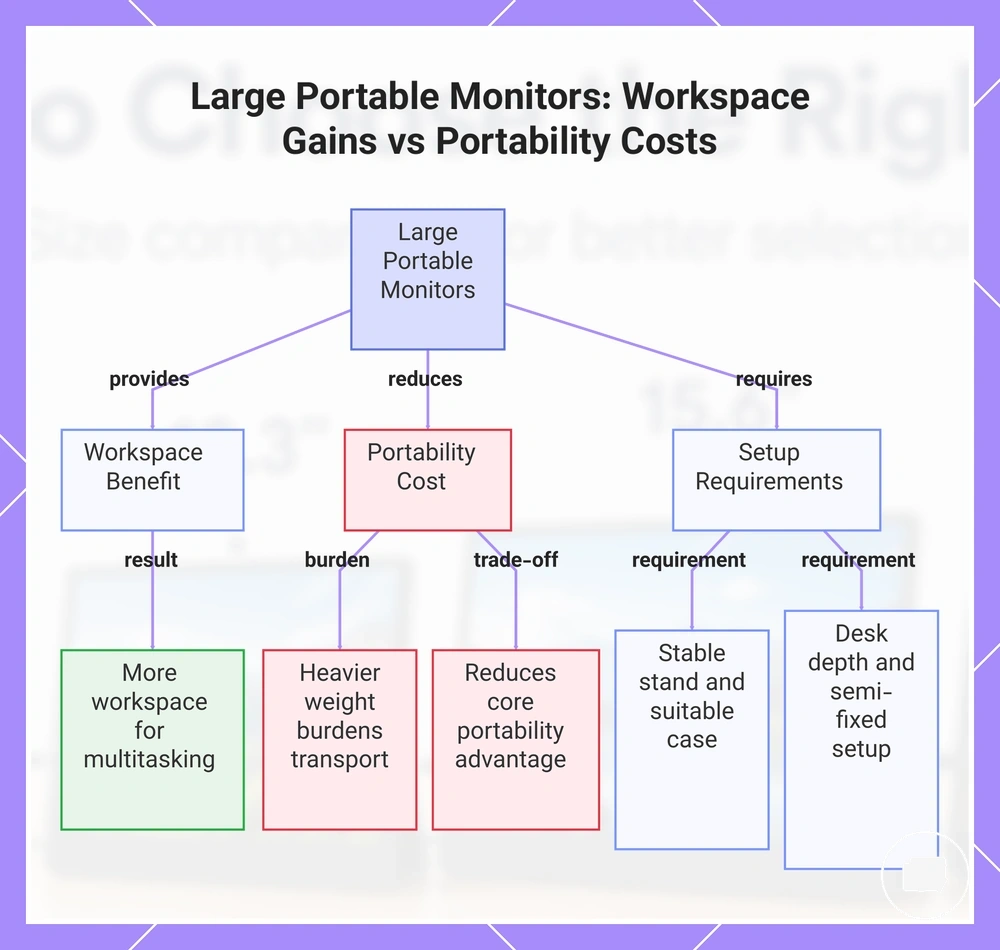
A larger portable monitor has greater physical size and usually more weight, so stand needs, desk depth, and carrying difficulty become more important considerations than with smaller portable displays. A semi-fixed setup may be more suitable when the display remains in one location for longer periods, although this depends on available desk space, case fit, and intended use. A larger screen can improve usable workspace, but it also reduces the core portability advantage associated with smaller portable monitors.
Screen-area gains versus portability costs:
- Workspace gain: A large screen can provide more usable workspace for multitasking and larger documents.
- Carrying burden: Greater weight may make frequent transport less convenient.
- Stand and case needs: A stable stand and suitable case may become more important as screen size increases.
- Desk footprint: Larger displays require more desk depth and working space.
- Semi-fixed setup: This size range may suit desk-first use when portability is a lower priority.
This chart outlines the key considerations for large portable monitors (18 inches and larger), including workspace benefits, portability costs, and setup requirements.
Screen Size for Laptop Pairing
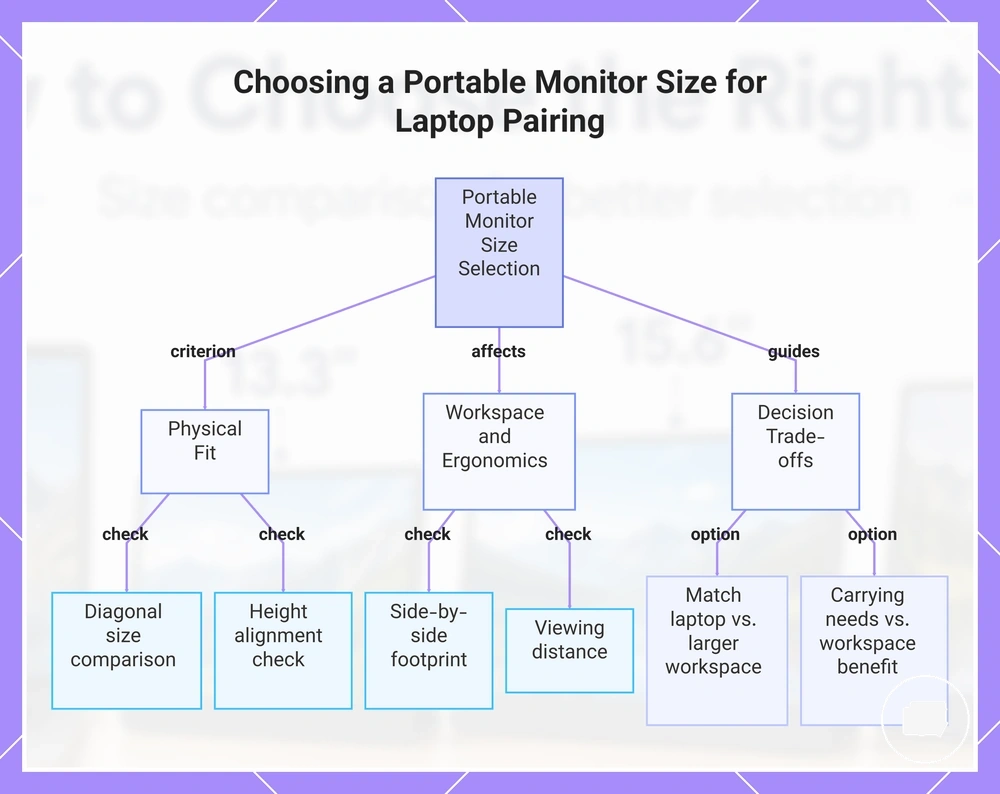
Portable monitor screen size for laptop pairing depends on physical fit, screen height, and workspace comfort rather than matching the same diagonal size. Laptop pairing should be based on how the displays sit beside each other, how much desk space is available, and whether the arrangement supports comfortable viewing. Matching the laptop size and choosing a larger external workspace are different decisions, each with its own trade-off.
Laptop diagonal size influences how balanced the portable monitor appears beside the main display, while height alignment affects how naturally your eyes move between screens. A similar screen height may create a more consistent viewing experience, but a larger external workspace can be preferable when additional room for multitasking is the priority. Side-by-side footprint also depends on desk layout because larger monitors require more horizontal space beside the laptop.
Viewing distance, work posture, and cable reach depend on the desk, stand position, and laptop configuration rather than screen size alone. A comfortable ergonomic fit may require adjusting monitor placement instead of simply choosing the same screen size as the laptop. The most suitable portable monitor size depends on achieving comfortable physical fit within the available workspace.
- Compare the portable monitor screen size with the laptop diagonal size.
- Check whether screen height provides comfortable height alignment.
- Allow enough side-by-side footprint for both displays.
- Maintain an appropriate viewing distance for your desk layout.
- Position the stand to support a comfortable work posture.
- Confirm cable reach for the intended monitor position.
- Balance carrying needs against the benefit of a larger external workspace.
This chart shows the key criteria and trade-offs for selecting a portable monitor size to pair with a laptop, based on physical fit, workspace ergonomics, and portability considerations.
Matching a Portable Monitor to Laptop Size
Matching a portable monitor to laptop size depends on approximate ergonomic fit and physical fit rather than selecting the same screen size. Laptop size provides a practical starting point, but the most suitable monitor size range also depends on screen height, desk space, and how the displays are positioned beside each other.
The table below maps common laptop sizes to reasonable portable monitor size ranges for everyday laptop pairing. These pairings are conditional rather than fixed because bezel size, aspect ratio, stand position, and desk depth can all influence the final ergonomic fit.
| Laptop size | Likely portable monitor range | Fit advantage | Trade-off to check |
|---|---|---|---|
| 13-inch laptop | Under 14 inch to 14 inch | Compact ergonomic fit with efficient bag fit | More limited workspace for multitasking |
| 14-inch laptop | 14 inch to 15.6 inch | Balanced physical fit for everyday use | Desk space may become tighter with the larger range |
| 15-inch laptop | 15.6 inch to 16 inch | Comfortable screen height with additional workspace | Aspect ratio and stand position may influence alignment |
| 16-inch laptop | 16 inch to 17 inch | Larger viewing area with balanced screen pairing | Desk depth and overall physical fit should be considered |
Screen Size for Travel and Carrying Comfort
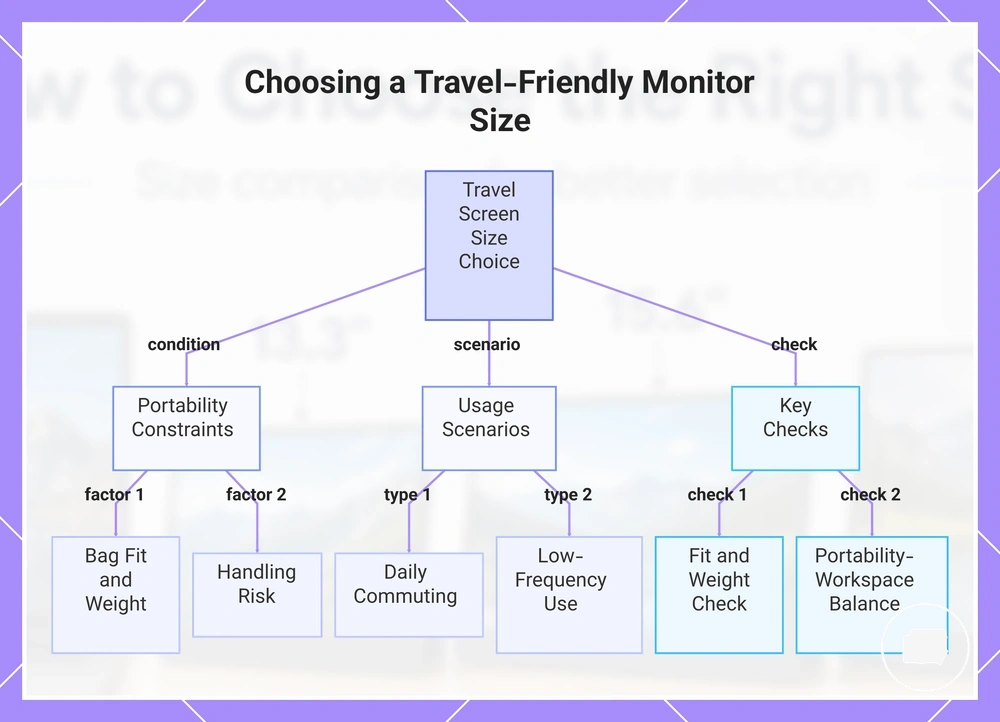
Screen size for travel depends on more than display diagonal because carrying comfort is influenced by how often you transport the monitor and where you expect to use it. A travel-friendly size should balance portability with enough workspace for your typical travel or work routine.
Bag fit is affected by screen size together with weight, thickness, case size, and the available bag compartment. A larger portable monitor may require more carrying space and can increase handling risk during transport, while a smaller display may be easier to carry but offer less workspace. The most suitable choice depends on transport frequency, workspace availability, and the amount of screen area you expect to use away from a permanent desk.
Daily commuting often suits a screen size that fits comfortably into a regular bag while keeping carrying comfort manageable. Occasional business travel may justify a larger display when additional workspace is useful and travel is less frequent. For mostly stationary remote work, a larger screen size may be practical if workspace availability is greater and portability is a lower priority.
- Confirm the monitor and case fit inside your bag compartment.
- Consider the total carrying weight of your portable setup.
- Check whether the monitor thickness suits your available storage space.
- Match screen size to your transport frequency and commute pattern.
- Allow for the workspace available where you normally work.
- Choose a size that matches your comfort with handling during transport.
- Balance portability against the workspace you need for everyday tasks.
If your portable monitor will move between multiple locations, choose a screen size that supports both carrying comfort and practical workspace. For broader guidance on mobile setups, see portable monitor for work and travel.
This chart shows the key conditions, usage scenarios, and checks to consider when selecting a screen size for travel and carrying comfort.
Screen Size Trade-Offs for Work, Desk Use, and Portability
Screen size trade-offs depend on balancing workspace comfort, desk use, and portability rather than maximising a single feature. A smaller portable monitor may be easier to carry, while a larger display can provide more screen area for work. The better choice depends on which criteria have the greatest influence on your everyday use case.
For work and desk use, a larger screen area may improve text readability and create more room for multitasking when desk space, viewing distance, and stand stability are suitable. A smaller display can fit more easily into compact workspaces, although it may provide less room for multiple windows. Workspace comfort depends on how these criteria work together instead of screen size alone.
For portability, lower weight and a smaller footprint may reduce carrying burden during frequent travel, while larger displays may require more desk space and more careful handling during transport. Neither approach suits every situation, so the most practical decision is to weigh work comfort against mobility according to your primary use case.
| Criterion | Smaller size effect | Larger size effect | Decision signal |
|---|---|---|---|
| Screen area | Less workspace | More workspace | Match screen area to everyday tasks |
| Text readability | May require closer viewing or display scaling | May feel more comfortable at typical viewing distances | Consider reading comfort and viewing habits |
| Multitasking | Less room for multiple windows | More room for simultaneous applications | Choose according to workflow needs |
| Weight | Usually easier to carry | May increase carrying effort | Consider travel frequency |
| Desk space | Smaller footprint | Requires more desk space | Match the display to available workspace |
| Viewing distance | Often suitable for closer placement | May benefit from additional viewing distance | Consider desk depth and posture |
| Stand stability | Usually easier to support | May benefit from a more stable stand | Review the stability of your setup |
| Carrying burden | Typically lower | May be higher | Balance portability with workspace comfort |
How to Choose the Right Portable Monitor Size
Choose the right portable monitor size by identifying the dominant use condition rather than focusing on screen size alone. The most suitable size depends on your use case, laptop fit, carrying needs, and workspace constraints, with each factor influencing the overall size choice differently.
Start by considering how you will use the monitor most often and how it fits alongside your laptop. A size that supports laptop fit may create a more comfortable side-by-side workspace without requiring unnecessary desk space. If multitasking needs are a higher priority, additional screen area may be worthwhile when your workspace supports it.
Travel frequency, desk depth, and acceptable weight are the next decision variables. Frequent travel may favour a size that reduces carrying needs, while a larger desk can accommodate displays with a greater footprint. Viewing comfort also depends on how far the monitor will be positioned and whether the available space supports comfortable use.
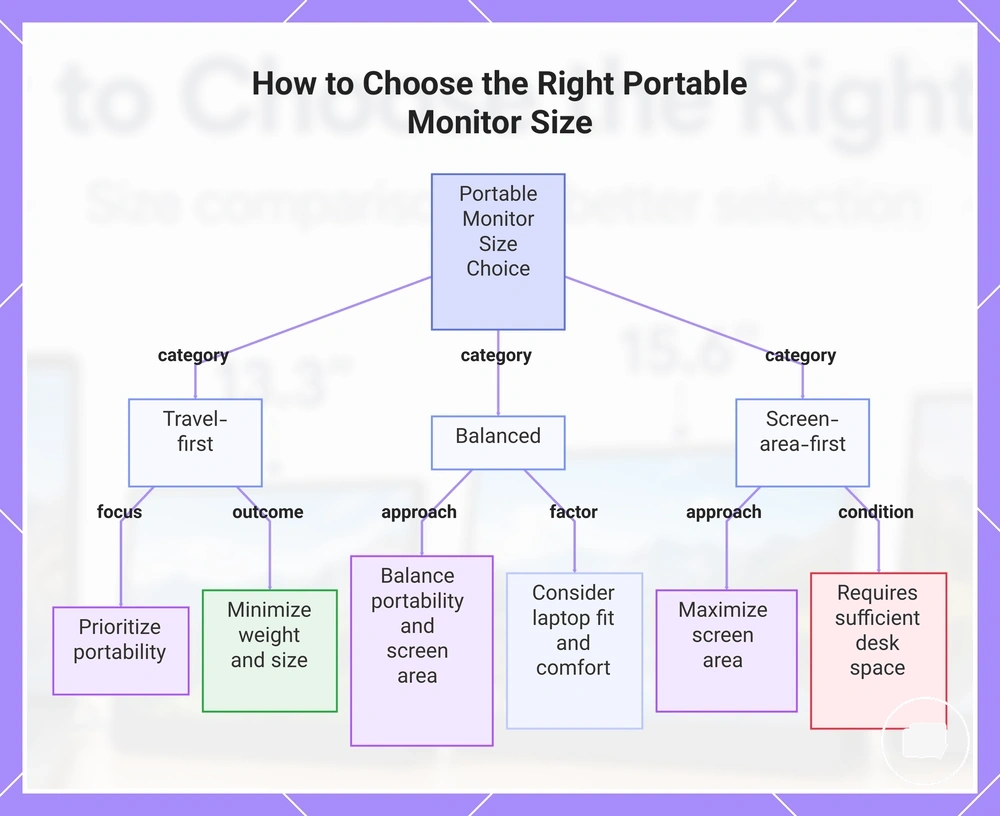
Use this simple decision flow to compare your priorities:
- Travel-first: Prioritise portability when frequent travel, carrying needs, and acceptable weight are the main concerns.
- Balanced: Choose a middle-ground size when laptop fit, viewing comfort, multitasking needs, and portability are all important.
- Screen-area-first: Consider a larger display when workspace constraints are limited and additional screen area supports your everyday tasks.
No single size is suitable for every situation because the right choice depends on balancing use case, laptop fit, travel frequency, desk depth, viewing comfort, multitasking needs, and acceptable weight. Review these decision signals together before making a final size choice.
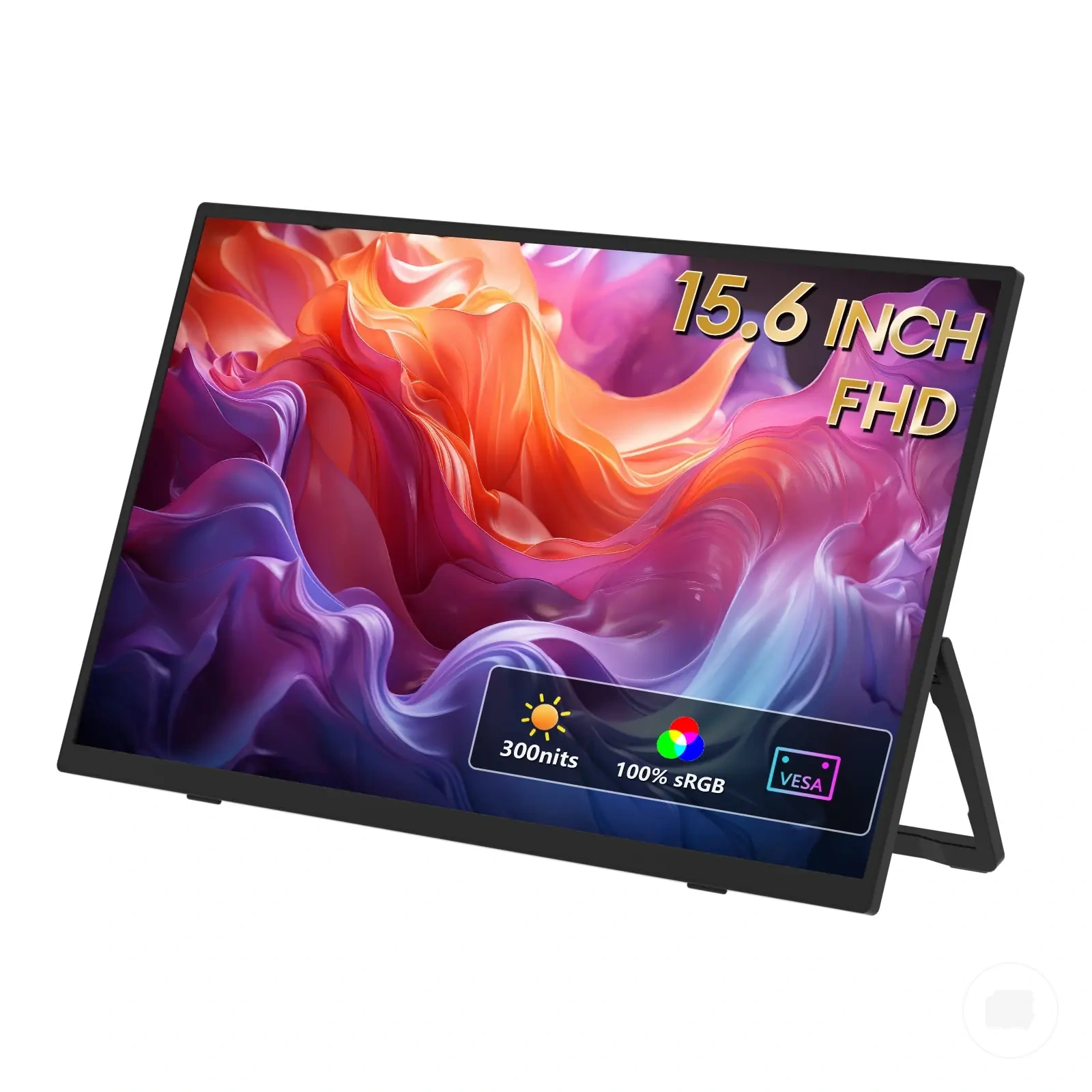
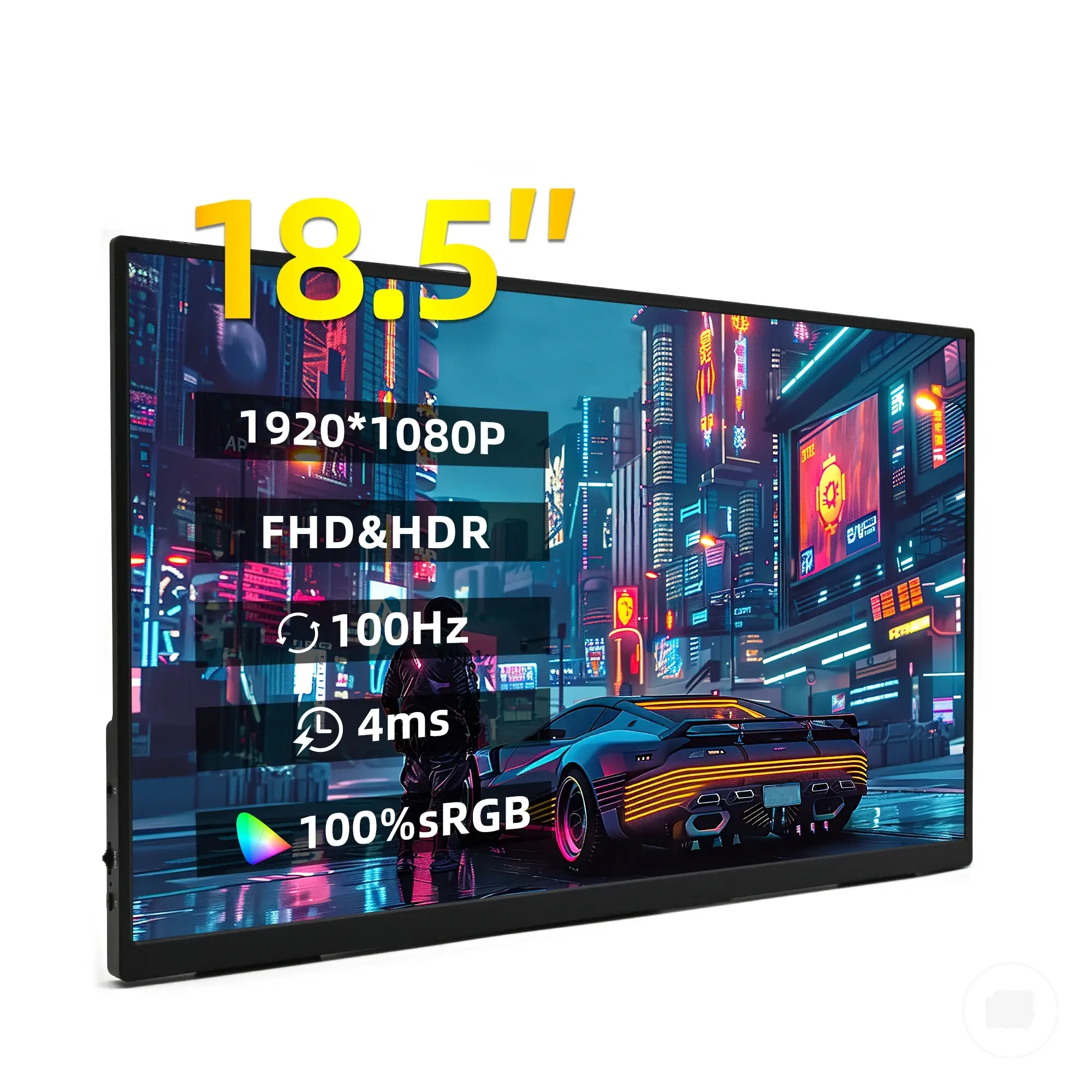
The products below are useful examples for comparing available options. Before buying, check that the compatibility criteria, key features, and product details match your needs.
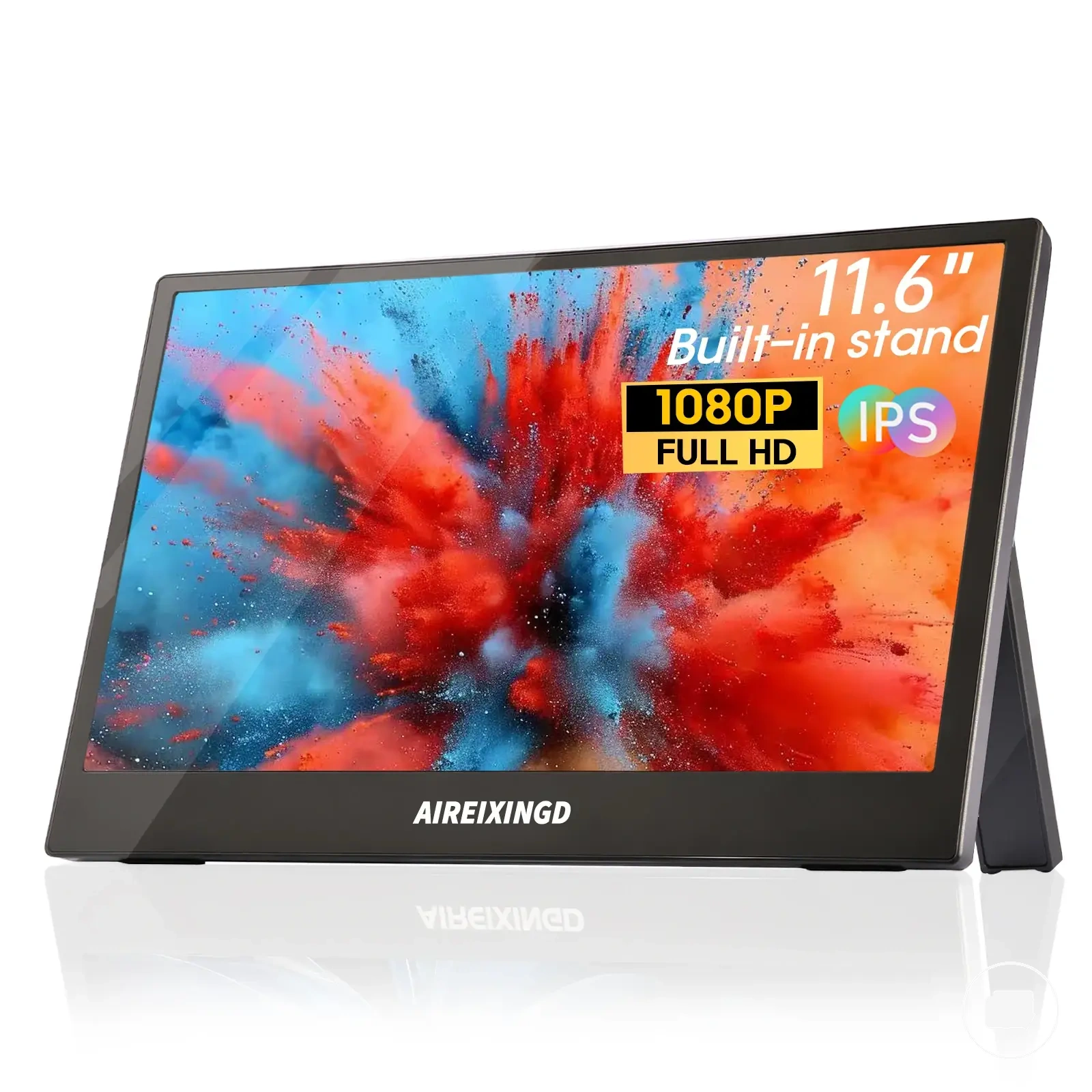
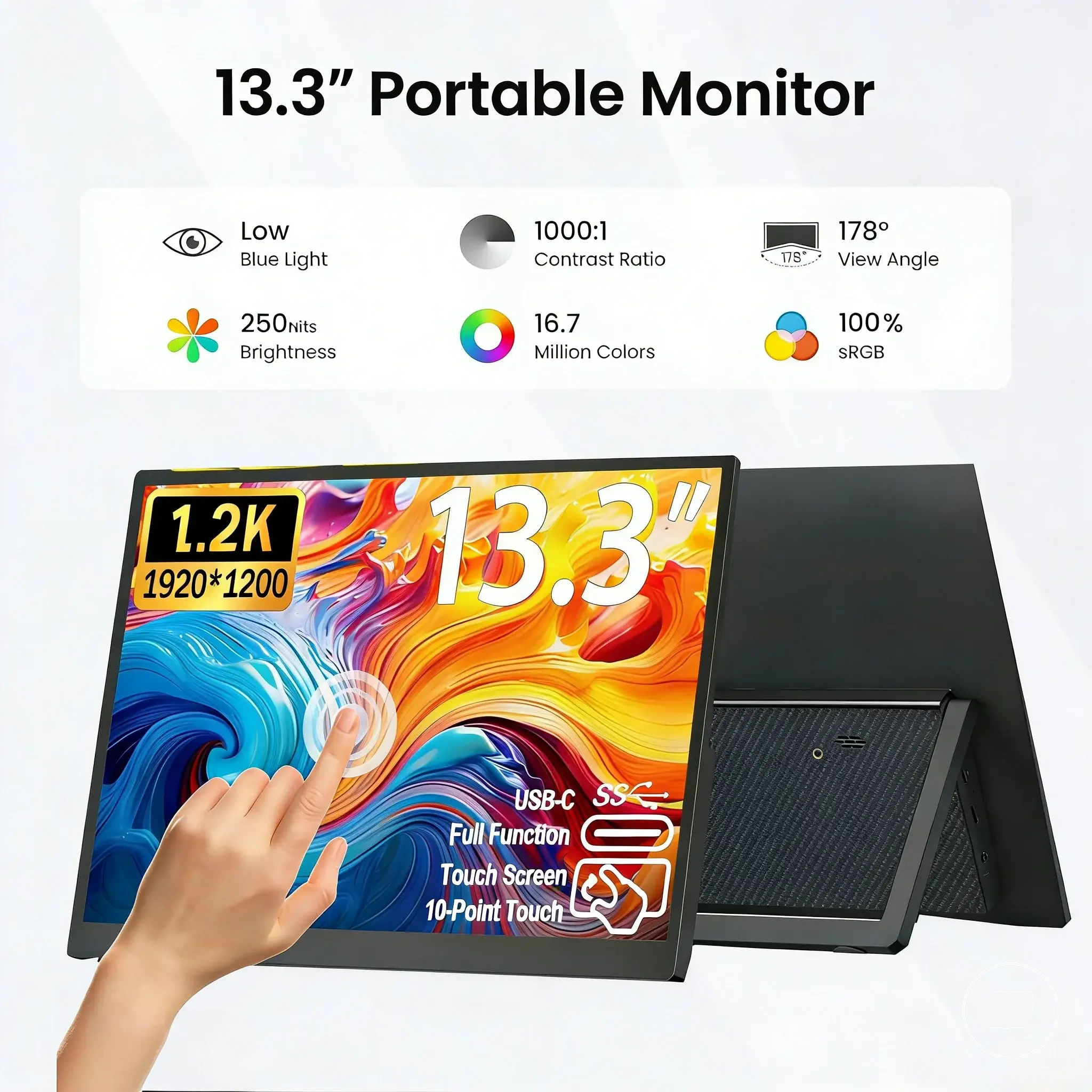
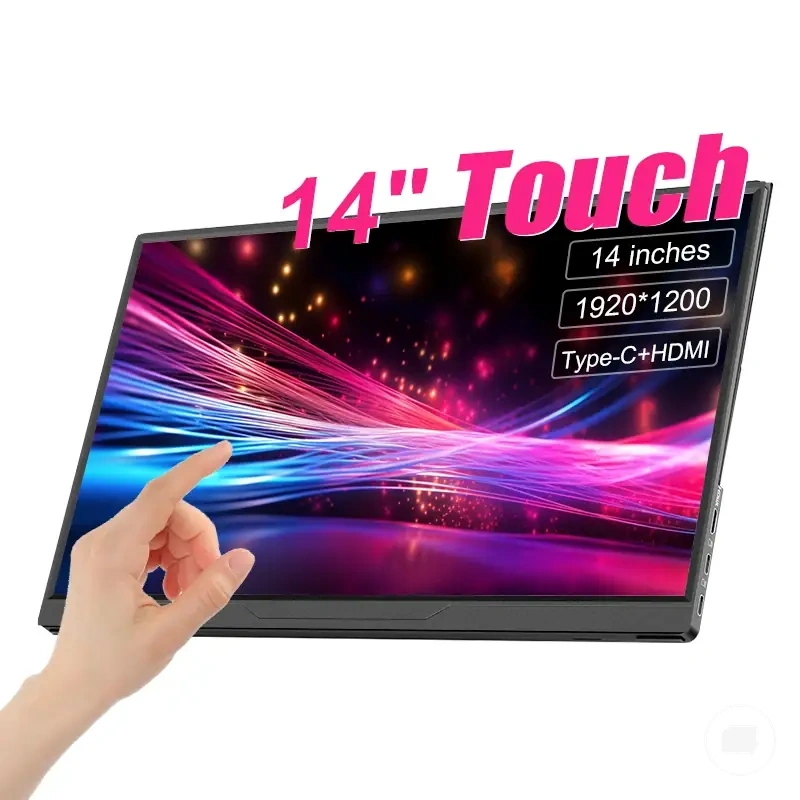
This chart shows three main use-case categories for choosing a portable monitor size based on your dominant need: travel, balance, or screen area.
Screen Size Compared with Resolution and Value
Screen size should be considered alongside resolution and value because physical size alone does not determine the overall usefulness of a portable monitor. Physical size, pixel density, and price sensitivity can all influence the final decision outcome, so size should be evaluated as part of a broader comparison rather than in isolation.
Physical size determines how much usable workspace a display can provide, while resolution influences the amount of detail shown on that screen. Pixel density can affect text sharpness, particularly when comparing different screen sizes with similar resolutions. The most suitable combination depends on balancing screen area with the level of clarity needed for the intended use case.
Resolution influences how a chosen screen size performs, but it does not replace the size decision because both factors work together to affect viewing experience and workspace. For a more detailed comparison of display resolution, see portable monitor resolution.
Value also depends on more than price because feature value and price sensitivity may change whether a larger or smaller display is worthwhile for your use case. For a broader comparison of cost and feature considerations, see portable monitor price and value.
Resolution and value can influence which screen size is more appropriate, but they should support rather than replace the core size decision. Compare physical size, usable workspace, text sharpness, and value together before deciding which display size best matches your priorities.
The products below are useful examples for comparing available options. Before buying, check that the compatibility criteria, key features, and product details match your needs.
| Factor | What it changes | What it does not decide alone | Decision signal |
|---|---|---|---|
| Screen size | Physical size and usable workspace | Text sharpness or overall value | Match screen area to your primary use case |
| Resolution | Display detail and workspace density | Physical footprint or portability | Consider whether the resolution suits the chosen size |
| Pixel density | Perceived text sharpness | Overall screen area | Compare clarity with viewing distance |
| Usable workspace | Space for multitasking and content | Display quality or feature value | Prioritise according to everyday tasks |
| Value | Feature value relative to price sensitivity | The right screen size by itself | Balance cost considerations with size requirements |