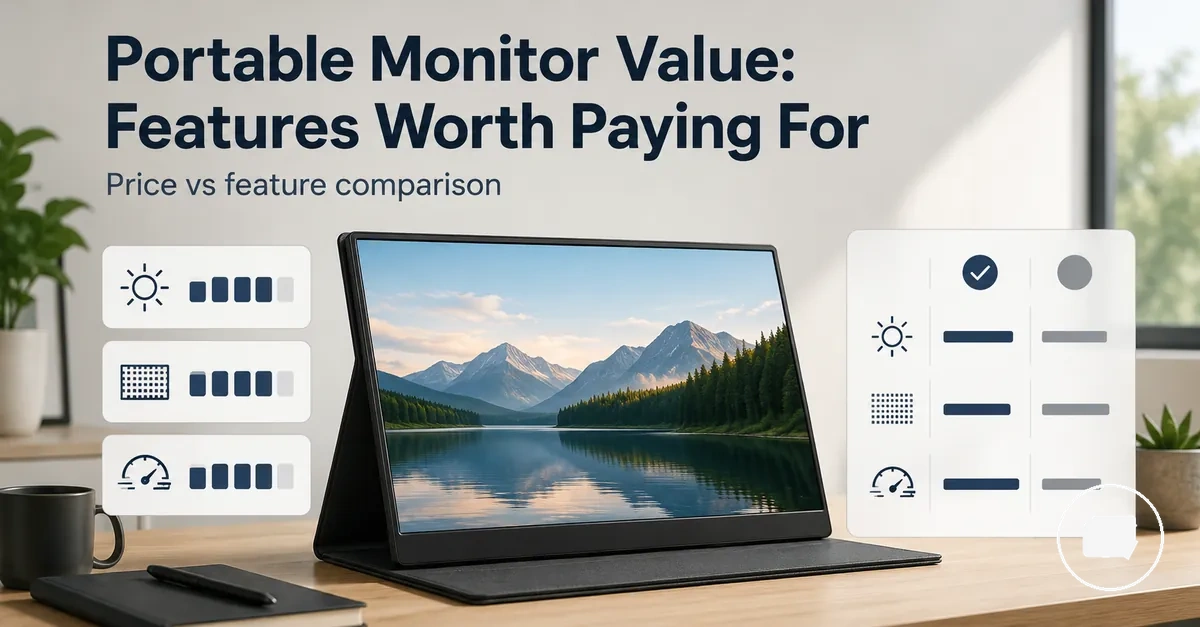
Portable Monitor Price and Feature Value
Portable monitor value means judging the price against the features that make the display useful for your intended use. A lower price may seem appealing, but real value depends on whether the screen, connections, stand, and included accessories support the way you plan to use it. A cheaper portable monitor does not always provide better value if missing features create everyday compromises.
Price decisions can vary depending on whether the portable monitor is used for work, travel, creative projects, gaming, or as a second screen. A portable monitor guide provides a broader introduction to the category before comparing feature tiers. A budget model may suit basic tasks, while a premium option may justify its cost when USB-C connectivity, higher resolution, touchscreen support, 144Hz refresh, or a more complete bundle improves the overall experience.
- Use case: Match the feature tier to the tasks the portable monitor will handle.
- Connectivity: Consider USB-C, HDMI, power requirements, and setup convenience.
- Display quality: Balance resolution, brightness, and other display features against your needs.
- Bundle value: Check whether the stand, cables, case, or other included accessories reduce additional costs.
The best value usually comes from choosing the feature set that matches your use case rather than selecting the lowest or highest price. Paying more can be worthwhile when the additional features improve daily usability, while paying for features you are unlikely to use may increase cost without adding meaningful value.
Prices, bundles, and overall value can vary by model, retailer, and included accessories, so comparing features alongside price provides a more reliable basis for making a decision.
Portable Monitor Price Ranges by Feature Tier
Portable monitor price ranges usually reflect the feature tier rather than guaranteeing display quality. A higher price may include a broader feature set, improved display quality, or more complete accessories, while a lower-priced option can still provide good value when it suits the intended use. Comparing feature tiers is generally a more reliable way to assess value than comparing price alone.
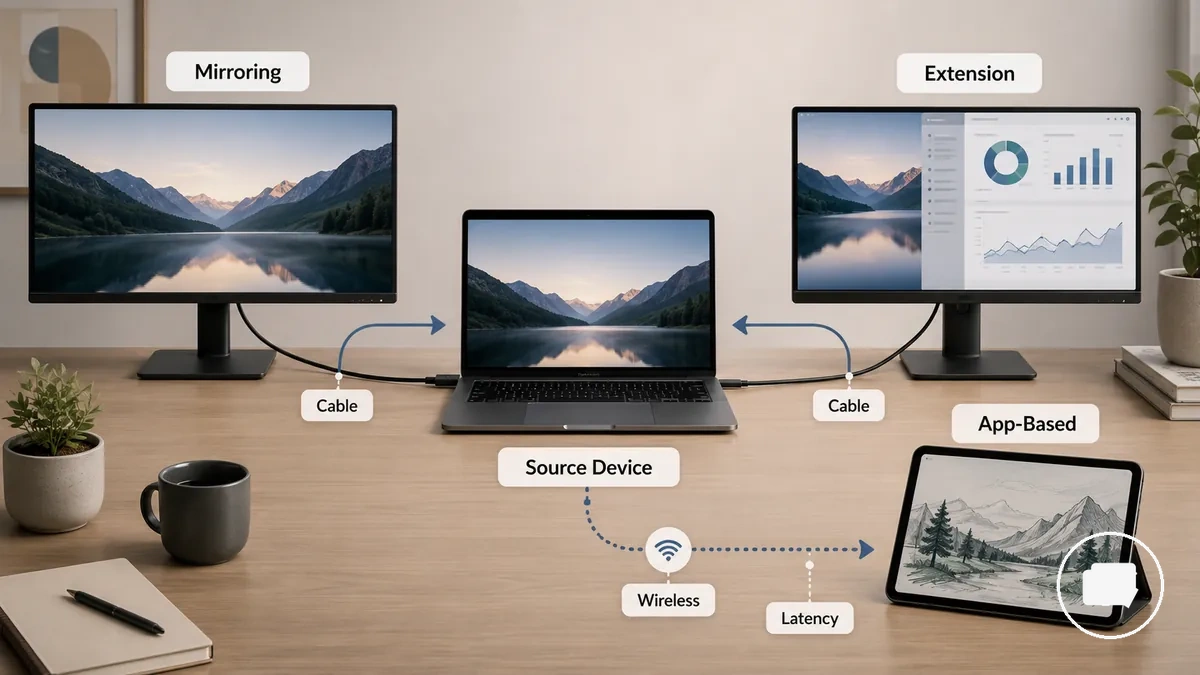
Budget portable monitor, mid-range portable monitor, and premium portable monitor categories are practical value groups rather than fixed quality standards. A budget portable monitor usually focuses on essential features, a mid-range portable monitor aims to balance cost and capability, and a premium portable monitor may offer upgrades that are worthwhile only for specific use cases. The table below compares each price range by its typical feature pattern, value risk, and expected value gain.
| Feature tier | Typical feature pattern | Value risk | Best-fit decision |
|---|---|---|---|
| Budget | Entry-level display quality, essential connectivity, and basic accessories. | Compromises in bundled cable quality, stand stability, or overall feature set may reduce long-term value. | Suitable when basic productivity and a lower total cost are the main priorities. |
| Mid-range | Balanced display quality, broader feature tier, and more complete accessories. | Extra features may provide limited value gain if they are rarely used. | Well suited for users seeking a practical balance between capability and cost. |
| Premium | Higher-priced feature set with upgraded display options and bundled extras. | Value gain depends on whether the additional capabilities support the intended workflow. | Most appropriate when advanced features justify the higher investment. |
The table provides category-level guidance rather than fixed expectations. Actual value may vary with region, availability, bundled cables, stand quality, cover quality, and other included accessories, so similar products can differ in overall value even within the same price band.
Exact prices and included accessories can change over time, making it sensible to confirm the current price range and bundle contents at the time of purchase instead of relying on category labels alone.
Budget Portable Monitor Price Expectations
A budget portable monitor offers good value when it keeps the core features needed for comfortable everyday use despite its low price. The focus should be on usable performance rather than the lowest possible cost. Before choosing an affordable portable display, check the resolution, brightness, USB-C or HDMI connectivity, stand quality, and accessory completeness.
- Resolution: Clear, readable text helps protect value during basic work and everyday tasks.
- Brightness: Adequate screen brightness can make the display easier to use in different indoor environments.
- USB-C or HDMI: Simple connection options can reduce setup effort.
- Stand quality: A stable stand can improve viewing comfort during daily use and travel use.
- Cable and accessories: A complete cable bundle helps avoid extra costs and improves overall value.
For basic work or travel use, an entry-level monitor may be a practical choice when it delivers readable text, reliable connections, and a usable stand. Acceptable limitations can include fewer premium features, while poor readability, unstable support, or missing essential accessories are more likely to reduce long-term value.
Mid-Range and Premium Portable Monitor Price Expectations
Mid-range and premium portable monitor prices should add practical capability beyond a basic second-screen experience. A higher-priced portable monitor is usually worthwhile when the added features improve the intended workload instead of simply increasing cost.
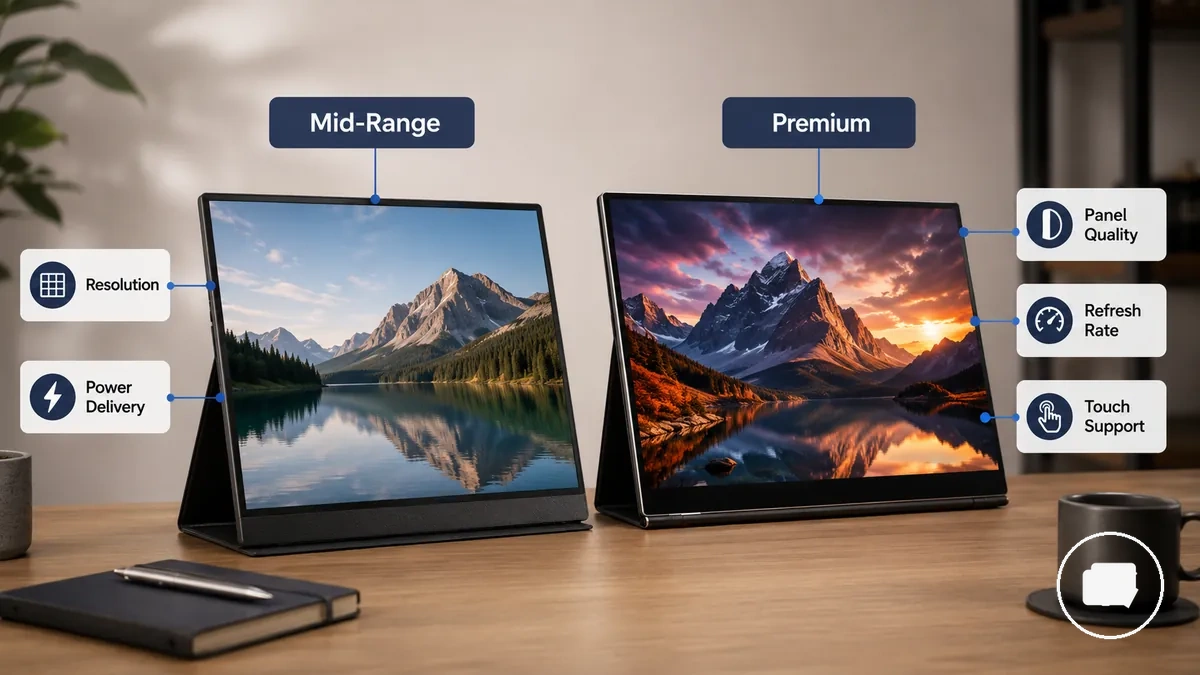
Mid-range models generally focus on balanced everyday improvements, while premium models emphasize specialized capabilities. Higher resolution, panel quality, brightness, refresh rate, touch support, power delivery, build quality, and bundled accessories can add value when they match specific needs. Paying for upgrade features that remain unused may reduce overall value.
| Price tier | Added capability | When it adds value |
|---|---|---|
| Mid-range | Balanced display quality | Useful when everyday work needs clearer viewing, steadier brightness, or better overall usability. |
| Mid-range | Stronger connectivity | Useful when USB-C, power delivery, or cable simplicity reduces setup friction. |
| Premium | High resolution | More valuable when sharper detail supports creative work, dense text, or precise visual tasks. |
| Premium | High refresh rate | More valuable when gaming or motion performance is part of the intended workload. |
| Premium | Touch support | Useful when touch interaction fits the device, workflow, and connected setup. |
| Mid-range or premium | Bundled accessories | Useful when the stand, cover, cable, or included extras improve ownership value. |
If your workload regularly involves detailed creative content or smoother gaming motion, premium features may justify the additional cost. For general office work or a simple second screen, a balanced mid-range option is often sufficient without paying for capabilities that may remain unused.
Features That Most Often Change Portable Monitor Value
Portable monitor features change value most when they remove setup friction or improve the intended use case. The same feature does not have the same value for every user because its benefit depends on how the monitor will be used. Evaluating portable monitor features by use case is the most reliable way to separate core value factors from optional upgrades.
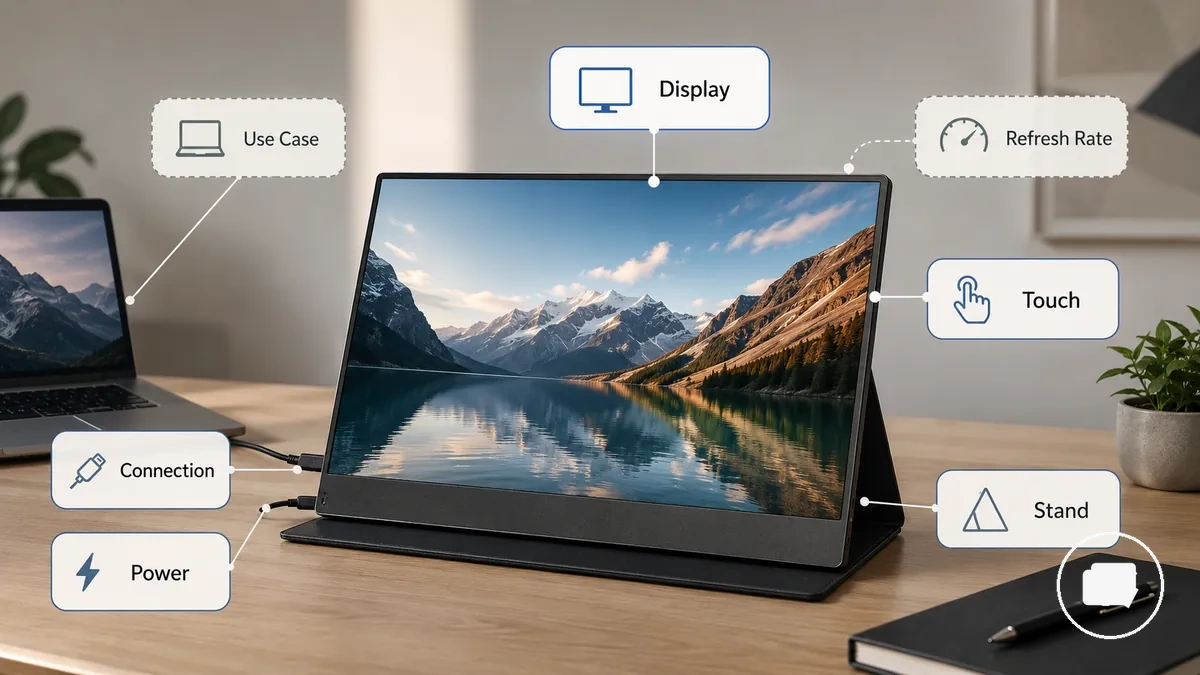
Portable monitor features can be grouped into display, connection, power, support, and interaction categories. Screen quality, connection options, power delivery, stand design, cover quality, touchscreen capability, and refresh rate become value drivers only when they improve usability for the intended task. The table below shows how each feature group can affect value under different conditions.
| Feature group | Value condition | When it matters | When to deprioritize it |
|---|---|---|---|
| Display | Screen quality improves visibility and comfort. | When brightness and resolution support the intended use case. | When basic viewing meets everyday needs. |
| Connection | USB-C or HDMI reduces setup friction. | When simple device connection is important. | When existing connections already suit the setup. |
| Power | Power delivery simplifies cable management. | When fewer cables improve portability or workspace organization. | When separate power is not an inconvenience. |
| Stand or cover | Support improves portability and protection. | When the monitor is carried or repositioned regularly. | When the monitor stays in one location. |
| Touchscreen | Touch interaction supports compatible workflows. | When direct input improves productivity. | When keyboard and mouse control are sufficient. |
| Refresh rate | Smoother motion supports specific activities. | When gaming or motion-heavy content is a priority. | When general productivity is the primary focus. |
Core value features usually improve everyday usability across many situations, while nice-to-have upgrades become worthwhile only when they are used regularly. Feature filtering before price comparison can lead to a more practical decision than comparing specifications alone.
Screen Size, Resolution, Brightness, and Panel Quality as Value Factors
Display value depends on how screen size, resolution, brightness, and panel quality support visibility, sharpness, workspace, and task fit. Higher display specifications can improve value when they make the intended use more comfortable or efficient, but their benefit depends on how the portable monitor will be used. The criteria below highlight the main display trade-offs before comparing higher specifications.
| Display attribute | Value condition | Trade-off | Decision cue |
|---|---|---|---|
| Screen size | Balances workspace and portability. | A larger visible area may reduce portability. | Choose the size that matches the primary task. |
| Resolution | Improves sharpness and text clarity. | Higher resolution may add cost without noticeable value for every use case. | Match screen clarity to everyday viewing needs. |
| Brightness | Supports visibility and comfort in different lighting conditions. | Additional brightness may provide limited value in consistently controlled lighting. | Consider the environments where the monitor will be used. |
| Panel quality | Affects viewing comfort and overall display quality. | Higher panel quality may matter more for visually demanding tasks. | Prioritize when colour quality is important. |
| Colour quality | Influences colour performance and consistency. | Improved colour quality may not benefit every workflow. | Give it greater weight for creative tasks. |
| Screen finish | Can influence reflections and viewing comfort. | Finish preference depends on the usual environment. | Select the finish that best suits everyday use. |
Higher specifications are not automatically better when they increase cost without improving the main task. Comparing portable monitor size value alongside display quality helps balance workspace, portability, sharpness, and comfort instead of focusing on a single specification.
USB-C, HDMI, Power, Stand, Cover, and Battery as Practical Value Factors
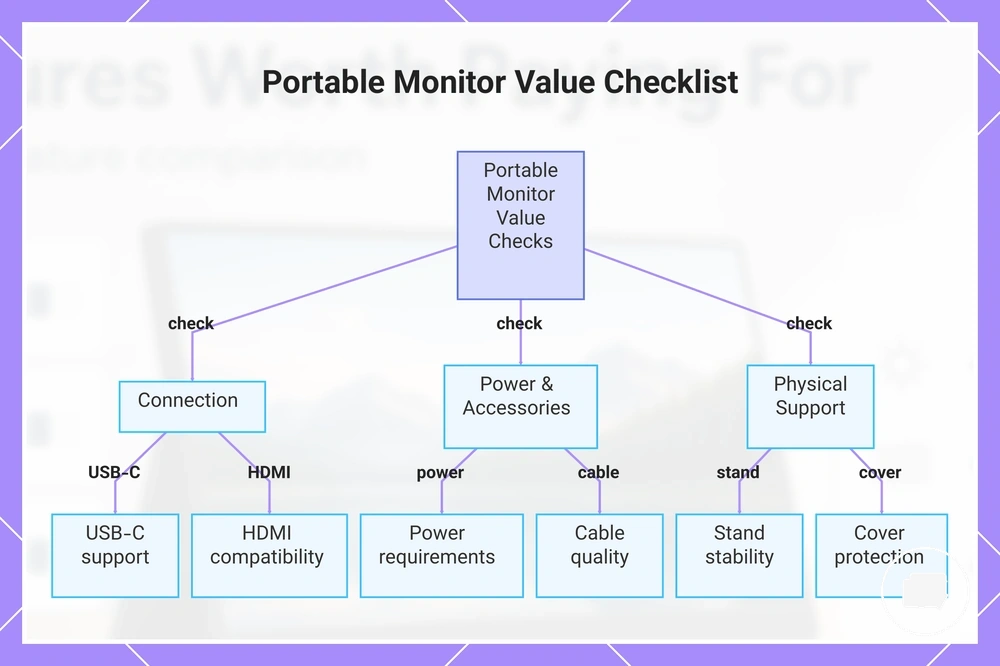
Practical value depends on whether a portable monitor connects, powers, stands, and travels without creating unnecessary setup friction. Connection options and included accessories can influence everyday convenience as much as display quality because missing components may increase ownership cost. Before comparing prices, check USB-C, HDMI, power, stand, cover, battery, cable quality, and pass-through charging.
- USB-C: Check whether USB-C supports the intended connection and power needs to reduce setup friction.
- HDMI: Confirm that the available input suits the devices you plan to connect.
- Power and pass-through charging: Review power requirements and whether pass-through charging is available when it supports your workflow.
- Stand: Check stand stability because weak support can reduce everyday comfort.
- Cover: Check whether a protective cover or case supports portability and protection.
- Cable quality: Included cables may reduce additional purchases if they meet your connection needs.
- Battery: A built-in battery may add convenience for travel use, depending on how the monitor will be used.
Missing cables, limited power options, or an unstable stand can make a lower-priced portable monitor less practical because additional accessories may be needed later. This section focuses on value rather than setup procedures, so detailed connection and power guidance is outside its scope.
For example, a lower-cost monitor that requires purchasing a separate cover or replacement cable may increase ownership cost compared with a model that includes those accessories. If connection requirements are a deciding factor, review ports and power features before making a final comparison.
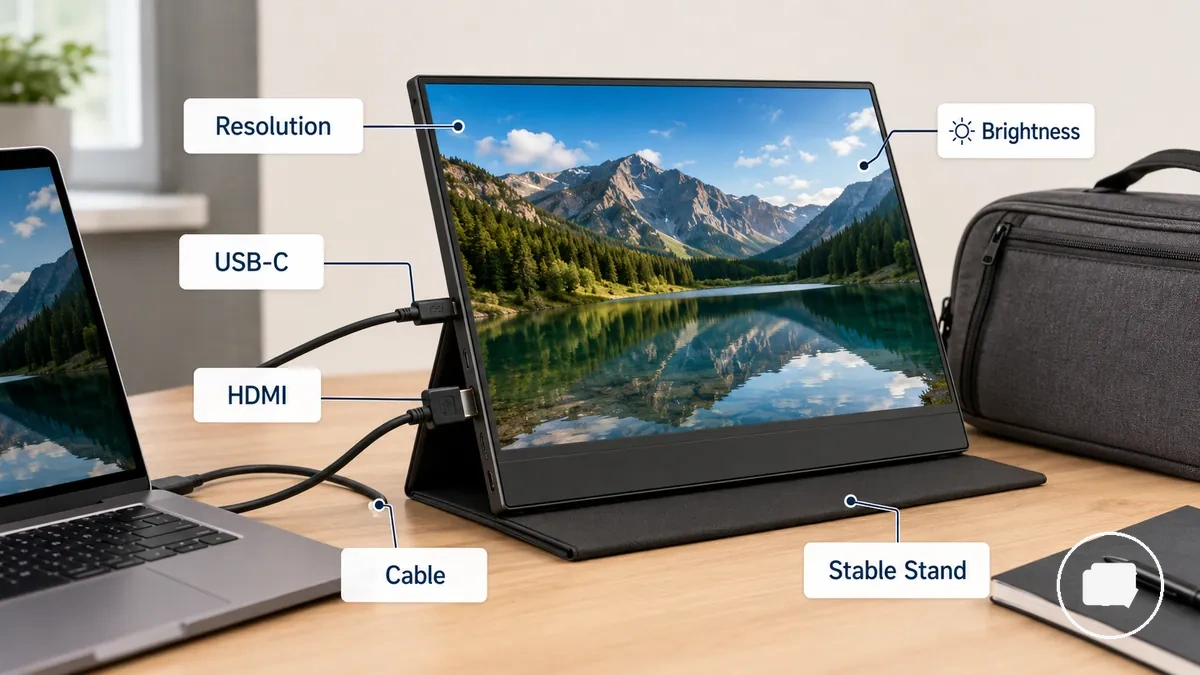
This chart shows the key factors to check when evaluating the practical value of a portable monitor before purchase.
Budget Portable Monitors and the Minimum Features Worth Keeping
A budget portable monitor is worth considering only when minimum usability is preserved. A lower price remains worthwhile when the minimum features continue to support everyday tasks without creating unnecessary compromises. Use the checklist below to identify the features that should not be sacrificed.
- Display clarity: The display should keep text comfortably readable because clear text supports simple laptop work and basic second-screen use.
- Usable brightness: Brightness should be sufficient for the intended environment because inadequate brightness may reduce viewing comfort.
- Reliable input: USB-C, HDMI, or another required connection should suit the planned device because dependable input helps avoid connection problems.
- Stable stand: The stand should hold the screen securely at a practical viewing angle because stable support improves everyday usability.
- Included cable: An included cable should meet the intended connection needs because replacing missing or unsuitable cables may increase ownership cost.
- Protective cover: A protective cover can help during travel use because it supports safer carrying and storage.
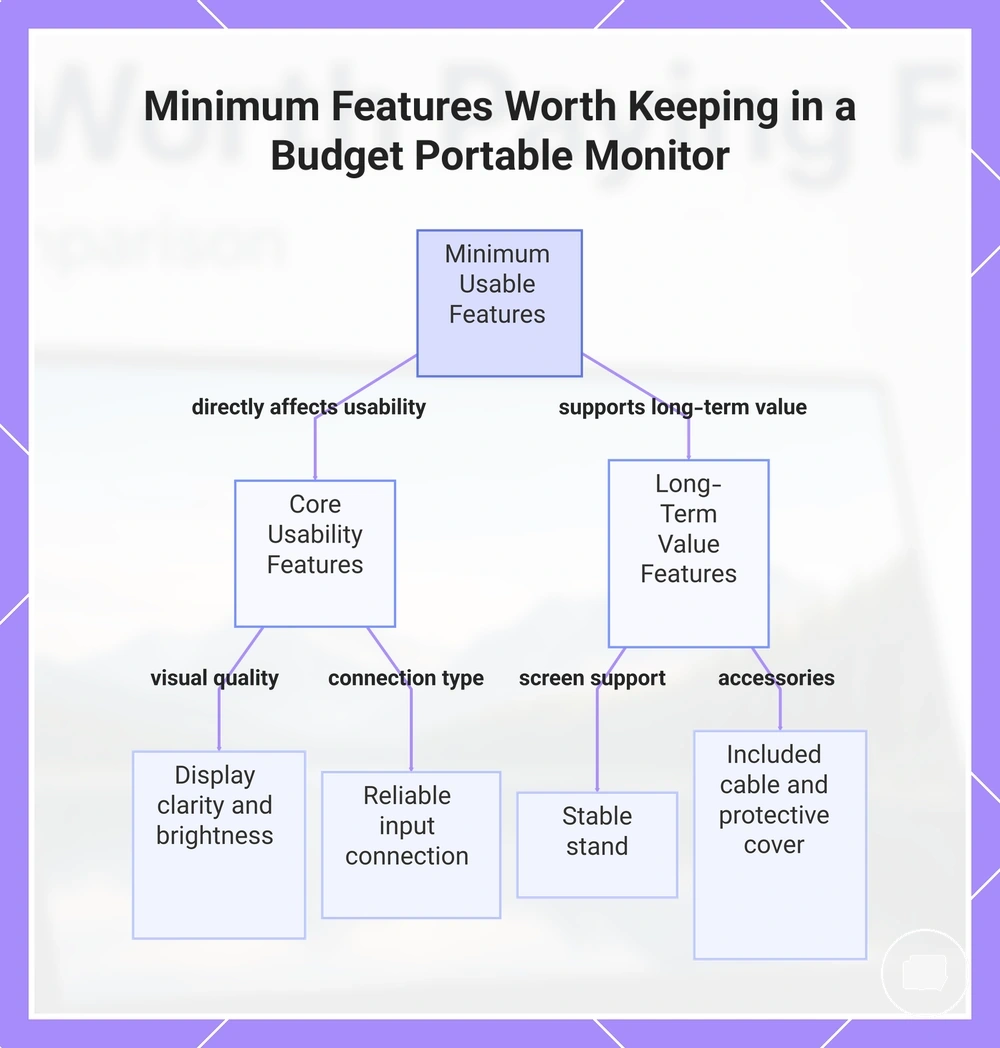
Display clarity, usable brightness, and reliable input are the minimum features that most directly affect everyday usability. When these essentials meet the intended task, a budget portable monitor may provide enough value for simple laptop work, travel use, or occasional second-screen needs. If these core features fall below an acceptable condition, the lower purchase price may become less worthwhile.
Stable support and practical accessories also contribute to long-term value. A stable stand, included cable, and protective cover can reduce avoidable ownership costs while improving everyday convenience. Budget value depends on preserving these essential features rather than avoiding every compromise.
This chart shows the essential features that should not be sacrificed when choosing a budget portable monitor, grouped by impact on everyday usability and long-term value.
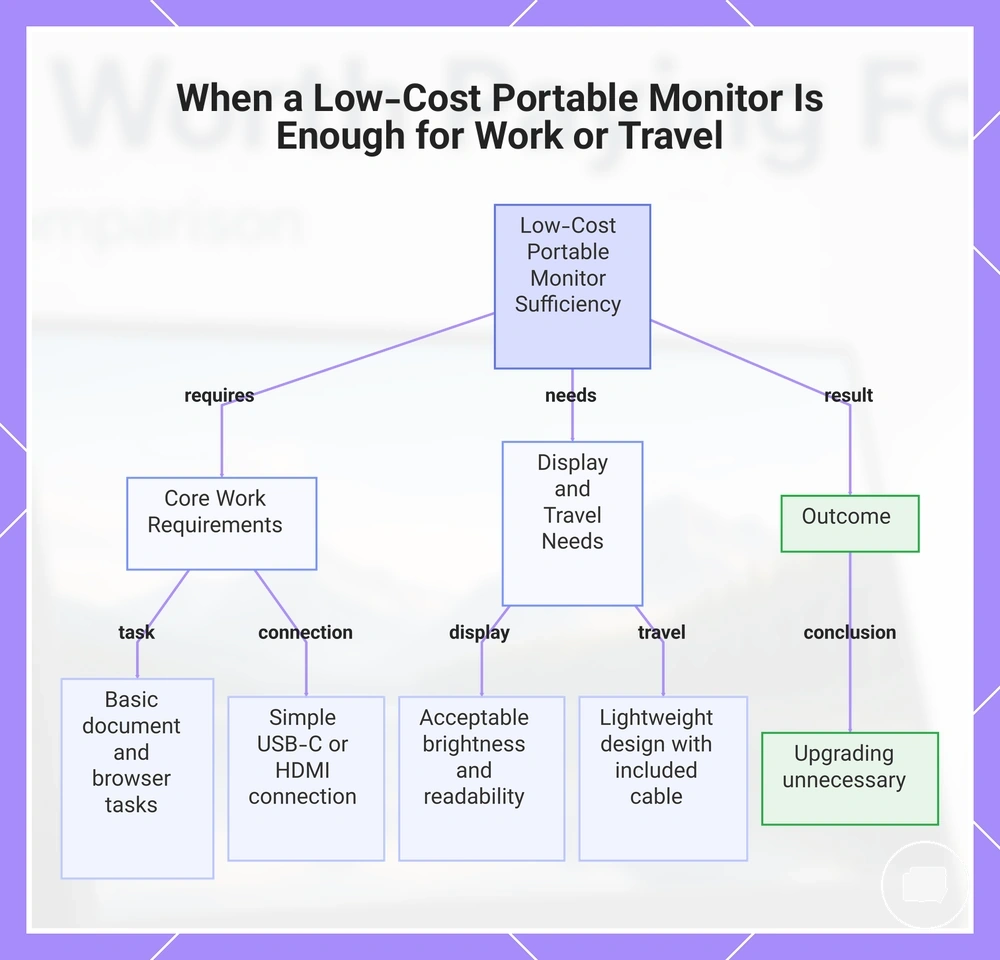
When a Low-Cost Portable Monitor Is Enough for Work or Travel
A low-cost portable monitor can be enough for work or travel when the basic task is simple, the connection is straightforward, and display expectations are modest. For document work, browser use, and a basic laptop screen extension, an affordable second screen may provide enough value if USB-C or HDMI offers a simple connection and acceptable brightness suits the environment. The strongest fit comes from matching these modest requirements to everyday use.
- Basic task: Document work and browser use are the primary activities.
- Simple connection: USB-C or HDMI should support the intended device without unnecessary complexity.
- Display expectation: Acceptable brightness and readable text should meet everyday viewing needs.
- Travel portability: A lightweight simple portable display can suit travel when carrying convenience is important.
- Accessory need: An included cable should support the planned connection to avoid unnecessary additional purchases.
A traveller who mainly edits documents and occasionally uses browser tabs in different locations may not benefit from paying for additional display features. When the simple connection, acceptable brightness, and basic task requirements are already met, spending more may not meaningfully improve the result. Upgrading is usually unnecessary when the intended work or travel use remains within these modest conditions.
This chart shows the key conditions and outcome that determine when a low-cost portable monitor is sufficient for work or travel.
Cheap Features That Can Reduce Long-Term Value
Cheap features reduce long-term value when cost-cutting creates extra cost, replacement needs, or everyday usability issues rather than simply lowering the purchase price. The concern is not low price itself but feature compromises that may add friction during regular use. Use the caution checks below to identify value risks that are more likely to affect ownership over time.
- Weak stand: If the stand provides limited stability, everyday positioning may become less comfortable and portability may be reduced.
- Dim panel: When a dim panel does not provide acceptable visibility for the intended environment, viewing comfort and task fit may be affected.
- Poor cable: A poor cable may create setup friction or lead to extra cost if a replacement becomes necessary.
- Limited ports: Limited ports can create unclear compatibility or require adapters when connecting different devices.
- Fragile cover: A fragile cover may provide less protection during regular transport, which can reduce everyday convenience.
- Power behavior: Unreliable power behavior may interrupt normal use, depending on the connected device and setup.
- Unclear compatibility: Incomplete compatibility information may make it harder to choose suitable accessories or devices.
Small cost-saving choices that do not affect daily use are often reasonable. By contrast, compromises that increase setup friction, reduce usability, or create extra cost are more likely to reduce long-term value. Evaluating these risk conditions helps separate acceptable cost-cutting from compromises that may affect everyday ownership without assuming that every budget portable monitor has the same limitations.
Premium Portable Monitor Features Worth Paying For by Use Case
A premium portable monitor is worth paying for when its features match the intended use case, connected device, and expected performance rather than simply increasing the purchase price. Premium features provide better value only when they solve a specific workflow need for creative work, gaming, productivity, or travel. Matching upgrade features to real tasks is the key criterion for deciding whether the added cost is justified.
Premium portable monitor features typically improve display quality, interaction, stability, or connectivity instead of changing every aspect of everyday use. Features such as 4K, OLED, touchscreen support, a high refresh rate, a stronger stand, and better connectivity may provide additional value when they align with the intended workflow. The table below matches each premium feature with the conditions where it is more likely to be worth paying for.
| Premium feature | Use case fit | Value condition | Skip when |
|---|---|---|---|
| 4K or higher resolution | Creative work or detailed visual tasks | When higher image detail supports the expected performance | Basic productivity or general browsing is the main task |
| OLED or better panel quality | Creative work with colour-sensitive content | When improved colour quality benefits the workflow | Colour precision is not an important requirement |
| Touchscreen | Interactive workflows with compatible devices | When touch input improves interaction or productivity | Keyboard and mouse input already meet the need |
| 144Hz or high refresh rate | Gaming or motion-focused content | When smoother motion supports the intended experience | General office work is the primary use case |
| Stronger stand | Frequent travel or regular repositioning | When stable positioning improves everyday usability | The monitor is rarely moved after setup |
| Better connectivity | Multiple devices or streamlined setups | When simpler device connections support the expected performance | Existing ports already meet connection requirements |
Premium portable monitor features should be selected according to the intended use case rather than treated as universal upgrades. Creative work may justify 4K or OLED, gaming may benefit from a high refresh rate, while productivity or travel may place greater value on a stronger stand or better connectivity. If these conditions do not apply, a premium option may provide limited additional value despite its higher cost.
When 4K, OLED, or Higher Resolution Adds Enough Value
4K, OLED, or higher resolution is worth paying for when sharp detail, colour quality, or workspace precision directly supports the intended task. The value depends on workload, screen size, pixel density, and expected viewing experience rather than the specification alone. Sharp detail, improved colour quality, and better workspace precision become meaningful value factors only when they improve everyday use.
| Upgrade | Adds value when | Watch out for |
|---|---|---|
| 4K | Sharp detail and workspace precision support creative work or detailed visual tasks. | Small-screen scaling may reduce the practical benefit for some users. |
| OLED | Colour quality is important for creative work or visually demanding content. | The additional cost may provide limited value for basic productivity. |
| Higher pixel density | Text clarity and fine detail are important for the workload. | The benefit depends on screen size and viewing distance. |
| Larger workspace | Multiple windows or detailed content improve workflow efficiency. | Extra workspace may offer limited value for simple everyday tasks. |
Resolution, OLED, pixel density, scaling, and screen size should be considered together because each affects perceived value differently. Text-heavy work may benefit from higher resolution, while creative work may gain more from improved colour quality. On smaller displays, scaling can reduce the practical advantage of very high resolutions, so paying more is worthwhile only when the workload benefits. For a broader explanation of display trade-offs, see resolution value for portable monitors.
When Touchscreen or 144Hz Features Justify the Extra Cost
Touchscreen and 144Hz features justify the extra cost when interaction or motion performance is central to the intended use case. A touchscreen supports touch input and interactive workflows, while a 144Hz display is intended to improve motion performance when the connected device can provide compatible output. These upgrades serve different purposes, so their value depends on the task rather than the feature alone.
| Touchscreen value | 144Hz value |
|---|---|
| Use case: Interactive input and touch-based workflows. | Use case: Gaming or other motion-focused activities. |
| Required condition: The connected device supports touch input and the workflow benefits from direct interaction. | Required condition: The connected device, cable bandwidth, and refresh-rate compatibility support higher refresh-rate output. |
| Skip when: Keyboard and mouse input already meet everyday needs. | Skip when: The connected device cannot provide higher refresh rates or motion performance is not a priority. |
These upgrades can become wasted extra cost when the connected device or intended task cannot use their capabilities. Touchscreen features may provide limited value without suitable device support, while a 144Hz display may offer little practical benefit if cable bandwidth or refresh-rate compatibility prevents higher refresh-rate output. Matching each feature to the intended use case helps avoid paying for capabilities that may remain unused.
Portable Monitor Cost Comparison by Work, Travel, Creative, and Gaming Needs
Portable monitor cost comparison should follow the intended use case rather than price alone because different tasks prioritize different features. The required attribute, acceptable condition, and expected trade-off change between work, travel, creative, and gaming needs. The comparison below shows how feature priorities influence value effect across common scenarios.
| Use case | Feature priority | Acceptable condition | Trade-off to watch |
|---|---|---|---|
| Work | Readable text, USB-C connectivity, stable stand | Comfortable viewing and reliable productivity setup | Paying for premium features that do not improve daily work |
| Travel | Portability, protective cover, cable simplicity | Easy transport and uncomplicated setup | Reducing usability to save weight or cost |
| Creative use | Resolution, colour quality, display panel | Display quality supports detailed visual work | Higher cost may provide limited value for general tasks |
| Gaming | 144Hz, HDMI, motion performance | The connected device supports the intended refresh-rate capability | Compatibility limits may reduce the benefit of premium features |
For work, the main need is comfortable productivity, so readable text, USB-C connectivity, and a stable stand are often more valuable than premium display upgrades. A balanced portable monitor can provide better value when those core attributes match everyday office tasks.
For travel, portability becomes the primary requirement. A lightweight design, protective cover, and simple cable setup may provide greater value than additional display features when the monitor is carried frequently.
Creative work and gaming prioritize different attributes. Creative tasks may justify improved resolution and colour quality when detail matters, while gaming may benefit from 144Hz only when the connected device and compatibility support that output. Premium upgrades are more worthwhile when they directly improve the intended workload.
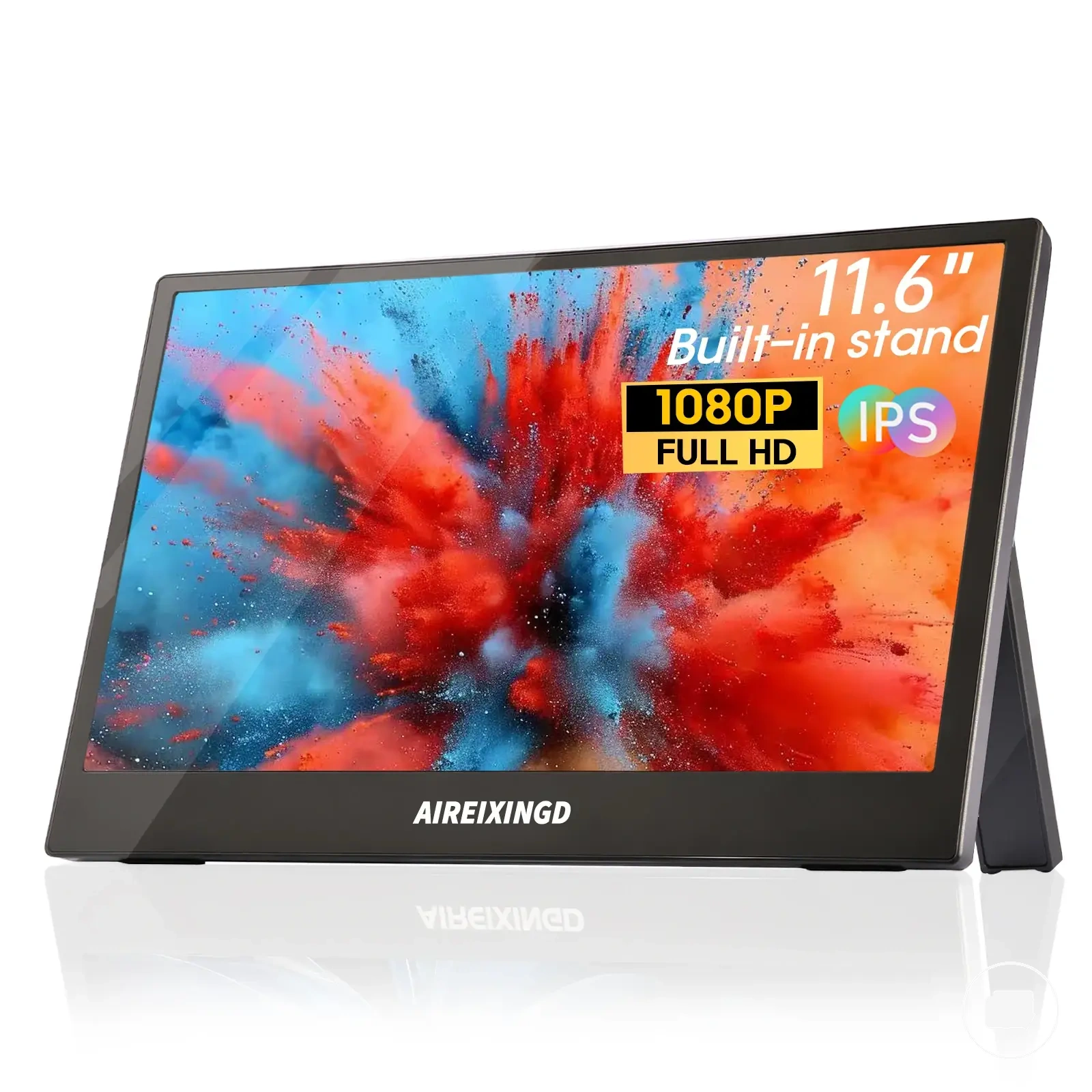
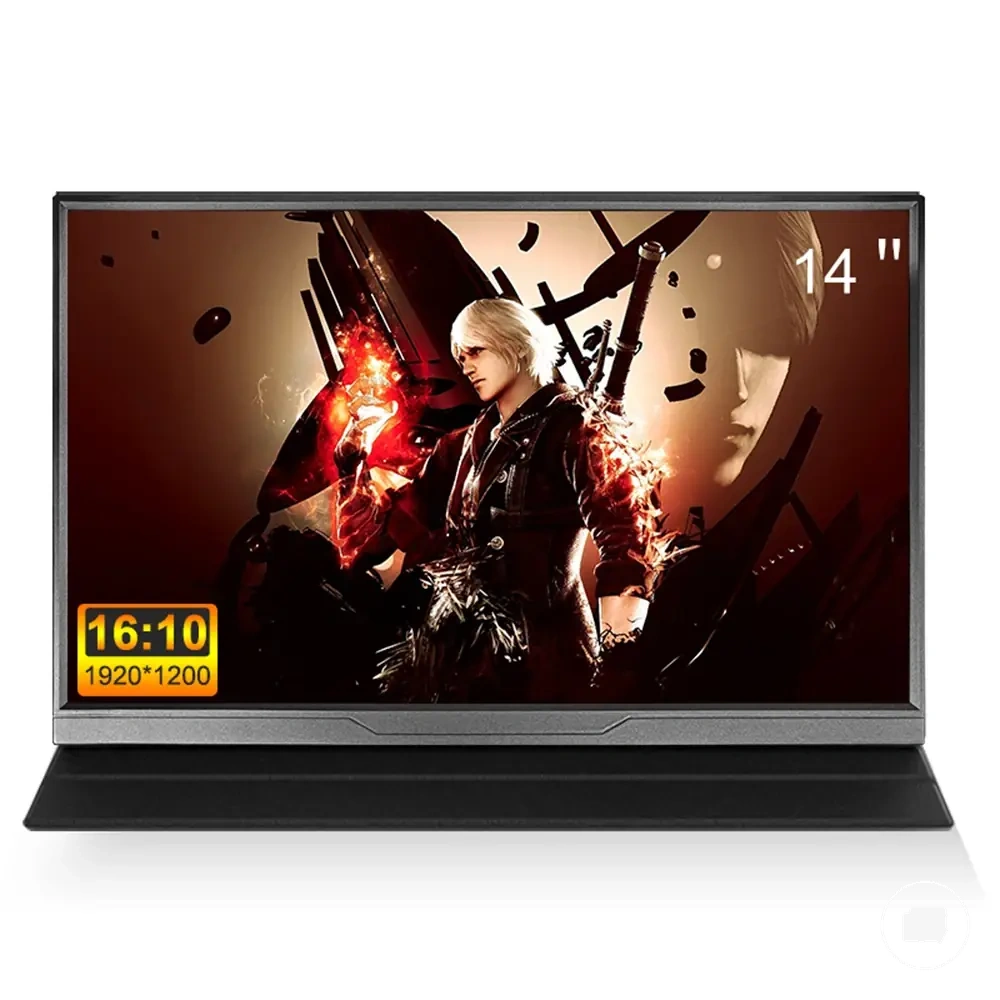
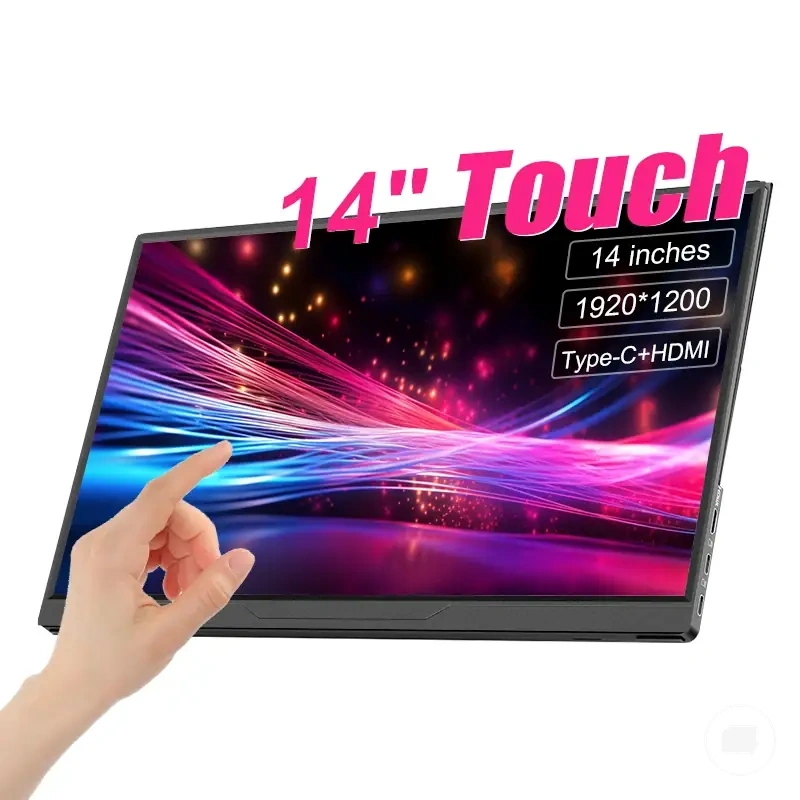
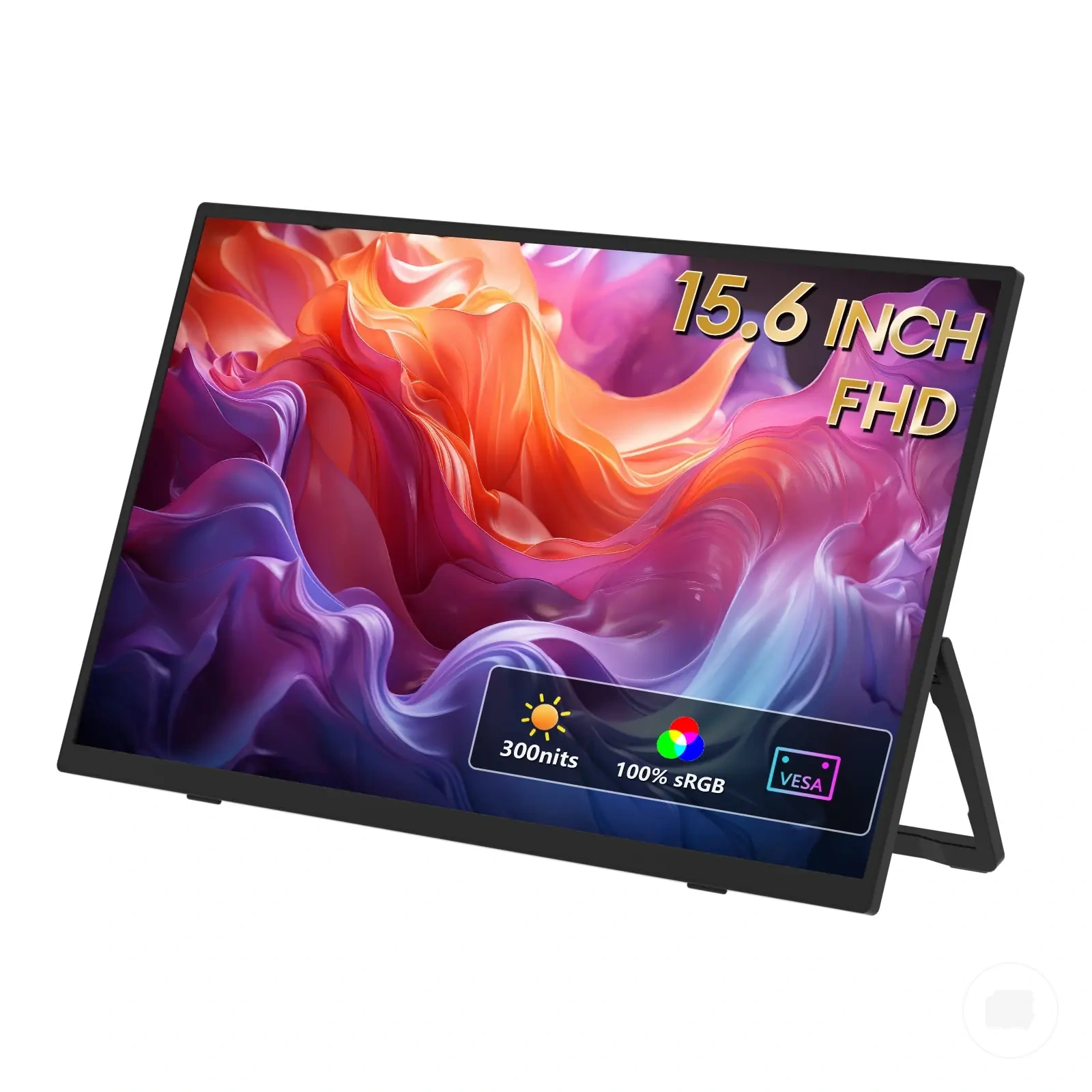
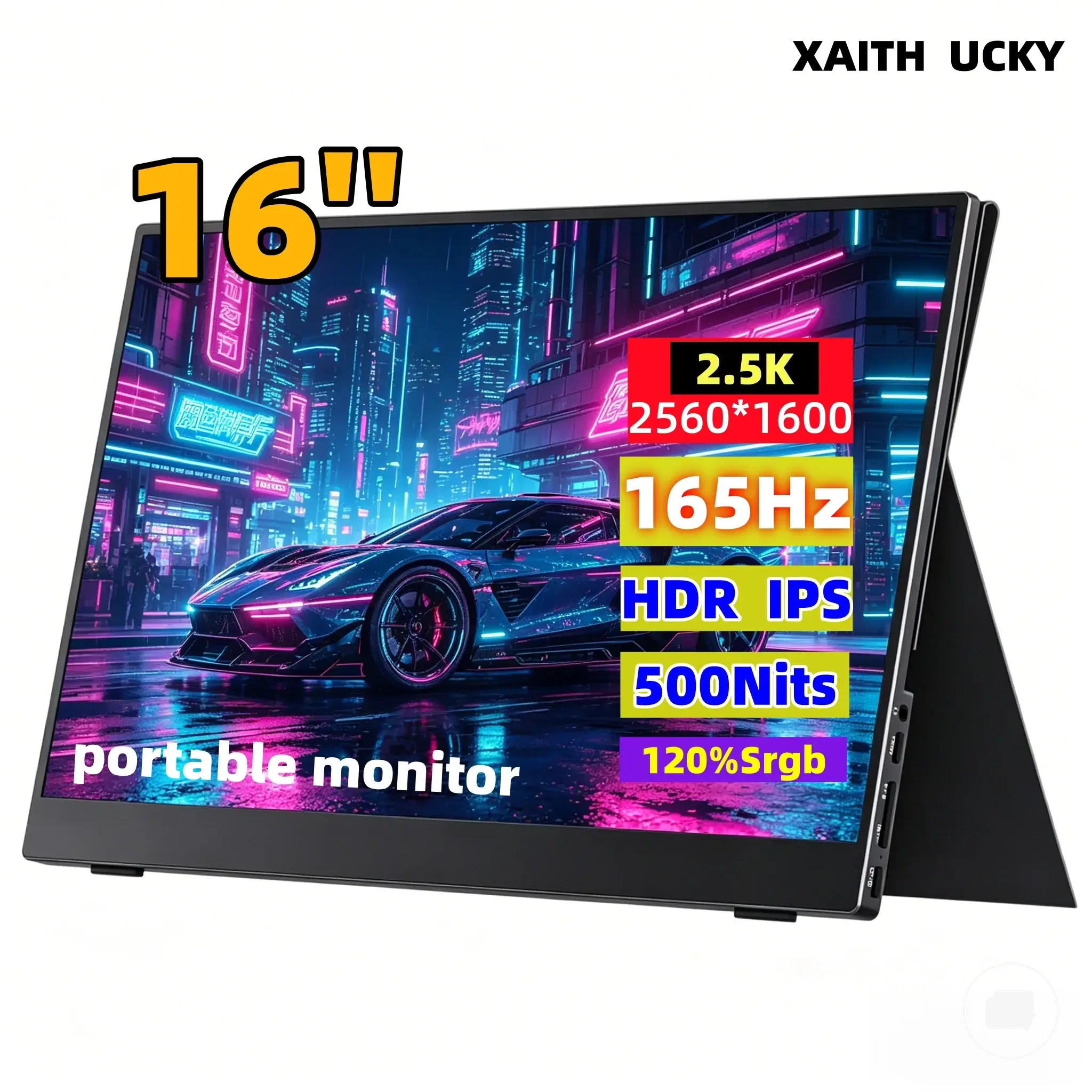
Use the product examples below as illustrations of different value matches rather than universal recommendations. Compare each portable monitor against your own use case, required attribute, acceptable condition, and expected trade-off before judging overall value.
The products below are useful examples for comparing available options. Before buying, check that the compatibility criteria, key features, and product details match your needs.
Price vs Feature Trade-Offs Before Choosing a Portable Monitor
The best feature trade-off protects the main task while avoiding upgrade features that may remain unused. Price should be compared against feature usefulness, because the right decision depends on what you gain, what you give up, and what you may need to buy separately. The decision matrix below summarizes these trade-offs before choosing a portable monitor.
| Choice path | What you gain | What you may give up | Best-fit condition |
|---|---|---|---|
| Pay less | Lower upfront price and a simpler feature set. | Display quality, stand stability, accessory completeness, or upgrade features may be more limited. | When basic tasks remain comfortable without additional features. |
| Choose balanced | Practical display quality, portability, connectivity, and useful accessories. | Advanced upgrade features may be unavailable. | When everyday use benefits from a balanced option instead of premium extras. |
| Pay more | Additional feature usefulness for specialized workloads. | Higher cost may add limited value if the extra features are rarely used. | When the use case clearly benefits from the additional capability. |
Display quality, portability, connectivity, and stand stability often determine whether a price increase improves everyday value. Accessory completeness, including items such as cables or a protective cover, can also influence ownership cost if they must be purchased separately. Comparing these attributes together creates a clearer feature trade-off than focusing on price alone.
Paying less is usually appropriate when the value compromise does not affect the primary task. Paying more can be worthwhile when upgrade features directly support the intended use case, while a balanced option often provides the most practical cost balance for mixed everyday needs. If no single feature is essential, avoiding unnecessary upgrades may preserve overall value.
Use the final decision as a comparison between feature usefulness and the intended workload rather than the highest specification. If you are still deciding is a portable monitor worth buying, compare the overall value of the features with how you expect to use the display.
Portable Monitor Value Checks Before Following a Price Deal
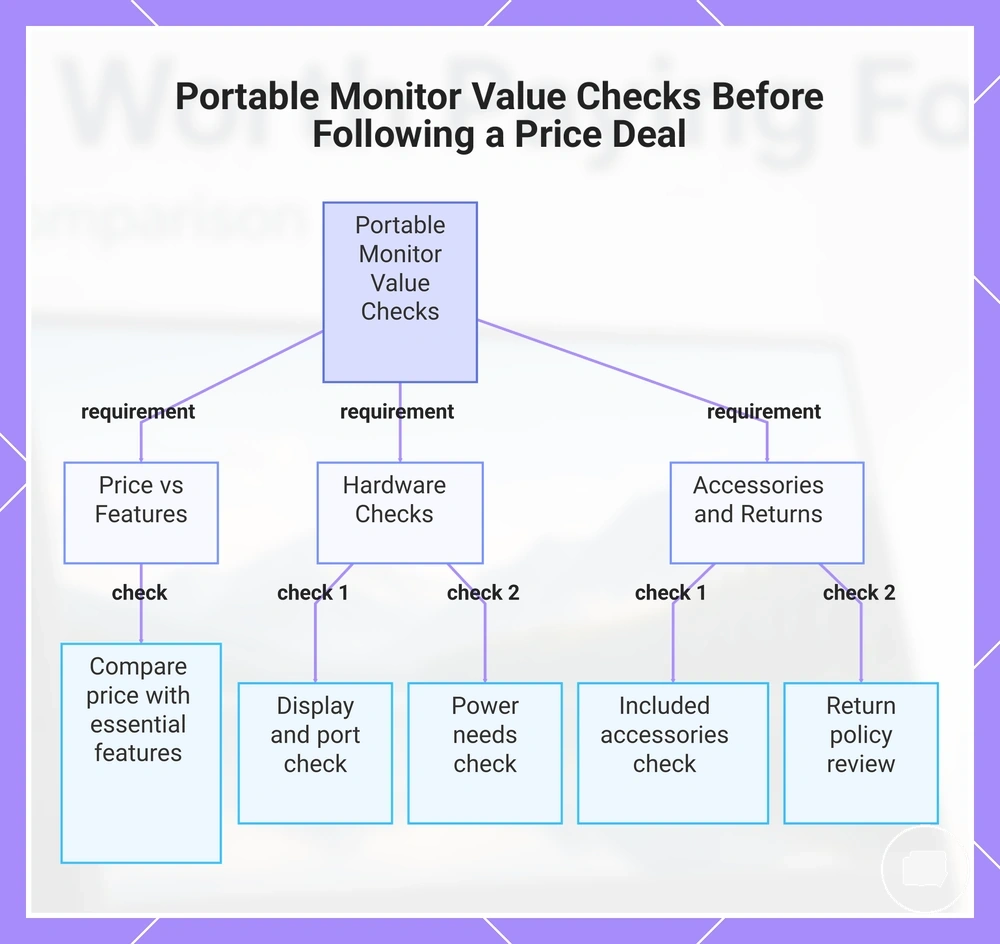
A price deal represents real value only if the portable monitor still matches the required features and setup conditions. A lower advertised price may become less worthwhile if important accessories or compatibility requirements are missing. Use the value checks below before deciding whether the price deal suits your intended use.
- Compare the advertised price with the features you actually need rather than optional upgrades.
- Confirm the screen size and display quality fit the intended use.
- Check that the required ports are available for your devices.
- Review the power needs to ensure the planned setup is practical.
- Verify whether an included cable is supplied or may need to be purchased separately.
- Check that the stand and cover meet your portability and everyday use requirements.
- Review the available return conditions before relying on the overall value of the offer.
Feature fit and included accessories influence total value as much as the advertised price. Missing items such as an included cable, stand, or cover may increase ownership cost if they are needed later.
Ports and power needs should match the intended setup because connection or charging limits can reduce practical value. For a broader buying check, compare these value checks with the portable monitor buying checklist before making a decision.
The product examples below are intended to illustrate different value verification outcomes rather than recommend a specific portable monitor. Compare each example against your own intended use, setup requirements, and purchase conditions before judging whether the price deal represents good overall value.
The products below are useful examples for comparing available options. Before buying, check that the compatibility criteria, key features, and product details match your needs.
This chart shows the key value checks to perform before accepting a price deal on a portable monitor, covering feature fit, hardware compatibility, accessories, and return conditions.
Portable Monitor Price and Value Questions
Portable monitor price and value questions address remaining buying decisions where value depends on feature fit, use case, and acceptable compromises. The answers below provide brief decision support for common price and value concerns.
Should I buy the cheapest portable monitor?
A cheap portable monitor can be worth it when basic use is the main goal and the essential features meet your needs. It may suit simple productivity or occasional second-screen use. If important compromises affect display quality, connectivity, or usability, paying slightly more may provide better long-term value.
Is 4K worth paying for on a portable monitor?
4K may be worth paying for when sharper detail supports your use case. It can provide additional value for detailed visual work or text-heavy tasks. If higher resolution does not improve the intended workload, the extra cost may offer limited practical benefit.
Does a touchscreen add value?
A touchscreen can add value when touch input is part of the intended workflow and the connected device supports it. It may improve interaction for compatible use cases. If touch is rarely used, the additional cost may not be justified.
When is 144Hz worth paying for?
144Hz may be worth paying for when smoother motion benefits the intended use case. The connected device and display connection should also support the higher refresh rate. For everyday office work or basic browsing, this premium feature may add little value.
Can a bundle be better value?
A bundle can be better value when the included cable, stand, or cover matches your intended use. It is most useful when the included accessories would otherwise need to be purchased separately. If the bundle contains items you do not need, the overall value may not improve.
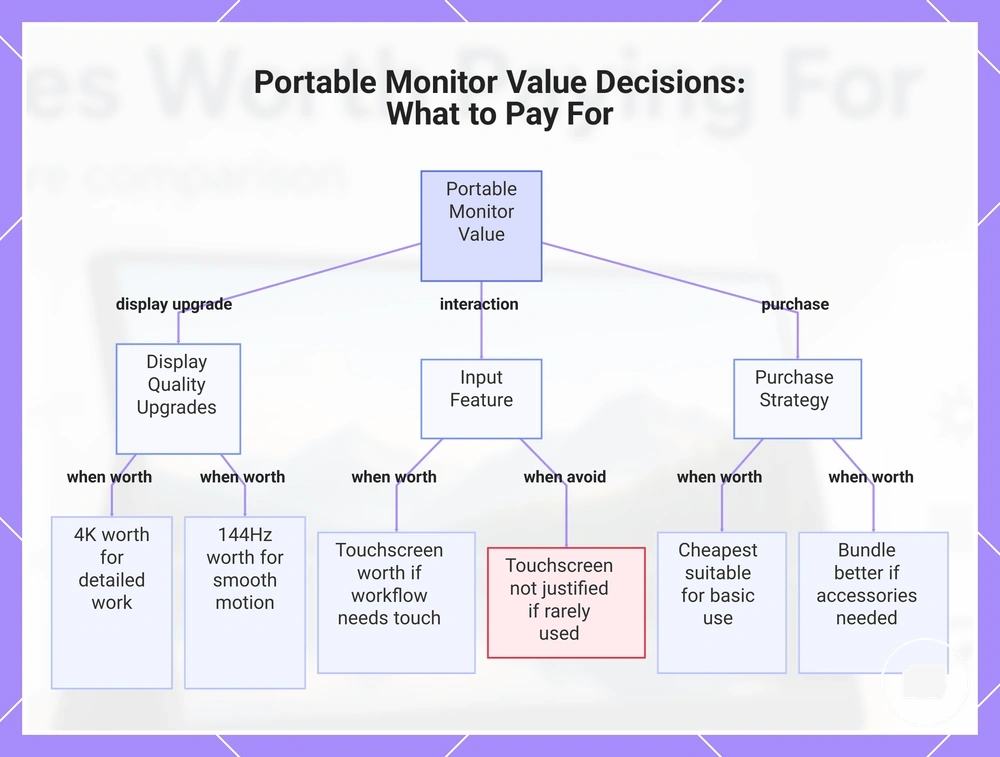
This chart shows when display upgrades, touch input, or purchase strategies add value to a portable monitor.