
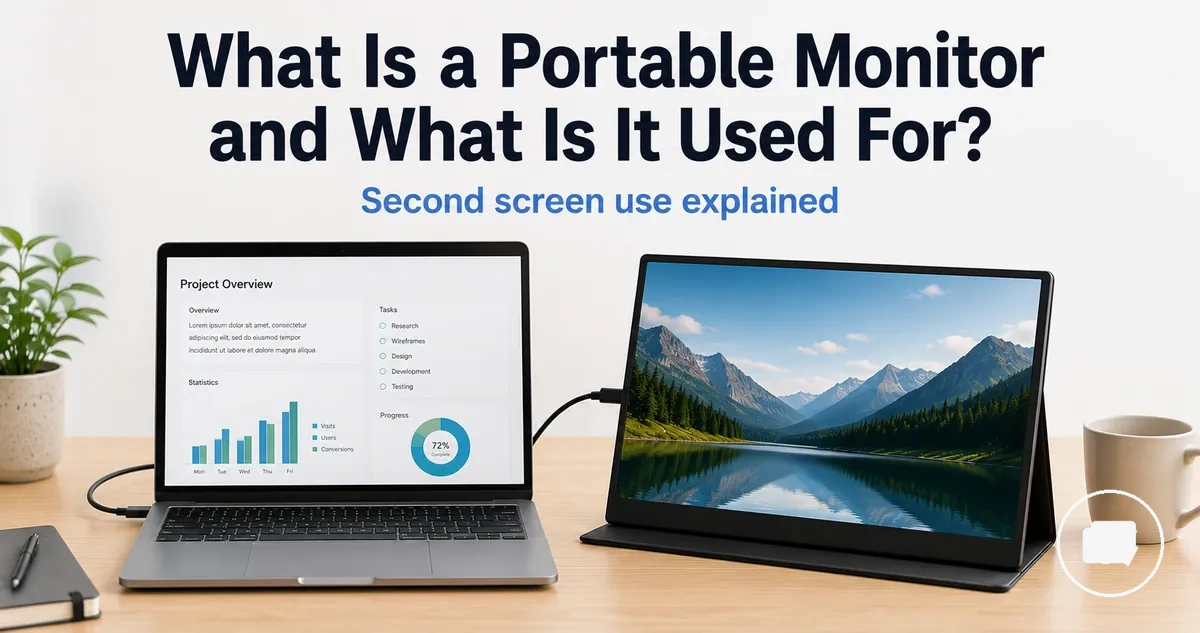
Portable Monitor Meaning and Basic Purpose
A portable monitor is a compact external display that connects to another device to provide additional screen space. It displays the video output from a laptop or another compatible device and is commonly used as a second screen.
A portable monitor can work with a laptop and may also connect to other compatible devices when they support a suitable video signal through USB-C, HDMI, or another appropriate connection. Compatibility, display behaviour, and power requirements depend on the device, cable, port, and connection method.
A portable screen is commonly used for work, travel, study, presentations, gaming, and temporary workspaces where an extra display is helpful. Understanding its basic purpose provides the context for the sections that explain what a portable monitor is and how it works.
A portable monitor is different from a tablet, a regular desktop monitor, or a self-contained computer because its primary role is to extend or mirror the display output of another device. Performance, compatibility, and overall usefulness can vary depending on the connected device, cable, power source, and intended use.
What a Portable Monitor Is
A portable monitor is a compact external screen that connects to another device to display its display output. It serves as an external display instead of operating as a full computer. Its main purpose is to extend or mirror content as a second screen.
A portable monitor is designed to be lightweight and easy to carry between workspaces or travel locations. It depends on a cable and a compatible device to receive a display output, with connections that may use USB-C, HDMI, or another supported port. The available features, connection method, and power requirements can vary by device and monitor.
What a portable monitor is becomes easier to understand by looking at its relationship with the source device. For example, a laptop can send its display output to the portable monitor so the external screen works as a second screen while remaining connected through a suitable cable, without changing the monitor into a standalone computer.
How a Portable Monitor Works
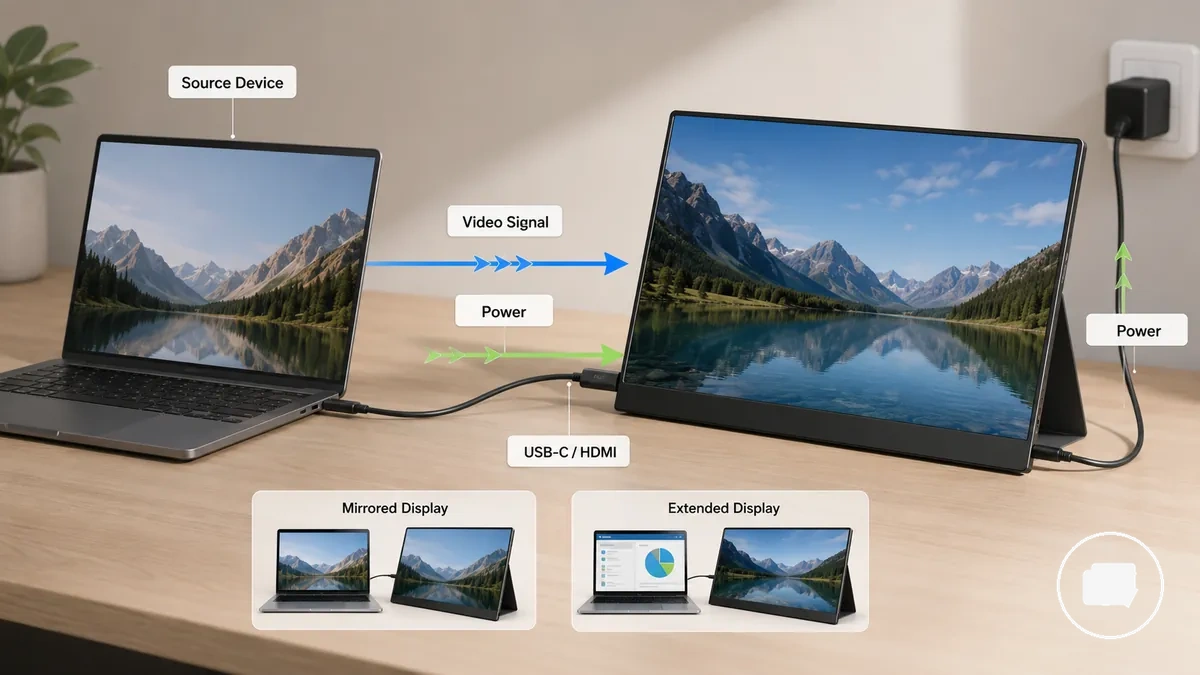
A portable monitor works by receiving a video signal from a source device and enough power to display its screen output. It does not create its own content and instead shows the output sent by the connected device. Video signal and power are the two core requirements.
How a portable monitor works depends on both the video connection and the power route. The source device sends a video signal through a compatible cable, such as USB-C or HDMI, and the monitor displays that output. Depending on the operating system and the connected device, the display mode may be set to a mirrored display or an extended display. The available connection path and display behaviour can vary with the device, cable, port, and overall compatibility.
| Component | What it does | What can vary |
|---|---|---|
| Source device | Provides the video signal | Display output support |
| Video cable or port | Transfers the video signal | USB-C, HDMI, or another compatible connection |
| Power source | Supplies power to the monitor | Connection method or external adapter |
| Display mode | Controls screen presentation | Mirrored display or extended display |
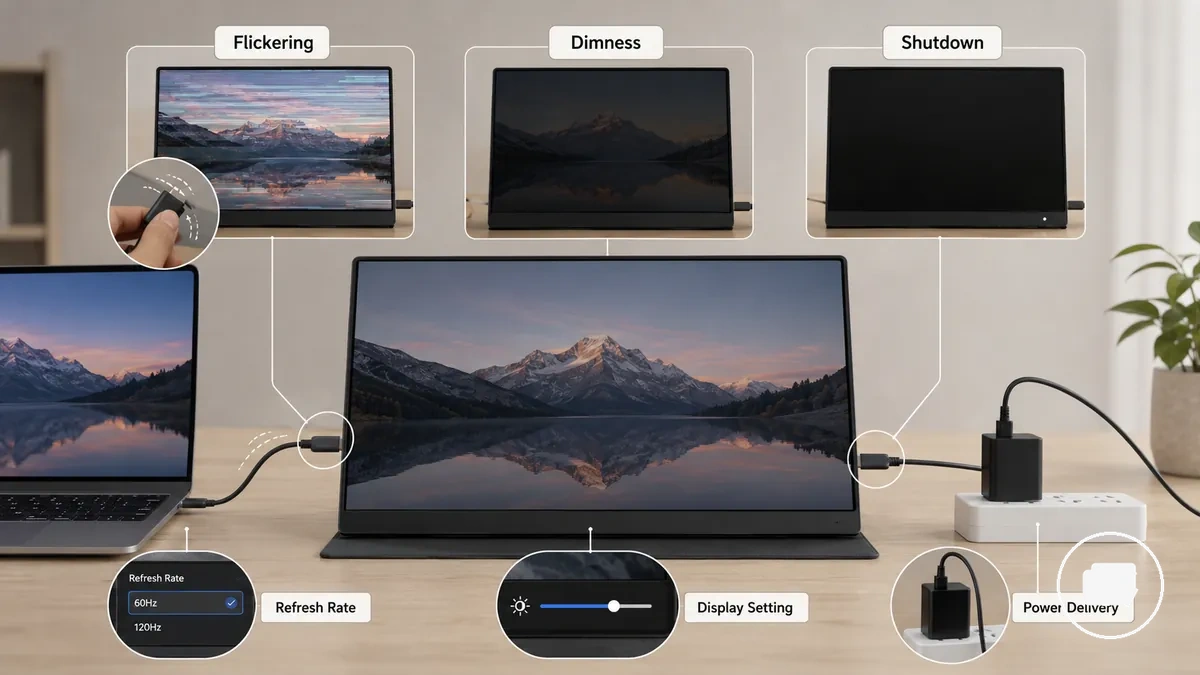
Power may be supplied through a compatible connection or through a separate power source, depending on the monitor and source device. The operating system may need to recognize the external display before the preferred display mode becomes available, and this behaviour can vary with device compatibility and connection type.
More detailed connection requirements follow a separate evaluation path. For a broader compatibility assessment, see portable monitor compatibility.
Video Connection and Display Extension
Video connection and display extension depend on a compatible video output from the source device. The video signal may be carried through USB-C, HDMI, or a suitable adapter, depending on the available port and its supported video capabilities. Video connection and display extension depend on how the source device sends screen output.
The relationship between the source device and the portable monitor becomes easier to understand by following the video path from the device to the external screen.
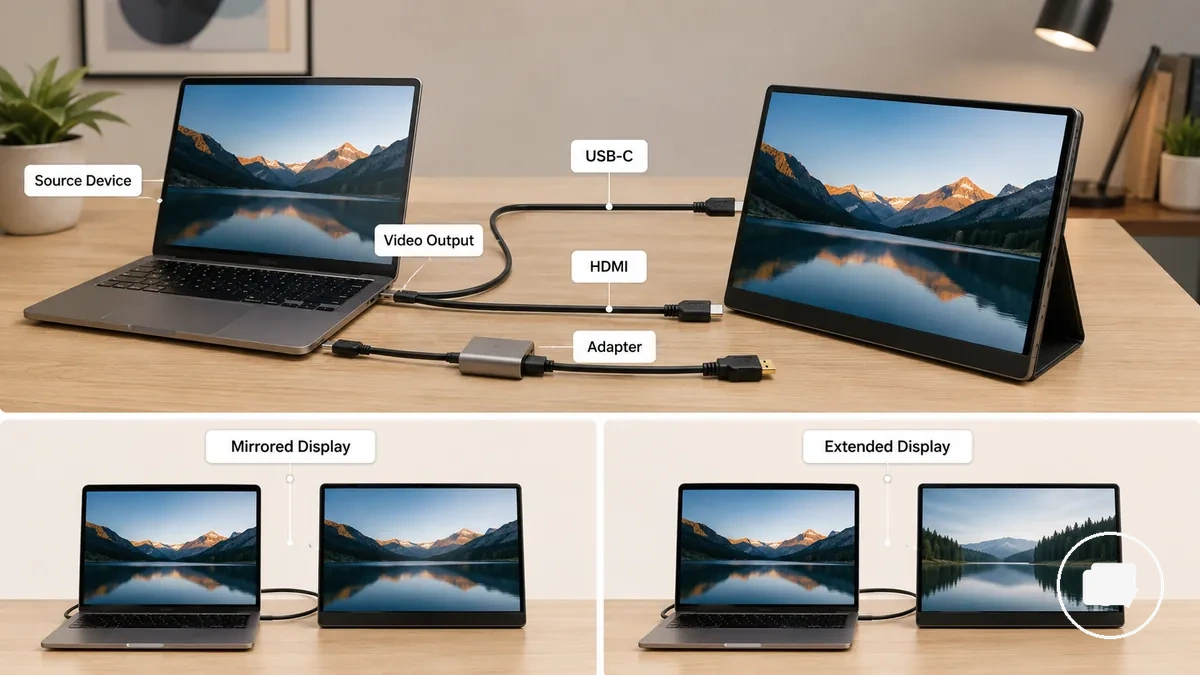
- Use a video-capable USB-C or HDMI port when the source device supports video output.
- Select a compatible cable that can carry the video signal.
- An adapter may be required if the monitor and source device use different connection types.
- Choose a mirrored display or an extended display through the operating system when that display mode is supported.
A mirrored display shows the same content on both screens, while an extended display provides additional workspace on the portable monitor. For example, a presentation may use mirrored display, while document editing may benefit from an extended display. The available display mode depends on the source device, operating system, connection method, and overall device support.
Power from USB-C, Adapter, or Battery
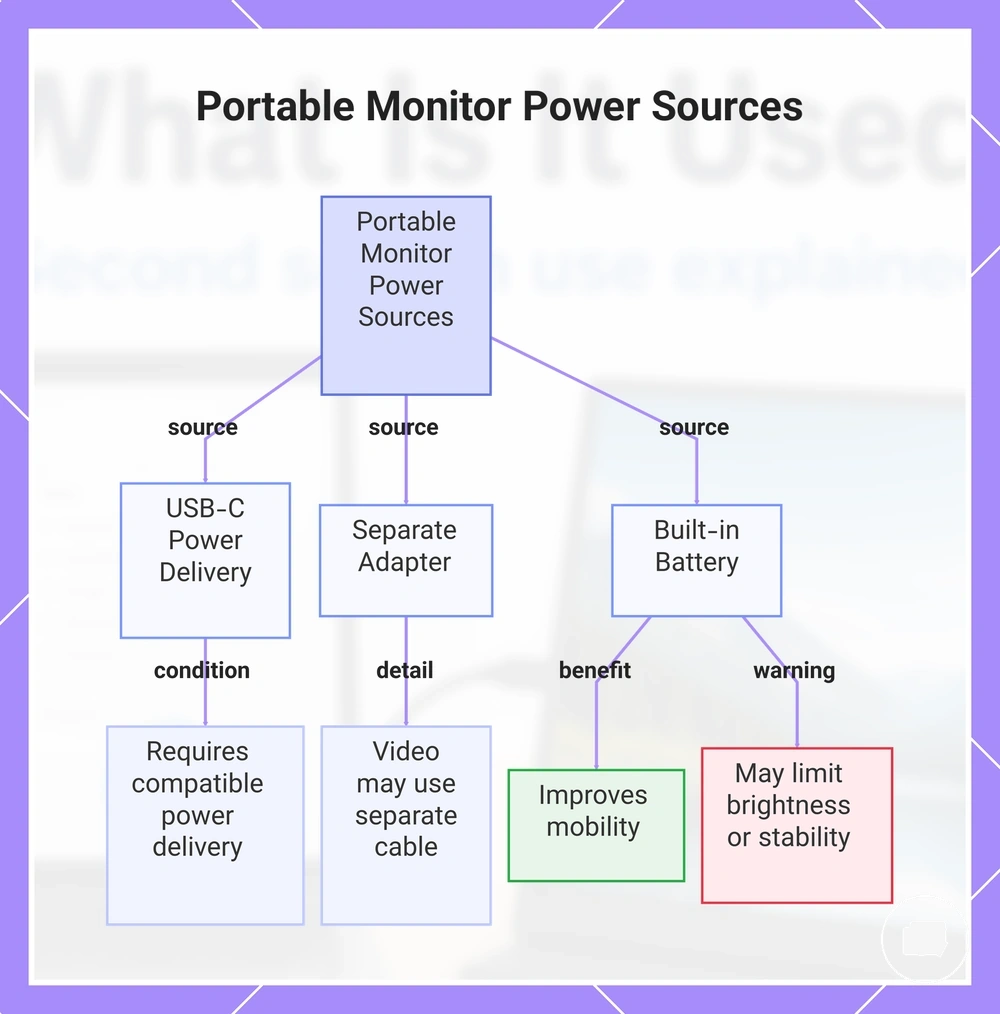
A portable monitor requires power to operate, but the power source depends on the monitor design and the connected device. Power may come through USB-C power delivery, a separate adapter, or a built-in battery. Whether power and video travel through the same cable depends on the monitor, cable, and connected-device support.
Common power routes include:
- USB-C power: A USB-C cable may provide power when the monitor and connected device both support compatible power delivery.
- Separate adapter: Some portable monitors rely on an external adapter for power, while the video signal is carried through the same or a different cable.
- Built-in battery: A built-in battery can improve mobility, while available battery power may influence brightness and operating stability during use.
If the available power source is limited, brightness or display stability may also be limited, depending on the monitor design, cable, and connected-device support. The appropriate power route varies by model, so a single connection method should not be assumed for every portable monitor.
This chart shows the three main power sources for portable monitors and key details for each.
What Portable Monitors Are Used For
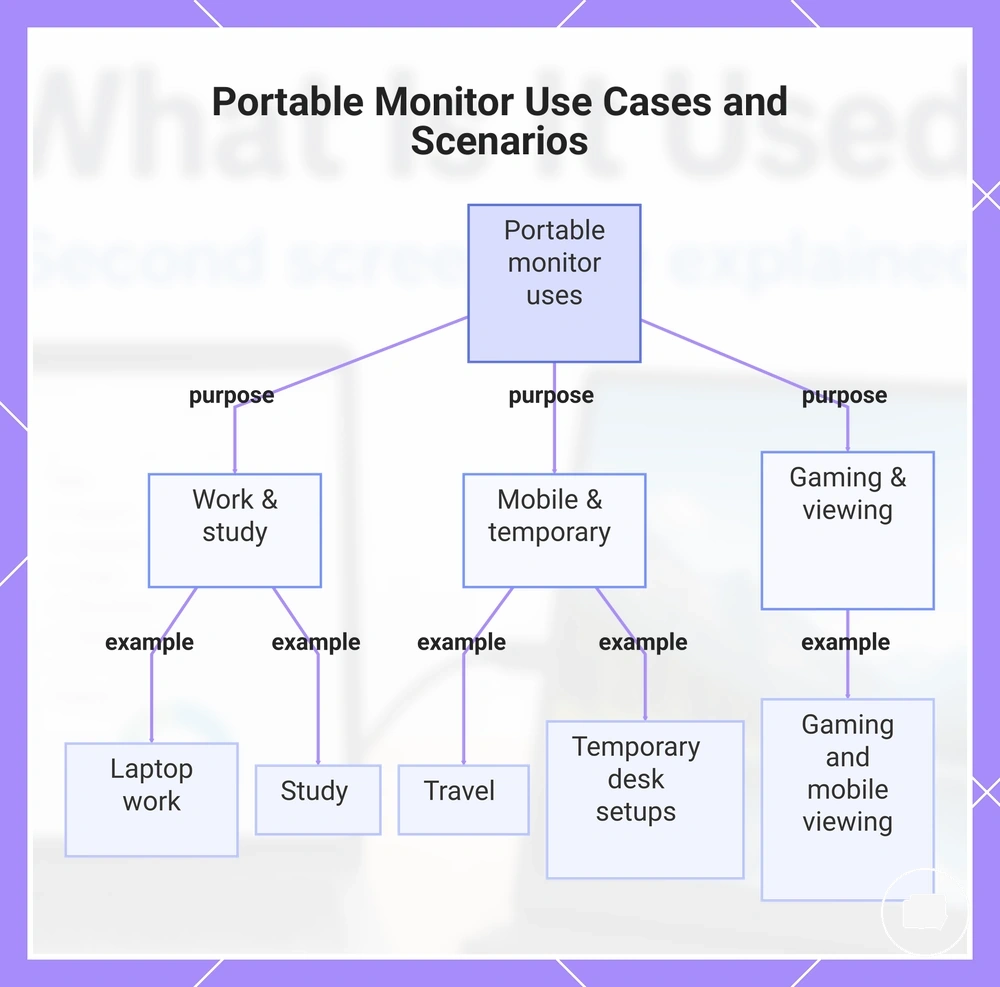
Portable monitors are mainly used to add a second screen where a fixed desktop monitor is not practical. They provide extra screen space for compatible devices in mobile or temporary work environments. How they are used depends on screen size, connection, power, and device support.
- Laptop work: An extra screen can create additional workspace for documents, spreadsheets, or multiple applications when the laptop supports an external display.
- Travel: A portable second screen can provide an external workspace in temporary locations where carrying a full-sized monitor is less practical.
- Study: Students can keep reference material on one screen while working on another when the available workspace and connection support an external display.
- Gaming and mobile viewing: A portable monitor may serve as an external display for a compatible gaming device, console, or mobile device when display output is supported.
- Temporary desk setups: An extra screen can help organize a flexible workspace without requiring a permanent desktop monitor.
The usefulness of a portable monitor varies by device support, available power, connection method, and the working environment. An extra screen can improve workspace organization in many situations, but the overall experience depends on the connected device and the conditions in which the monitor is used.
This chart groups the main uses of portable monitors into three common scenarios: work and study, mobile and temporary setups, and gaming and mobile viewing.
Laptop Second-Screen Work
A laptop can use a portable monitor as a second screen to create an extended workspace when additional display area is needed. An external portable screen can extend the desktop for separate tasks or use a mirrored presentation mode to show the same content on both displays, depending on the selected display mode.
- Documents: Keep documents on the laptop while viewing reference material on the second screen.
- Video calls: Use one display for calls and the other for notes, chat, or supporting information.
- Dashboards and coding: View dashboards, code, or development tools on one screen while keeping related content visible on the other.
- Mirrored presentation: Display identical content on both screens when presenting to another person or audience.
For example, an extended workspace can place reference material on the portable monitor while the laptop display remains focused on the main task, reducing the need to switch between windows. The available screen mode and usable workspace depend on the portable monitor setup, available desk space, and device support. For more information about connecting and configuring a display, see portable monitor setup.
Travel, Study, Gaming, and Mobile Device Use
Travel, study, gaming, and mobile device use share the need for temporary screen access in places where a permanent display is not available. A portable monitor can provide a portable display when the source device offers compatible signal support and sufficient power availability. The experience depends on the location, connected device, and available connection.
- Travel: A lightweight portable display can provide a temporary screen for an on-the-go setup when suitable power and signal support are available.
- Study: A portable monitor can act as a reference screen for study material while helping organize a temporary workspace.
- Gaming: A compatible console or other gaming device may use a portable monitor as a temporary display when the required HDMI or other supported video connection and power are available.
- Mobile device use: A compatible mobile device may connect to a portable display through a supported connection, although compatibility, signal support, and power availability vary by device.
These examples highlight portability rather than permanent workstation use. The available features and overall experience depend on the connected device, signal support, power availability, and the conditions of each temporary setup.
Core Features That Define a Portable Monitor
Core features are the attributes that explain how a portable monitor functions and what shapes its overall usefulness. The combination of size, screen quality, ports, power method, and support design influences how the monitor is used as an external display. These features describe the device without serving as a buying checklist.
Size and weight affect portability, while screen quality influences how content is viewed under different conditions. Ports, including USB-C and HDMI where available, determine how the monitor connects to compatible devices, and the power method defines how the display receives power. A stand can improve viewing stability, and a protective design or cover may make transport and storage more convenient. These attributes vary by model and should be understood as design elements rather than universal requirements.
| Feature | What it affects | What can vary | Why it matters |
|---|---|---|---|
| Size and weight | Portability | Dimensions and overall weight | Influences how easily the monitor can be carried and positioned |
| Screen quality | Viewing experience | Brightness, resolution, and display characteristics | Affects how content appears in different environments |
| Ports | Connection options | USB-C, HDMI, and other supported interfaces | Determines how compatible devices can connect |
| Power method | Display operation | USB-C power, external adapter, or another supported method | Defines how the monitor receives operating power |
| Stand or protective design | Positioning and transport | Integrated stand, folding cover, or similar design elements | May improve viewing stability or portability depending on the model |
Optional features such as a stand or protective design can improve convenience but are not essential characteristics of every portable monitor. The combination of features varies by model, so no single optional attribute should be assumed to be present across all devices.
Size, Weight, Screen Quality, Ports, and Stand Design
Size, weight, screen quality, ports, and stand design are the main attributes that affect portability, viewing comfort, and connection fit. Together, these features shape how a portable monitor fits different workspaces and devices, while the importance of each attribute depends on the intended use.
| Feature | Attribute | Practical effect | When it matters |
|---|---|---|---|
| Size and weight | Carrying ease | Weight directly affects portability, while size influences how easily the monitor can be packed and positioned. | Travel and mobile work |
| Screen quality | Viewing comfort | Display quality can influence viewing clarity, depending on lighting conditions and the type of content. | Reading, office work, or longer viewing sessions |
| Ports | Connection fit | USB-C, HDMI, and other supported ports determine how the monitor connects to compatible devices. | Using different laptops and other compatible devices |
| Stand design | Viewing angle and stability | Stand design may improve screen positioning and stability, depending on the desk or temporary workspace. | Desk setups, travel, or shared workspaces |
The right combination of features depends on the intended use case. A portable setup may place greater importance on size and weight, while a fixed workspace may place more emphasis on viewing comfort, connection fit, or stand design.
How Portable Monitors Differ from Regular Monitors
A portable monitor differs from a regular monitor primarily in portability and setup context rather than screen size alone. A portable monitor is intended for flexible use across different locations, while a regular monitor is typically designed for a permanent desk setup. The most suitable option depends on the workspace, connection needs, and intended use rather than one display being universally better.
| Criterion | Portable monitor | Regular monitor | Practical meaning |
|---|---|---|---|
| Portability | Designed for carrying between locations | Usually remains in a fixed workspace | Supports mobile or permanent desk setups |
| Screen size | Often emphasizes compactness | Often provides a larger viewing area | Viewing space varies with the intended workspace |
| Stand stability | May use an integrated stand or protective cover | Typically uses a dedicated monitor stand | Viewing angle and stability depend on the support design |
| Power method | May receive power through USB-C or another supported method | Commonly uses a separate power connection | Power arrangements differ by display design |
| Connection needs | Uses supported interfaces such as USB-C or HDMI | Uses compatible display connections for desktop setups | Connection fit depends on the available ports and devices |
| Desk permanence | Suited to flexible or temporary desk setups | Commonly used in a permanent workspace | Setup flexibility differs between mobile and fixed environments |
A portable monitor often complements a regular monitor instead of replacing it. For example, it can provide an additional display while travelling or working between locations, whereas a regular monitor may remain the primary display in a permanent workspace. The most appropriate setup depends on portability requirements, desk setup, and the intended use case.
For a more detailed feature-by-feature comparison, see portable monitor vs regular monitor.
Portable Monitor Advantages and Limitations
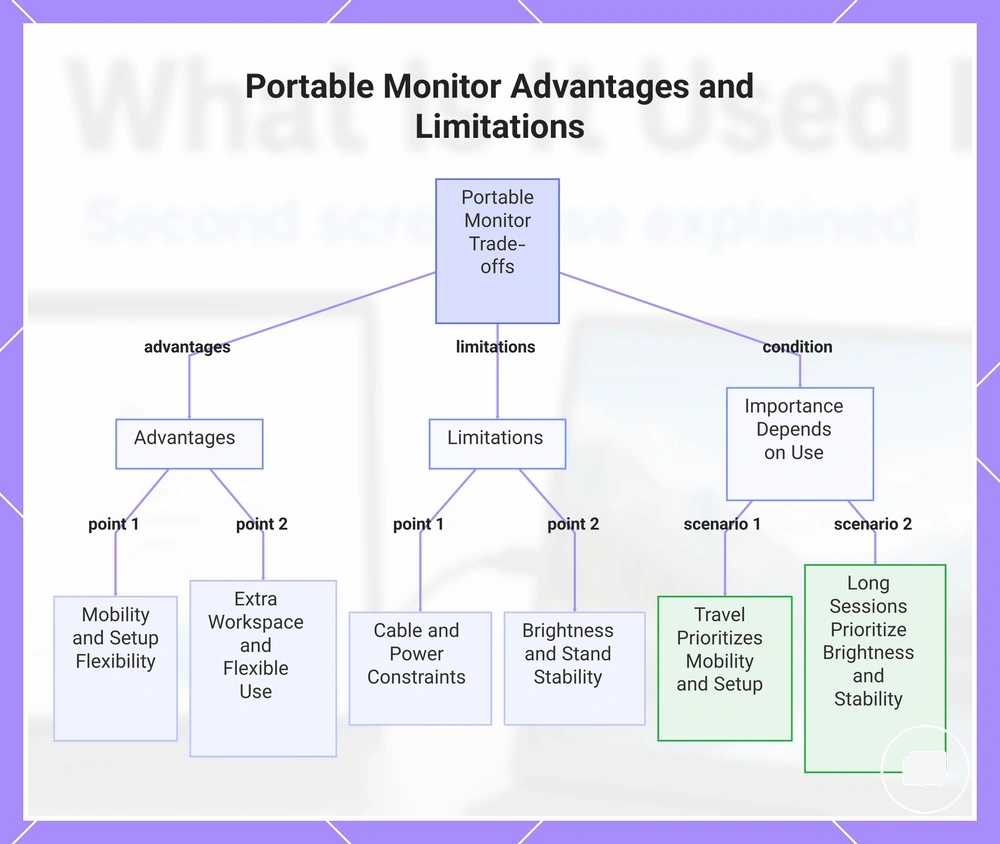
Portable monitor advantages and limitations depend on portability needs, device support, and viewing expectations. A portable monitor can provide extra workspace and setup flexibility, while trade-offs such as cable dependence, power constraints, brightness variation, and stand stability may influence the overall experience depending on how and where it is used.
Advantages
- Mobility: A lightweight design can make it easier to move between home, work, study, or travel locations.
- Extra workspace: An additional screen can help organize documents, applications, or reference material when the connected device supports an external display.
- Setup flexibility: A portable monitor can be used in temporary workspaces where a permanent desk setup is not practical.
- Flexible use: It can adapt to different environments without requiring a dedicated workstation.
Limitations
- Cable dependence: Most portable monitors rely on compatible cables and supported device connections.
- Power constraints: Available power depends on the monitor design, connection method, and connected device.
- Brightness variation: Viewing comfort may vary with the display characteristics and surrounding lighting conditions.
- Stand stability: Stability depends on the support design and the surface where the monitor is positioned.
The importance of these advantages and limitations depends on the intended use. Mobility and setup flexibility may matter most for travel, while brightness, stand stability, and viewing comfort may become more important during longer work sessions or regular desk use. For broader decision guidance, see portable monitor pros and limits.
This chart summarizes the advantages and limitations of portable monitors and how their importance varies by intended use.
When a Portable Monitor Makes Sense
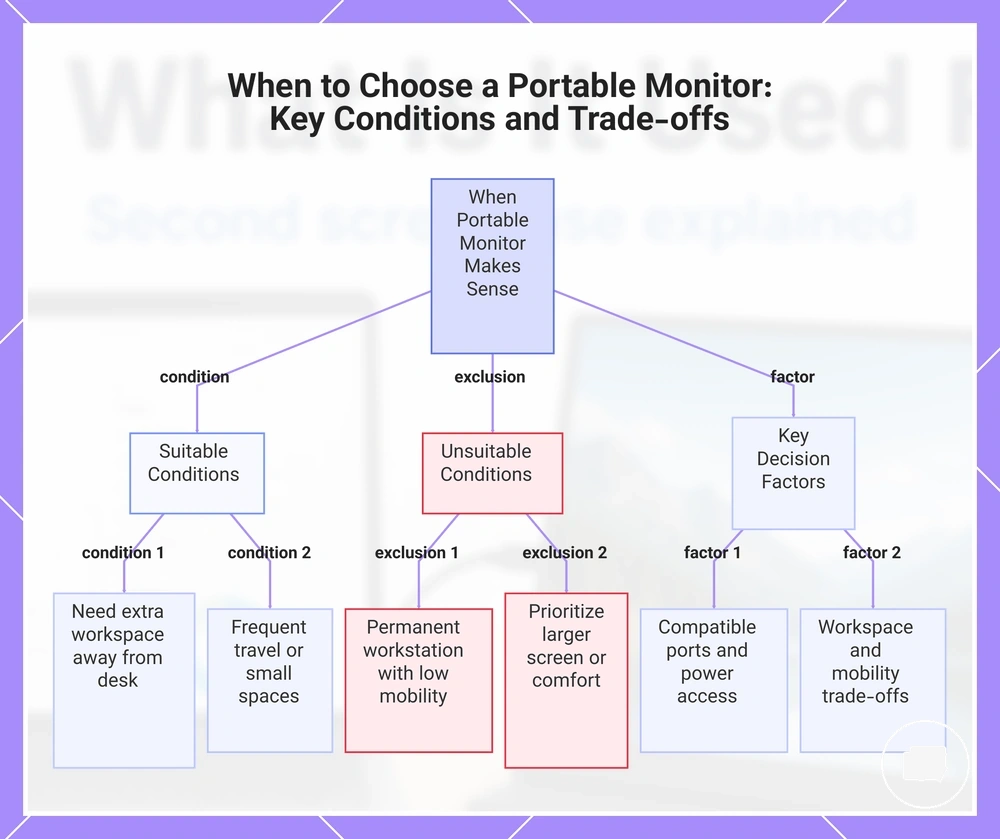
A portable monitor makes sense when its compatibility, mobility needs, workspace limits, and trade-offs match the intended use case. It is generally a suitable option for users who need an additional screen away from a permanent desk and have compatible device ports and adequate power access.
Mini-checklist
- If you use a laptop and need extra workspace in different locations, a portable monitor may be a good fit when your device supports an external display.
- If you travel frequently or work from temporary desks, mobility and setup flexibility may outweigh the benefits of a larger fixed monitor.
- If you work in small spaces, a portable monitor may provide a more practical fit than a permanent desktop display.
- If your device has compatible device ports and reliable power access, using a portable monitor is often more straightforward.
- If your use case is mainly at a permanent workstation with little need for mobility, a regular monitor or another alternative display may be more appropriate.
A portable monitor does not fit every situation. Users who prioritise a larger screen, maximum viewing comfort, or a permanent desk setup may prefer another display path instead. The right fit depends on the balance between compatibility, mobility needs, workspace limits, and acceptable trade-offs for the intended use case.
For a broader overview of portable monitor topics, see the portable monitor guide.
This chart shows the main conditions for choosing a portable monitor, including suitable scenarios, limitations, and key decision factors.
Basic Questions Before Using a Portable Monitor
These questions address common doubts about using a portable monitor. The answers provide brief guidance on power, compatible devices, video output, and cable requirements while remaining conditional where device support or monitor design may differ.
Can a portable monitor work with a laptop?
Yes, if the laptop supports external video output through a compatible connection. The required cable, such as USB-C or HDMI, and the available display options depend on the laptop, operating system, and monitor design.
Can a portable monitor work with a phone, tablet, or console?
It may, provided the compatible device supports external video output. The result depends on device support, the available cable, and the monitor's supported connection options.
Does a portable monitor need a separate power source?
Sometimes. A portable monitor may receive power through USB-C or may require a separate power source, depending on the monitor design and the connected compatible device.
What cable is needed for a portable monitor?
The required cable depends on the available ports on both the portable monitor and the compatible device. USB-C and HDMI are common options, but the correct choice varies with the connection supported by each device.
Should you check compatibility before connecting a portable monitor?
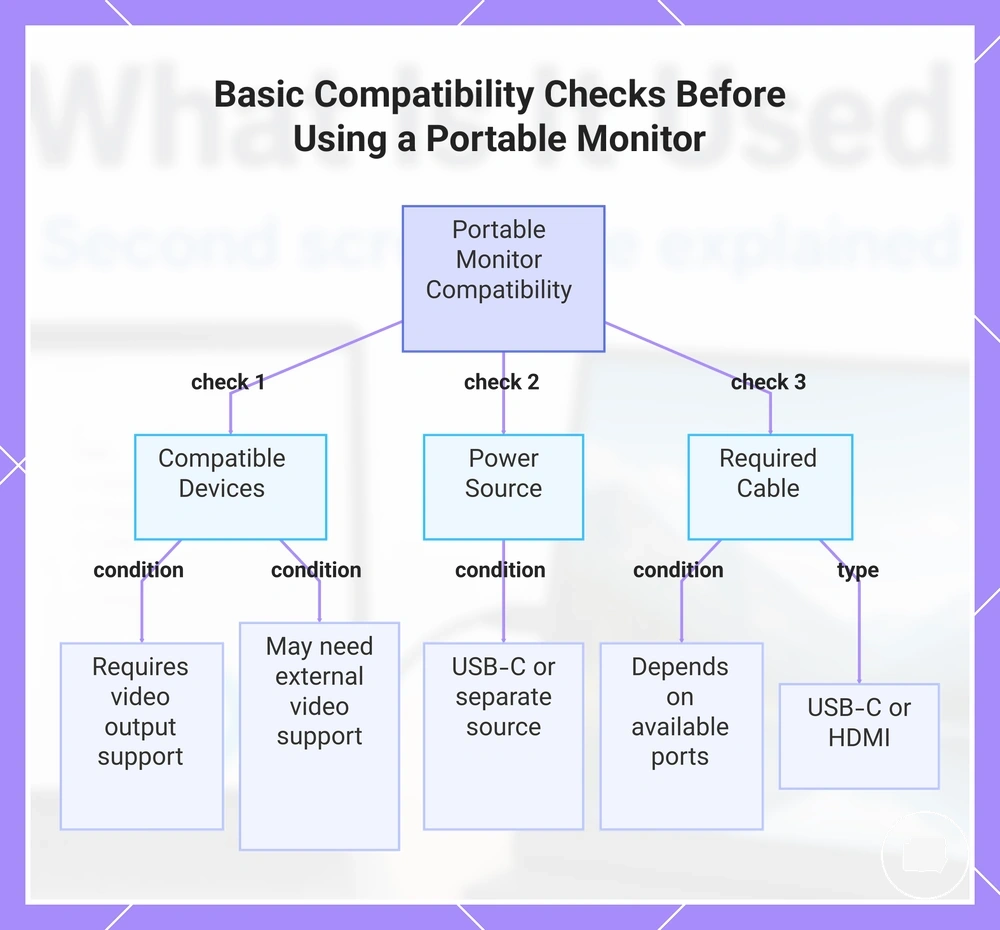
Yes. Checking device support, video output capability, available ports, power requirements, and the correct cable can help confirm whether the portable monitor is suitable for the intended setup.
This chart shows the main compatibility checks to perform before connecting a portable monitor, covering device support, power, and cable requirements.
Do portable monitors need to be plugged in
Yes, most portable monitors need power to operate, but the power source depends on the model. Power may come through USB-C, a separate adapter, or a built-in battery on selected models rather than a single universal connection. If the available power is insufficient, brightness or display stability may be reduced because the monitor may not receive enough power for normal operation, while battery-powered models can provide greater mobility but are not standard across all portable monitors.
Can a portable monitor be used with more than a laptop
Yes, a portable monitor can often be used with more than a laptop when the source device supports compatible video output and the monitor receives adequate power. A compatible source device may include a phone, tablet, console, or mini PC, but the display outcome depends on the device's video output capability and the monitor's supported connection. The connection may require a suitable cable or adapter, and the power route may use USB-C or another supported power source depending on the model and setup. Device-specific compatibility varies, so detailed checks should be made for the particular source device and portable monitor.