Portable Monitor Resolution Guide for 1080p, 2K, 4K, and Pixel Density
Portable monitor resolution defines how many pixels form the screen image, and it affects screen sharpness, usable workspace, device demand, and buying value. A higher resolution can provide more display detail, but its overall value depends on screen size, pixel density, scaling, and the device used to drive the monitor.
A compact portable monitor used beside a laptop may feel clear at 1080p, while a larger screen or detail-focused workflow may make 2K or 4K a more suitable choice. The right resolution depends on readability needs, available workspace, device capability, power demand, and price. For the broader buying context beyond resolution, use the portable monitor guide.
Portable monitor resolution is an important decision-support attribute, but it is not the only factor that influences display quality. Evaluate resolution alongside screen size, pixel density, scaling, compatibility, and value before comparing the available resolution tiers.
What Portable Monitor Resolution Means for Screen Clarity
Portable monitor resolution is the pixel dimensions used to form screen detail. It describes how many pixels are arranged across the width and height of the display, and those pixel dimensions create the visible image detail that contributes to screen clarity.
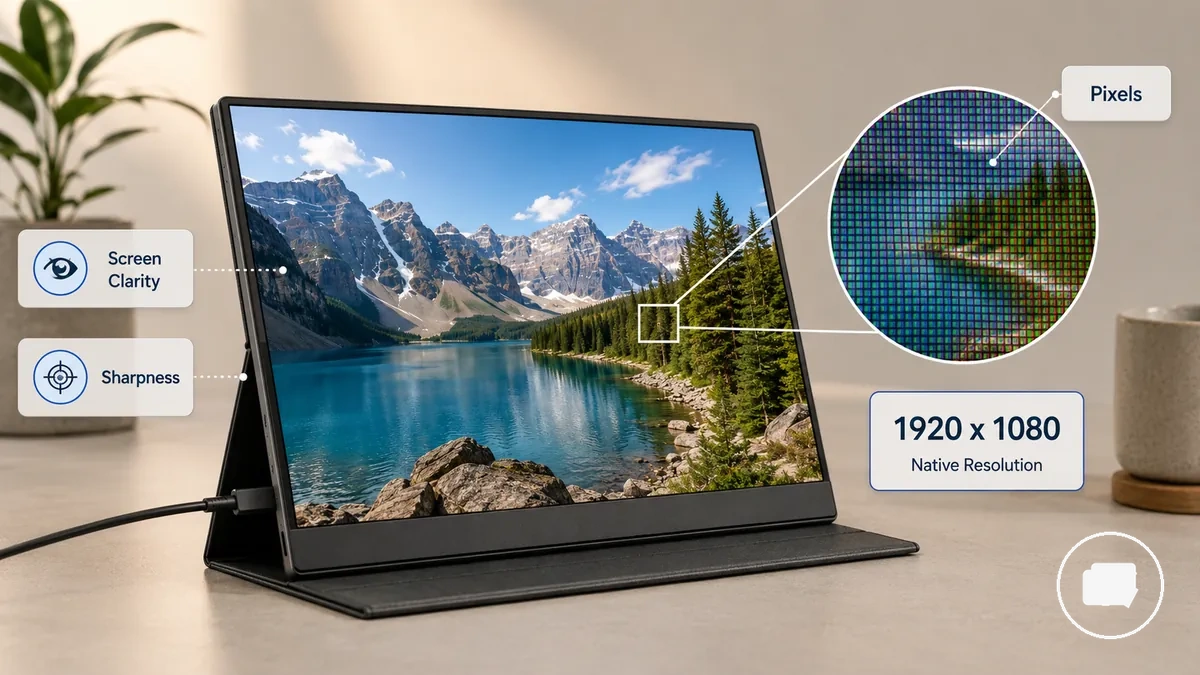
What portable monitor resolution means for screen clarity is easiest to understand by looking at the pixel layout of the display. A label such as 1920 x 1080 means the screen has 1,920 pixels across and 1,080 pixels down at its native resolution. This notation describes the display resolution and provides a simple way to express how pixel dimensions are arranged, while perceived sharpness may still vary with screen size and viewing distance.
Portable monitor resolution affects image detail, but it does not determine total display quality by itself. Native resolution defines how the display panel presents its pixel dimensions, while other display characteristics are separate considerations.
Resolution, Screen Size, and Pixel Density Together
Resolution, screen size, and pixel density should be evaluated together because the same resolution can appear different on portable monitors of different sizes. When the resolution stays the same, a smaller screen usually concentrates pixels into a smaller area, while a larger screen spreads them farther apart, changing perceived text sharpness, workspace density, and the relationship between resolution and screen size.
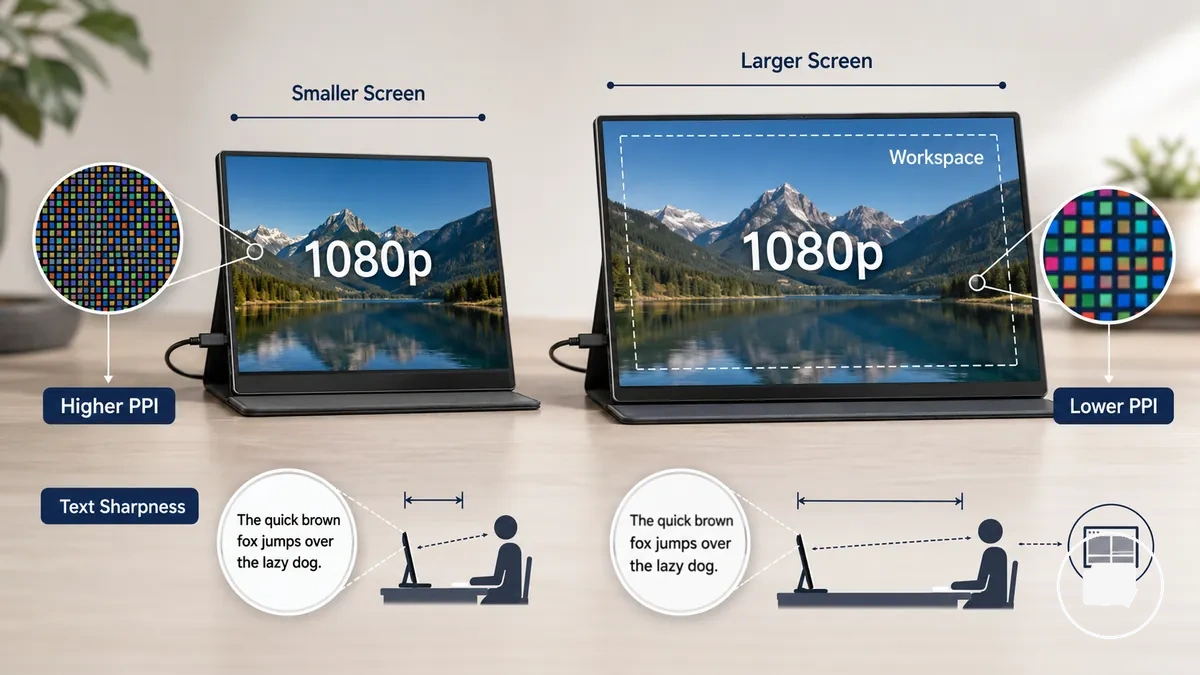
A 1080p portable monitor may look sharper on a smaller display than on a larger display because the same number of pixels is distributed across less physical space. Perceived clarity can still vary with viewing distance, scaling comfort, and user preference. The table below shows how resolution, screen size, and pixel density together influence likely clarity outcomes.
| Screen size context | Resolution example | Pixel density implication | Likely clarity outcome |
|---|---|---|---|
| Smaller screen | 1080p | Higher PPI | Text may appear sharper at a similar viewing distance |
| Larger screen | 1080p | Lower PPI | Text may appear softer and scaling comfort may differ |
| Larger screen | Higher resolution | Higher PPI | Can provide denser workspace and improved readability when scaling suits the user |
A common misconception is that resolution alone determines perceived sharpness. For a deeper sizing comparison, see screen size for portable monitors, because changes in screen size also change pixel density, which influences how clear text and fine details may appear.
Native Resolution and Scaled Resolution
Native resolution is the display panel's fixed pixel grid, while scaled resolution changes how the operating system presents interface elements on that same panel. Native resolution preserves the panel's available detail, whereas interface scaling adjusts readable text and workspace without changing the underlying pixel grid. This distinction separates panel pixels from interface size.
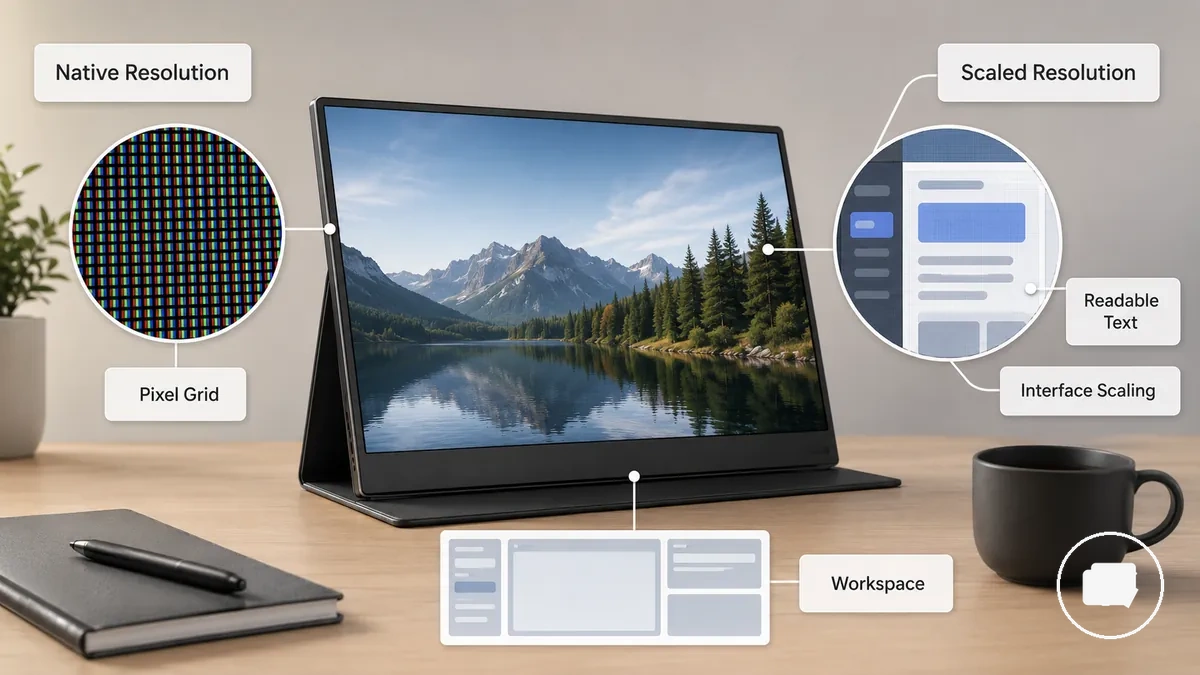
A high-resolution portable monitor may use interface scaling so readable text appears larger while the display continues operating at its native resolution. Depending on the operating system, app behaviour, screen size, and user preference, scaled resolution can improve workspace comfort, although it may also make interface elements appear slightly softer in some situations. Compare readable workspace as well as the highest resolution number when choosing a portable monitor.
Pixel Density and Viewing Distance
Pixel density and viewing distance together influence how detailed a portable monitor appears during everyday use. A higher PPI can make visible pixels less noticeable during close viewing, while the same display may appear similarly detailed from farther away because perceived sharpness changes with distance. Pixel density should therefore be considered together with viewing distance rather than in isolation.
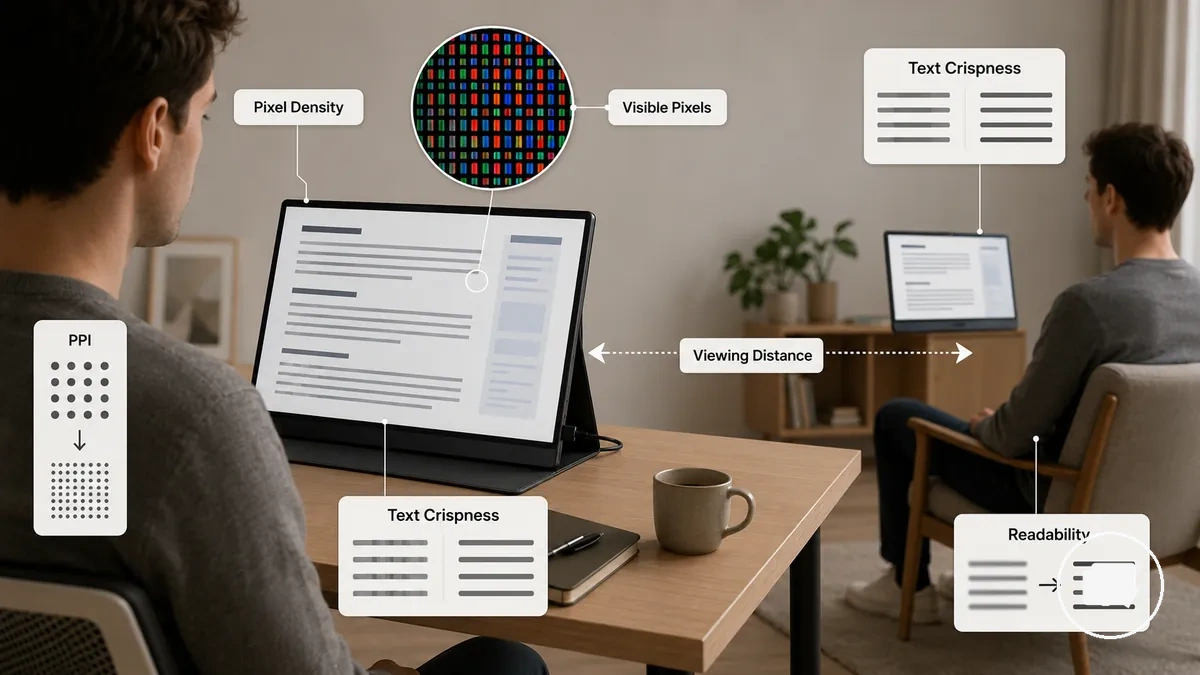
During close laptop-style work, visible pixel structure may be easier to notice, so text crispness, readability, and eye comfort can depend more on pixel density. During media viewing from a farther distance, individual pixels may become less noticeable, although the practical outcome still depends on screen size, task, user preference, and viewing conditions. Use the checklist below to compare what matters most for your typical use.
- Consider your usual viewing distance, especially for close viewing.
- Choose a text size that supports comfortable readability.
- Evaluate screen size together with PPI rather than separately.
- Match the display to your main task type, such as reading, productivity, or media viewing.
- Prioritize your own comfort preference because perceived sharpness varies by user and situation.
1080p, 2K, and 4K Portable Monitor Differences
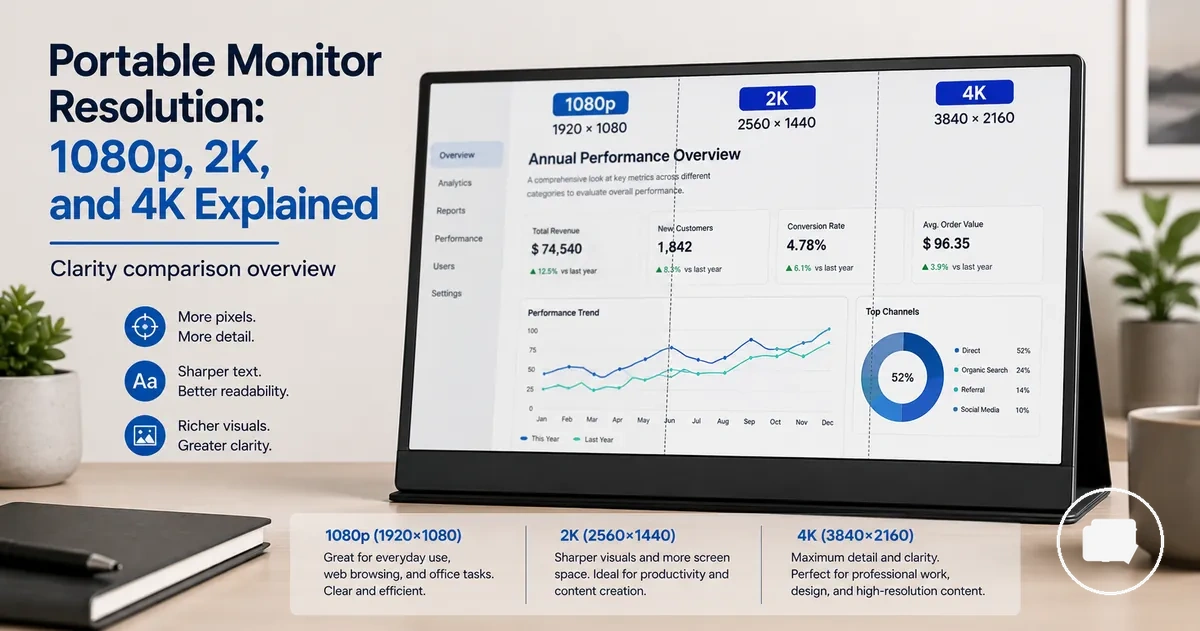
The right portable monitor resolution depends on your clarity needs, screen size, device capability, and price rather than on pixel count alone. A 1080p portable monitor (FHD), 2K portable monitor (QHD), and 4K portable monitor (UHD) each offer different trade-offs in sharpness, workspace, scaling, hardware demand, and value, making them distinct resolution tiers for different situations.
If everyday portability and lower hardware demand are the priority, a 1080p portable monitor may be sufficient, while users seeking more screen detail or workspace may prefer a higher resolution tier. A 4K portable monitor can provide the highest pixel count but may benefit from scaling and can place greater demands on the connected device while often costing more. The table below compares the practical differences between 1080p, 2K, and 4K portable monitor resolution tiers.
| Resolution tier | Typical clarity gain | Main trade-off | Best-fit use case |
|---|---|---|---|
| 1080p portable monitor (FHD) | Clear screen detail with minimal scaling for everyday use | Less workspace and sharpness than higher resolution tiers | General productivity, web browsing, and everyday portable use |
| 2K portable monitor (QHD) | Sharper text and more workspace than FHD | May require greater graphics capability and usually costs more than 1080p | Productivity tasks where additional readability and workspace are useful |
| 4K portable monitor (UHD) | Highest pixel count and the greatest screen detail of the three tiers | May benefit from scaling, can increase hardware demand, and often has a higher price | Detail-focused work where increased screen detail is a priority |
1080p for Affordable Everyday Portable Monitors
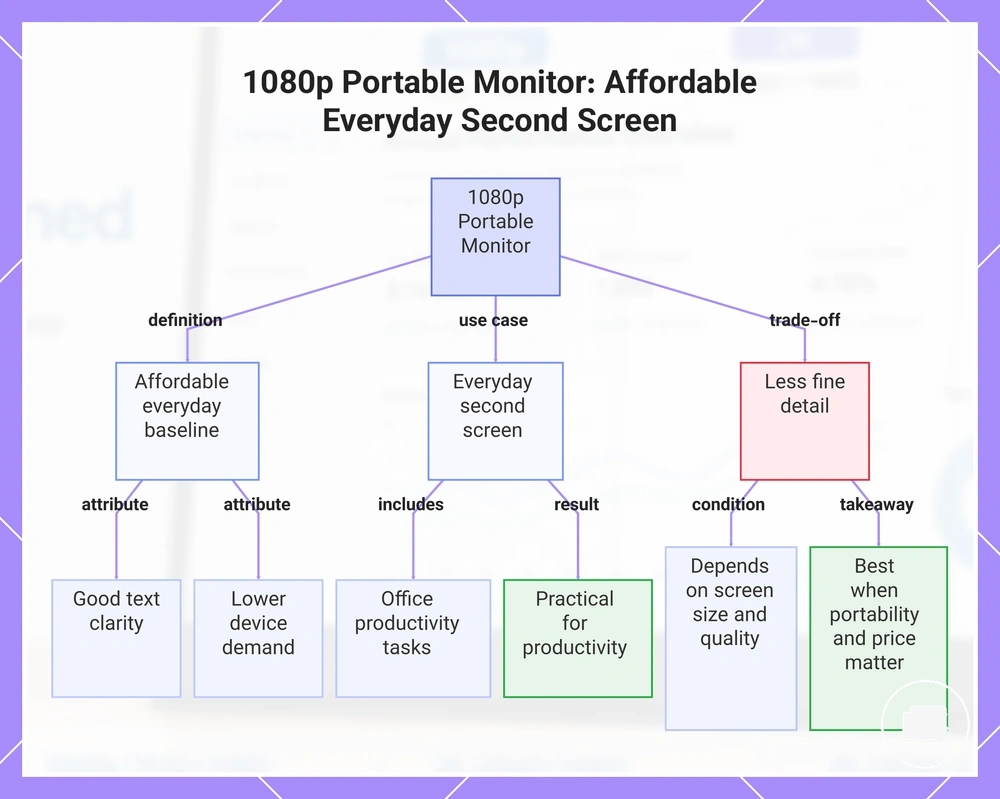
A 1080p portable monitor is a common baseline resolution for affordable, general-purpose use. FHD can provide good text clarity for everyday use while typically requiring lower device demand than higher resolution tiers. This balance makes a 1080p portable monitor a practical fit for everyday work as a second screen.
For example, using a 1080p portable monitor beside a laptop for email, documents, or web browsing can support everyday productivity without prioritising maximum screen detail. Its lower pixel count may provide less fine-detail workspace than higher resolutions, but suitability still depends on screen size, panel quality, scaling, and the intended use case. A 1080p portable monitor can be a sensible choice when portability and price matter more than maximum detail.
This chart shows the key attributes, typical use case, and trade-offs of a 1080p portable monitor for everyday productivity.
2K for Sharper Text and Balanced Performance
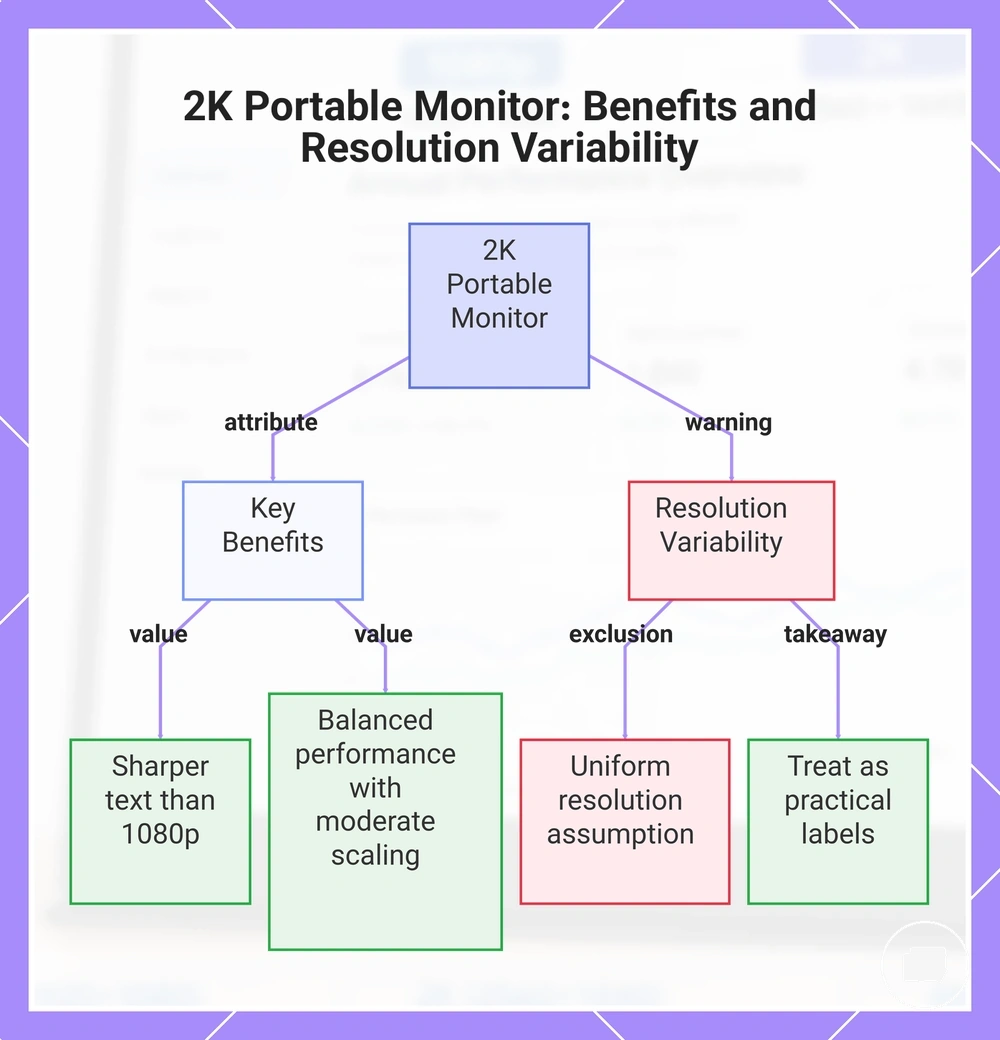
A 2K portable monitor is a practical middle resolution tier for users who want sharper text than 1080p without the full demands of 4K. QHD typically increases pixel density, improves text clarity, and offers balanced performance with moderate scaling and device demand for productivity and mixed-use tasks. This makes a 2K portable monitor a balanced middle option.
A common misconception is that every 2K portable monitor uses the same resolution. In practice, 2K can provide a useful balance when 1080p feels coarse for the chosen screen size but 4K seems unnecessary for the intended workload, although actual pixel dimensions and naming conventions can vary. For that reason, 2K and QHD should be treated as practical labels rather than a guarantee that every display shares identical specifications.
This chart explains what a 2K portable monitor offers, its key benefits, and the important warning about resolution variability.
4K for High-Detail Visual Work
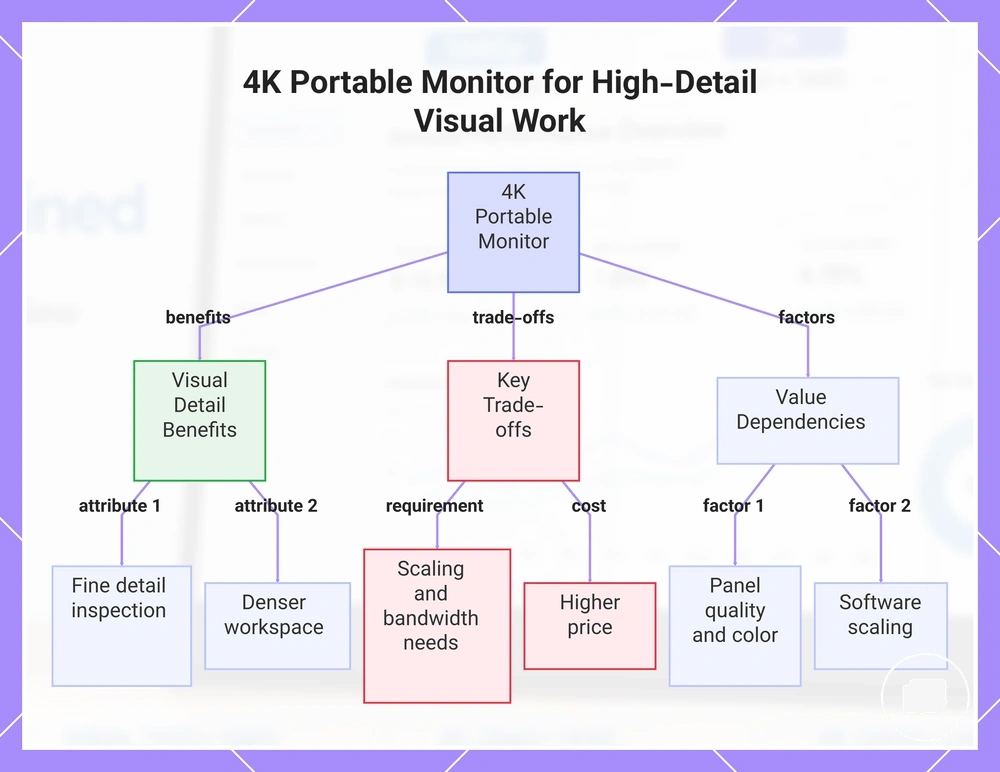
A 4K portable monitor is a high-resolution tier for situations where fine visual detail and a dense workspace matter. UHD provides a higher pixel count than lower resolution tiers, which can increase visible detail while often requiring scaling, greater bandwidth or power needs, and a higher price. This makes a 4K portable monitor a specialist option for high-detail visual work.
For example, reviewing detailed images or design layouts on a 4K portable monitor may make fine visual elements easier to inspect while providing a denser workspace, although comfortable readability often depends on software scaling. A 4K portable monitor can benefit visual work when the connected device supports its higher bandwidth and power needs, but its overall value also depends on panel quality, colour handling, brightness, and software scaling rather than resolution alone.
This chart shows the key benefits, trade-offs, and dependencies of a 4K portable monitor for high-detail visual work.
Best Portable Monitor Resolution by Use Case
The best portable monitor resolution by use case depends on matching the display to the task instead of choosing the highest resolution available. The right resolution range should reflect the required text size, workspace, performance demand, budget, and device capability, because no single option suits every situation. Use case should guide the resolution choice.
For example, productivity, design, and gaming can each benefit from different resolution ranges depending on screen size, scaling, and hardware capability. Use the decision table below to compare the practical fit, reason, and trade-off for common portable monitor use cases.
| Use case | Suitable resolution range | Why it fits | Main trade-off |
|---|---|---|---|
| Everyday productivity | 1080p to 2K | Balances text size, readable workspace, and performance demand | Available workspace and detail depend on screen size |
| Design and detailed visual work | 2K to 4K | Can improve detail visibility and provide a denser workspace | May require more scaling, device capability, and budget |
| Gaming | 1080p to 2K | Can balance device output with smooth performance, depending on the hardware | Higher resolutions may increase performance demand |
| Media viewing and mixed use | 1080p to 4K | The practical fit depends on viewing distance, detail preference, and budget | Higher resolutions may cost more and often benefit from scaling |
Resolution for Office Work, Reading, and Productivity
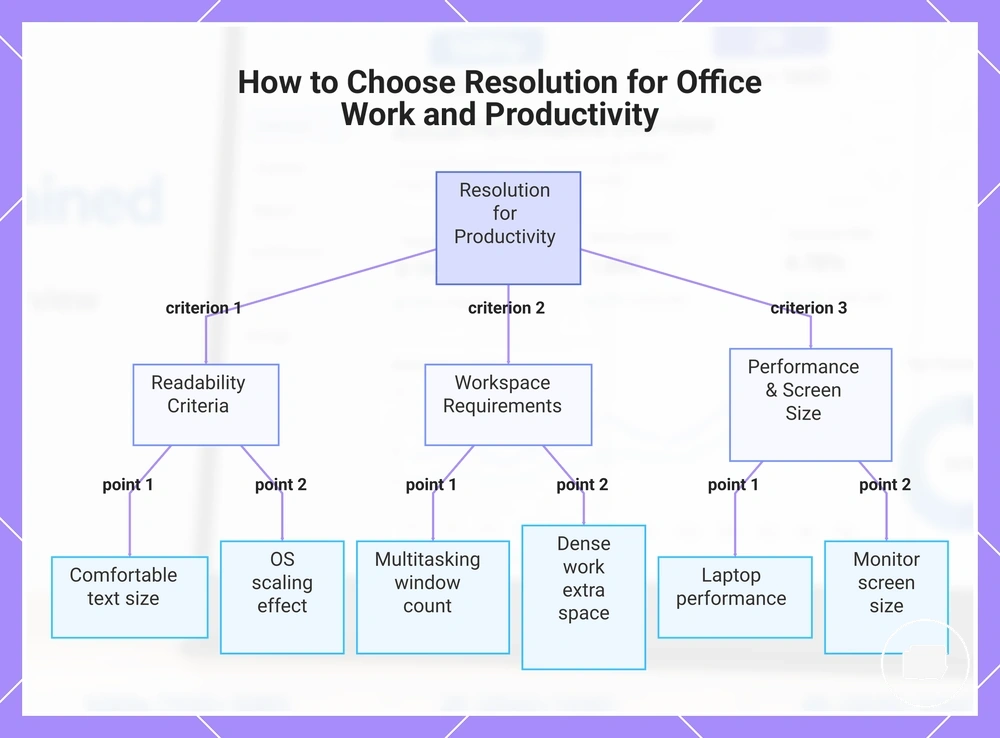
Resolution for office work, reading, and productivity depends on balancing text clarity, readable scaling, window space, and laptop performance. Text-heavy tasks require readable content, but the most suitable resolution still depends on screen size, operating-system scaling, and individual eyesight. Resolution should support comfortable, readable work rather than simply increasing pixel count.
For example, basic email and document work may need less window space than dense spreadsheets or coding, where additional workspace can improve multitasking. Because readability varies with screen size, scaling, and user preference, no single resolution suits every productivity workflow. Use the checklist below to compare the key selection criteria.
- Choose a resolution that keeps text size comfortable for extended reading.
- Consider how many windows you typically keep open during productivity tasks.
- Evaluate whether spreadsheets or dense work benefit from additional window space.
- Check how operating-system scaling affects readable text and usable workspace.
- Balance the selected resolution with laptop performance and the portable monitor's screen size.
This chart shows the key selection criteria for choosing a productivity resolution, balancing text readability, workspace, and performance.
Resolution for Design, Photo Editing, and Detailed Visuals
Resolution for design, photo editing, and detailed visuals depends on how much fine detail, canvas space, and visual precision your creative task requires. Higher resolution can reveal more detail and provide additional workspace, but the most suitable choice also depends on scaling behaviour, budget, and the display's overall capabilities. Resolution improves detail visibility and workspace rather than determining creative accuracy on its own.
For example, image review and layout work may benefit from greater canvas space and clearer fine detail, while comfortable scaling remains important during longer editing sessions. Resolution for design and photo editing is only one creative-work factor because colour accuracy, panel quality, brightness, and calibration also influence the final viewing experience. For those related display characteristics, see portable monitor display quality.
- Choose a resolution that matches the level of fine detail required for your creative work.
- Consider whether additional canvas space improves image review or layout work.
- Check how scaling behaviour affects interface readability and usable workspace.
- Evaluate colour accuracy and panel quality separately from resolution.
- Balance the preferred resolution with your budget and overall value requirements.
Resolution for Gaming and Media Playback
Resolution for gaming and media playback depends on balancing image quality, device output capability, and smooth performance. Higher resolution can improve screen detail, but it also increases GPU load or console load in many gaming situations, so the overall experience depends on the connected device, cable, graphics settings, viewing distance, and refresh-rate demand. Resolution is one performance trade-off rather than the only gaming factor.
For example, 1080p or 2K may be preferable when smooth performance matters more than maximum pixel count because they can reduce performance load on compatible hardware. Higher resolutions can improve image quality for gaming and media playback, but refresh rate, input lag, and device compatibility remain separate considerations that resolution alone does not determine. For a broader explanation of those factors, see portable monitor for gaming.
- Higher resolution: Can provide greater screen detail but may increase GPU load or console load.
- 1080p or 2K: May offer a better balance when smooth performance is more important than maximum detail.
- Viewing distance: Can influence how noticeable additional resolution appears during media playback.
Resolution Trade-offs in Power, Bandwidth, Scaling, and Price
Portable monitor resolution depends on balancing image detail against practical trade-offs instead of choosing the highest specification available. As resolution increases, power demand, bandwidth requirements, scaling behaviour, and price can also increase depending on the connected device and configuration. These trade-offs should be evaluated as cost-value decisions.
For example, a higher-resolution portable monitor may provide more workspace and finer detail, but the connected device, cable, and port also need to support the required video output. Resolution trade-offs in power, bandwidth, scaling, and price help determine whether a higher specification delivers meaningful value for your needs. The table below summarises the main decision signals.
| Trade-off | What changes as resolution rises | Why it matters | Decision signal |
|---|---|---|---|
| Power demand | Power use may increase depending on the device and workload. | Higher demand can affect overall portability and usage expectations. | Choose higher resolution when additional detail justifies the extra demand. |
| Bandwidth | Greater video bandwidth may be required through the cable and port. | Device output limits can affect the available display modes. | Confirm the device, cable, and port support the intended resolution. |
| Scaling | Operating system scaling often becomes more important. | Scaling influences readable text and usable workspace. | Select settings that balance clarity with comfortable readability. |
| Price | Higher-resolution models often cost more. | Additional detail may not benefit every workflow. | Pay more only when the extra resolution supports your intended use. |
Power demand and bandwidth can increase with higher resolution, although the practical effect depends on the device, cable, port, and operating system configuration. Compare the additional detail with these requirements before deciding whether the trade-off offers worthwhile value.
Operating system scaling influences readable text and workspace, while higher prices are easier to justify when the extra resolution supports your daily tasks. For broader feature and cost considerations, see portable monitor value.
Higher resolution creates value only when its additional detail outweighs the related trade-offs in power demand, bandwidth, scaling, and price. Product examples can help compare value after these decision criteria have been considered.
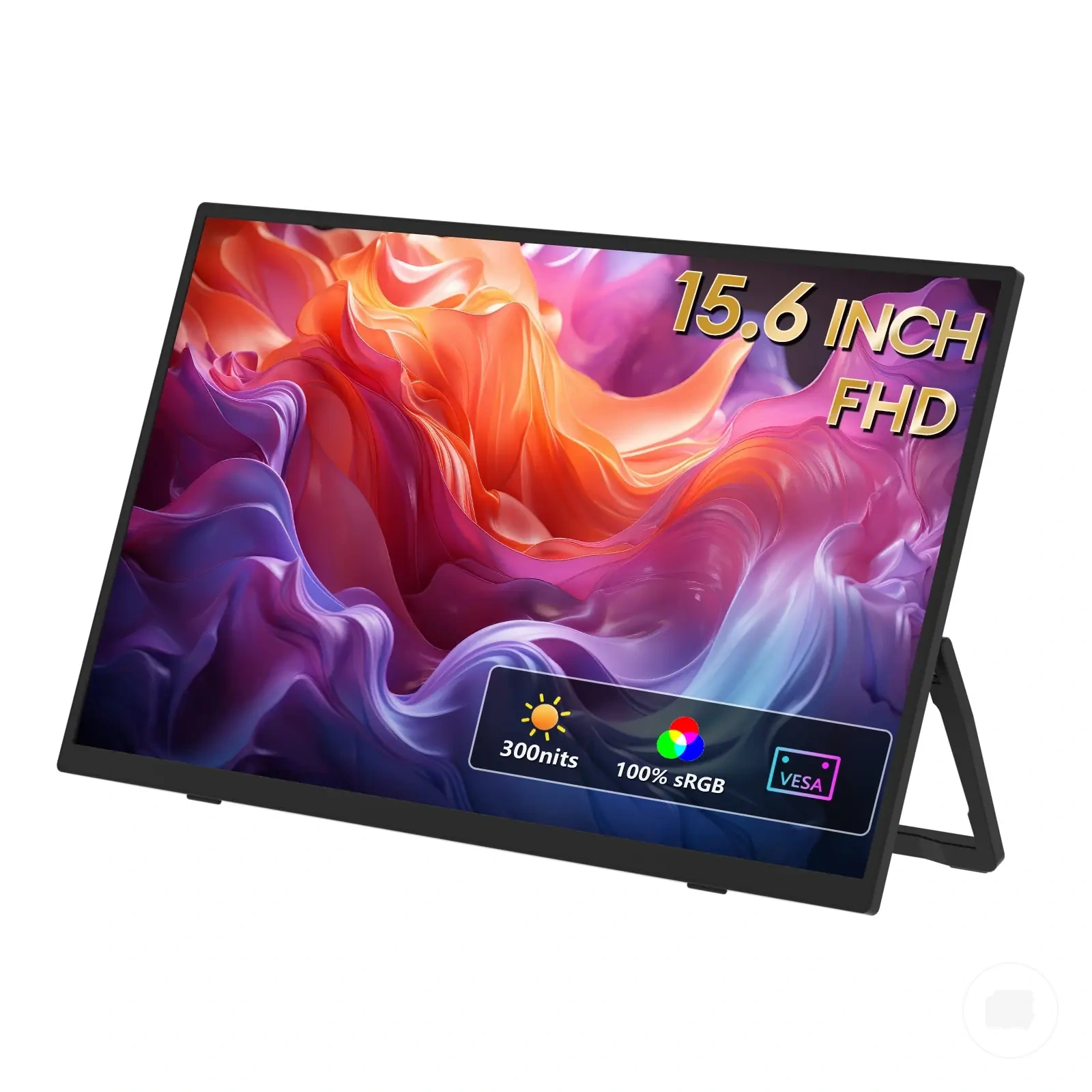
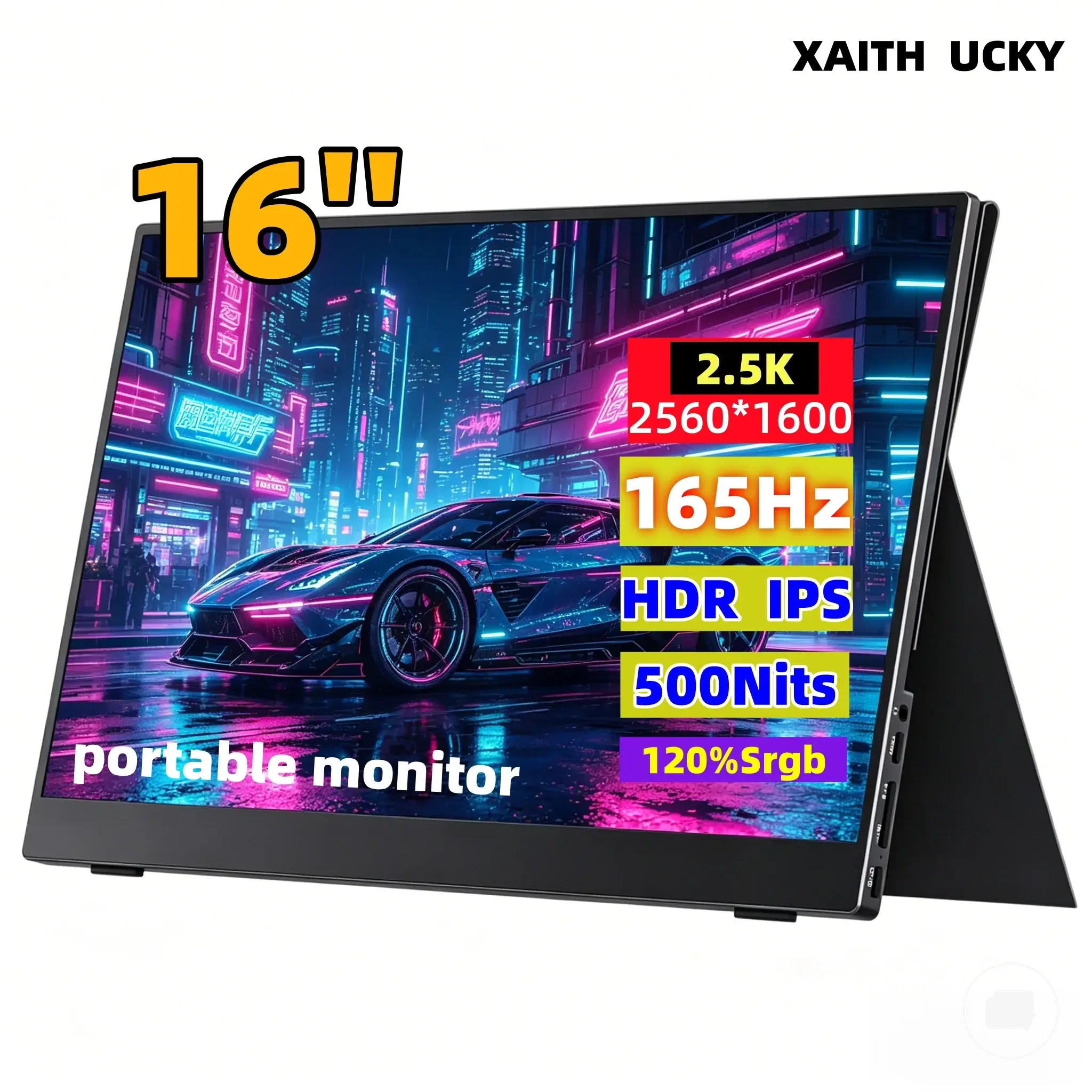
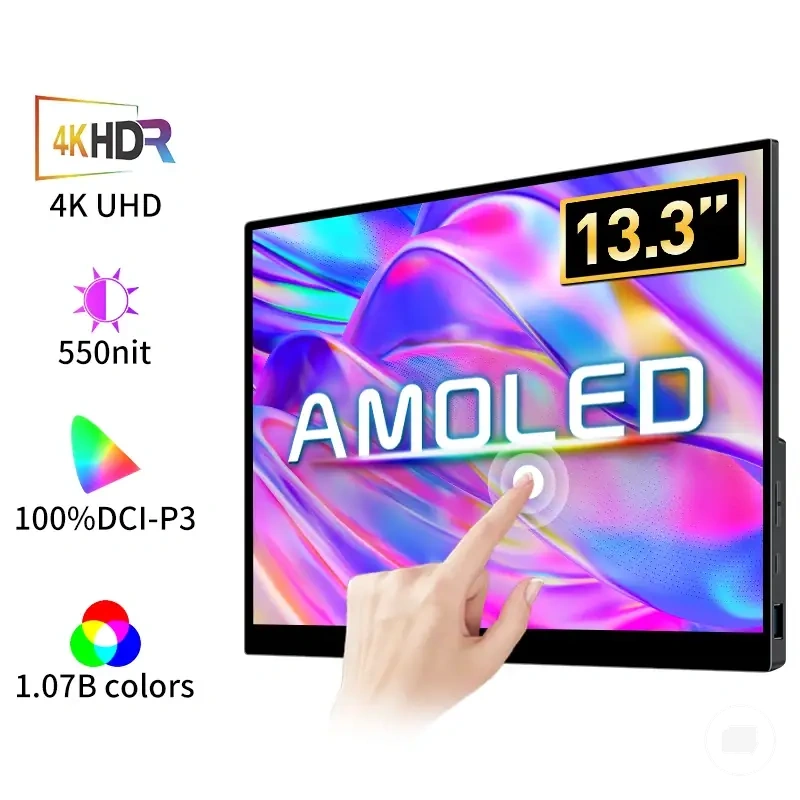
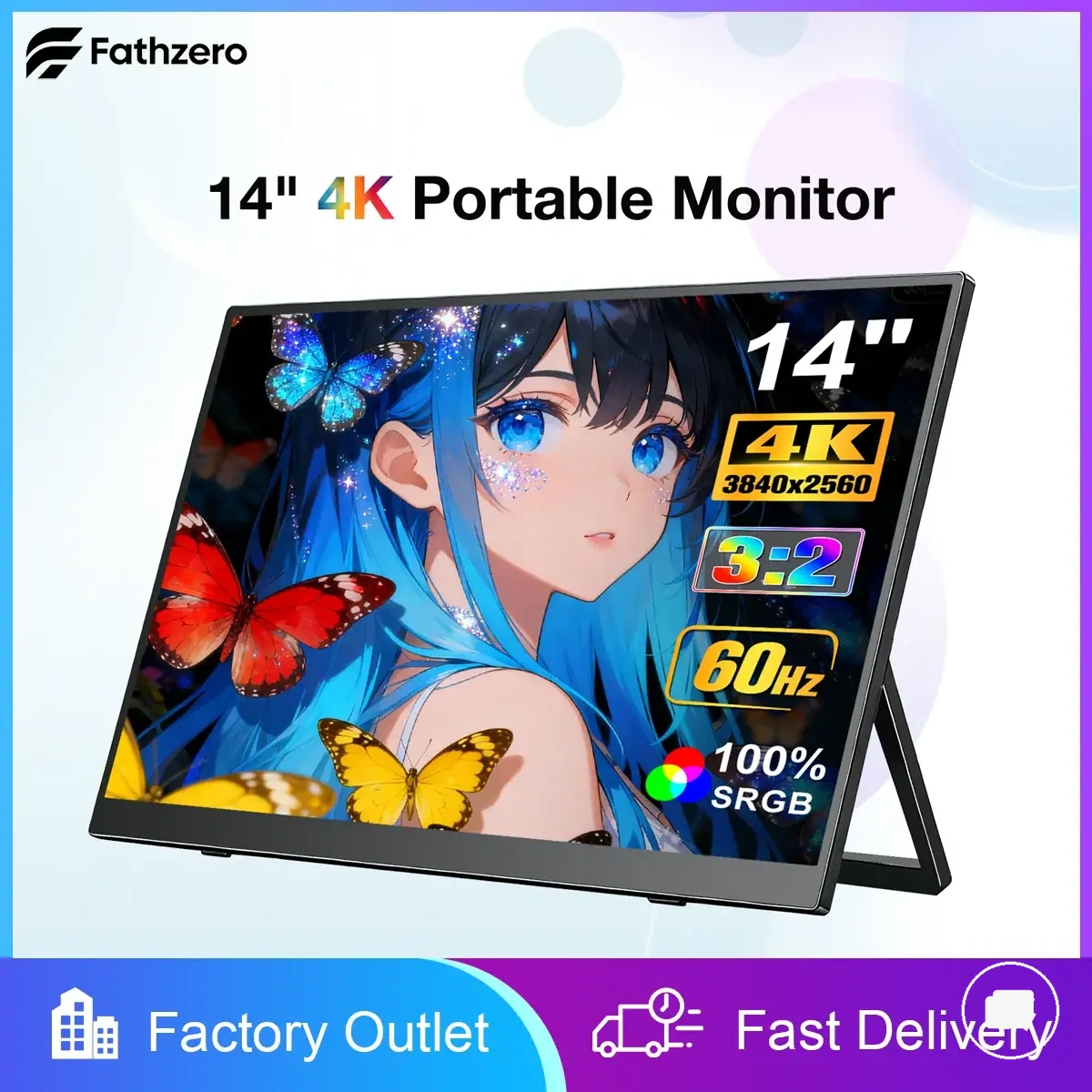
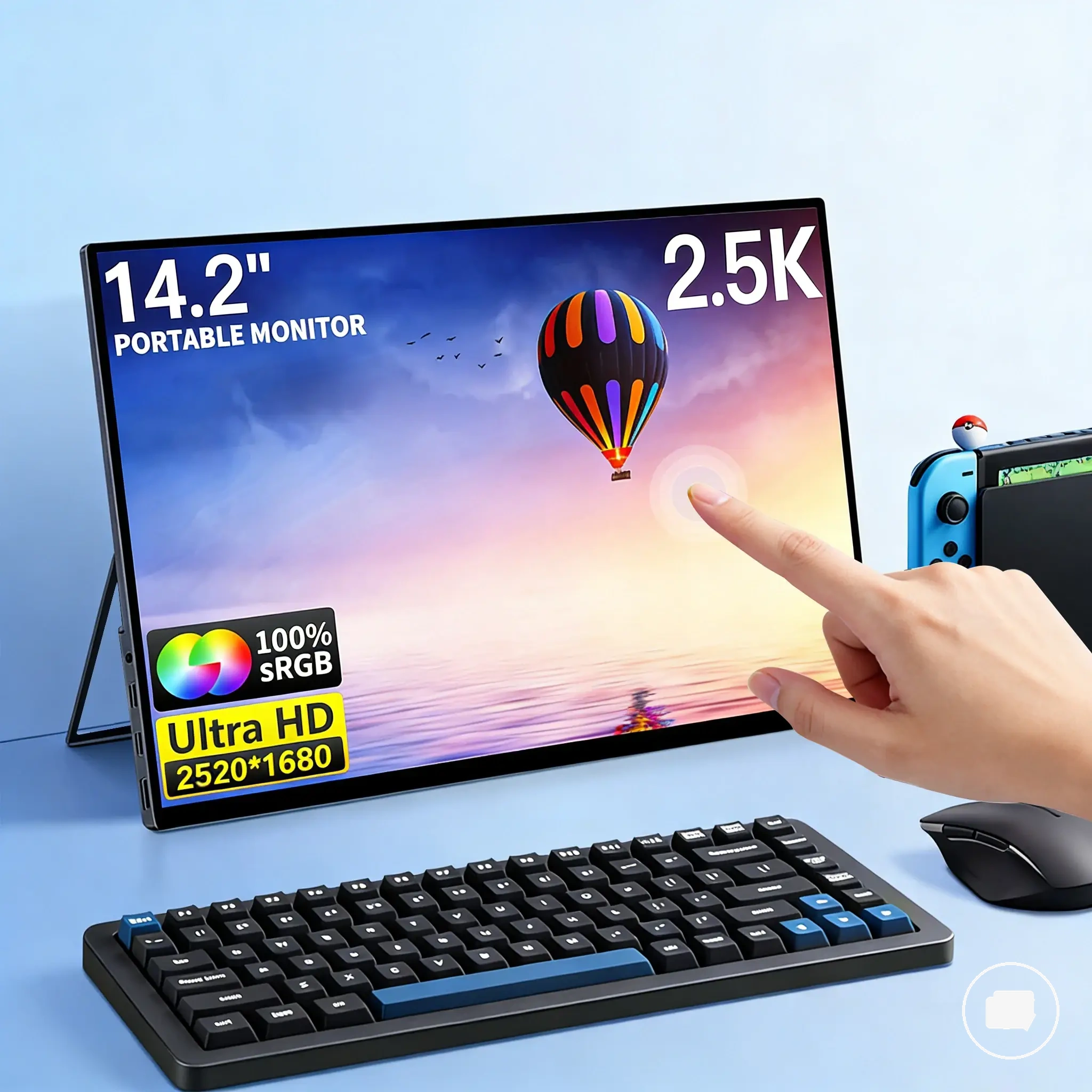
Here are product examples that may make comparison easier. Before buying, always review the compatibility criteria, essential features, and product details.
Device and Cable Limits That Affect Usable Resolution
Device limits and cable limits determine whether a portable monitor can use its advertised resolution in a particular setup. The available video output mode, port standard, adapter path, bandwidth, power delivery, and operating system settings can all affect the maximum usable resolution or refresh outcome. Usable resolution is therefore a compatibility condition rather than a panel specification alone.
If the expected resolution is unavailable, the source device or connection path may be limiting the display output instead of the monitor panel itself. Unsupported cables or adapters can reduce usable resolution even when the monitor supports a higher resolution, while operating system settings may also influence the available display options. Use the checklist below to identify common compatibility limits.
- Confirm the source device supports the required video output mode for the intended resolution.
- Check that the cable and port standard provide sufficient bandwidth for the desired display output.
- Verify that any adapter in the connection path supports the intended resolution instead of assuming universal compatibility.
- Ensure power delivery, when required by the setup, is sufficient for the connected device and display.
- Review operating system settings, including display resolution and scaling, because they can affect the usable resolution presented to the monitor.
When Higher Resolution Is Worth Paying For
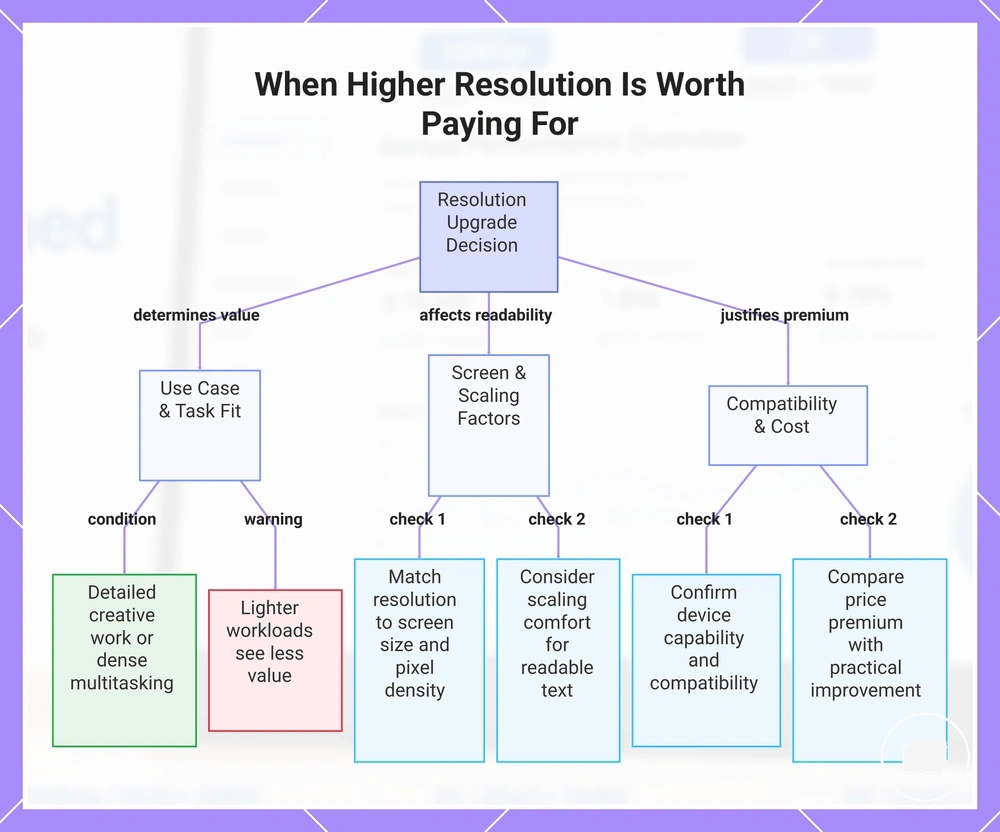
Higher resolution is worth paying for only when it improves the outcome for your portable monitor use case. The decision depends on your use case, screen size, pixel density needs, scaling comfort, compatibility, device capability, and the price premium rather than the largest resolution available. Paying more makes sense only when the additional detail creates practical value.
For example, if a 2K portable monitor is available at a modest price premium over a 1080p model and your work benefits from sharper text or additional workspace, the upgrade may be worthwhile. If your everyday tasks do not require extra detail or the price difference is significant, a lower resolution may be the better compromise. When higher resolution is worth paying for depends on the buyer situation, not the largest specification, so use the checklist below.
- Choose higher resolution when your use case benefits from greater detail or additional workspace.
- Match the resolution to the screen size and the level of pixel density you actually need.
- Consider whether your preferred scaling comfort supports readable text and a comfortable workspace.
- Confirm that your device capability and overall compatibility support the intended resolution.
- Compare the price premium with the practical improvement you expect to receive.
- Decide whether your budget and trade-off tolerance justify paying more for additional detail.
Task fit should guide the buying decision before specifications. Higher resolution can pay off when detailed creative work or dense multitasking benefits from improved text clarity and workspace, but lighter workloads may see less practical value.
Screen size influences whether additional pixels improve readability because pixel density and scaling comfort affect the viewing experience. The resolution price premium should be judged as part of broader portable monitor value rather than as an isolated specification.
Device capability should support the selected resolution before paying more. If compatibility, cable limits, or output capability reduce the usable resolution, the extra price premium may provide less practical benefit than expected.
A common myth is that higher resolution is always the right upgrade. In practice, the better decision depends on whether the added detail justifies the extra cost for your situation, while product examples remain secondary to these selection criteria.
Here are product examples that may make comparison easier. Before buying, always review the compatibility criteria, essential features, and product details.
This chart outlines the key criteria to decide whether paying more for a higher resolution portable monitor is worthwhile.