Portable Monitor Value and Fit
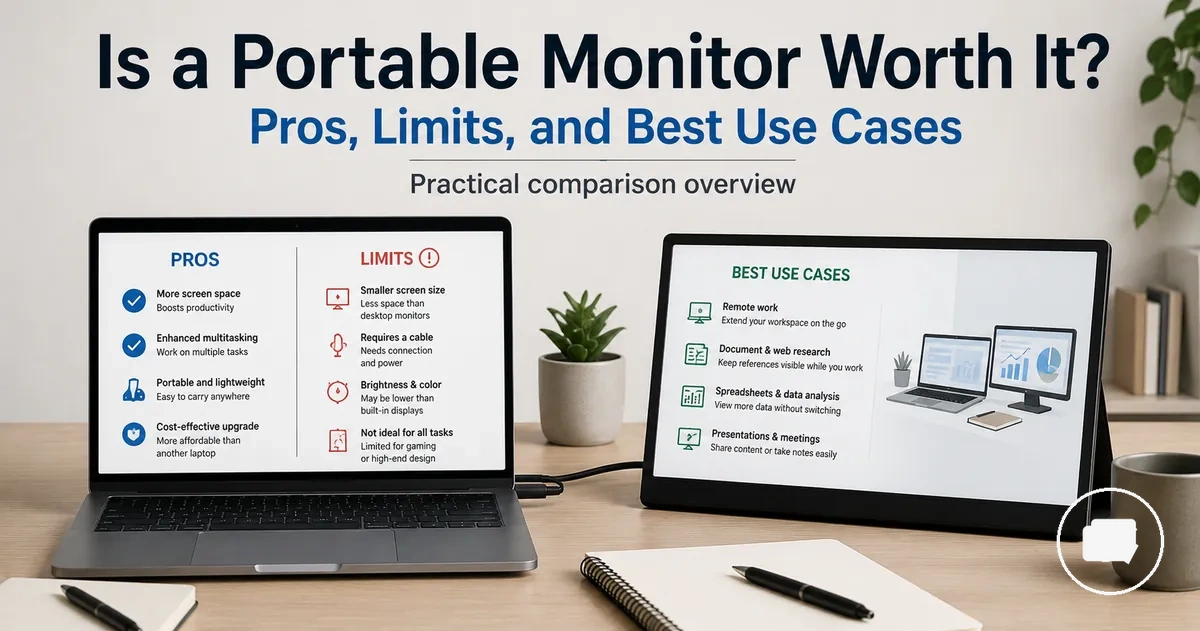
A portable monitor is worth it when a mobile second screen provides more value for your laptop than a fixed-desk setup. It is usually a good fit for people who work, travel, or need extra screen space in changing environments. The overall value depends on whether mobility matters more than maximum display size, comfort, or performance.
A portable monitor can improve a laptop workspace by making it easier to view multiple applications at the same time. This may benefit work that involves research, communication, creative tasks, or document management, especially when desk space is limited or travel is part of the routine. The productivity gain still depends on the user's workflow and the specific portable monitor.
The main trade-offs involve mobility, comfort, display quality, and long-term workspace preferences. A portable monitor is designed for flexibility, while a regular monitor may be a better alternative when a permanent desk setup, larger screen, or greater viewing comfort is the priority. Price and features should be judged after deciding whether this type of display matches the intended use.
This page focuses on helping you decide whether a portable monitor fits your needs before exploring buying considerations in more detail. If you want a broader overview of the category, see the portable monitor guide.
The decision is ultimately based on fit rather than universal value. A portable monitor is more likely to be worth it when a second screen supports work or travel on a regular basis, and less likely to suit users who spend most of their time at a fixed desk where comfort and larger displays are the higher priority.
When a Portable Monitor Is Worth Considering
A portable monitor becomes a practical choice when extra screen space adds value to laptop-based work while keeping the setup easy to move. It is usually the right fit for people who regularly rely on a second screen in temporary workspaces, on small desks, or during travel. The key value comes from a repeated need for additional screen space rather than occasional use.
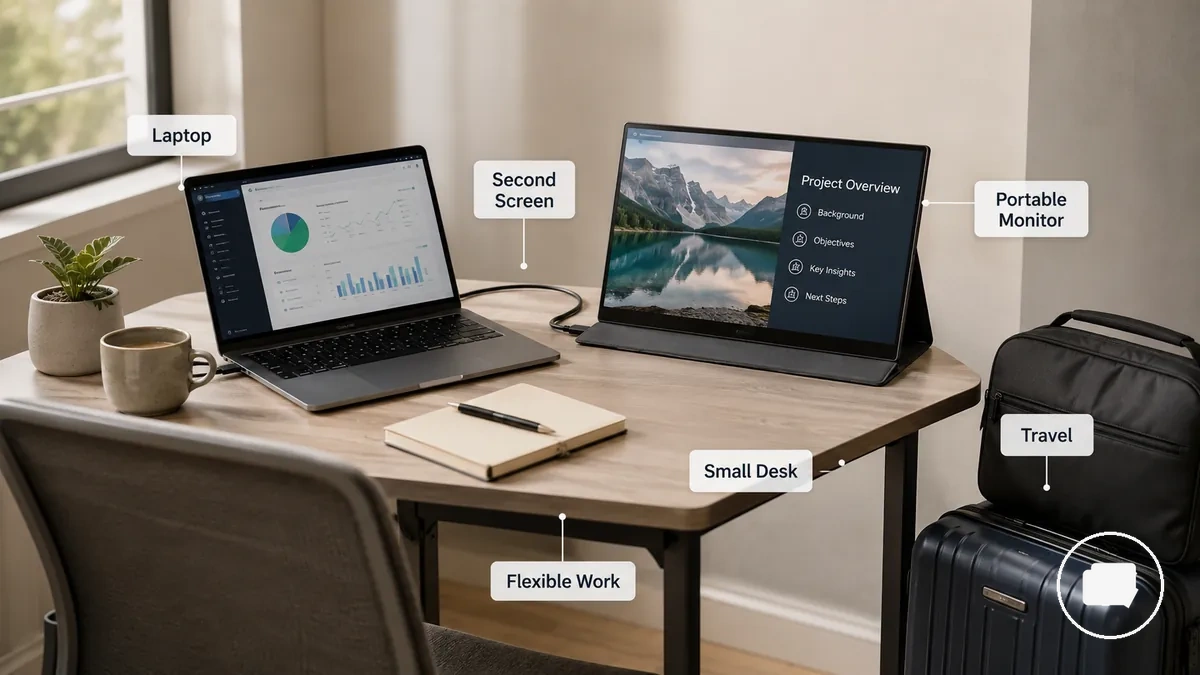
When a Portable Monitor Is Worth Considering is easier to understand by looking at a laptop connected to a portable monitor in a compact workspace, where the second screen supports a more flexible workflow without requiring a permanent desk. A portable display can help organise tasks across changing locations, but its overall value still depends on mobility needs, available desk space, and how often a second screen improves the workflow.
This section focuses on deciding whether a portable monitor fits your use case. It does not cover detailed setup, compatibility, or price, as those topics depend on the device and buying requirements discussed later.
Benefits That Create Portable Monitor Value
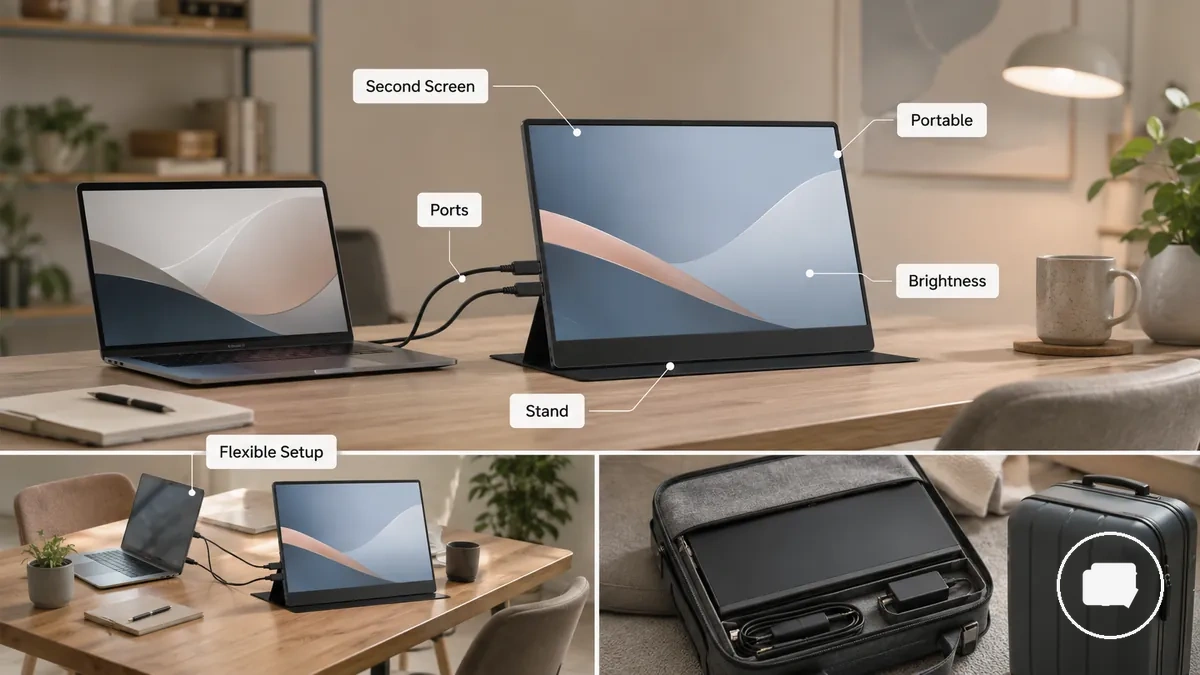
A portable monitor creates value when its features reduce real workflow friction instead of simply adding another screen. The value depends on how often you need extra screen space, portability, and a flexible setup, so feature value comes from choosing the right size, ports, stand, brightness, and resolution for your work rather than paying for features you may rarely use.
Benefits That Create Portable Monitor Value become easier to see when a laptop and portable monitor are shown together in a practical workspace, illustrating how the second screen supports a flexible workflow across changing environments without replacing a permanent desktop setup.
- Extra screen space: Adds room for documents, communication, or reference material when a second screen supports regular work.
- Portability: A suitable size and weight can make it easier to maintain a familiar workspace while travelling or moving between locations.
- Workflow continuity: A portable monitor may reduce repeated window switching, helping users who frequently work across multiple applications.
- Setup flexibility: The available ports and an adjustable stand can improve practical fit across temporary workspaces with different layouts.
- Display quality: Brightness and resolution add value when they match the viewing environment, while choosing features beyond your needs may increase price without improving everyday use.
These benefits are most meaningful when they solve a repeated need rather than an occasional convenience. If use is infrequent or the feature set does not match your work pattern, the added price may provide less practical value.
More Screen Space for Laptop Productivity
When a laptop workflow is limited by screen space, a portable monitor can provide a second screen that keeps important content visible instead of requiring constant window switching. More Screen Space for Laptop Productivity is easier to understand by looking at a laptop connected to a portable monitor, where separate displays support multitasking when the task benefits from additional workspace.
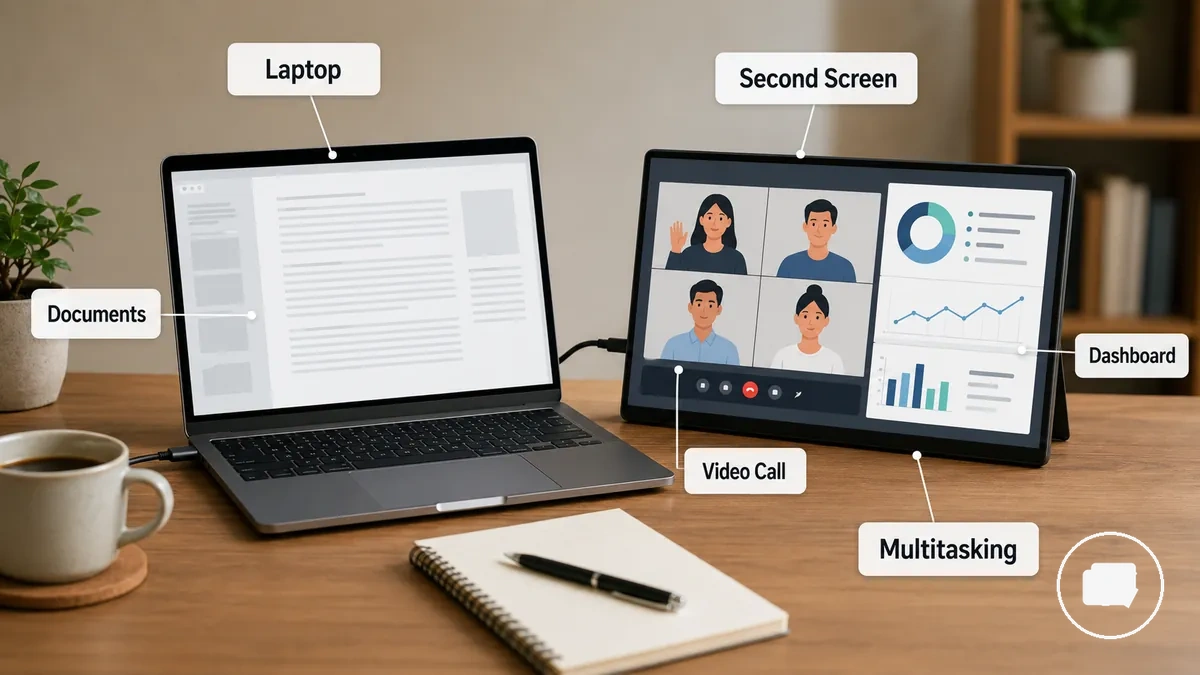
- Keep documents open on one screen while writing or editing on the laptop to reduce repeated task switching.
- Follow video calls on one display while taking notes or replying to messages on the second screen.
- View dashboards or reference material beside your main application to make information easier to access.
- Compare research sources side by side, which can support multitasking without repeatedly changing windows.
The benefit depends on the type of work, user habits, and available screen space rather than the portable monitor alone. For broader examples of portable monitor productivity use cases, explore workflows where a second screen may support laptop tasks during remote work or other mobile environments.
Lightweight Second-Screen Use Away From a Desk
When you work in a temporary workspace instead of at a permanent desk, a portable monitor can provide a practical second screen for a laptop without relying on a fixed desktop setup. Lightweight Second-Screen Use Away From a Desk is easier to understand by viewing a laptop connected to a portable monitor in a shared or remote work environment, where portability supports a flexible workflow while cable connections and stand stability still depend on the location.
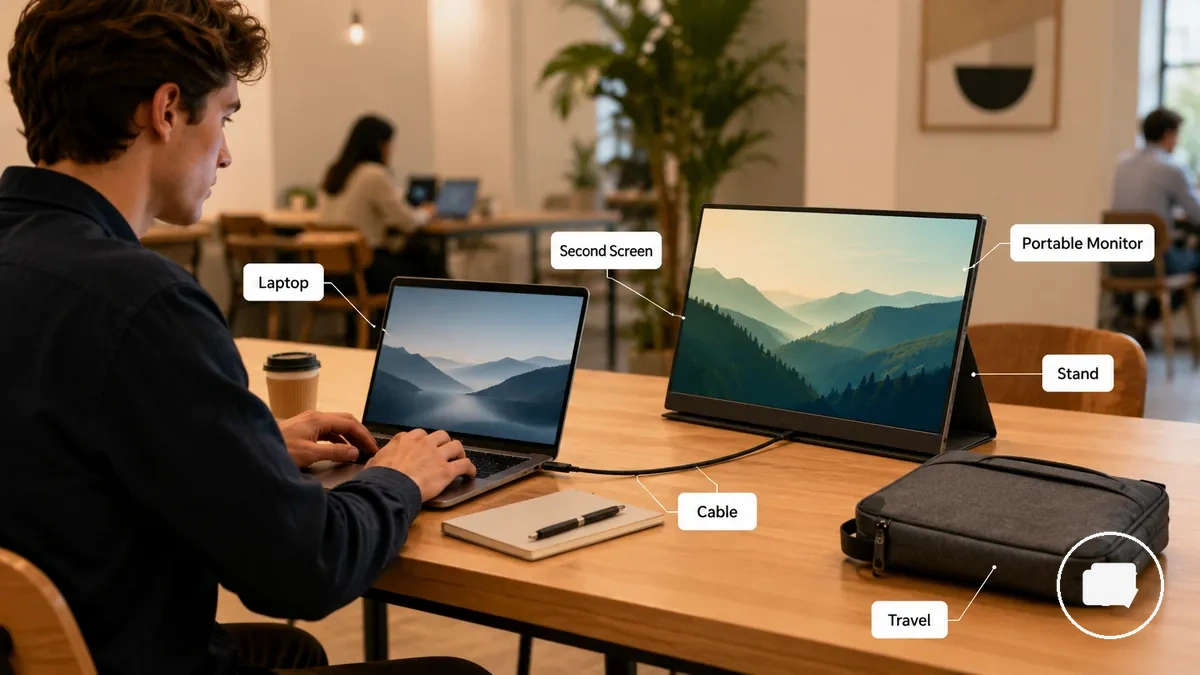
- A slim portable monitor can fit more easily into travel or remote work routines when bag space allows.
- A built-in or adjustable stand can help create a practical viewing position on temporary work surfaces.
- Cable connections may affect how quickly the laptop and second screen are ready for multitasking.
- A portable display can support a flexible workflow away from a fixed desk when there is enough workspace and power for the setup.
The mobility advantage depends on available workspace, power access, cable needs, and stand stability rather than portability alone. These conditions influence how convenient the second-screen setup feels in shared spaces, temporary workstations, or remote work environments.
Limitations That Reduce Portable Monitor Value
Portable monitor limitations are trade-offs that can reduce overall value when the display does not match your workspace, device, or viewing needs. A limitation may be an acceptable compromise when portability is the priority, but it can become a deciding factor if long-term comfort, image quality, or setup simplicity matters more. The impact depends on the model, the setup, and the intended use.
The table below maps common limitations to the conditions where they matter most and how they may influence the buying decision.
| Attribute | Condition | Decision effect |
|---|---|---|
| Screen size | Viewing comfort depends on screen size, viewing distance, and available workspace. | May be an acceptable compromise for mobility but less suitable for extended desk use. |
| Ergonomics | Stand position and screen height vary by model and setup. | Can reduce comfort when adjustment options are limited. |
| Brightness and colour | Visibility and colour quality may vary with the display and surrounding lighting. | May reduce value when consistent image quality is a higher priority than portability. |
| Cable and power | Operation may depend on suitable cables, power availability, and the connected device. | Additional setup requirements can add friction away from a permanent desk. |
| Device support | Connection behaviour can vary between laptops and other compatible devices. | May become a deciding limitation if the expected setup is not straightforward. |
These limitations are not universal defects. For many users they are reasonable trade-offs for portability, while for others they may outweigh the mobility benefits and make another display type a better fit.
Smaller Screen Size and Lower Desktop Comfort
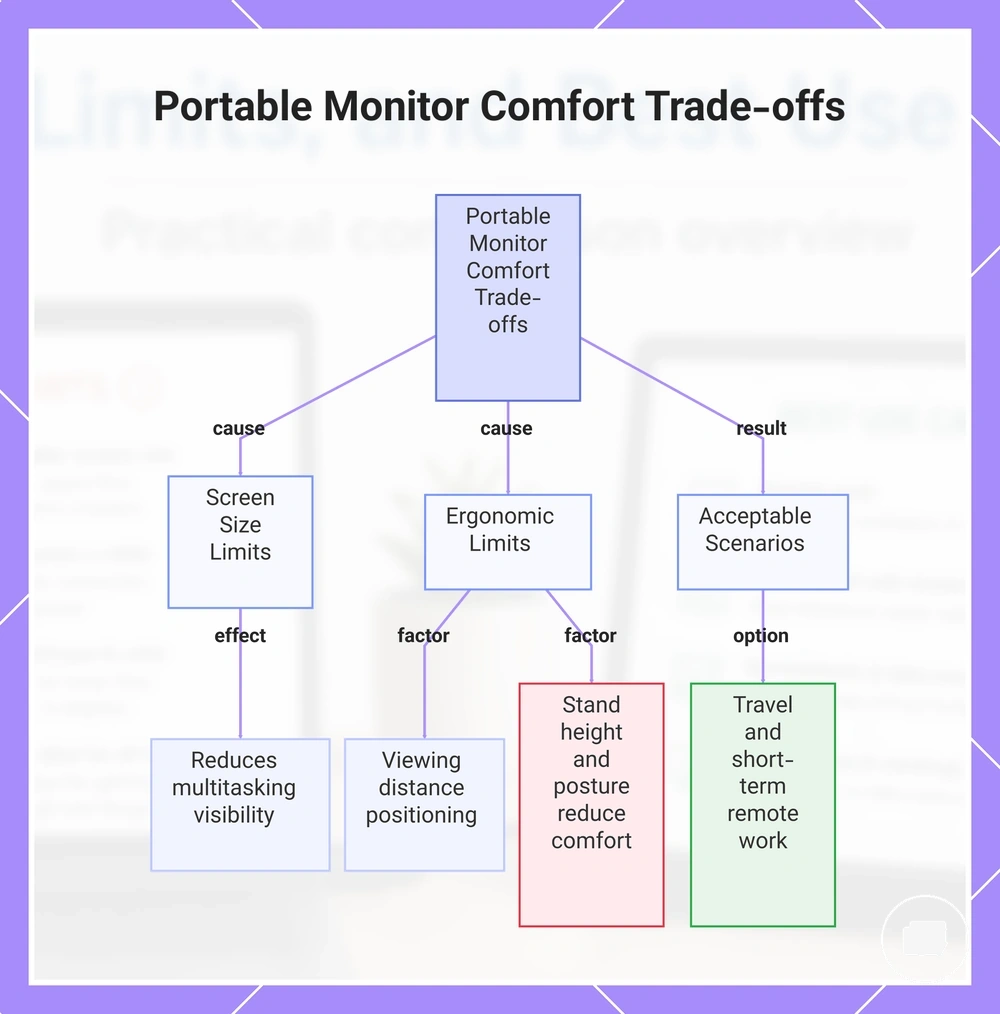
Smaller screen size and simpler ergonomics are trade-offs that can reduce the long-session comfort of a portable monitor compared with a larger fixed display. Screen size, viewing distance, and stand height influence comfort and visibility, so the overall experience depends on the workspace and how long the display is used. A portable monitor may still provide good value when portability is more important than maximum desktop comfort.
- Screen size: A smaller display may limit how much content remains visible during multitasking.
- Viewing distance: Comfort and visibility depend on how the portable monitor can be positioned within the available workspace.
- Stand height: A lower or less adjustable stand may reduce ergonomic comfort during extended use.
- Posture: Sustained use can feel less comfortable when the display position cannot be adjusted to suit the working environment.
For example, during travel or short-term remote work, the reduced desktop comfort may be an acceptable trade-off because portability can outweigh the need for a larger, more ergonomic display.
This chart shows the key factors that reduce portable monitor desktop comfort and the scenarios where portability makes these trade-offs acceptable.
Brightness, Colour, Power, and Cable Constraints
Portable monitor compatibility depends on whether brightness, colour, USB-C, HDMI, power, and cable requirements match your device and working conditions. These constraints can reduce value when they affect visibility, connection reliability, or setup convenience, so they should be checked before purchase because compatibility varies by model and device.
The table below highlights the technical constraints that are most likely to influence everyday usability without turning the decision into a full compatibility checklist.
| Constraint | Condition | Usability effect |
|---|---|---|
| Brightness | Brightness levels may vary with the display and surrounding lighting. | Can affect screen visibility in different working conditions. |
| Colour | Colour performance depends on the display and intended use. | May influence visual accuracy for colour-sensitive tasks. |
| USB-C or HDMI | Connection support depends on both the portable monitor and the connected device. | May require different connection methods or create setup friction. |
| Power and cable | Power delivery and cable requirements vary by model and device configuration. | Additional power or cable needs can reduce setup convenience and connection reliability. |
Checking these compatibility points before purchase can help determine whether a portable monitor suits your device and workflow, while recognising that usability depends on the specific model, connection method, and working environment.
Best-Fit Use Cases for Portable Monitors
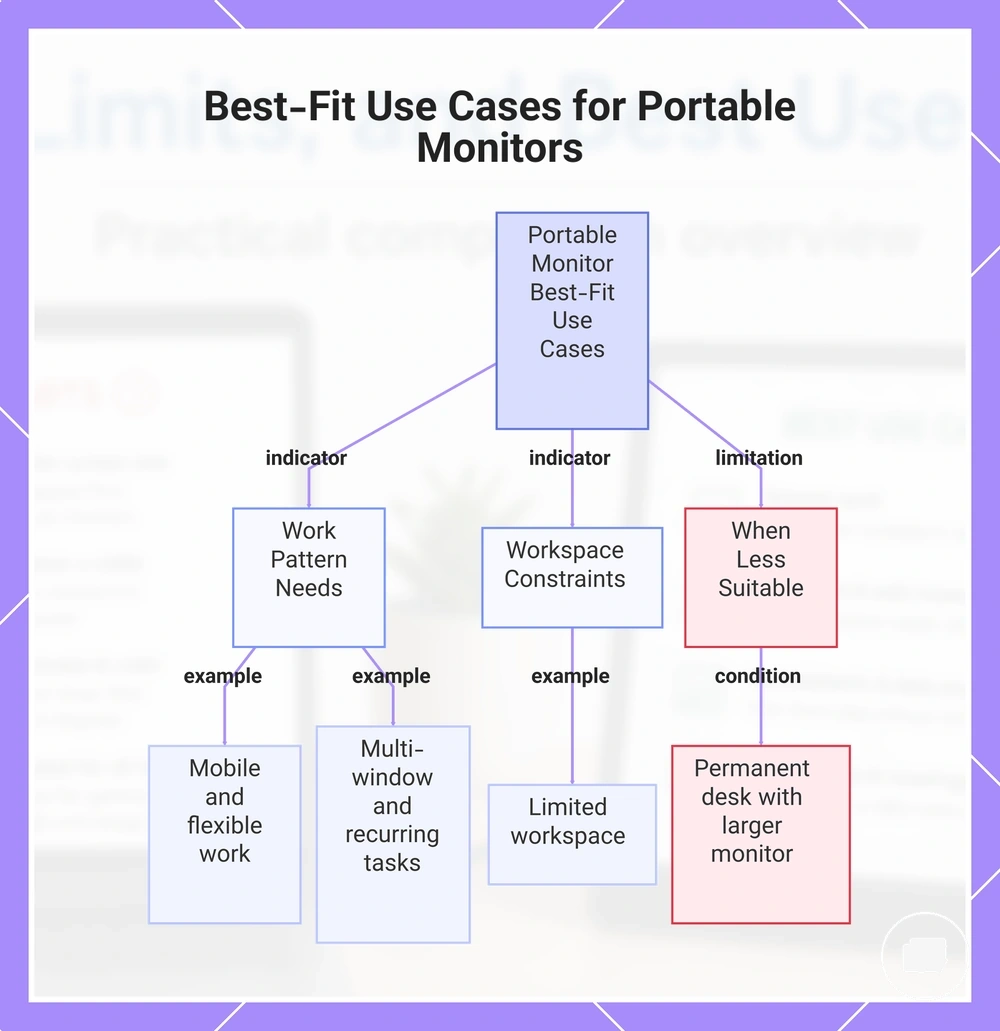
A portable monitor is usually worth considering when your laptop workflow repeatedly benefits from a second screen and a fixed desktop monitor is not the most practical option. The right fit depends on your work pattern, location, device, and workspace constraints rather than on portability alone. When these conditions occur regularly, a portable monitor may provide stronger long-term value than an occasional convenience.
The following use cases are the strongest indicators that a portable monitor is likely to be a good fit for your workflow and decision needs.
- Mobile laptop work: You frequently move between locations and need a second screen without carrying a traditional desktop monitor.
- Multi-window workflows: Your laptop tasks regularly require documents, communication tools, or reference material to remain visible at the same time.
- Limited workspace: You often work on compact desks or temporary workstations where a larger external monitor is less practical.
- Flexible work locations: You switch between home, office, shared workspaces, or travel and benefit from a consistent second-screen setup.
- Recurring workflow constraint: The added display supports your work often enough that the portability trade-off creates ongoing value instead of occasional convenience.
If your laptop is used mainly at a permanent desk with a larger monitor, a portable monitor may offer less additional value. The strongest fit comes when a second screen and portability solve the same recurring workspace constraint.
This chart shows the key conditions and use cases that indicate a portable monitor is a good fit, along with a limitation that reduces its value.
Work, Study, and Remote Multitasking
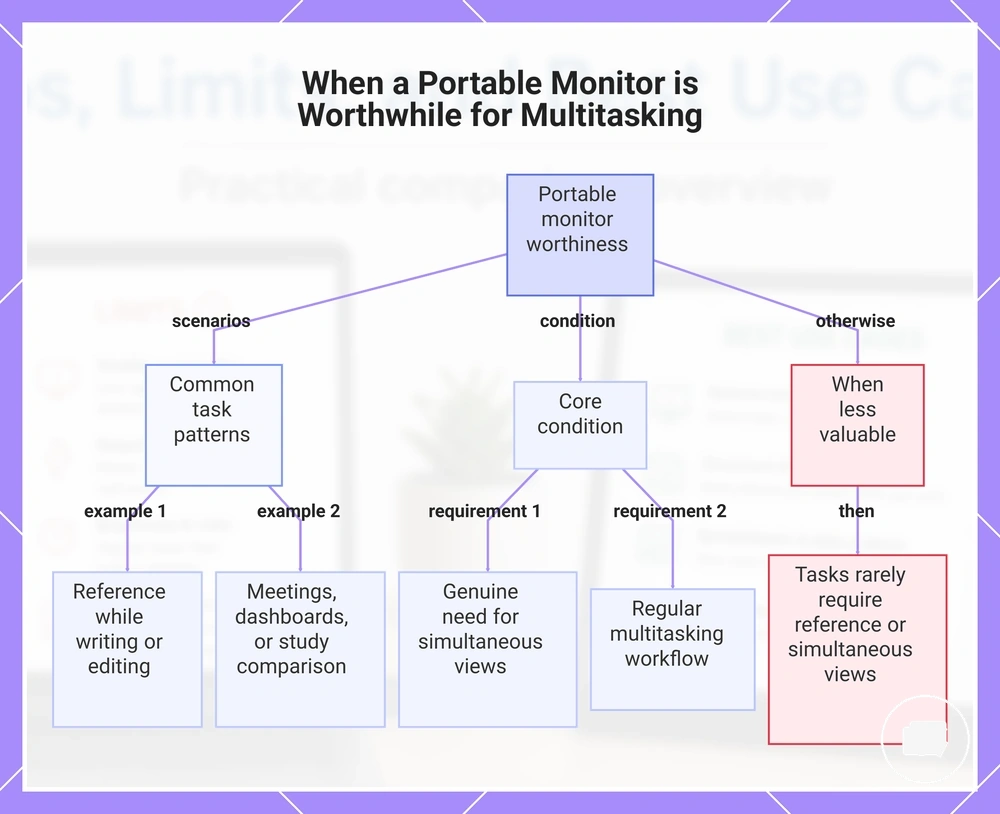
When your laptop workflow regularly requires multiple sources of information at the same time, a portable monitor can make a second screen worthwhile. Work, study, and remote work often benefit when documents, meetings, or reference material remain visible together instead of requiring frequent task switching. The value depends on whether your daily tasks genuinely need simultaneous views rather than occasional extra screen space.
Common task patterns that may justify a portable monitor include:
- Keeping reference documents visible while writing, reviewing, or editing content on a laptop.
- Viewing video meetings on one screen while taking notes or responding to work-related communication on the second screen.
- Monitoring dashboards or project information alongside the main application to reduce repeated window switching.
- Comparing study resources or course material side by side when reviewing information across multiple documents.
These scenarios are most relevant when multitasking is a regular part of your workflow. If your laptop tasks rarely require reference material, meetings, dashboards, or simultaneous document views, a portable monitor may provide less additional value.
This chart shows the key task patterns that justify a portable monitor, the core condition for value, and the scenario where it provides less value.
Travel, Small Desks, and Temporary Setups
When you regularly work outside a permanent desk, a portable monitor can be a practical second screen for a laptop if limited space or mobility is part of your routine. Hotel rooms, coworking desks, and shared home workspaces often create temporary environments where a compact display is easier to position than a larger external monitor. The overall fit depends on available table space, bag space, cable simplicity, and power access.
Common situations where a portable monitor may suit a temporary workflow include:
- Working from hotel rooms where a compact second screen fits within limited desk space.
- Using coworking desks that change from day to day and benefit from a portable setup that is easy to move.
- Sharing a home workspace where equipment is regularly packed away after use.
- Travelling between locations when carrying a lightweight second screen alongside a laptop is practical.
These environments are a stronger fit when portability supports your workflow without adding unnecessary setup friction. If table space, power access, or cable management are limited, the convenience of a portable monitor may vary with the location and device.
Who Should Not Choose a Portable Monitor
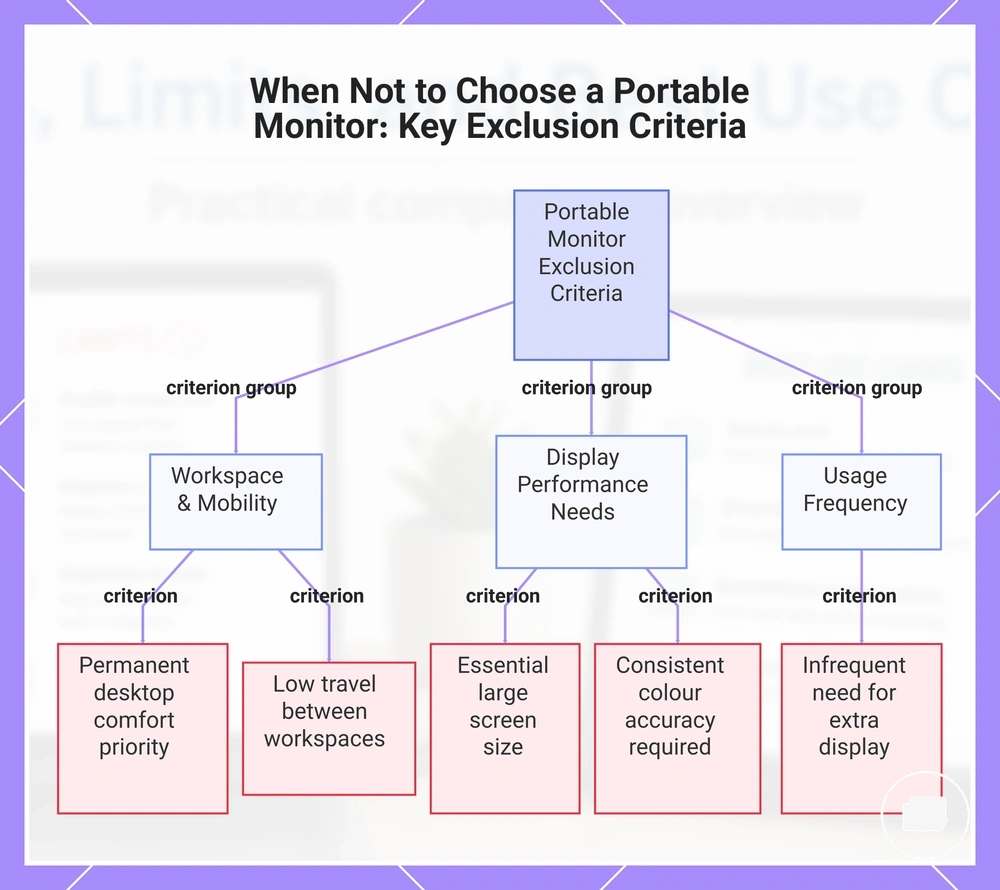
A portable monitor may not be the right fit when your criteria prioritise permanent comfort, a larger screen, or colour-critical work over portability. If your workspace is mostly fixed and mobility is rarely part of your routine, the trade-off between portability and desktop comfort may offer limited value. The right decision depends on how frequently you benefit from a portable setup.
Use these criteria to identify when a portable monitor may not match your requirements:
- Permanent workspace: If your user need is long-term desktop comfort, a larger external monitor may provide a better fit.
- Large-screen requirement: If screen size is essential for your daily workflow, a portable monitor may involve a trade-off that does not suit your needs.
- Colour-critical tasks: If your work depends on consistent colour accuracy, your required display attributes may extend beyond what a portable monitor is intended to provide.
- Low mobility frequency: If you rarely travel or move between workspaces, portability may add less value to your setup.
- Occasional second-screen use: If you only need an additional display infrequently, the overall fit may be weaker than for users who rely on portable multitasking more regularly.
These criteria help rule out situations where the trade-offs outweigh the benefits without suggesting that portable monitors lack value. They remain a practical choice when portability, workspace flexibility, and usage frequency align with the intended workflow.
This chart shows the main criteria that indicate a portable monitor may not be a suitable choice for your needs.
Permanent Desk Setups That Need a Full Monitor
A permanent desk setup is usually a better fit for a regular monitor when your criteria prioritise long-term comfort, larger screen size, and ergonomic support over portability. If your workspace rarely changes, the trade-off of using a portable monitor may provide less value because mobility is no longer the primary requirement. The right fit depends on how frequently you move your workspace and whether sustained comfort is more important than portability.
- Screen size: If your daily workflow benefits from a larger display, a regular monitor may better support extended viewing.
- Adjustability: A fixed workstation may require greater flexibility for screen height and viewing position to improve long-session comfort.
- Sustained work: When mobility is rarely needed, the portability trade-off may offer less value than a display designed for continuous desk use.
- Desk ergonomics: A regular monitor may better match a permanent workspace where comfort and consistent positioning are ongoing requirements.
For users who rarely move their setup, a regular monitor can be a more suitable choice for a fixed workstation. For a broader criteria-based comparison, see portable monitor vs regular monitor.
Colour-Critical or Comfort-Heavy Workflows
A portable monitor may be a weaker fit when your workflow requires consistent colour accuracy, stable brightness, or long-session comfort. These criteria depend on the display panel, brightness characteristics, ergonomic setup, and how frequently you perform colour-sensitive work, so the trade-off varies by model and workspace. If colour precision or sustained comfort is a regular requirement, assess these conditions before choosing a portable monitor.
- Colour accuracy: If your workflow depends on consistent colour reproduction, the required display quality may extend beyond portability alone.
- Brightness consistency: Display brightness and surrounding lighting can influence visual confidence during colour-sensitive tasks.
- Long-session comfort: Extended use may place greater importance on posture, screen position, and ergonomic support than a portable monitor typically prioritises.
- Workspace fit: If calibration expectations, panel quality, or prolonged viewing are central to your work, a portable monitor may involve trade-offs that reduce its overall fit.
These warning conditions do not mean every portable monitor is unsuitable for creative or professional work. The right choice depends on the specific model, your workflow requirements, and whether portability or colour and comfort needs carry greater weight.
Portable Monitor Versus Common Alternatives
A portable monitor is worth considering when you need a dedicated second screen away from a fixed desk, but the right alternative depends on your workspace, comfort requirements, setup friction, and how often you work in different locations. Comparing nearby alternatives helps identify which trade-off better matches your workflow rather than assuming one option is suitable for every situation.
The comparison below focuses on the attributes that most often influence whether a portable monitor or another option is the better fit.
| Option | Main attribute | Best condition | Decision outcome |
|---|---|---|---|
| Portable monitor | Dedicated second screen with good portability | Frequent travel or changing workspaces where mobility is important | May be the better fit when you regularly need extra screen space away from a fixed desk. |
| Regular monitor | Larger screen with greater comfort for extended use | Fixed desk setups where ergonomics and screen size are higher priorities than portability | May provide a better fit for long work sessions when the display rarely needs to be moved. |
| Tablet | Portable device that may support occasional second-screen tasks depending on app support or wireless features | Lightweight workflows where convenience is more important than a dedicated external display | May suit occasional use, but the overall experience depends on the device, apps, and setup method. |
Each alternative changes the buying decision for different reasons. A portable monitor balances mobility with a dedicated second screen, a regular monitor prioritises comfort at a fixed desk, and a tablet may be suitable for occasional use when its capabilities align with your workflow.
Regular Monitor for Fixed Workstations
A regular monitor may be a stronger alternative than a portable monitor when you primarily work at a fixed desk and place greater value on long-session comfort than portability. A larger screen, a stable stand, and display characteristics that support extended viewing can make the trade-off worthwhile when your workspace rarely changes. The better choice depends on whether mobility or workstation comfort is the higher priority.
Compared with a portable monitor, a regular monitor may provide a more comfortable second screen for a permanent workstation because it prioritises screen size, stand stability, brightness, and extended use. The trade-off is reduced portability, while a tablet remains a more suitable alternative for occasional wireless or app-dependent use rather than a dedicated fixed-desk second screen.
Tablet as a Flexible Second-Screen Alternative
A tablet may be a practical alternative to a portable monitor when you only need a second screen occasionally and accept the trade-off between flexibility and a dedicated display. Its usefulness depends on software support, wireless performance, battery needs, and your tolerance for latency rather than on the tablet alone. For a broader comparison of these trade-offs, see portable monitor vs tablet.
- App dependence: A tablet often relies on compatible software or built-in features to function as a second screen.
- Touch use: Touch input can add flexibility for suitable tasks, but it may not replace the experience of a dedicated portable monitor.
- Battery and wireless: Wireless convenience may reduce cable use, while battery life and connection quality can influence longer sessions.
- Display size: Screen size varies by tablet and may suit occasional second-screen use better than frequent laptop extension.
When a second display is needed regularly for laptop productivity, a portable monitor may provide a more consistent experience. A regular monitor may remain a stronger alternative for a fixed desk where long-session comfort is the higher priority.
How to Decide Whether a Portable Monitor Is Worth Buying
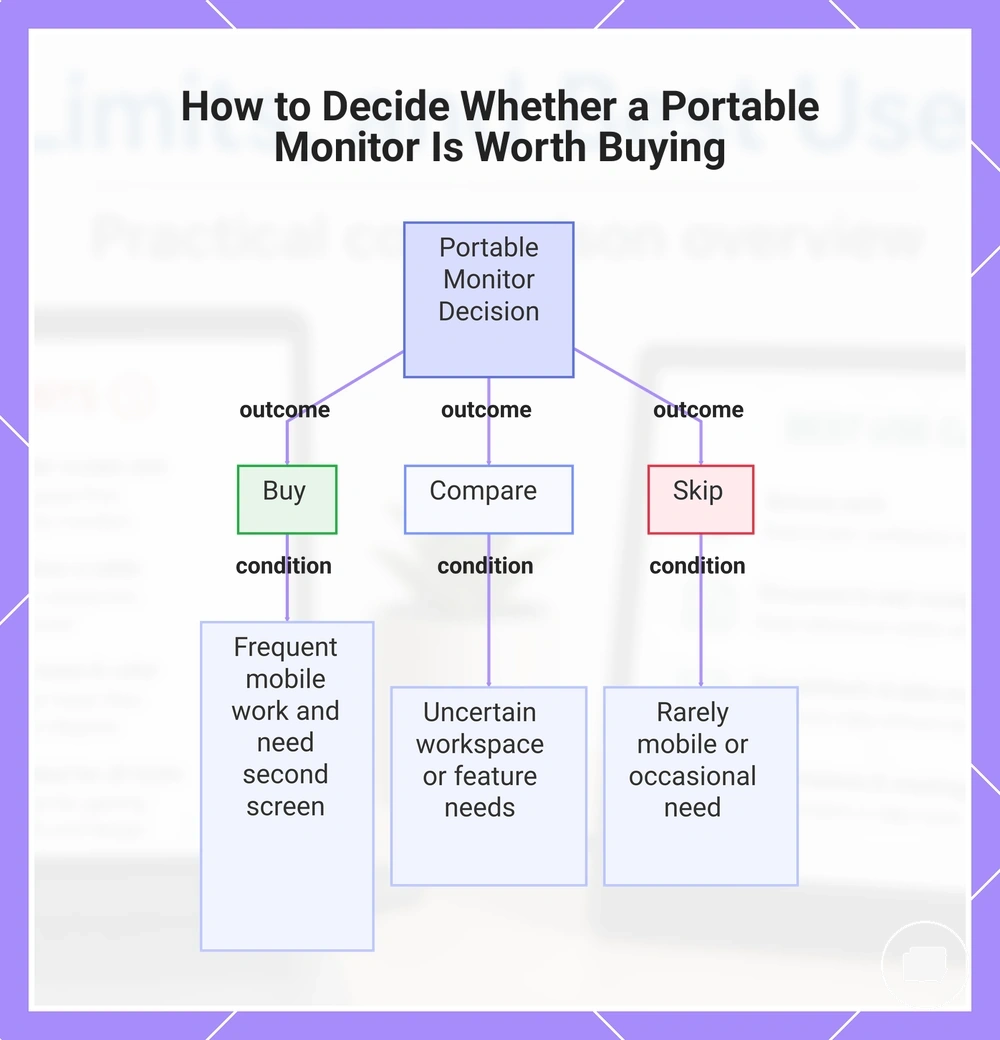
A portable monitor is worth buying when you regularly use a laptop in different locations and a second screen provides enough value to justify the trade-offs in portability, features, and cost. If you only need extra screen space occasionally or mainly work at a fixed desk, another display option may be a better fit. The decision depends on how often you will use the portable monitor and whether its strengths align with your workflow.
Use the following checklist to guide your decision:
- Buy: You frequently work in different locations, rely on a second screen, and need a portable monitor that supports your mobile workflow.
- Compare: Your workspace, feature requirements, or budget sensitivity mean you should compare a portable monitor with other display options before deciding.
- Skip: You rarely leave a fixed desk, only occasionally need a second display, or the portability trade-off does not provide enough value for your typical use.
Checking your usage frequency, mobility, workspace, feature requirements, and budget sensitivity can help determine whether a portable monitor is the right fit rather than assuming it suits every laptop workflow.
This chart shows the three main outcomes of the portable monitor decision checklist and the conditions that lead to each.
Use Frequency, Mobility, and Workspace Constraints
Your everyday habits are the main criteria for deciding whether a portable monitor is worth buying. A portable monitor is a stronger fit when repeated second-screen use, regular mobility, and workspace limitations create an ongoing need instead of occasional convenience. If these conditions apply only from time to time, the value of the trade-off may be lower.
Use this mini-checklist to compare your typical workflow:
- Frequency: You regularly use a second screen rather than needing extra display space only occasionally.
- Mobility: You often move between home, the office, shared workspaces, or travel locations where a portable setup is more practical than a fixed external monitor.
- Workspace: Limited desk space makes a compact portable monitor a more comfortable fit than a larger display.
- Laptop-only workflow: Most of your work is completed on a laptop, and an additional screen can support your workflow without creating a permanent workstation.
If these habits describe your routine, the purchase case is generally stronger. If you mainly work from one desk or only occasionally need a second display, a portable monitor may be a weaker fit and another display option may better match your workspace.
Feature Value Before Comparing Prices
Feature value should be assessed before comparing price because a portable monitor is only worth paying for when its features match your workspace, laptop, and everyday workflow. Paying for features that you rarely use can reduce value, while missing practical features may justify upgrading even if the price is higher. Check feature value first, then compare prices only between portable monitors that fit your actual needs.
The table below helps connect feature value with the purchase decision.
| Feature | Value condition | Decision signal |
|---|---|---|
| Size | Matches your available workspace and portability needs. | Supports value when comfort and mobility are balanced. |
| Brightness | Suitable for the environments where you usually work. | May justify an upgrade if screen visibility is an ongoing need. |
| Ports | Match your laptop and preferred connection method. | Can reduce wasted spend when they limit the need for extra adapters. |
| Stand | Provides the viewing position your workspace requires. | Adds value when comfort matters during regular use. |
| Weight | Fits how often you carry the portable monitor. | Matters more for frequent travel than fixed workstations. |
| Case | Matches your transport and storage needs. | May add value when the display is moved regularly. |
| Touch | Supports tasks that benefit from touch interaction. | Only justifies extra cost when the workflow depends on it. |
| Resolution | Fits your viewing requirements and typical workload. | May justify an upgrade when display detail supports your use case. |
Use these feature-value checks before comparing price so your decision is based on practical fit instead of specifications alone. For broader buying criteria, see portable monitor price and value.
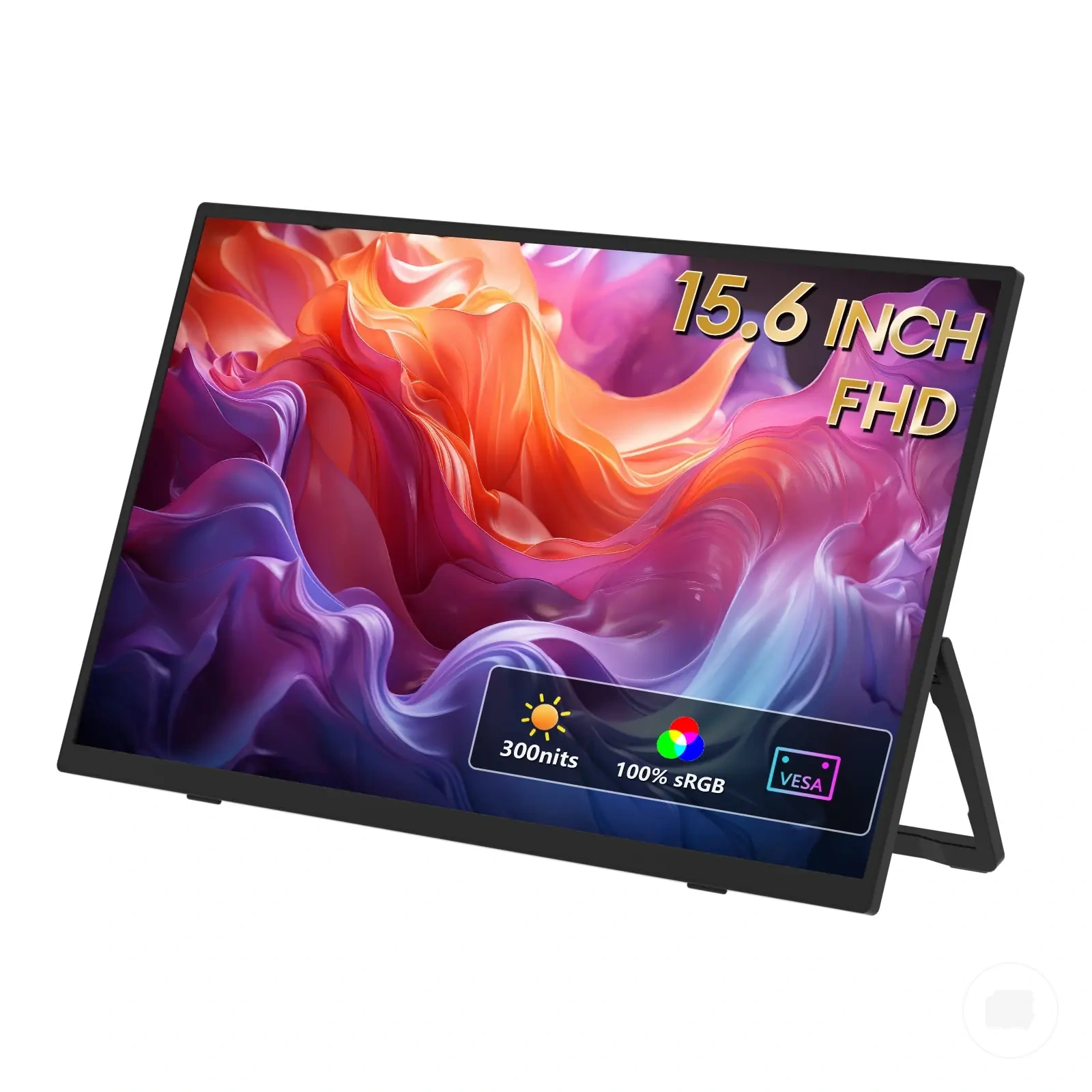
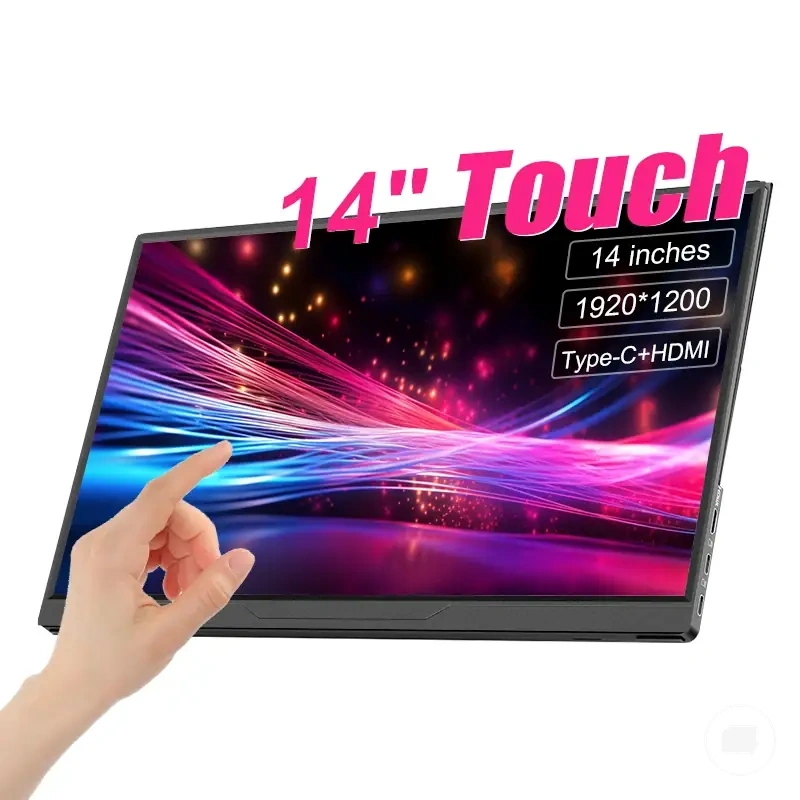
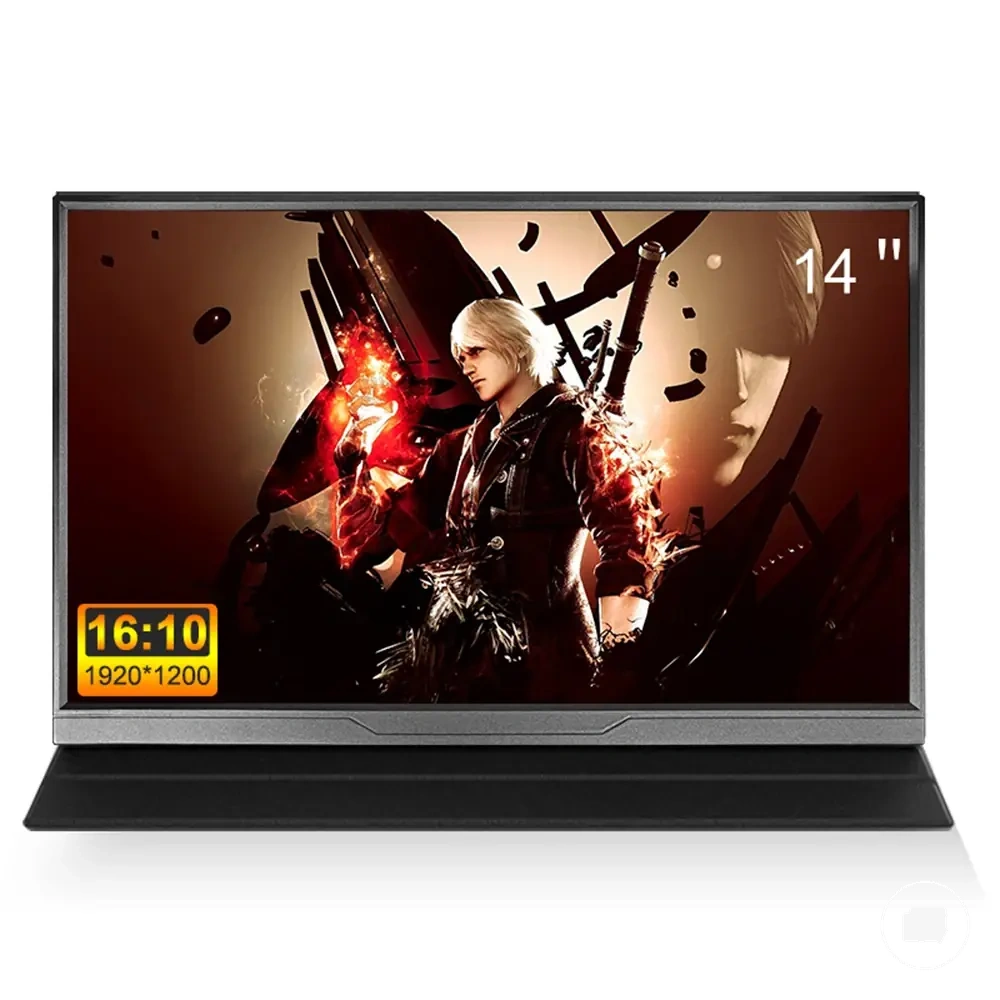
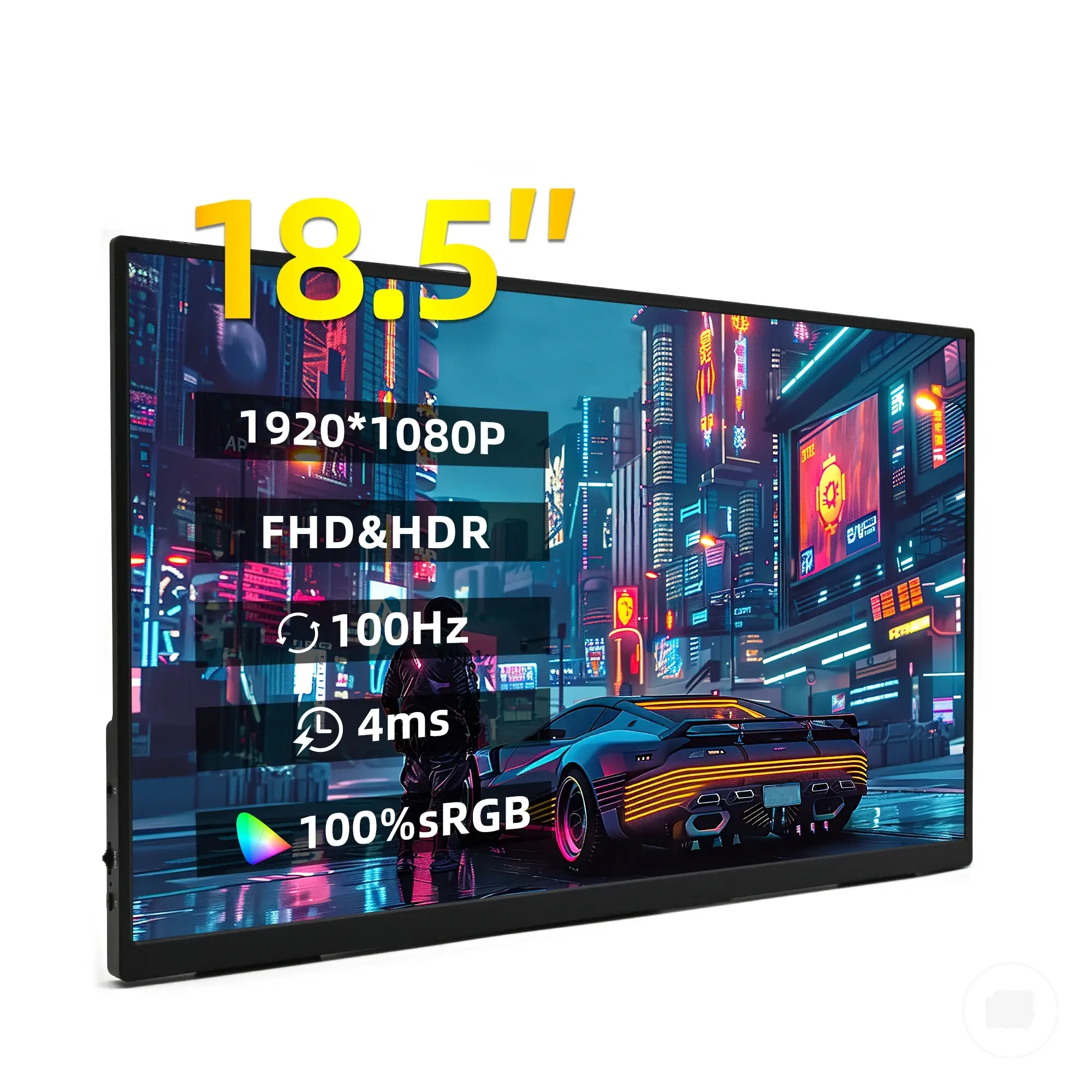
The products below are useful examples for comparing available options. Before buying, check that the compatibility criteria, key features, and product details match your needs.