Mini Projector Buying Guide for Choosing the Right Portable Setup
A mini projector is a compact projector designed for a portable setup where easy placement and transport matter more than the higher output expected from a full-size projector. Its practical value comes from matching the projector to the intended room conditions, image expectations, and available space. Brightness, resolution, and screen size should be judged under the viewing conditions in which the projector will be used. This makes a mini projector a portable decision item rather than a smaller substitute for every home projection system.
The main buying problem is that portability introduces trade-offs in image output, connectivity, and placement.
The main buying problem is that portability introduces trade-offs in image output, connectivity, and placement. A portable projector can suit a dark bedroom or temporary viewing area, while the same setup produces a less visible image in a bright room or at a larger screen size. Connectivity must match the intended source, such as a phone, laptop, or streaming device, and an adapter is required when the available ports or supported connection standards do not align. The right fit is defined by room conditions, brightness, resolution, screen size, connectivity, budget, value, and acceptable limitations.
The right fit is defined by room conditions, brightness, resolution, screen size, connectivity, budget, value, and acceptable limitations.
Choose a mini projector by defining the setup first, then checking whether its image capability and device compatibility meet those conditions. For example, a small projector used with a laptop for evening viewing has a different fit requirement from one expected to display a large image in a lit shared room, which provides the grounding for the next stage of evaluation.
Table of Contents
What a Mini Projector Means in a Buying Context
A mini projector is a compact projector category designed for portable projection. Its small body combines a lens and image projection system for convenient use in places where a standard projector may be less practical to move or position. In a buying context, a mini projector is a distinct product category rather than simply a smaller version of every projector.
A mini projector is a compact projector category designed for portable projection.
What a mini projector means in a buying context becomes clearer once common labels are separated. The terms mini projector, portable projector, and pico projector are related but are not always interchangeable, while a standard projector generally emphasizes higher output over compact size. For a more detailed explanation of the terminology, see what a mini projector is. The key buying boundary is that compact size improves portability, but simplified hardware or lower image output can make a mini projector better suited to casual viewing in a small room than to larger projection environments.
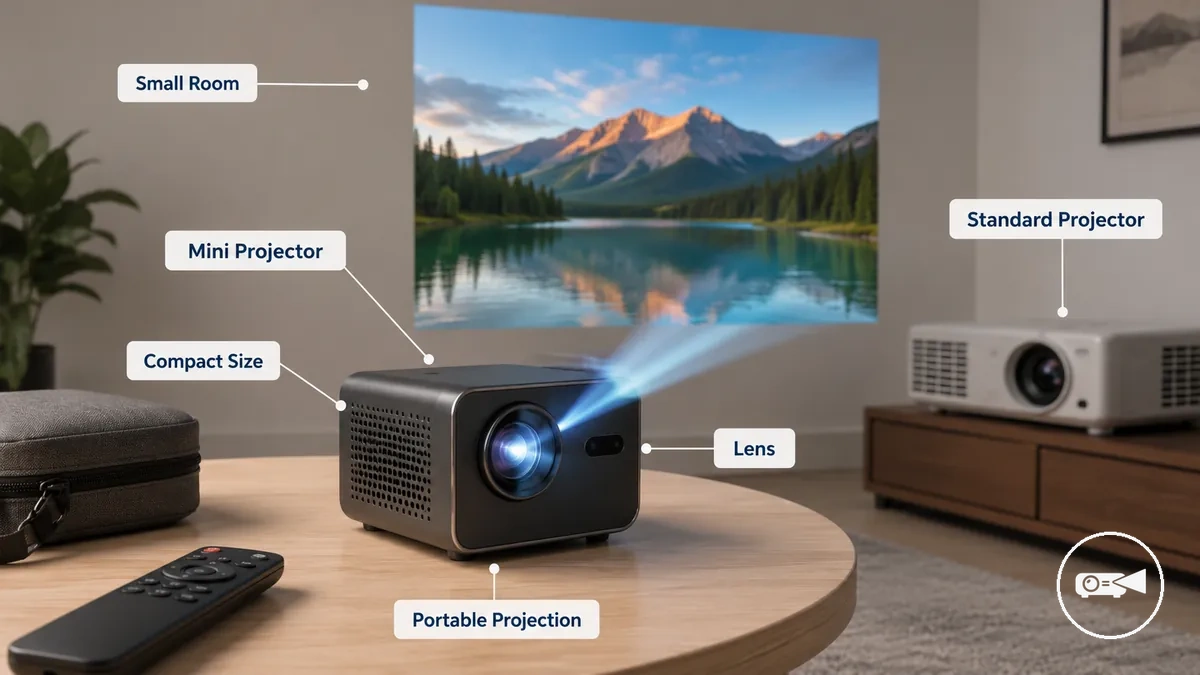
Understanding this category before comparing features helps set realistic expectations and avoids judging every compact projector by the standards of a larger model. For example, a traveller choosing a portable projector for casual viewing on a bedroom wall or portable screen would normally prioritise a small body and easy transport before evaluating brightness, connectivity, and other features.
Mini Projector Features That Shape Real-World Performance
Mini projector features shape real-world performance because each feature group contributes a different practical outcome rather than acting as a standalone specification. Brightness, resolution, power, audio, portability, and controls work together to influence image quality, convenience, and operating limitations. A balanced combination of features usually delivers a better viewing experience than prioritising a single specification, because these features interact under real usage conditions.
Mini projector features that shape real-world performance become easier to evaluate in a practical viewing scenario.
Mini projector features that shape real-world performance become easier to evaluate in a practical viewing scenario.
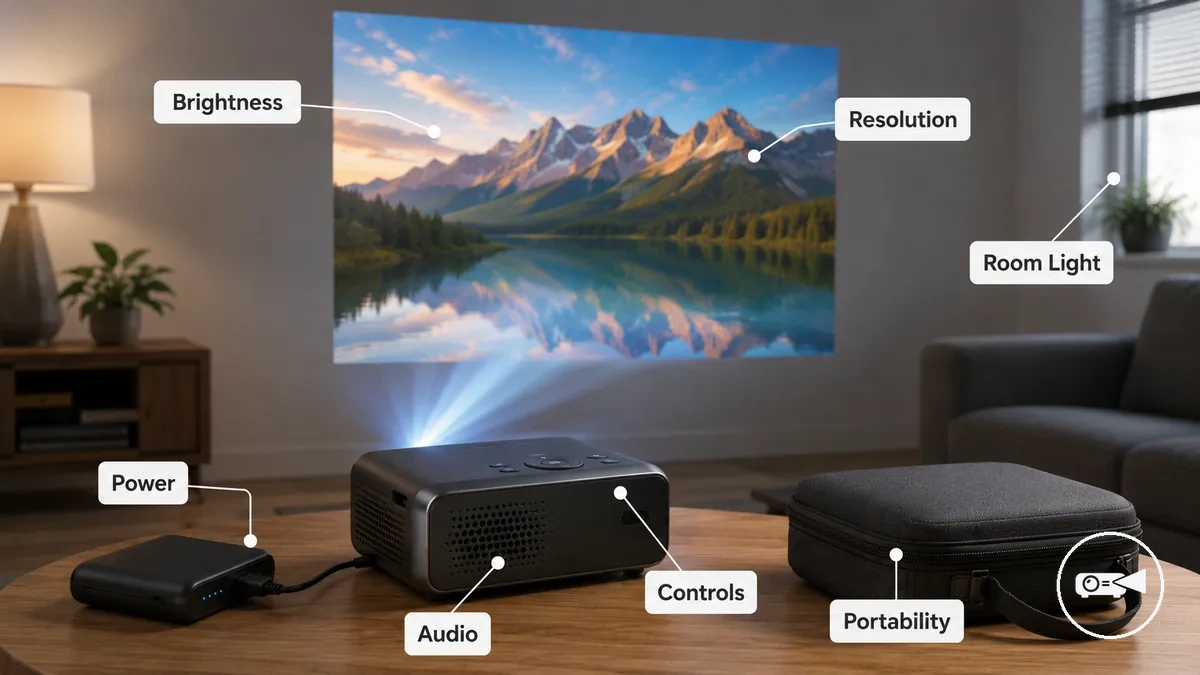
For example, a portable projector used in a small room benefits from brightness and resolution that suit the available room light, while battery power, built-in audio, and straightforward controls make setup more convenient. The same projector may appear less effective in a brighter environment because room light reduces perceived image quality. This distinction separates image performance features from convenience features before comparing individual specifications.
The same projector may appear less effective in a brighter environment because room light reduces perceived image quality.
The table below summarises how the main feature groups connect their attributes with practical buyer outcomes instead of functioning as isolated specifications.
| Feature group | Attribute or criterion | Value or condition | Buyer effect |
|---|---|---|---|
| Image performance | Brightness and resolution | Balanced for the viewing environment and room light | Supports clearer image quality when matched to the intended viewing space. |
| Power | Battery or mains operation | Battery power improves portability, while mains power supports longer viewing sessions. | Balances mobility with uninterrupted use. |
| Convenience | Audio and controls | Built-in speakers and simple controls reduce setup effort. | Improves everyday convenience and ease of operation. |
| Portability | Compact size | Small body is easier to carry and position. | Supports flexible use at home or while travelling. |
Choose feature groups according to the intended use instead of focusing on a single specification. For instance, a traveller may prioritise portability and power, while a user creating a home viewing setup may place greater emphasis on brightness and resolution before considering convenience features.
Brightness, Resolution, and Picture Clarity
If a mini projector is used in viewing conditions that match its image capabilities, picture clarity is more likely to remain clear and readable because brightness, native resolution, focus, contrast, room light, and screen size work together. No single specification determines image quality, so the final result remains dependent on the viewing environment.
No single specification determines image quality, so the final result remains dependent on the viewing environment.
Brightness, resolution, and picture clarity become easier to assess when the main image-quality factors are considered together.
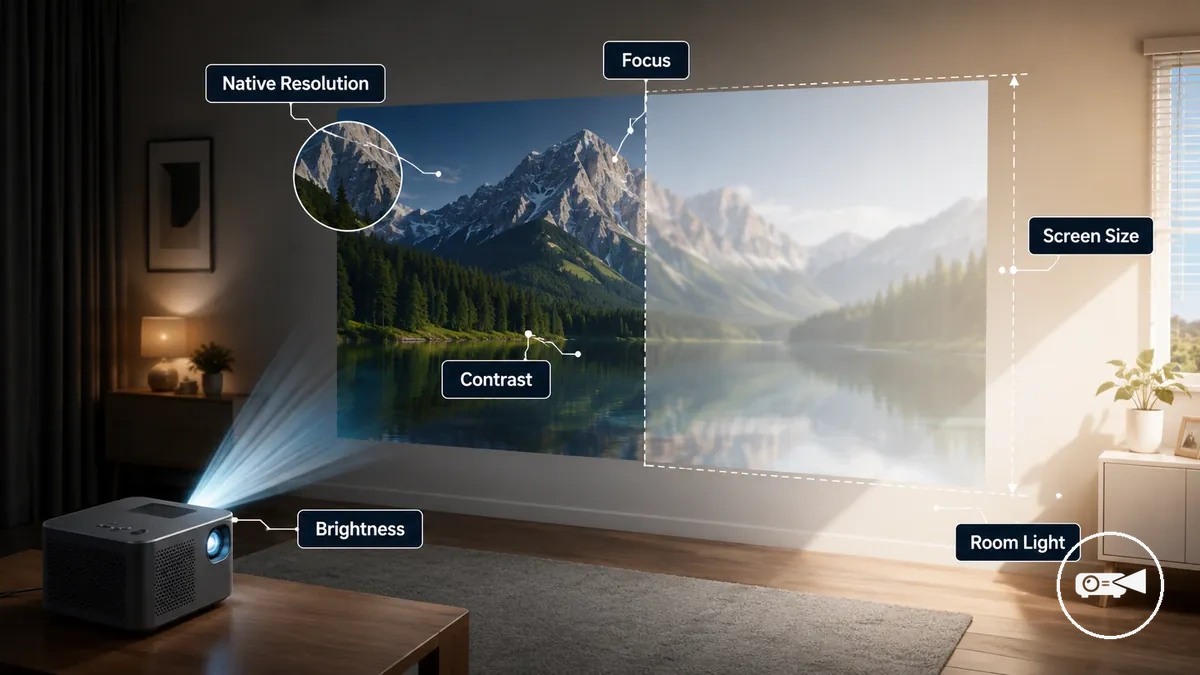
A washed-out image is more likely when room light is high or the projected screen size exceeds what the available brightness can comfortably support. The criteria discussed in mini projector brightness and lumens explain how brightness supports image visibility, while native resolution, focus, and contrast improve picture detail and text readability when correctly matched to the viewing setup. Picture clarity therefore results from the combined effect of brightness, native resolution, focus, contrast, room light, and screen size rather than a single specification.
The comparison below summarises the main clarity factors.
The comparison below summarises the main clarity factors. The guide on mini projector resolution and image quality further explains how native resolution contributes to visible detail alongside these related conditions. For example, a dark-room movie setup usually preserves more picture detail than a brighter presentation space, where ambient light can reduce visibility even when focus is correctly adjusted.
| Factor | Condition to check | Effect on clarity | Buyer caution |
|---|---|---|---|
| Brightness (lumens) | Matched to room light and screen size | Improves image visibility | Too little brightness increases the risk of a washed-out image. |
| Native resolution | Suitable for the displayed content | Improves picture detail and text readability | Input resolution cannot increase the projector's native resolution. |
| Focus | Adjusted after projector placement | Produces sharper edges and clearer text | Incorrect focus reduces perceived sharpness. |
| Contrast | Clear separation between dark and bright areas | Improves perceived depth and detail | Low contrast can make images appear flatter. |
| Room light | Controlled where practical | Helps preserve visible detail | Bright ambient light reduces picture clarity. |
Portability, Battery Life, and Built-In Audio
A compact mini projector is easier to carry between rooms, offices, or trips when its weight, battery life, and built-in controls match the intended use. These convenience features improve setup flexibility, but they should be considered separately from picture quality because longer viewing sessions and different environments place different demands on power and audio.
Choosing the right balance of portability, power, and sound depends on the viewing conditions rather than convenience features alone.
Battery life can reduce reliance on a nearby power outlet during shorter viewing sessions, while the charging method determines how easily the projector can be powered again when runtime is exhausted. Built-in audio is suitable for personal viewing or quiet rooms, but speaker output may not provide sufficient volume in larger or noisy spaces. For example, a projector used for a short movie in a quiet bedroom may work well with its onboard speaker, whereas a meeting in a busy room may still benefit from external audio. Choosing the right balance of portability, power, and sound depends on the viewing conditions rather than convenience features alone.
Built-in audio is suitable for personal viewing or quiet rooms, but speaker output may not provide sufficient volume in larger or noisy spaces.
The following checks help compare convenience features:
- Portability: Check the projector's weight and compact body to judge travel convenience and setup speed; carrying accessories can still reduce overall portability.
- Battery life: Compare available runtime with the planned viewing session because longer use may require charging or an external power source.
- Charging: Confirm the charging method and compatible power source so recharging is practical where the projector will be used.
- Built-in audio: Review speaker output for quiet-room listening, while recognising that noisy environments may require an external speaker for clearer sound.
- Remote and built-in apps: Check that onboard controls, the remote, and built-in apps provide the content access and navigation you need, noting that available apps and features differ between projector models.
Screen Size, Throw Distance, and Placement Fit
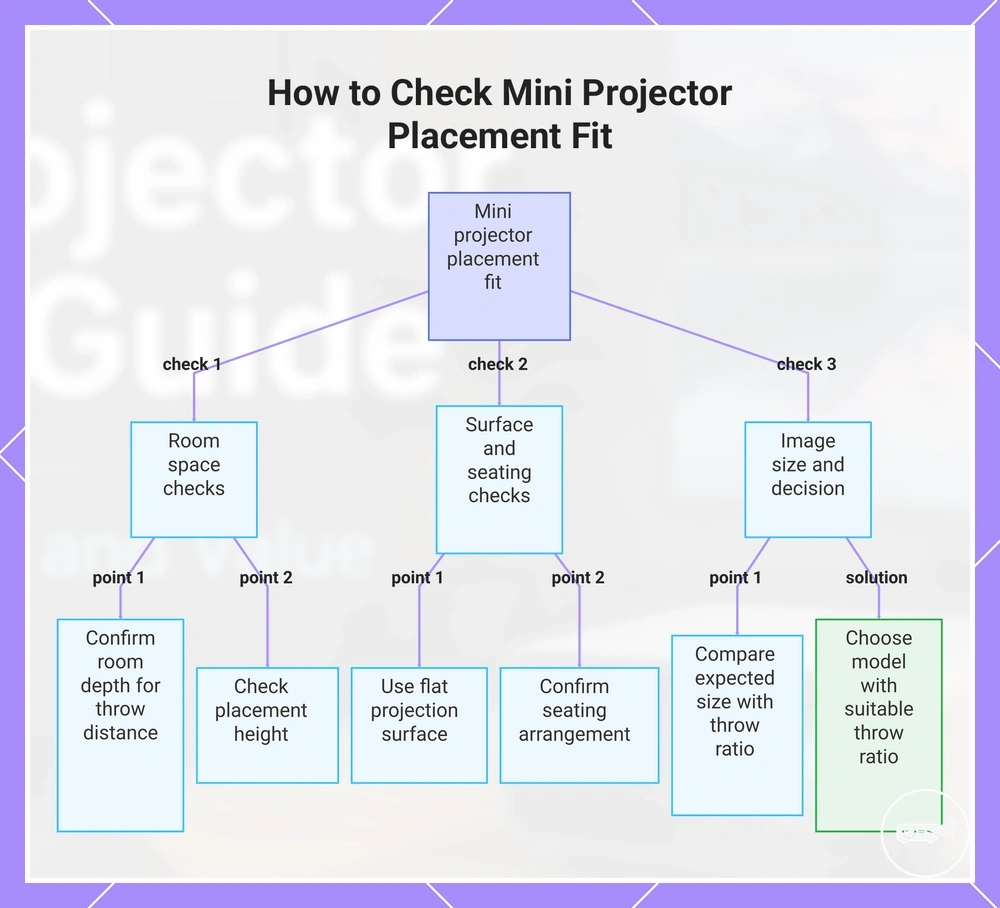
A mini projector can create the desired screen size only when its throw distance fits the available room depth and the projection surface supports the planned image. Placement height and room layout also affect whether the image fits without creating avoidable setup friction, so suitability remains conditional on the available space.
Check throw distance and screen size together because a larger image requires enough projector distance for the selected model.
If the room is too short, increasing the image size may require a projector position that blocks seating, limits power access, or forces an unsuitable angle. Check throw distance and screen size together because a larger image requires enough projector distance for the selected model. The wall surface or screen should be flat enough for a usable image, while a tripod or mount should provide a stable height without obstructing the room. Use this fit checklist before comparing models:
- Distance: Confirm that the available room depth meets the selected model's stated throw range for the expected image size.
- Surface: Choose a flat projection surface; an uneven or strongly coloured wall can reduce image uniformity.
- Height: Check that the placement height keeps the projected image within the viewing area without an excessive angle.
- Power access: Ensure the intended projector position is close enough to a usable power source or supported charging arrangement.
- Seating: Confirm that viewers can sit behind or beside the projector path without blocking the image.
- Tripod or mount: Use a stable support when a table cannot provide the required height or angle.
- Expected image size: Compare the desired viewing size with the model's documented distance-to-image relationship rather than assuming the maximum advertised size will fit the room.
For example, a short room may support a moderate image from a stable table position but require the projector to sit within the seating area to create a much larger image. In that case, choosing a model with a more suitable throw ratio is a better buying decision than relying on difficult placement after purchase.
This checklist helps you verify that a mini projector's screen size, throw distance, and placement will fit your room before purchasing.
This checklist helps you verify that a mini projector's screen size, throw distance, and placement will fit your room before purchasing.
Connectivity and Streaming Compatibility
A mini projector is compatible when its connectivity matches the buyer's source device, required signal path, and audio output. Successful playback requires the relevant port or wireless method, permitted app behaviour, and any necessary adapter, so the final fit must be checked against the intended phone, laptop, streaming device, or speaker.
These conditions should be verified before purchase because app support and adapter requirements are device-specific.
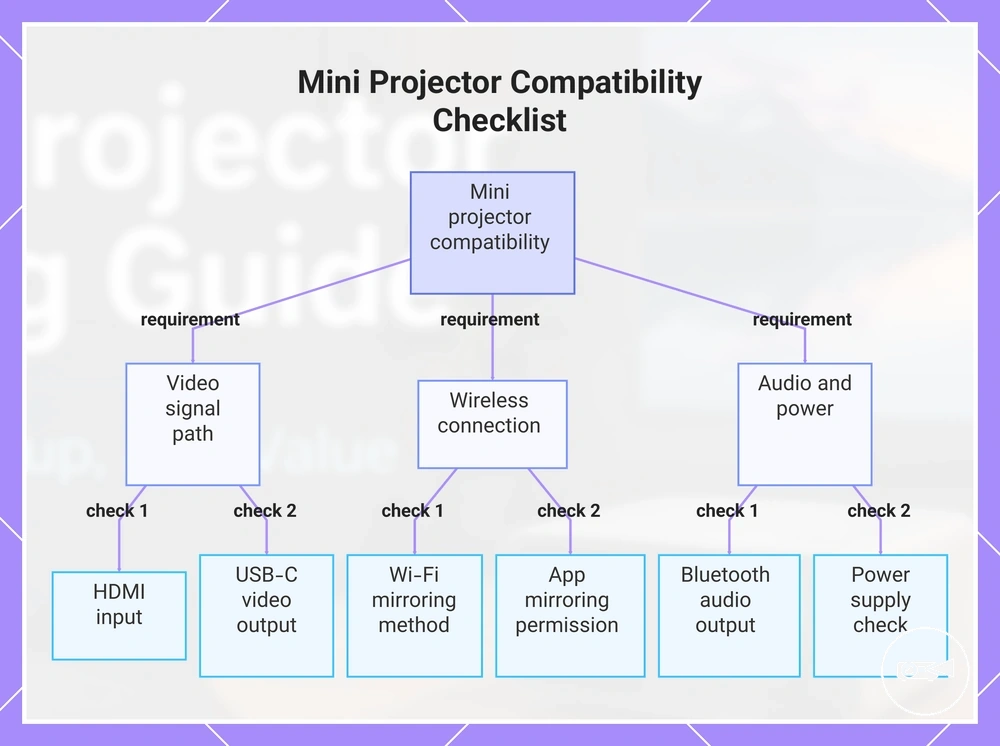
Compatibility friction appears when the source device and projector do not share the same video, wireless, or audio method. Check mini projector connectivity by confirming HDMI for a wired signal, USB-C with video output where supported, Wi-Fi for the required screen mirroring method, and Bluetooth audio for the intended speaker path. A phone or laptop with USB-C may still need an adapter when its port lacks direct display output, while a streaming app may restrict wireless playback because its permissions or content-protection rules block screen mirroring. These conditions should be verified before purchase because app support and adapter requirements are device-specific.
Compatibility friction appears when the source device and projector do not share the same video, wireless, or audio method.
Use this compatibility checklist to confirm the required connection path and verify each item before purchase:
- Source device: Identify whether the mini projector must accept a phone, laptop, streaming device, game console, or media player.
- HDMI: Require an HDMI input when the source sends video through a standard HDMI cable or external streaming device.
- USB-C: Confirm that the source device supports video output and that the projector accepts USB-C video; otherwise, use a compatible adapter or another input.
- Wi-Fi: Match the projector's wireless projection method with the phone or laptop rather than treating Wi-Fi access alone as screen mirroring support.
- App limits: Check whether the intended streaming app permits mirroring or requires direct app support or an HDMI-connected streaming device.
- Bluetooth audio: Confirm that the projector provides Bluetooth audio output to the intended speaker, noting that the audio path can introduce device-specific latency.
- Power: Verify that the projector, adapter, and any external streaming device can receive power in the planned setup.
For example, a phone with a USB-C connector may still fail to send video if that port supports charging and data only, while the same content may play through an HDMI-connected streaming device when the app restricts screen mirroring. Verifying the complete signal, app, audio, and power path before purchase reduces the risk of choosing a projector that cannot support the intended media source.
This chart shows the key compatibility checks for a mini projector, covering video signal, wireless connection, and audio/power requirements.
This chart shows the key compatibility checks for a mini projector, covering video signal, wireless connection, and audio/power requirements.
Mini Projector Use Cases for Movies, Presentations, and Flexible Rooms
A dark-room movie night, a work presentation, and casual viewing in flexible rooms place different demands on the same mini projector. Movies prioritise resolution and speaker quality, presentations require brightness and text readability, while flexible rooms favour portability and a practical connection type. The right choice therefore comes from matching the projector to its main use case.
The right choice therefore comes from matching the projector to its main use case.
A projector that produces an enjoyable movie image in a dim room may become a poor fit for presentations if text loses clarity under ambient light. A presentation-focused model may handle a laptop signal and readable slides well but offer limited built-in speaker performance for home movies. Flexible-room use creates another compromise because frequent movement and quick setup favour low weight, simple positioning, and a connection type that matches the available source device. Compare brightness, resolution, text readability, speaker needs, portability, and connection type according to the situation rather than treating one headline specification as the deciding factor.
The comparison below separates the priority attributes and common compromises for each use case.
The comparison below separates the priority attributes and common compromises for each use case. A mini projector is a good fit only when its strengths match the expected room light, content type, source device, and audio requirements; otherwise, the same model may suit one situation and become a compromise or poor fit in another.
| Use case | Prioritise | Watch for | Fit signal |
|---|---|---|---|
| Movies | Resolution, suitable brightness for a dark room, and a speaker or external audio path that meets viewing expectations. | Weak built-in audio, reduced image visibility in brighter rooms, or a connection type that does not match the streaming device. | Good fit when the room can be dimmed, image detail is the main priority, and the audio setup is adequate; a compromise when ambient light or speaker limits dominate. |
| Presentations | Brightness, text readability, reliable laptop connectivity, and clear display of slides or documents. | Small text becoming difficult to read, limited input compatibility, or insufficient brightness under the expected room lighting. | Good fit when presentation text remains legible at the intended image size and the laptop connection is supported; a poor fit when readability drops under normal room light. |
| Flexible rooms | Portability, quick repositioning, practical setup speed, and a connection type that suits the available phone, laptop, or streaming device. | Frequent adapter changes, restricted placement, weak audio, or reduced image visibility when the room cannot be darkened. | Good fit when the projector can be moved, connected, and positioned without recurring friction; a compromise when convenience is strong but image or speaker performance is only adequate. |
Setup Requirements Before Choosing a Mini Projector
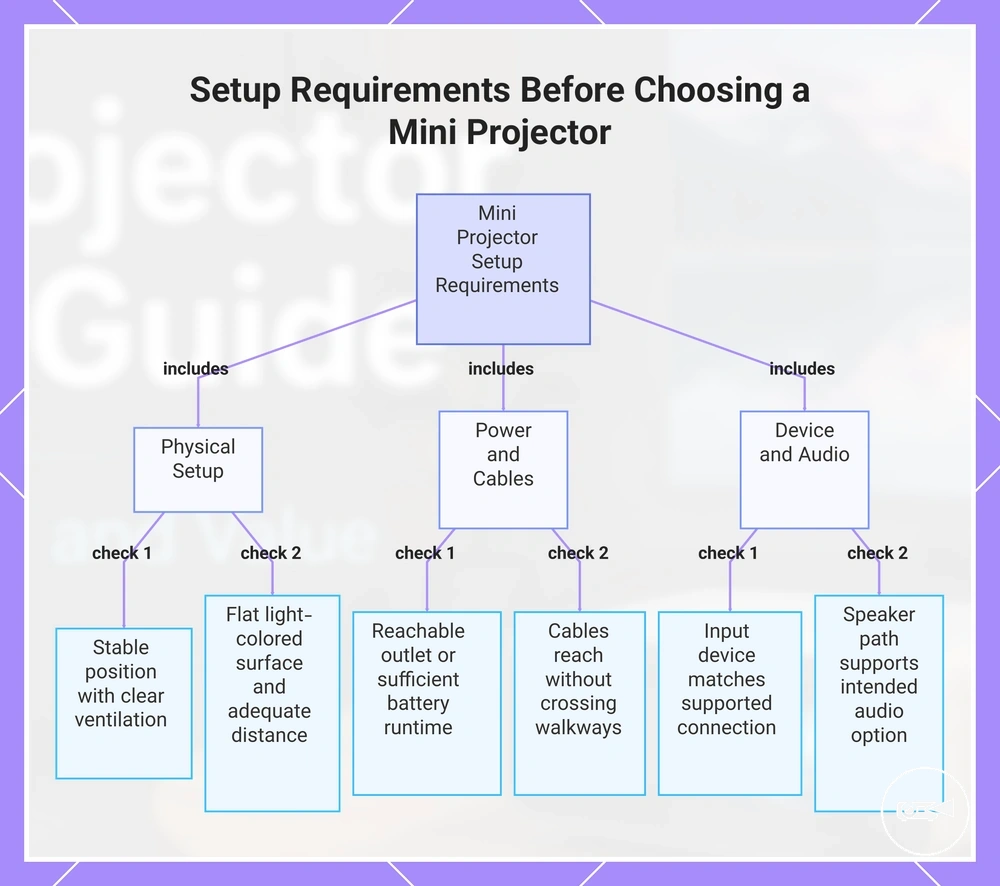
A mini projector is easier to use when its placement, power source, projection surface, input device, speaker path, and airflow suit the intended room. Checking these setup requirements before purchase reveals missing connections, unsuitable positioning, and other preventable sources of frustration. The result is a clearer view of setup readiness.
The result is a clearer view of setup readiness.
A short room depth can limit the available image size when the projector requires more distance from the projection surface, while an uneven or dark surface can weaken image clarity. A mains-powered model needs a reachable outlet and a practical cable path, whereas a battery-powered option needs enough stated runtime for the planned viewing period. The input device must match a supported connection source or adapter, the speaker path must support the intended audio option, and the placement must leave ventilation openings clear for airflow. For example, a projector may be unsuitable for the room when the available depth cannot produce the intended image fit or when the source device needs a cable or adapter that the projector does not support.
Use the checklist below to confirm setup feasibility before reviewing how to set up a mini projector after purchase.
Use the checklist below to confirm setup feasibility before reviewing how to set up a mini projector after purchase. Verify the available position, power, surface, distance, input, audio route, cable path, and ventilation space before buying.
- Placement: Confirm that a stable position is available and that the lens can face the projection surface without furniture or people blocking the image.
- Power source: Check whether the viewing position has a reachable outlet or whether the projector's stated battery runtime covers the intended session.
- Projection surface and room depth: Verify that the wall or screen is flat, light-coloured, and large enough, and that the available distance can produce the required image size.
- Input device: Match the phone, laptop, media player, or streaming device to a supported wired or wireless connection, including any required adapter.
- Speaker path: Decide whether built-in audio is sufficient or whether the projector provides the output required for an external speaker.
- Cable path: Confirm that power, video, and audio cables can reach their devices without crossing walkways or relying on an unsuitable extension.
- Airflow: Choose a position where ventilation openings remain clear rather than enclosed against a wall, shelf, or soft surface.
This chart groups the essential setup requirements to verify before purchasing a mini projector, covering physical placement, power and cables, and device and audio connections.
Buying Criteria That Separate Good-Fit and Poor-Fit Models
The strongest buying criteria match a mini projector to the buyer's room, source device, image expectations, portability needs, and budget. A good-fit model satisfies the required viewing and setup conditions, while a poor-fit model leaves an essential requirement unresolved. Use that contrast to decide whether to buy, compare further, or avoid.
Apply the following criteria checklist before narrowing the choice.
Headline specifications can look suitable until brightness, resolution, throw fit, connectivity, battery, audio, accessories, and warranty signals are tested against the intended use. Treat each feature as a decision condition rather than an isolated advantage: the model should meet every must-have requirement and make any compromise acceptable for the planned room and device. For example, strong portability does not compensate for an unsupported source connection or an image size that cannot fit the available distance. Apply the following criteria checklist before narrowing the choice.
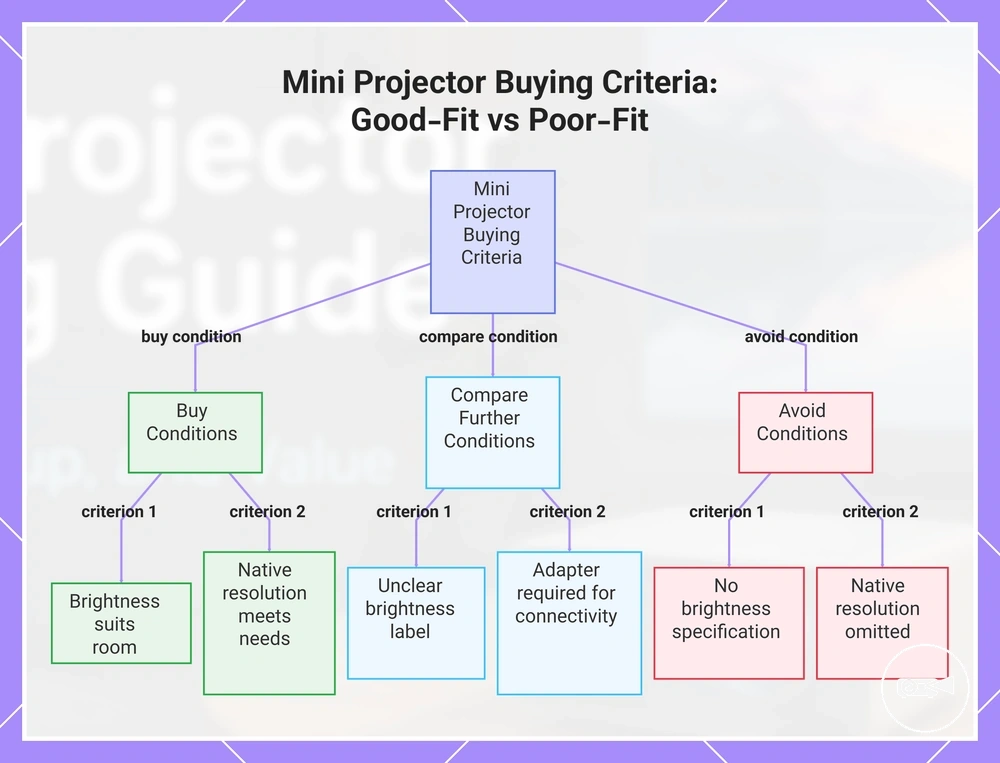
- Brightness: Buy when the stated brightness suits the expected viewing condition; compare further when the value uses an unclear measurement label; avoid when no usable brightness specification is provided for the intended room.
- Resolution: Buy when the native resolution supports the required image detail or text readability; compare further when only accepted input resolution is listed; avoid when native resolution is omitted and image expectations are high.
- Throw fit: Buy when the documented projection distance produces the intended image size within the available room depth; compare further when only a maximum image size is shown; avoid when placement cannot satisfy the stated throw requirement.
- Connectivity: Buy when the source device and projector share a supported wired or wireless connection; compare further when an adapter is required; avoid when the required signal format or connector is unsupported.
- Battery: Buy when the stated runtime covers the planned portable session; compare further when runtime applies only in a reduced-power mode; avoid when mains power is unavailable and no suitable battery operation is specified.
- Audio: Buy when the built-in speaker or available audio output meets the listening plan; compare further when external audio requires an extra connection; avoid when the required speaker path is unavailable.
- Accessories: Buy when required cables, adapters, power supplies, or stands are included or already available; compare further when accessory needs add cost or setup friction; avoid when an essential proprietary accessory cannot be confirmed.
- Warranty and support signals: Buy when warranty coverage, seller identity, documentation, and support contact details are clearly stated; compare further when coverage conditions are incomplete; avoid when the model lacks identifiable support or reliable documentation.
Red flags include inflated marketing terms without native resolution, brightness without a recognised measurement label, wireless claims that do not identify supported source devices, and battery claims without an operating condition. A model also needs closer comparison when essential accessories are excluded, replacement support is unclear, or warranty terms do not identify the responsible provider. Use the mini projector buying checklist to verify each criterion against the actual room, connection source, and viewing expectation before treating a specification as a fit signal.
Select the model when all must-have conditions are resolved and the remaining compromises are acceptable within the budget.
Select the model when all must-have conditions are resolved and the remaining compromises are acceptable within the budget. Compare further when a required value, connection, accessory, or support condition is unclear, and avoid the model when an essential room, source-device, image, power, or warranty requirement cannot be met.
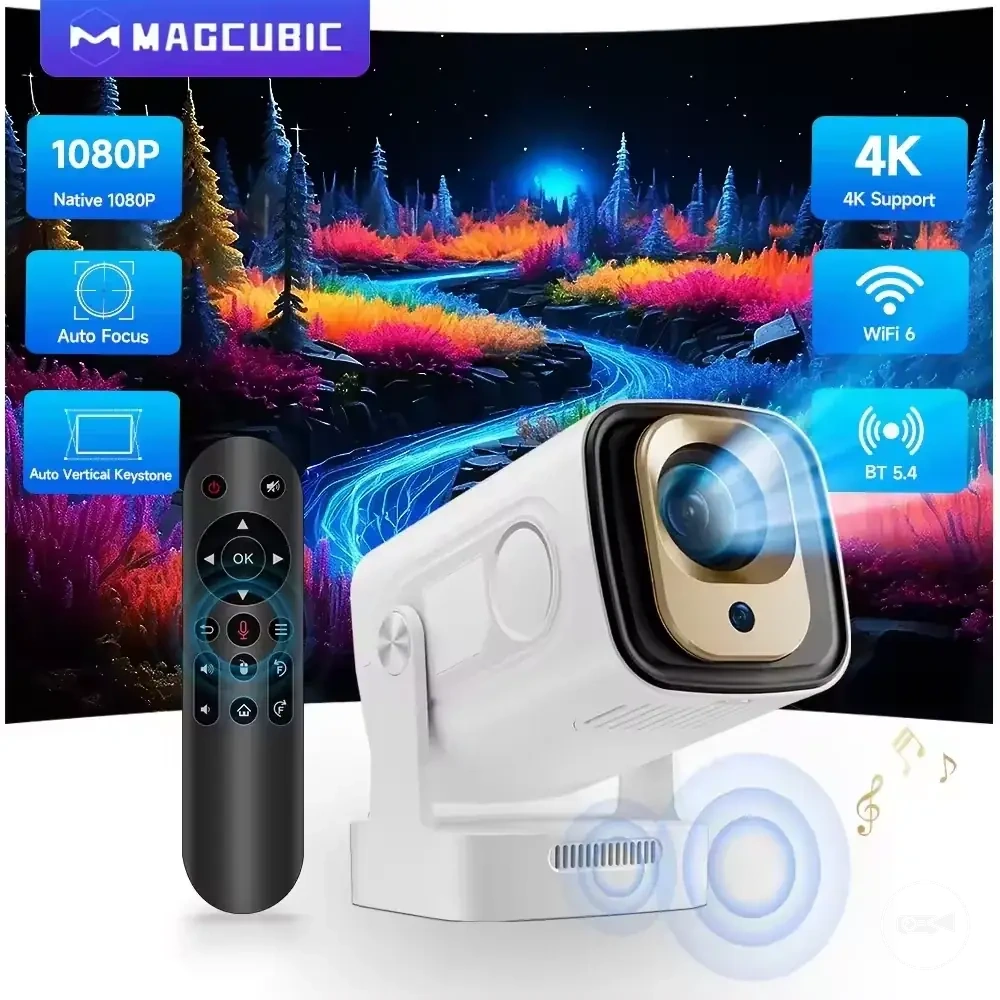
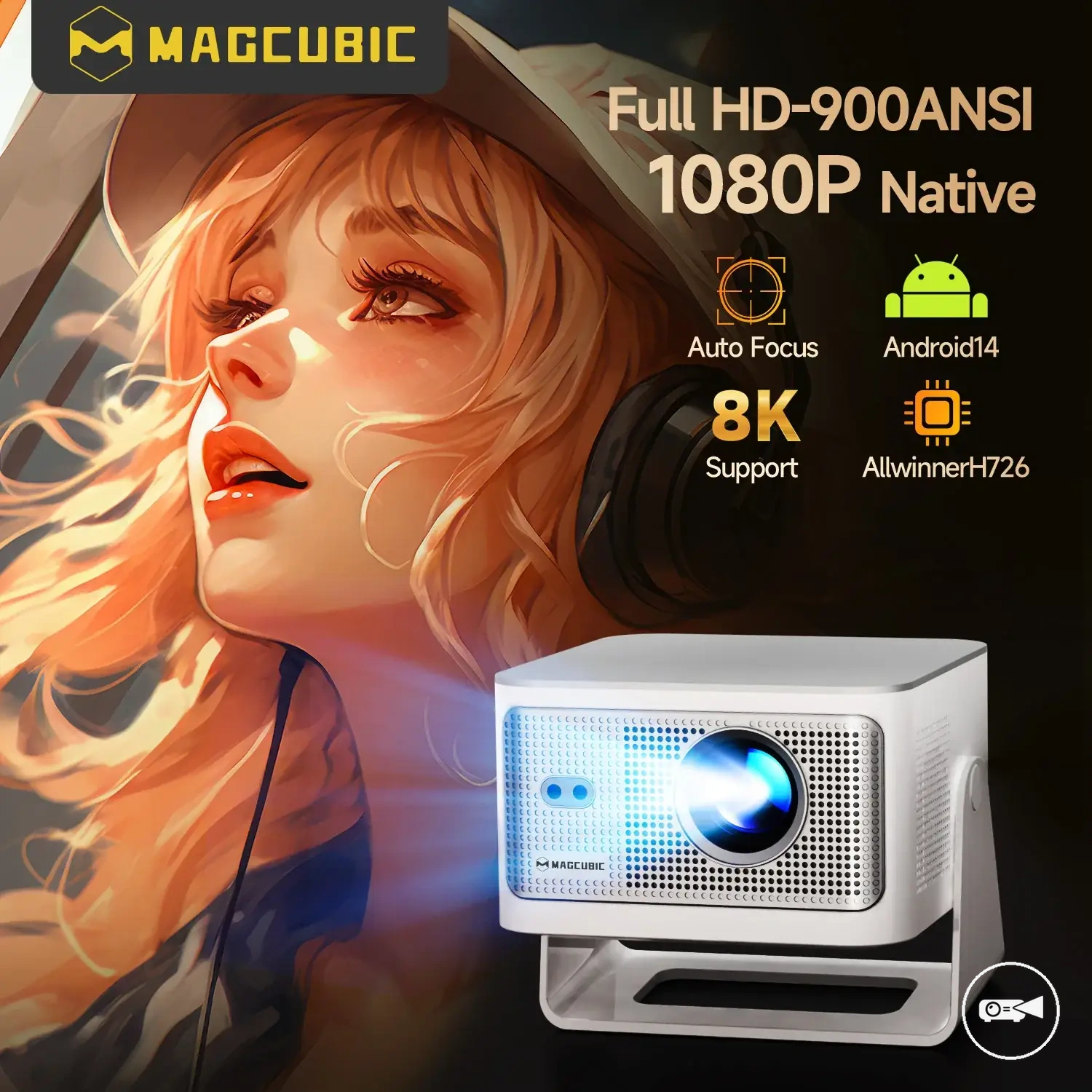
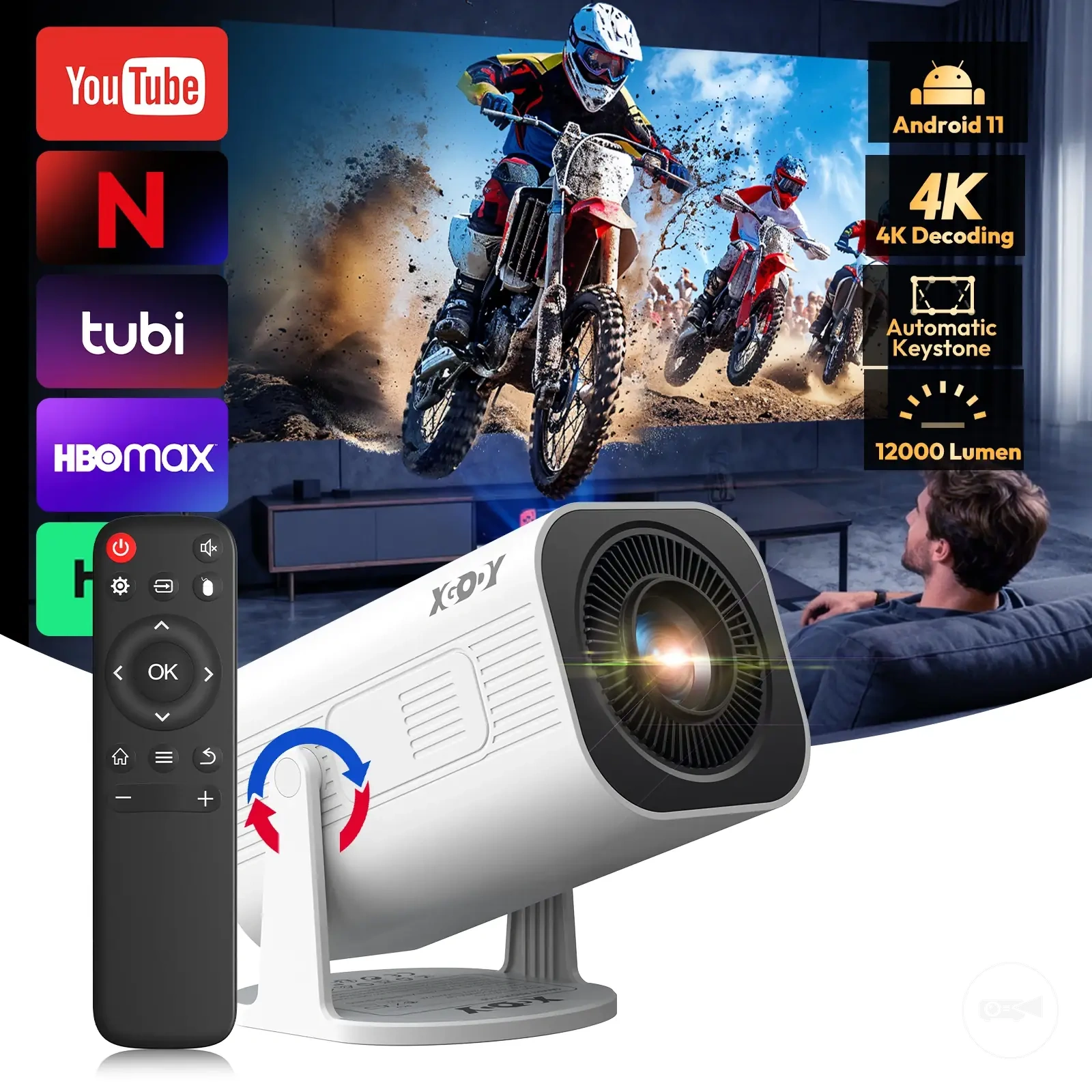
The products below are useful examples for comparing available options.
The products below are useful examples for comparing available options. Before buying, check that the compatibility criteria, key features, and product details match your needs.
This chart shows the key decision conditions for each criterion, helping you decide whether to buy, compare further, or avoid a mini projector model.
Value, Limitations, and Purchase Trade-Offs
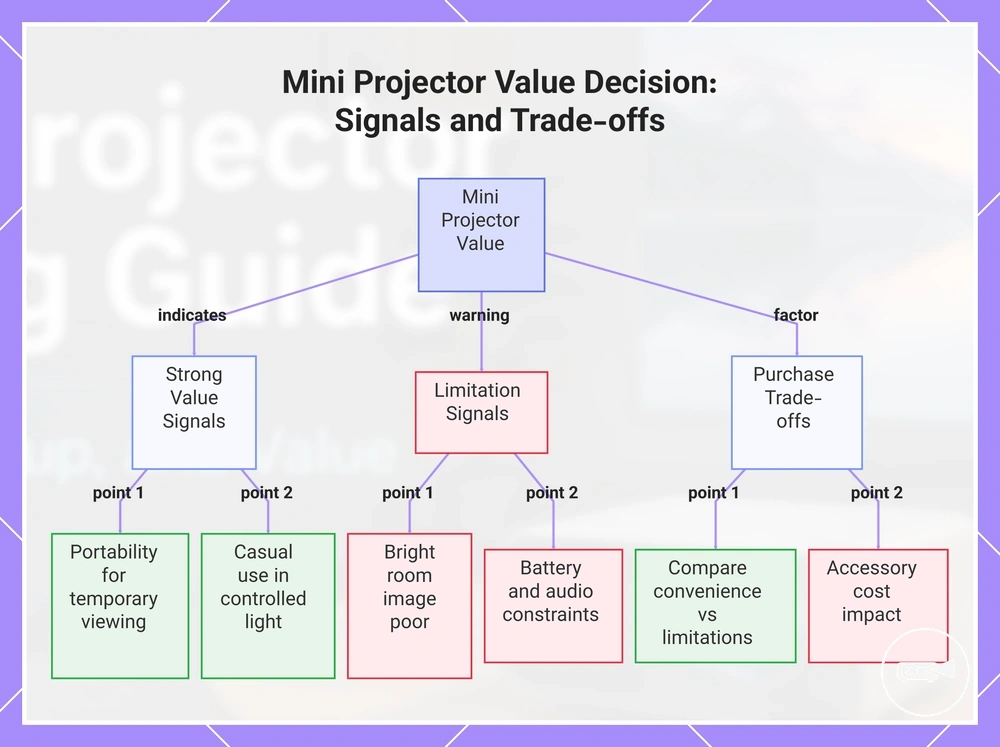
A mini projector offers strong value when portability and a simple portable screen matter more than full home-theatre performance. Its cost-value becomes conditional when room conditions, image expectations, battery needs, streaming setup, or accessories add unacceptable compromises. The purchase decision therefore depends on the intended use and total setup requirements.
The purchase decision therefore depends on the intended use and total setup requirements.
Portability provides practical value for temporary viewing, travel, small rooms, or spaces where a permanent television is unsuitable. A compact projector can move between locations and create a larger viewing surface without permanent installation, provided the room can be darkened and the image output meets the intended use. The reviewed evidence does not establish a reliable market-wide price range, so compare the projector price with the total cost of any required adapter, screen, stand, speaker, power accessory, or media device. The strongest value appears when convenience replaces equipment the buyer would otherwise need.
- Strong value signal: Portability supports frequent movement between rooms or locations, and the buyer accepts a viewing setup that performs best under controlled room light.
- Strong value signal: The intended use is casual video, presentations, travel entertainment, or an occasional portable screen rather than critical image evaluation.
- Strong value signal: The included connectivity, power supply, and audio path support the planned source device without essential extra accessories.
- Limitation signal: High image output, detailed dark scenes, or television-like performance is expected in a bright room, making the compact format a poor fit for those expectations.
- Limitation signal: Battery limits shorten the planned viewing session, or reduced-power operation lowers the brightness required for the room condition.
- Limitation signal: Weak speaker quality, streaming friction, or required adapters increase setup effort and accessory cost beyond the buyer's acceptable compromise.
The decision about whether a mini projector is worth it should compare the convenience gained with the limitations accepted. For example, a buyer who wants occasional films in a dark bedroom may receive strong practical value from portability, while a buyer expecting bright-room viewing, powerful built-in audio, and uninterrupted streaming may receive only conditional or poor value. The same product category can therefore suit a simple portable screen and disappoint home-theatre expectations.
These costs matter most when they remove the convenience that justified choosing a mini projector.
The main limitations are reduced image output under uncontrolled light, compact speaker quality, battery limits during longer sessions, and streaming friction when the source device requires an adapter, cable, or separate media player. Accessory cost can also move a model beyond its apparent price range when a screen, stand, external speaker, power bank, or connection accessory is necessary. These costs matter most when they remove the convenience that justified choosing a mini projector.
Accessory cost can also move a model beyond its apparent price range when a screen, stand, external speaker, power bank, or connection accessory is necessary.
The purchase trade-offs favour a mini projector when portability, temporary setup, and acceptable controlled-room performance outweigh compromises in brightness, audio, runtime, and integrated streaming. Value is conditional when one or two limitations require manageable accessories, and poor when the total cost and setup burden approach a less portable option that better matches the buyer's image and audio expectations.
Before buying, check that the compatibility criteria, key features, and product details match your needs.
The products below are useful examples for comparing available options. Before buying, check that the compatibility criteria, key features, and product details match your needs.
This chart shows the key value signals, limitation signals, and purchase trade-offs that determine whether a mini projector is worth it for a given use case.