
Mini Projector Brightness and Lumens
Mini projector brightness refers to the amount of light a mini projector produces, and lumens are the unit used to express that light output. Brightness is the primary attribute that determines image visibility, but the appropriate lumen value only has meaning when considered alongside the intended viewing conditions.
Compare brightness within the context of your viewing conditions rather than the advertised rating alone.
Brightness should be evaluated together with room light, screen size, viewing distance, screen surface, and the measurement method used for the advertised rating. A projector measured in ANSI lumens provides a standardized brightness value, while manufacturer-specific advertised ratings may not be directly comparable. For example, a projector that appears clear on a small matte screen in a dim room can lose image visibility when projected onto a larger surface in a brighter environment. Compare brightness within the context of your viewing conditions rather than the advertised rating alone.
For example, two mini projectors with similar advertised ratings may deliver noticeably different results if only one specifies ANSI lumens.
A dark room allows lower light output to produce a comfortable projected image, whereas brighter rooms require higher measured brightness to maintain image visibility. BenQ's projector brightness guidance identifies ambient light and screen size as key factors affecting perceived brightness, making ANSI lumens a more reliable reference when comparing supported models. For example, two mini projectors with similar advertised ratings may deliver noticeably different results if only one specifies ANSI lumens.
Mini projector brightness is a decision-support attribute because it determines whether a projector matches its intended use-case fit and viewing conditions.
Mini projector brightness is a decision-support attribute because it determines whether a projector matches its intended use-case fit and viewing conditions. Brightness affects image visibility, while resolution and contrast determine image detail and perceived image quality, so these specifications should be evaluated separately. If you are comparing multiple projector characteristics before making a decision, the mini projector buying guide provides broader context before exploring brightness ratings and lumen measurements in greater detail.
Table of Contents
What Brightness Means for a Mini Projector
Mini projector brightness is the visible light output that helps a projected image remain readable under specific viewing conditions. Its primary purpose is to support image visibility in the viewing environment rather than represent image quality by itself.
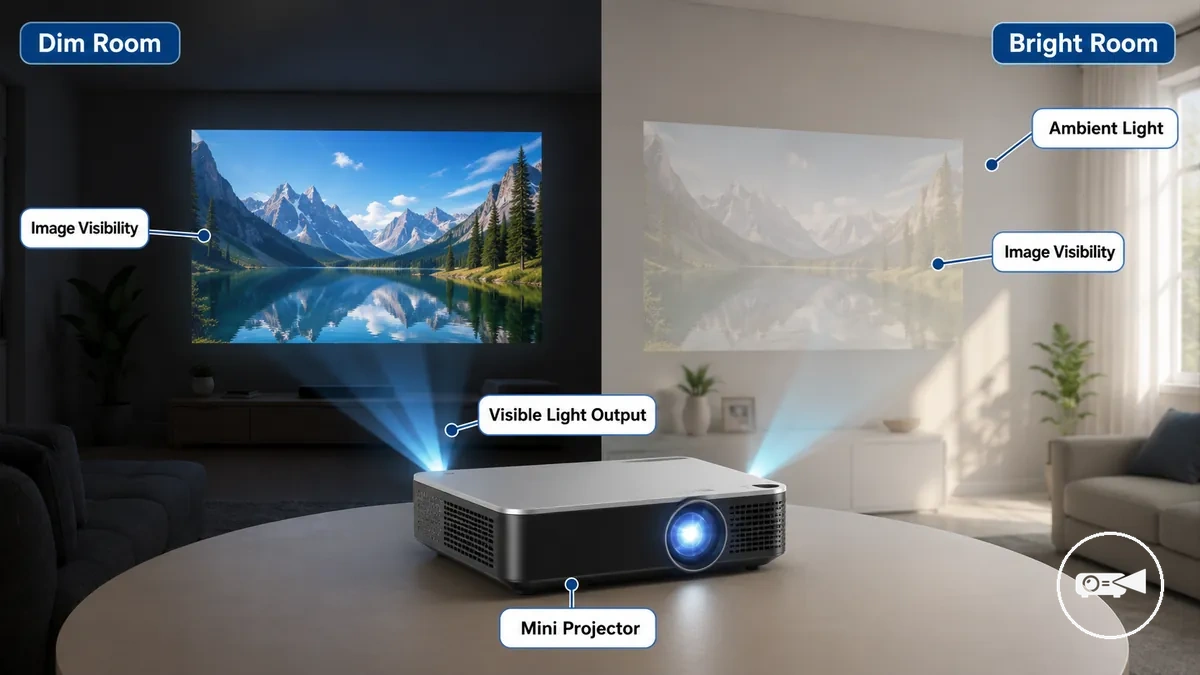
Ambient light reduces the visibility of a projected image, and increasing the image size spreads the available light over a larger area, making the image appear dimmer. For example, the same mini projector can produce a more readable image on a smaller screen in a dim room than on a larger screen in a bright room. Image visibility improves when the brightness level matches the ambient light and intended viewing conditions.
These characteristics should be evaluated separately when assessing overall image performance.
Mini projector brightness supports image visibility, but it does not replace resolution, focus, contrast, or screen quality. A brighter projector can make an image easier to see, while resolution determines image detail, focus affects sharpness, contrast separates light and dark areas, and the screen surface influences how the projected light is reflected. These characteristics should be evaluated separately when assessing overall image performance.
Lumens, ANSI Lumens, and Advertised Brightness Ratings
Lumens and ANSI lumens are brightness rating terms used to describe a projector's light output, but they do not always represent the same type of measurement. ANSI lumens describe brightness measured with a standardized testing method, while a lumen or advertised brightness rating may use a different or unspecified method. Because the measurement methods differ, these labels are not always directly comparable.
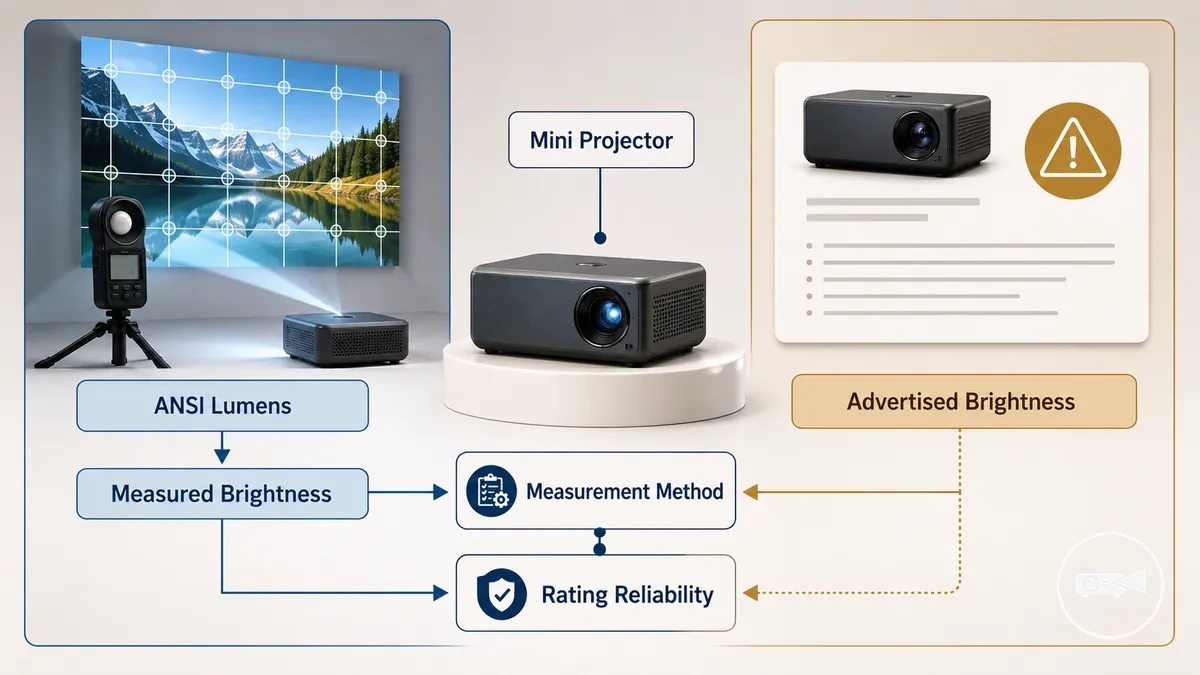
A common misconception is that every brightness rating reflects the same measured brightness. In practice, advertised brightness can represent non-standard values, whereas measured brightness obtained through a defined method provides stronger rating reliability. For example, two mini projectors may advertise similar lumen values, but only the model with an ANSI lumen rating offers a standardized basis for comparison.
Compare the measurement method before comparing the number itself.
Compare the measurement method before comparing the number itself. ANSI-style measurements are intended to support more consistent comparisons, while advertised brightness without a disclosed method should be interpreted cautiously. The table below organizes the main brightness rating labels by meaning, comparison value, and buyer caution.
| Rating term | What it usually means | Comparison value | Buyer caution |
|---|---|---|---|
| Lumens | General description of light output without a specified measurement standard. | Comparable only when the measurement method is disclosed. | Do not assume values match other lumen ratings. |
| ANSI lumens | Measured brightness using the ANSI testing method. | Provides a standardized basis for comparison. | Compare with other ANSI lumen ratings rather than non-standard values. |
| Advertised brightness | Claimed brightness published by a manufacturer or seller. | Useful only when the measurement method is explained. | Non-standard values or inflated claims should not be treated as equivalent to ANSI lumens. |
| Measured brightness | Brightness obtained through a defined measurement procedure. | Provides the strongest basis for meaningful product comparison. | Verify which testing method was used before comparing models. |
Compare brightness ratings by measurement reliability before comparing the numbers themselves. A standardized ANSI lumen rating or another clearly measured brightness rating is a more reliable comparison point than advertised brightness based on non-standard values.
How Many Lumens a Mini Projector Needs by Environment
The lumens a mini projector needs are determined by the viewing environment rather than by one universal brightness value. Ambient light, screen size, and the risk of a washed-out image are the main criteria for selecting an appropriate brightness range.
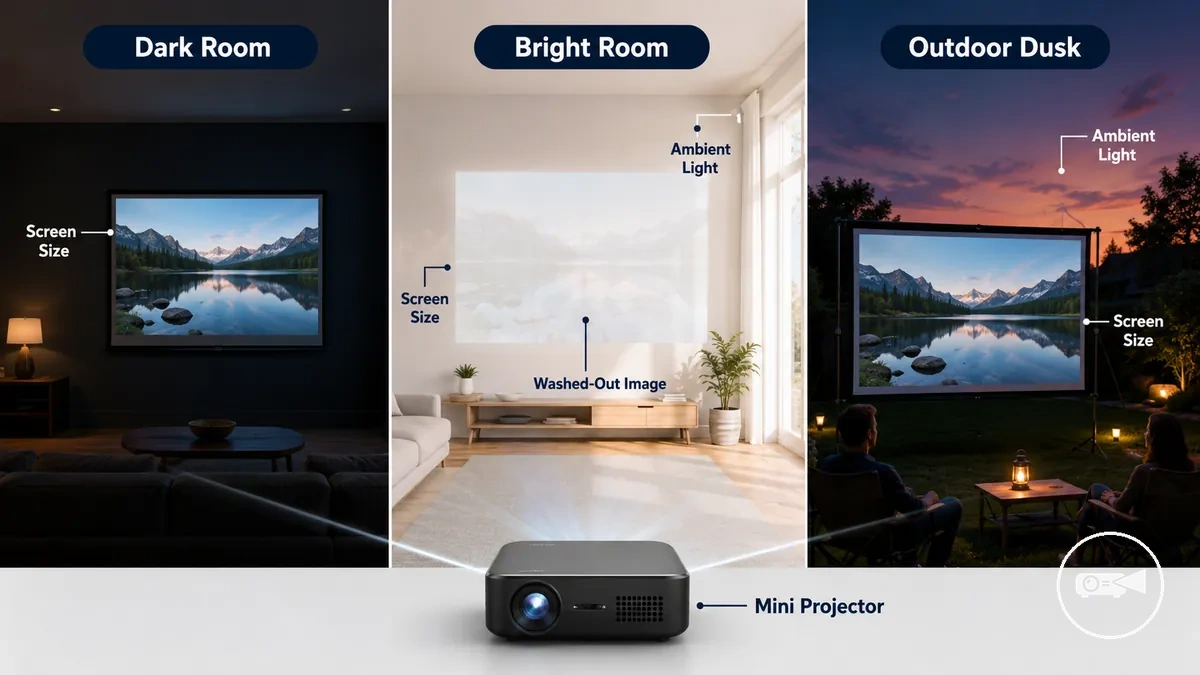
A dark room creates the lowest brightness pressure, so a lower brightness range is often sufficient for a watchable image on a modest screen. A bright room or daylight increases ambient light and raises the chance of a washed-out image, making a higher brightness range more suitable. Outdoor use is generally more practical at dusk, at night, or in shaded conditions, and larger screen sizes increase brightness demand.
Choosing brightness by environment is more reliable than relying on a single lumen target.
Choosing brightness by environment is more reliable than relying on a single lumen target. For example, the same mini projector can produce a clear image in a dark room but appear noticeably washed out when projected onto a larger screen in daylight. The table below organizes common viewing environments by light condition, brightness pressure, risk, and safer viewing expectations.
| Viewing environment | Light condition | Brightness pressure | Main risk | Safer expectation |
|---|---|---|---|---|
| Dark room | Minimal ambient light | Low | Low risk of image washout | Lower brightness range is usually sufficient |
| Dim room | Limited room lighting | Moderate | Reduced contrast if lights remain on | Moderate brightness range improves visibility |
| Bright room | Strong indoor ambient light | High | Washed-out image | Higher brightness range with controlled screen size |
| Daylight | Natural daylight | Very high | Severe image washout | Reduce ambient light where possible and use a higher brightness range |
| Outdoor dusk or night | Low natural light | Moderate | Nearby lighting can reduce image visibility | Higher brightness range with a controlled screen size |
Choose a brightness range that matches the environment instead of searching for one universal lumen value. According to guidance from BenQ and ViewSonic, ambient light and screen size should be evaluated together because both directly affect projected image visibility.
Dark Rooms and Night Viewing
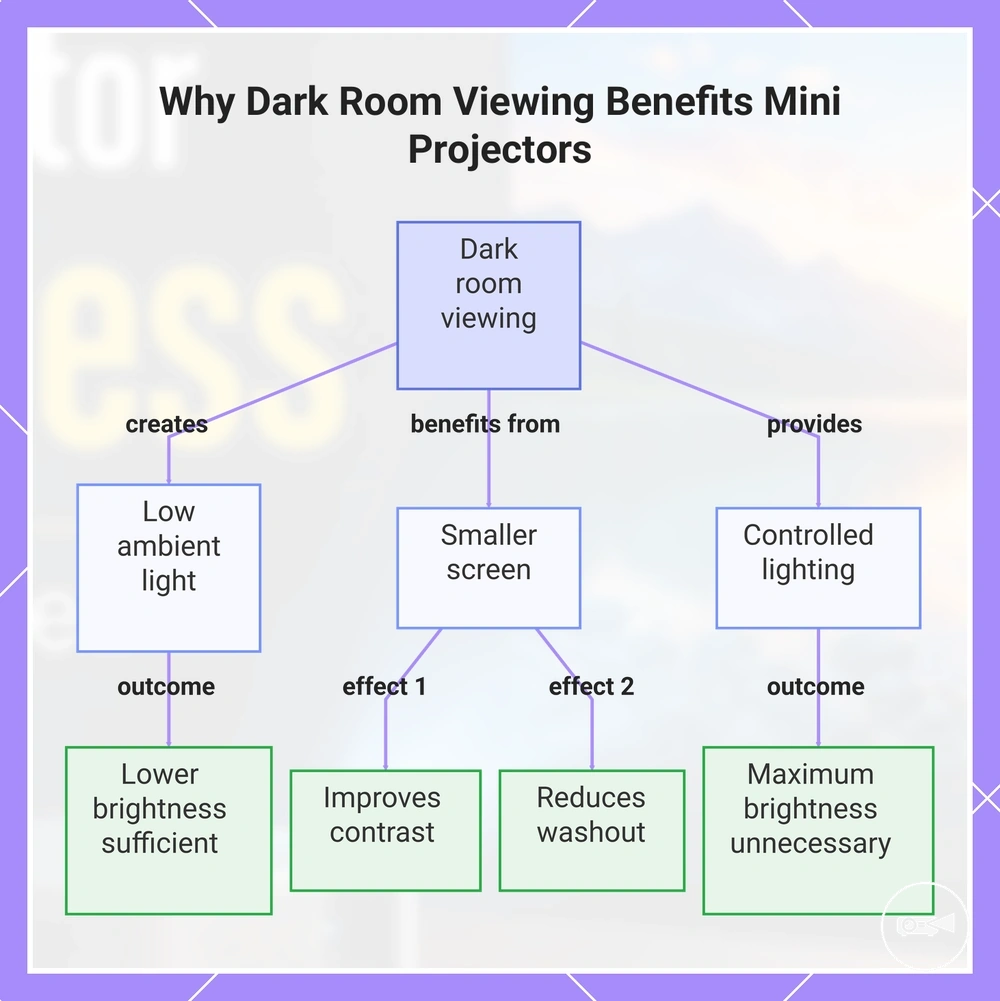
A dark room or night viewing creates low ambient light, allowing a mini projector with lower brightness to produce a watchable image more easily. A smaller screen further improves perceived contrast, making details easier to see and reducing the visibility of image washout.
A smaller screen further improves perceived contrast, making details easier to see and reducing the visibility of image washout.
Maximum brightness is not always necessary because controlled lighting lowers the amount of competing light reaching the screen. For example, using the same mini projector on a smaller screen in a dim room usually provides a more comfortable and watchable image than projecting onto a larger screen in a bright room.
Dark room viewing is often the most practical environment for a lower-brightness mini projector used for casual movie watching.
Dark room viewing is often the most practical environment for a lower-brightness mini projector used for casual movie watching. If films are your main priority, compare mini projector features for movies to understand which viewing features complement controlled lighting.
If films are your main priority, compare mini projector features for movies to understand which viewing features complement controlled lighting.
This chart explains how dark room or night viewing conditions allow lower-brightness mini projectors to produce watchable images by leveraging low ambient light, smaller screens, and controlled lighting.
Bright Rooms and Daylight Viewing
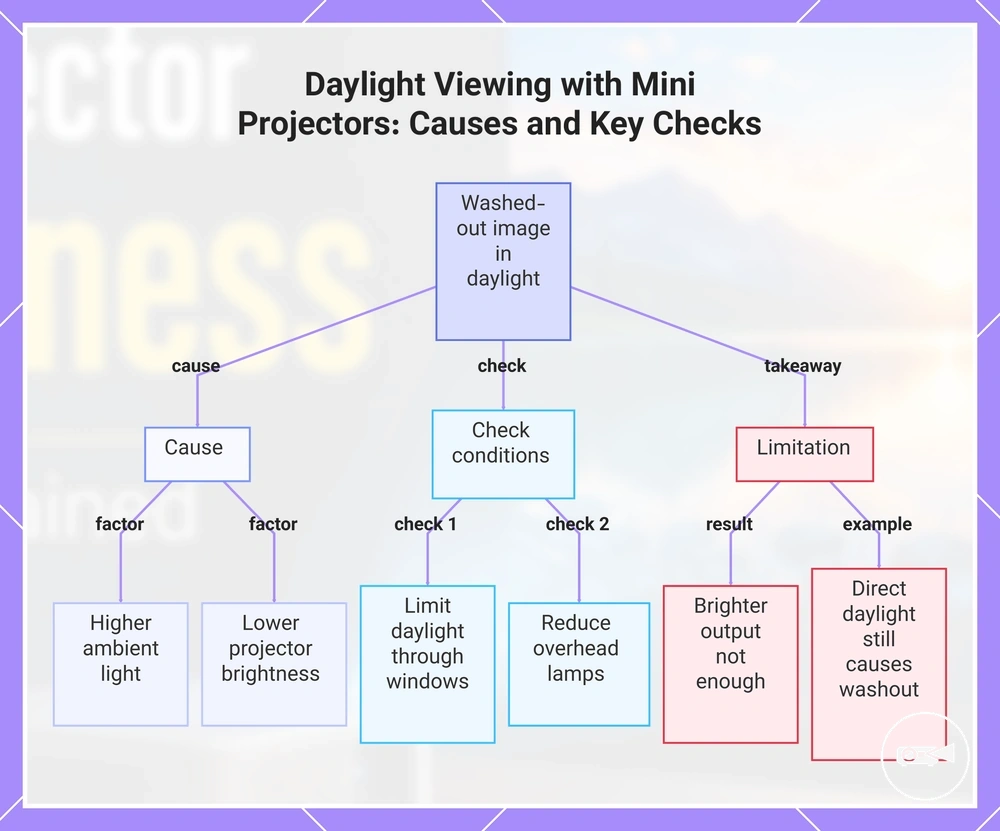
A bright room or daylight increases ambient light, making a washed-out image more likely when a mini projector has lower brightness. This creates higher lumen pressure and reduces perceived contrast, so improving brightness or reducing room lighting helps maintain better visibility.
A bright room or daylight increases ambient light, making a washed-out image more likely when a mini projector has lower brightness.
Before expecting a clear image in daylight viewing, check these conditions:
- Limit daylight entering through windows whenever possible.
- Reduce overhead lamps that add extra ambient light.
- Use a smaller screen size to keep the projected image brighter.
- Choose a screen surface that reduces reflections from room lighting.
- Decide whether a slightly dimmer image still meets your viewing expectations under the available light.
Brighter output improves visibility, but it cannot fully overcome poor screen placement or uncontrolled ambient light. For example, even a brighter mini projector can still produce a washed-out image if direct daylight falls across the screen.
Brighter output improves visibility, but it cannot fully overcome poor screen placement or uncontrolled ambient light.
This chart explains why a mini projector produces a washed-out image in bright rooms and lists the most important conditions to check before expecting a clear image in daylight.
Outdoor Viewing Conditions
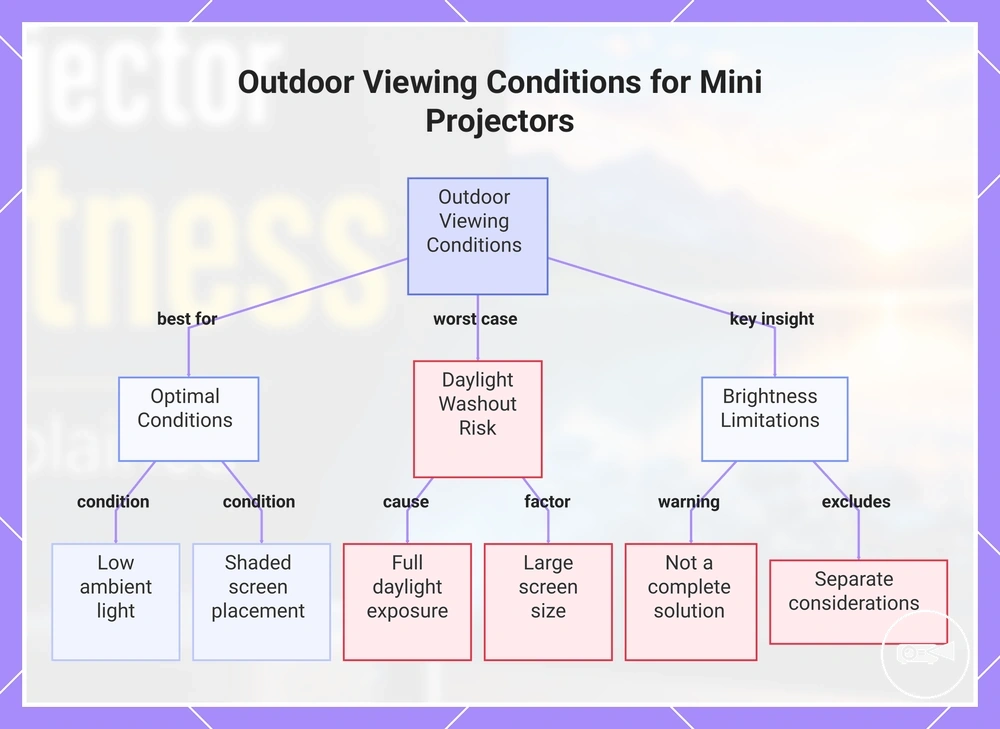
Outdoor viewing works best at dusk, during night viewing, or in deep shade because ambient outdoor light is lower in those conditions. Full daylight creates the greatest daylight washout risk and makes outdoor use a higher-risk case for many mini projectors.
Full daylight creates the greatest daylight washout risk and makes outdoor use a higher-risk case for many mini projectors.
A larger screen size spreads the projected light across a wider area, increasing the brightness need and reducing visibility. Keeping the image smaller and placing the screen in shade can improve contrast, but practical results still depend on how much outdoor light reaches the screen.
Higher projector brightness does not resolve every outdoor condition.
Higher projector brightness does not resolve every outdoor condition. Battery capacity, mounting, and weather protection are separate considerations and do not determine whether the projected image can overcome daylight washout.
For deeper planning around time of day, shade, image size, and visibility, review outdoor mini projector brightness .
For deeper planning around time of day, shade, image size, and visibility, review outdoor mini projector brightness.
This chart shows the optimal conditions, daylight washout risks, and key limitations for using a mini projector outdoors.
This chart shows the optimal conditions, daylight washout risks, and key limitations for using a mini projector outdoors.
Brightness, Screen Size, and Viewing Distance
The same mini projector brightness appears stronger on a smaller screen size because the available light is concentrated over a smaller projected area. As image size increases, the light spreads across more surface, reducing perceived brightness and increasing visibility loss under the same room lighting.
For example, a 60-inch image and a 120-inch image produced by the same mini projector in the same room will not appear equally bright.
For example, a 60-inch image and a 120-inch image produced by the same mini projector in the same room will not appear equally bright. The smaller image usually looks more vivid, while the larger image may appear dimmer unless higher projector output, a more reflective screen surface, or lower ambient light offsets the greater light spread.
The key trade-off is straightforward: a larger image improves immersion but reduces perceived brightness, while a smaller image preserves image intensity.
The key trade-off is straightforward: a larger image improves immersion but reduces perceived brightness, while a smaller image preserves image intensity. Viewing distance should scale with image size for comfortable viewing, but moving farther back does not restore the brightness lost when the projected area becomes larger.
| Image size choice | Brightness effect | Viewing-distance implication | Practical caution |
|---|---|---|---|
| Smaller image | Higher perceived brightness because the same light covers less projected area. | Comfortable from a closer viewing distance while maintaining good visibility. | Provides less cinematic impact despite stronger image brightness. |
| Medium image | Balances image size and perceived brightness under the same lighting conditions. | Works well from a moderate viewing distance with balanced visibility and comfort. | Ambient light can still reduce contrast if projector brightness is limited. |
| Larger image | Lower perceived brightness because brightness is spread across a larger projected area. | A longer viewing distance may improve viewing comfort but does not recover lost brightness. | Visibility loss becomes more noticeable in brighter rooms or on low-gain screen surfaces. |
Brightness Limits in Mini Projector Image Quality
Brightness improves image visibility, but it does not determine overall image quality by itself. A brighter image is easier to see in room light, while resolution, contrast, focus, colour, and screen quality determine how much detail and sharpness you actually perceive.
Higher brightness does not increase a projector's native resolution or correct poor focus.
Higher brightness does not increase a projector's native resolution or correct poor focus. It can reduce the appearance of a washed-out image in brighter environments, but image quality still depends on the combined performance of resolution, contrast, colour accuracy, and optical focus.
The comparison below separates the role of brightness from the image-quality attributes it cannot replace.
The comparison below separates the role of brightness from the image-quality attributes it cannot replace.
| Brightness can help with | Brightness does not replace |
|---|---|
| Improving visibility in brighter room light | Native resolution and projected detail |
| Reducing the appearance of a washed-out image | Accurate focus and sharpness |
| Making larger images easier to see under suitable conditions | Contrast performance and colour reproduction |
| Supporting better readability when ambient light increases | Screen quality and its effect on the final picture |
Prioritize brightness when visibility is the main challenge, especially in brighter viewing conditions. If image detail, sharpness, or picture quality is the priority, compare image quality and resolution alongside brightness before making a decision.
Brightness Limits in Mini Projector Image Quality
Brightness improves image visibility, but it does not determine overall image quality by itself. A brighter image is easier to see in room light, while resolution, contrast, focus, colour, and screen quality determine how much detail and sharpness you actually perceive.
Brightness improves image visibility, but it does not determine overall image quality by itself.
Higher brightness does not increase a projector's native resolution or correct poor focus. It can reduce the appearance of a washed-out image in brighter environments, but image quality still depends on the combined performance of resolution, contrast, colour accuracy, and optical focus.
It can reduce the appearance of a washed-out image in brighter environments, but image quality still depends on the combined performance of resolution, contrast, colour accuracy, and optical focus.
The comparison below separates the role of brightness from the image-quality attributes it cannot replace.
| Brightness can help with | Brightness does not replace |
|---|---|
| Improving visibility in brighter room light | Native resolution and projected detail |
| Reducing the appearance of a washed-out image | Accurate focus and sharpness |
| Making larger images easier to see under suitable conditions | Contrast performance and colour reproduction |
| Supporting better readability when ambient light increases | Screen quality and its effect on the final picture |
Prioritize brightness when visibility is the main challenge, especially in brighter viewing conditions. If image detail, sharpness, or picture quality is the priority, compare image quality and resolution alongside brightness before making a decision.
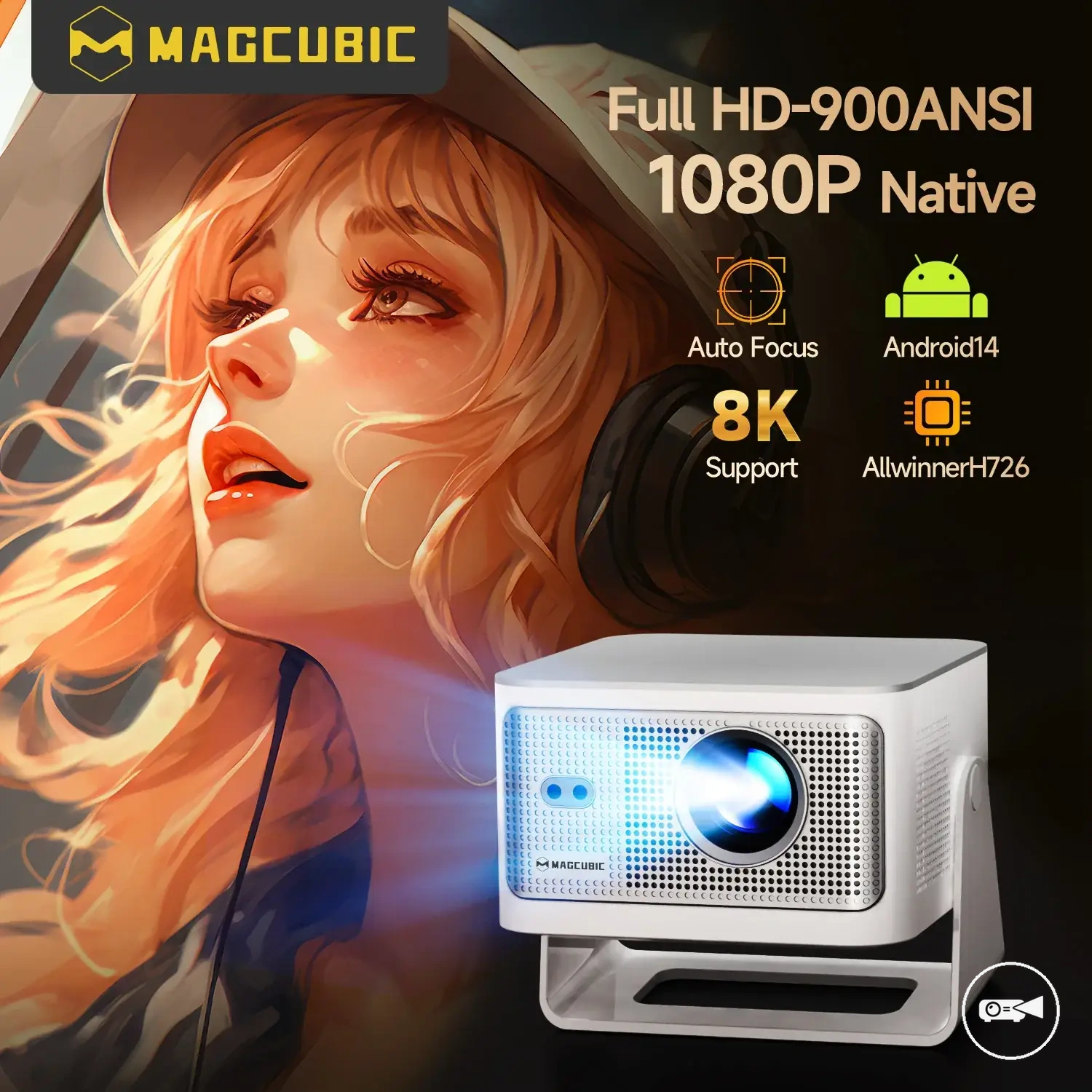
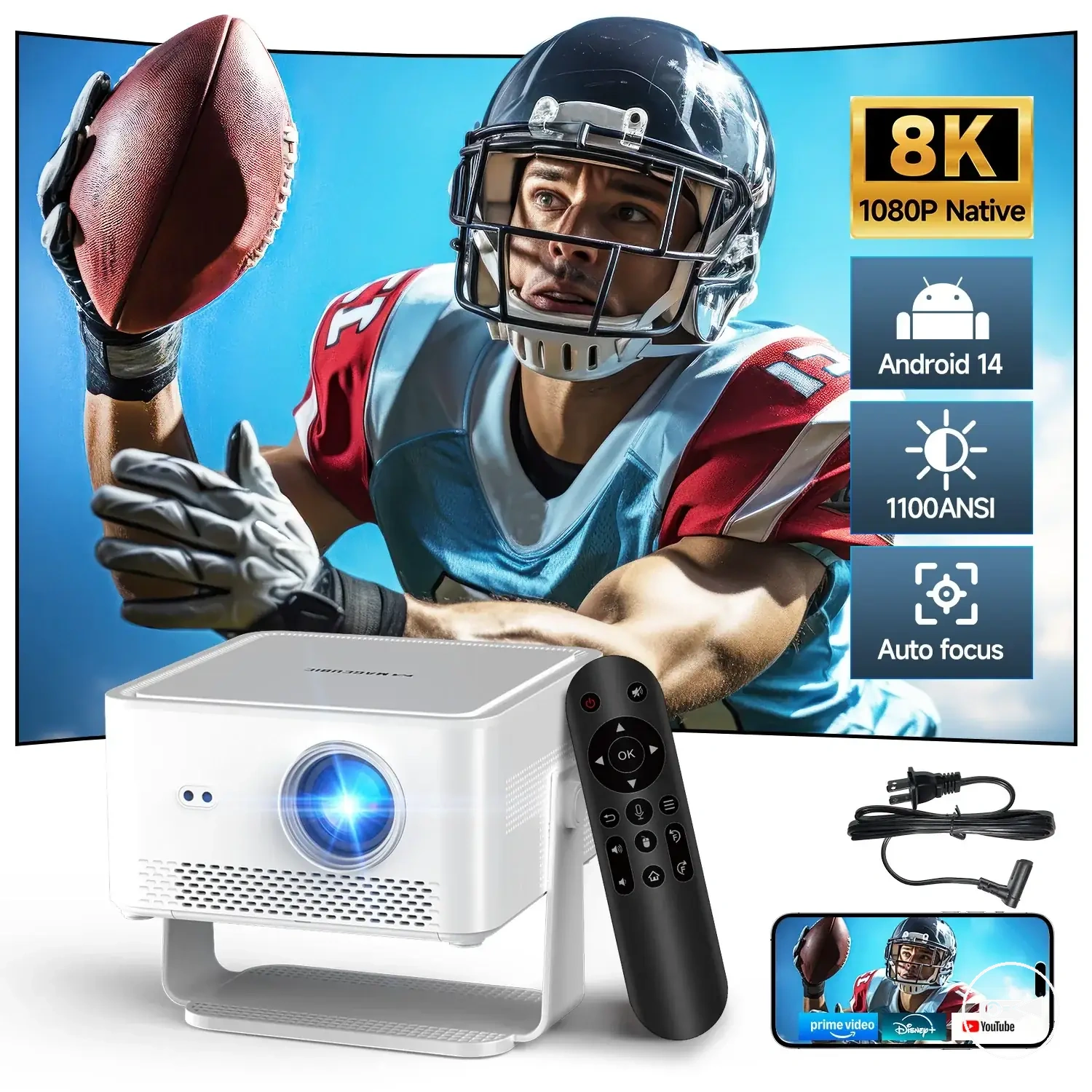
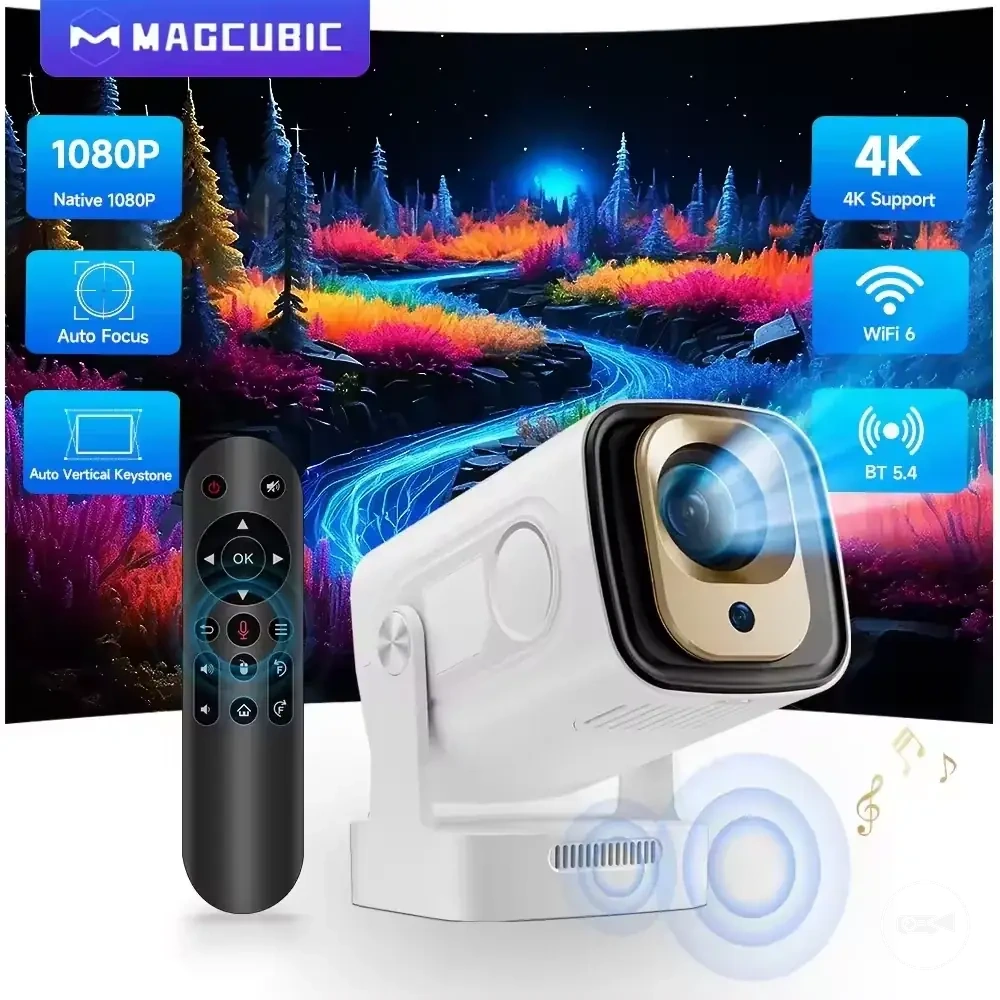
Here are product examples that may make comparison easier.
Here are product examples that may make comparison easier. Before buying, always review the compatibility criteria, essential features, and product details.
Brightness Limits in Mini Projector Image Quality
Brightness improves image visibility, but it does not determine overall image quality by itself. A brighter image is easier to see in room light, while resolution, contrast, focus, colour, and screen quality determine how much detail and sharpness you actually perceive.
A brighter image is easier to see in room light, while resolution, contrast, focus, colour, and screen quality determine how much detail and sharpness you actually perceive.
Higher brightness does not increase a projector's native resolution or correct poor focus. It can reduce the appearance of a washed-out image in brighter environments, but image quality still depends on the combined performance of resolution, contrast, colour accuracy, and optical focus.
The comparison below separates the role of brightness from the image-quality attributes it cannot replace.
| Brightness can help with | Brightness does not replace |
|---|---|
| Improving visibility in brighter room light | Native resolution and projected detail |
| Reducing the appearance of a washed-out image | Accurate focus and sharpness |
| Making larger images easier to see under suitable conditions | Contrast performance and colour reproduction |
| Supporting better readability when ambient light increases | Screen quality and its effect on the final picture |
Prioritize brightness when visibility is the main challenge, especially in brighter viewing conditions. If image detail, sharpness, or picture quality is the priority, compare image quality and resolution alongside brightness before making a decision.
Before buying, always review the compatibility criteria, essential features, and product details.
Here are product examples that may make comparison easier. Before buying, always review the compatibility criteria, essential features, and product details.
Brightness Limits in Mini Projector Image Quality
Brightness improves image visibility, but it does not determine overall image quality by itself. A brighter image is easier to see in room light, while resolution, contrast, focus, colour, and screen quality determine how much detail and sharpness you actually perceive.
Higher brightness does not increase a projector's native resolution or correct poor focus. It can reduce the appearance of a washed-out image in brighter environments, but image quality still depends on the combined performance of resolution, contrast, colour accuracy, and optical focus.
The comparison below separates the role of brightness from the image-quality attributes it cannot replace.
| Brightness can help with | Brightness does not replace |
|---|---|
| Improving visibility in brighter room light | Native resolution and projected detail |
| Reducing the appearance of a washed-out image | Accurate focus and sharpness |
| Making larger images easier to see under suitable conditions | Contrast performance and colour reproduction |
| Supporting better readability when ambient light increases | Screen quality and its effect on the final picture |
Prioritize brightness when visibility is the main challenge, especially in brighter viewing conditions. If image detail, sharpness, or picture quality is the priority, compare image quality and resolution alongside brightness before making a decision.