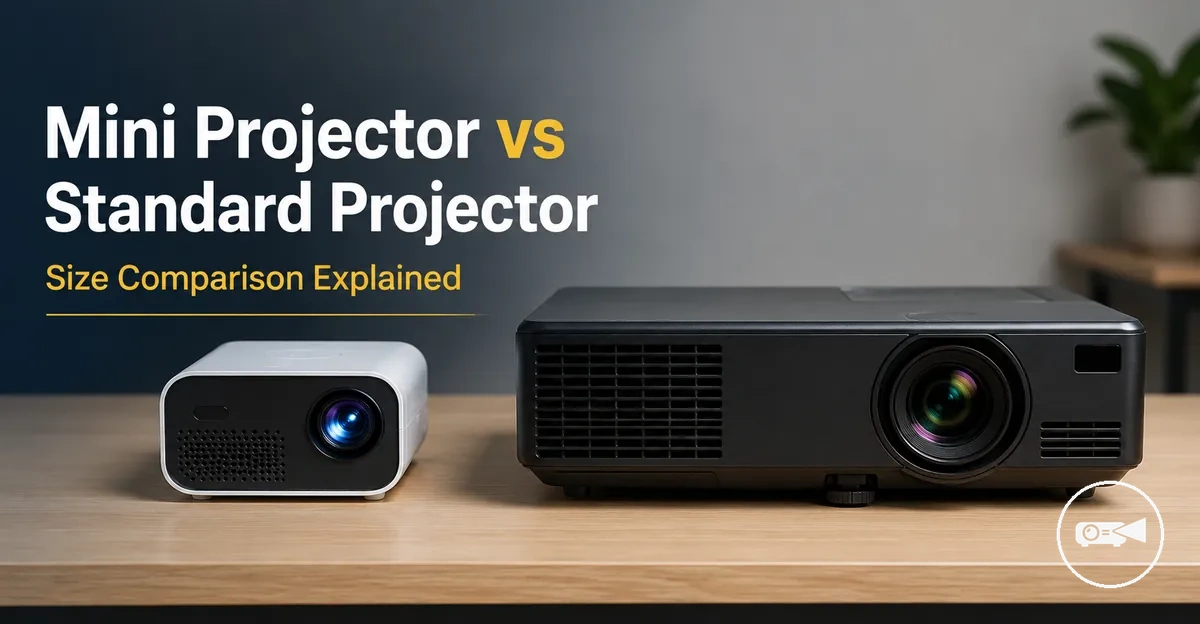
Mini Projector vs Standard Projector
A mini projector is preferable when portability and compact size matter more than maximum image performance, while a standard projector is usually more suitable when stronger brightness and a larger screen size matter more than easy transport. A portable projector is easier to carry between rooms or take on trips, but its image quality becomes more limited when room light, viewing distance, or the intended image size exceeds the model’s capabilities. A full-size projector generally supports a more stable fixed setup, although its resolution, brightness, and overall performance still depend on the selected model and viewing environment.
The decision should therefore compare brightness, resolution, portability, screen size, setup, room light, power source, budget, and viewing expectations.
People comparing a mini projector with a standard projector are often choosing between casual, flexible viewing and a more permanent entertainment or presentation use case. For example, a compact projector can suit occasional films in a dark bedroom or temporary viewing away from home, especially when battery operation or quick placement is important. A traditional projector is usually the more suitable projector type when the room has more ambient light, the intended image is larger, or consistent performance matters more than portability. The decision should therefore compare brightness, resolution, portability, screen size, setup, room light, power source, budget, and viewing expectations.
Mini does not automatically mean worse, and standard does not automatically mean better.
Mini does not automatically mean worse, and standard does not automatically mean better. The practical tradeoff is whether each projector type delivers enough image quality and everyday convenience for the intended room and use case without adding unnecessary size, power requirements, or setup complexity.
Table of Contents
Core Differences Between Mini and Standard Projectors
The core difference is that a mini projector prioritises compact size and portability, while a standard projector prioritises greater light-output capacity and a more permanent setup. These are type-level tendencies rather than fixed performance rules. Model variation means a well-specified portable projector can outperform an entry-level full-size projector on a particular attribute.
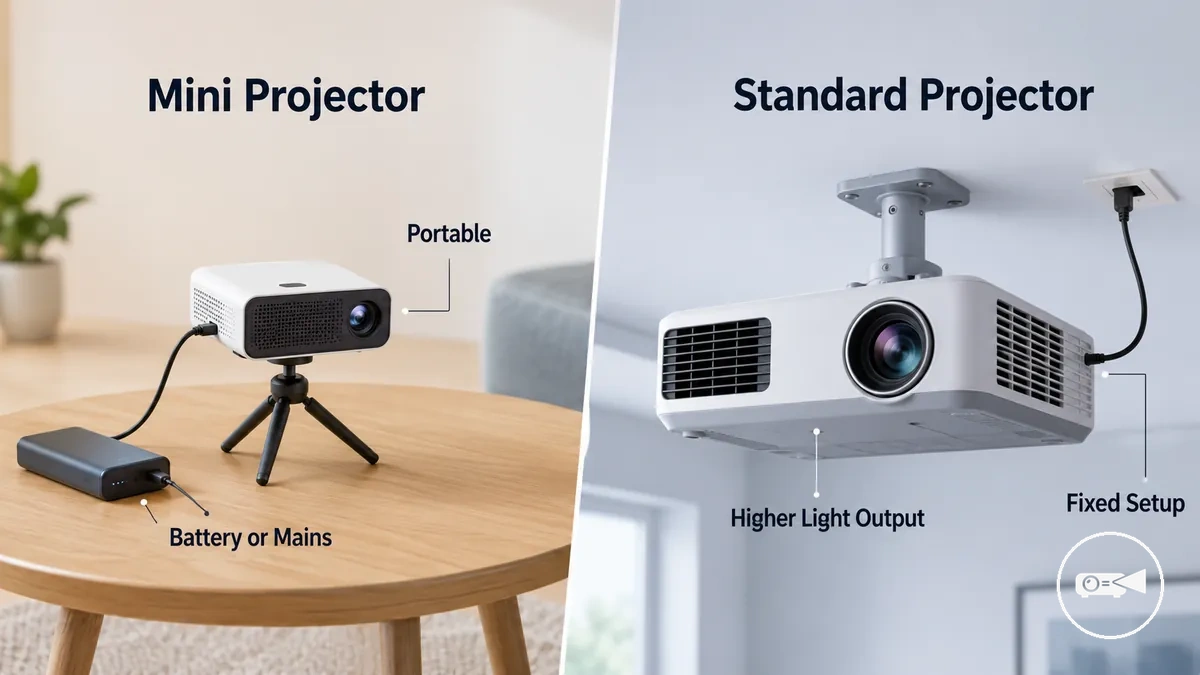
A mini projector is a compact projector type designed for easier transport, flexible placement, and casual use, while a standard projector is a larger projector type commonly designed for mains power and a fixed or semi-fixed position. A portable projector may use an internal battery, an external adapter, or mains power, whereas a full-size projector typically uses continuous mains power. The practical distinction is therefore based on body size, power source, placement flexibility, and setup permanence rather than the label alone. The guide to what a mini projector means explains the portable category in more detail.
The main comparison axes are portability, brightness, power, and placement.
The Core Differences Between Mini and Standard Projectors become clearest when both projector types are compared under the same room context and viewing expectation. For example, moving a projector between rooms gives compact size more decision value, while leaving it in one position gives brightness capacity and setup permanence more weight. The main comparison axes are portability, brightness, power, and placement.
| Criterion | Mini Projector | Standard Projector | Decision Meaning |
|---|---|---|---|
| Portability | Compact body that is easier to carry and reposition | Larger body that is less convenient to move regularly | A mini projector has the advantage when frequent transport or room-to-room use is required |
| Brightness potential | More commonly suited to controlled room light and modest image sizes | More commonly offers the light-output capacity needed for brighter rooms or larger images | Compare the stated brightness of specific models when room light or screen size is a priority |
| Power source | Internal battery, external adapter, or mains power, depending on the model | Continuous mains power is the typical category | A battery-equipped portable projector supports temporary use away from a wall socket, while a standard projector suits powered locations |
| Setup style | Temporary placement and frequent repositioning | Fixed or semi-fixed placement | A mini projector reduces placement commitment, while a standard projector supports greater setup permanence |
| Screen-size expectation | More suitable for modest image sizes when light output is limited | More suitable for larger image sizes when the selected model provides sufficient brightness | Match screen size to the model's stated brightness and the room-light condition rather than projector type alone |
| Everyday convenience | Greater convenience for carrying, storing, and quick casual use | Greater convenience for repeated viewing from the same installed position | The more convenient projector type is determined by whether the use case values mobility or a stable ready-to-use setup |
Portability, Size, and Power Flexibility
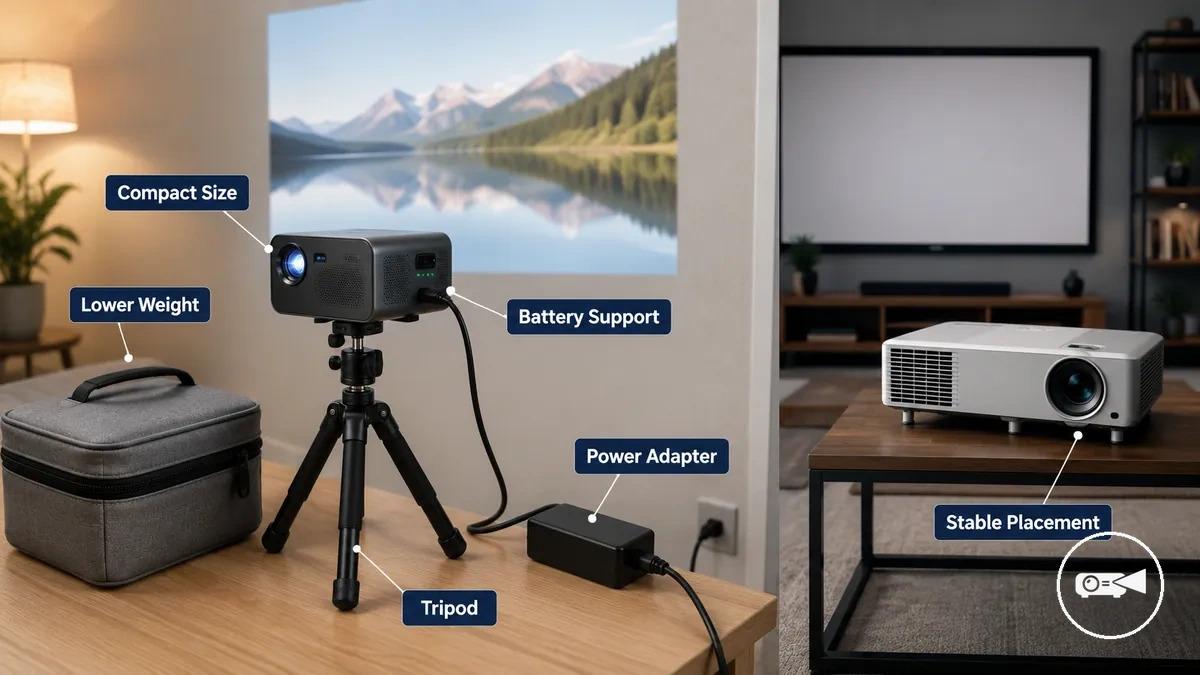
Moving a projector between rooms or taking it on a trip is easier when portability, size, and power flexibility match the intended setup. A mini projector is generally easier to carry because of its compact body and lower weight, while a standard projector is better suited to stable locations with continuous mains power.
The image below illustrates how a compact projector, a power source, and a tripod influence realistic room-to-room and temporary use.
Portability, Size, and Power Flexibility become clearer when physical size is considered together with power access and setup accessories. The image below illustrates how a compact projector, a power source, and a tripod influence realistic room-to-room and temporary use.
- Choose a carry size that matches how often the projector will be moved.
- Confirm whether the power source is battery support, a power adapter, or mains power.
- Do not assume every portable projector includes an internal battery.
- Check whether a tripod or stand is required for stable placement.
- Verify that the wall or projection screen suits the temporary setup.
- Pack any required power cables, extension leads, or adapters before travelling.
- Confirm that the room or outdoor location provides suitable power access and viewing conditions.
A mini projector combines compact size, lower weight, and optional battery support to reduce setup effort for travel, renters, and room-to-room use. That portability can come with reduced performance headroom because compact designs typically have less space for larger optics, cooling, and higher light output. A standard projector usually relies on plug-in mains power and a larger body, making it better suited to stable placement where transport is less important.
Power flexibility depends on both the projector and the accessories you carry.
Power flexibility depends on both the projector and the accessories you carry. For example, a battery-powered portable projector can simplify a temporary presentation, while another model still requires a power adapter or extension cable. A tripod can improve placement when no suitable table is available, and carrying the correct accessories often prevents setup delays.
For additional guidance on these conditions, see outdoor use considerations .
Outdoor or temporary viewing should be planned around available power, ambient light, and a suitable projection surface rather than portability alone. For additional guidance on these conditions, see outdoor use considerations.
Brightness, Resolution, and Image Performance
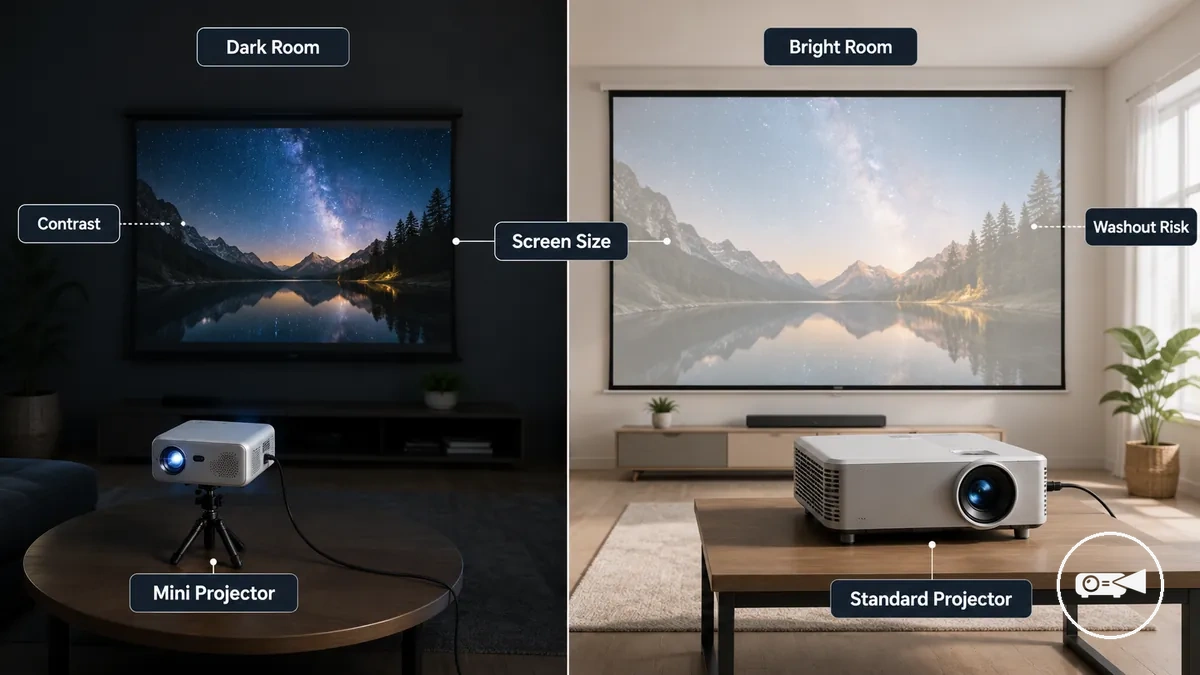
Image performance depends on viewing conditions as much as projector type because brightness, resolution, contrast, screen size, and ambient light all affect the visible result. Brightness, Resolution, and Image Performance are best compared by examining how room light and screen conditions change perceived quality.
| Attribute | Why It Matters | Mini Projector Pattern | Standard Projector Pattern | Decision Effect |
|---|---|---|---|---|
| Brightness | Controls image visibility under room light | Usually better suited to controlled or darker viewing conditions | More likely to provide additional light-output headroom in brighter rooms | Higher ambient light increases washout risk for both types |
| Resolution | Determines the available image detail | Native resolution must be checked because compact models cover different resolution categories | Higher native-resolution categories are more widely represented | Higher native resolution can preserve more detail as screen size increases |
| Contrast | Affects separation between dark and bright image areas | Perceived contrast improves when room light is reduced | Greater performance headroom can support stronger image depth under suitable conditions | Controlled lighting preserves dark-scene detail and colour handling |
| Screen Size | Changes perceived brightness and sharpness | More practical at modest image sizes when light output is limited | More likely to support a larger screen without the same loss of visibility | Increasing image size can reduce perceived brightness and reveal softer detail |
| Ambient Light | Reduces visible contrast on the screen | Requires stronger room-light control to limit washout | May remain more visible when greater light output is available | Curtains, dimmed lights, and screen placement can improve visibility |
| Viewing Distance | Changes how easily image detail and pixel structure are noticed | Best matched to a viewing distance appropriate for its native resolution and screen size | Can suit larger rooms when resolution and light output support the chosen screen | Screen size, resolution, and seating distance should be evaluated together |
Brightness becomes more important as ambient light rises because room light lowers perceived contrast and increases washout risk. A standard projector may offer more light-output headroom for a larger screen or fixed room, while a mini projector can remain adequate when the screen is modest and the room is darkened. The practical solution is to compare each model's stated brightness and native resolution against the intended screen size and viewing conditions. For example, a compact projector may appear clear during an evening film with closed curtains but look faded in the same room during daylight.
Brightness becomes more important as ambient light rises because room light lowers perceived contrast and increases washout risk.
A dark-room setup can make a projector's contrast, colour handling, and picture clarity feel stronger, whereas enlarging the image or adding room light can expose limited brightness and softer detail. A mini projector therefore suits users who accept a smaller screen or controlled lighting, while a standard projector may suit users seeking more performance headroom for a larger screen and longer viewing distance.
Light Output in Bright and Dark Rooms
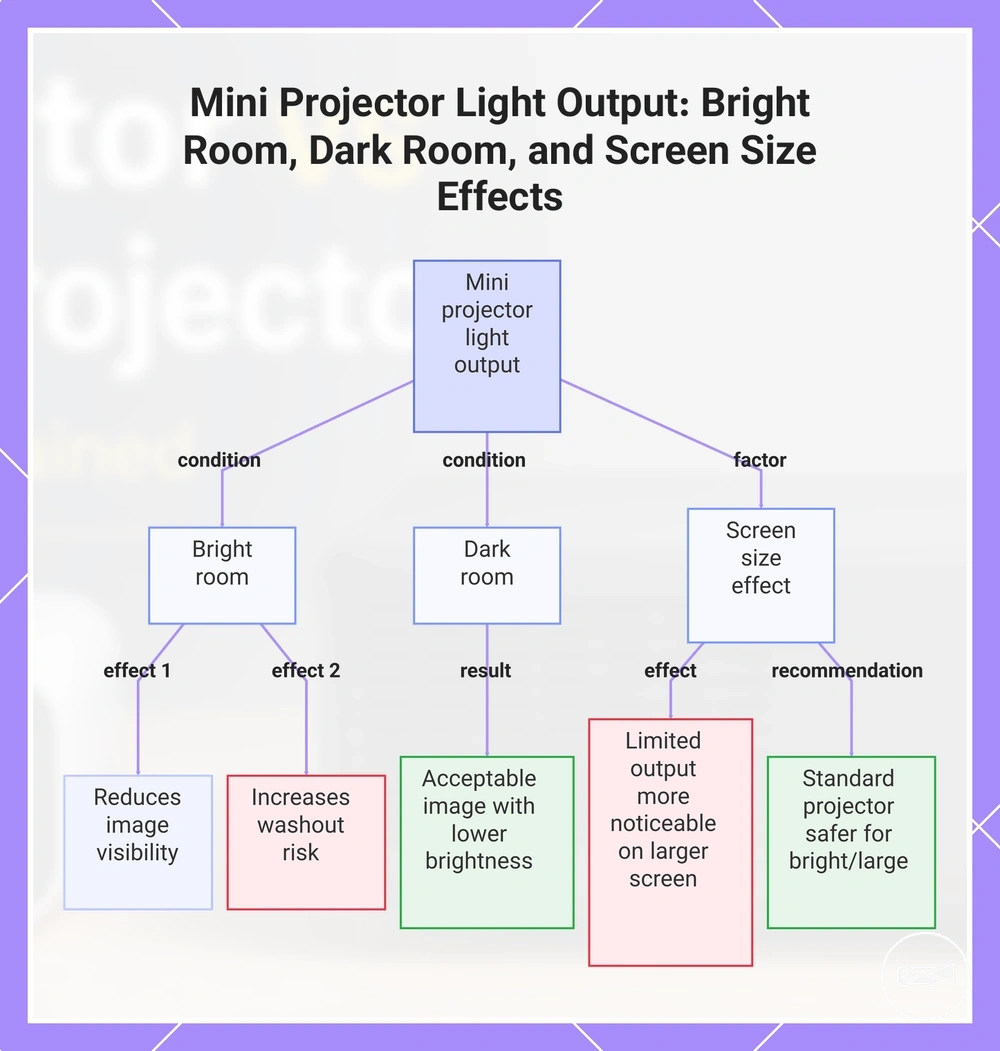
Light output only becomes meaningful when it is evaluated with ambient light and screen size because room brightness directly changes image visibility. A mini projector that appears clear in a dark room can look noticeably weaker in a bright room as washout increases.
- Bright room: Strong ambient light reduces image visibility and increases washout risk, particularly when the projected image is displayed on a larger screen.
- Dark room: Lower ambient light allows a lower brightness level to produce an acceptable visible image for casual viewing on a modest screen size.
- Screen size effect: A larger screen spreads the available light across a wider area, making limited light output easier to notice.
- When a standard projector may be safer: If the room cannot be darkened or a larger screen is needed, higher available light output can provide more visibility against ambient light.
In a dim room, a compact projector with lower light output can still provide acceptable image visibility on an appropriately sized screen. For example, an evening movie in a darkened living room may remain comfortable to watch, while the same setup in daylight can show increased washout and reduced image visibility.
In a dim room, a compact projector with lower light output can still provide acceptable image visibility on an appropriately sized screen.
This chart shows how ambient light and screen size affect the visibility of mini projector light output, including the recommendation for using a standard projector in bright rooms or with large screens.
Sharpness, Contrast, and Screen Size
Sharpness and contrast become easier to judge as screen size increases because a larger image can reveal limits in image clarity and fine detail. Native resolution determines the available picture detail, while contrast influences how clearly dark and bright areas remain separated as the projected image becomes larger.
- Native resolution: Higher native resolution can preserve more image clarity and detail as screen size increases.
- Contrast: Better contrast helps dark scenes retain visible separation, especially when room light is controlled.
- Screen size: A larger image makes softness and reduced detail easier to notice, while a smaller projected image can remain suitable for casual viewing when native resolution matches the viewing conditions.
- Viewing comfort: Choosing a screen size that matches the projector's native resolution and contrast can help maintain comfortable long-duration viewing.
If a larger image begins to expose softer detail or reduced contrast, decreasing the projected size or viewing in a darker room can improve perceived image clarity. For example, a mini projector can remain comfortable for casual viewing on a modest screen, whereas projecting a much larger image can make limits in sharpness and contrast more noticeable, reducing viewing comfort.
Setup, Placement, and Room Fit
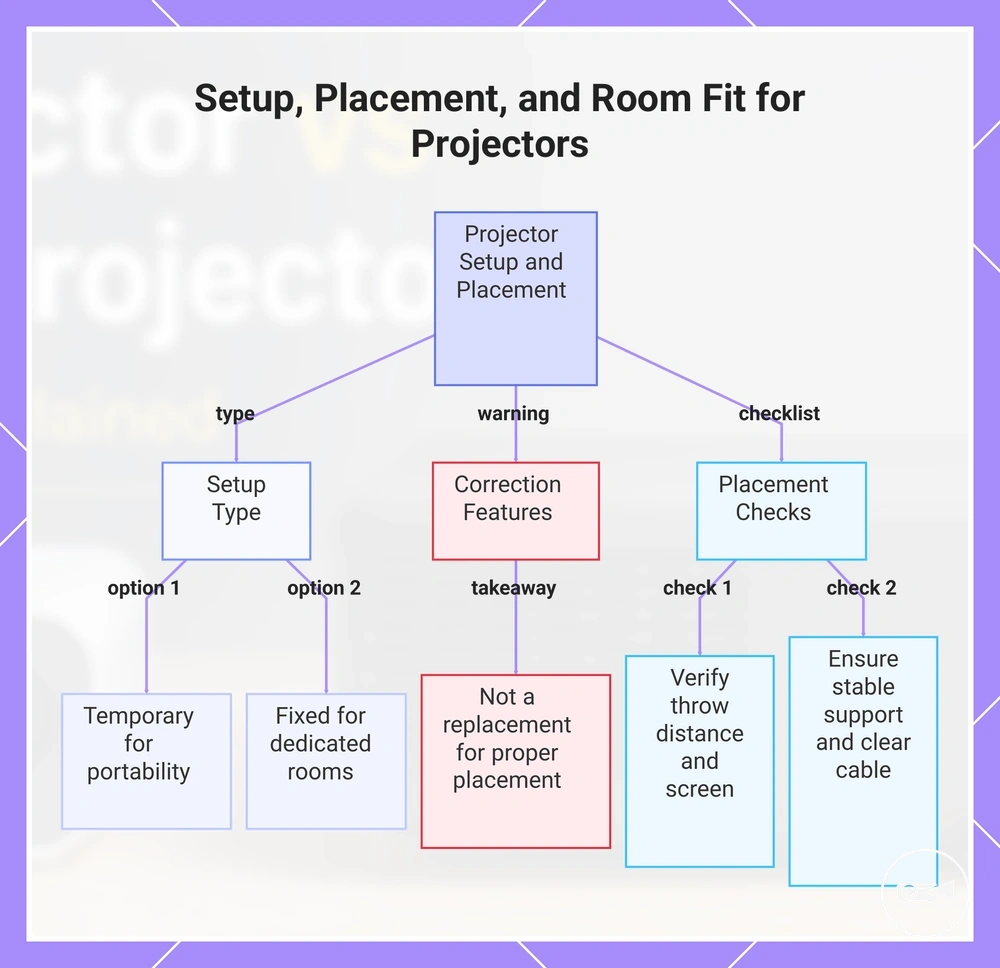
Setup, placement, and room fit determine how much effort is needed to achieve a well-aligned projected image in a particular space. A mini projector often fits rooms that require a temporary setup, while a standard projector is better suited to a fixed setup where projector position, screen position, and room layout remain consistent.
Placement is influenced by throw distance, screen position, power access, and the stability of a tripod or mount.
Placement is influenced by throw distance, screen position, power access, and the stability of a tripod or mount. Correction features such as keystone can help refine image shape after placement, but they do not replace suitable projector positioning or overcome an unsuitable room layout.
Correction features such as keystone can help refine image shape after placement, but they do not replace suitable projector positioning or overcome an unsuitable room layout.
A temporary setup is the practical choice when the projector is moved between rooms or stored after use, whereas a fixed setup suits dedicated viewing spaces with planned mounting and stable alignment. For example, a living room used for occasional movie nights may benefit from a portable projector on a tripod, while a dedicated media room is often better matched to a permanently mounted projector when the room supports consistent placement.
Setup, Placement, and Room Fit checklist: Use these checks to confirm whether the room supports the chosen projector type.
Setup, Placement, and Room Fit checklist: Use these checks to confirm whether the room supports the chosen projector type.
- Verify that the available throw distance matches the intended screen or wall position.
- Confirm the screen position allows comfortable viewing distance and proper image alignment.
- Check that power access is available without creating an obstructive cable path.
- Choose a stable tripod for a temporary setup or a secure mount for a fixed setup.
- Ensure the supporting surface remains stable to help maintain focus and alignment.
- Use correction features only for minor image adjustments rather than replacing proper projector placement.
- Keep the cable path clear so movement around the room is not restricted.
This chart shows the two main setup types for projectors and the essential placement checks to ensure a well-aligned image.
Device Use, Streaming, and Everyday Convenience
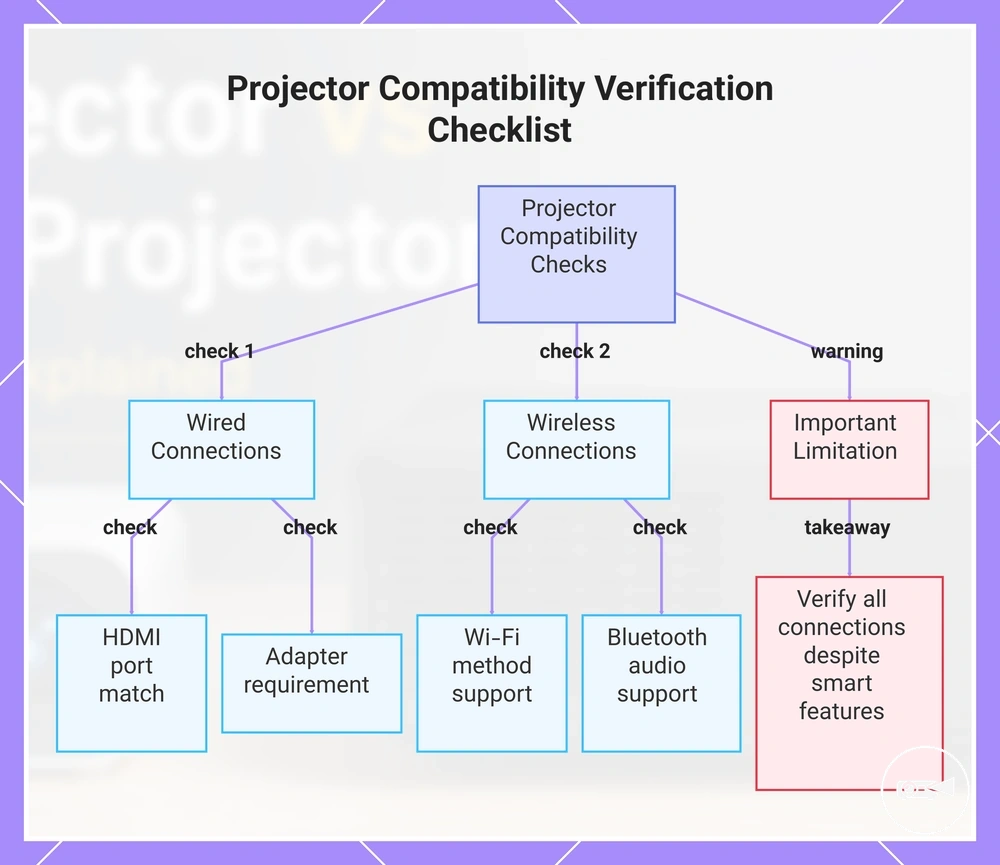
Device compatibility supports everyday convenience when the projector's connection options match the source device and intended use. A mini projector may reduce setup friction through built-in features, while a standard projector may offer broader input ports or audio options, but either type still requires verification of HDMI, Wi-Fi, Bluetooth audio, remote control, speaker, and power requirements.
HDMI provides a direct wired option when the source device and projector use compatible ports.
HDMI provides a direct wired option when the source device and projector use compatible ports. A phone connection or laptop connection may require an adapter when the available connector does not match the projector input. Wi-Fi supports wireless functions only when the projector and source device use a compatible method, while Bluetooth audio is useful only when the projector supports the intended external speaker or audio output.
A phone connection or laptop connection may require an adapter when the available connector does not match the projector input.
For example, a streaming device may connect directly through HDMI, a laptop may need a matching cable or adapter, and a phone may require verified wireless support or a compatible adapter. A built-in speaker can reduce the need for external audio in casual use, but a separate speaker may still be required when the available output or listening environment demands it, so each connection should be checked before relying on the projector for everyday use.
Device Use, Streaming, and Everyday Convenience checklist: Use these checks to verify real connection compatibility and likely usage friction.
Device Use, Streaming, and Everyday Convenience checklist: Use these checks to verify real connection compatibility and likely usage friction.
- Confirm that the projector's HDMI or other input ports match the source device.
- Check whether the source device requires a specific cable or adapter.
- Verify that Wi-Fi supports the intended wireless function rather than assuming app compatibility.
- Confirm whether Bluetooth audio supports the intended external speaker or audio device.
- Check whether the built-in speaker is suitable or whether a separate audio output is required.
- Verify that the remote control provides the functions needed for normal operation.
- Confirm that suitable power access is available for both the projector and any connected streaming device.
- Check whether the preferred streaming service requires a separate streaming device or verified built-in support.
This chart outlines the essential connection checks and a key limitation for ensuring everyday convenience with a projector.
Best Use Cases for Each Projector Type
The best use case for each projector type is determined by the user's dominant constraint. Portability needs and temporary placement favour a mini projector, while stronger room control, larger audience size, and higher performance expectations favour a standard projector.
The best use case for each projector type is determined by the user's dominant constraint.
For casual viewing, travel, and portable viewing in small rooms, a mini projector is the better fit when compact size, easy movement, and convenient power access matter more than maximum image performance. For example, a user moving between bedrooms or taking a projector on a trip benefits more from portability than from a permanent fixed setup.
This selection is stronger when the room has a planned screen position and the projector does not need to be moved regularly.
For movies in controlled rooms, presentations for larger audiences, and fixed larger-screen setups, a standard projector is the better fit when brightness, readability, stable placement, and consistent performance are the main conditions. This selection is stronger when the room has a planned screen position and the projector does not need to be moved regularly.
Choose the projector type that matches the viewing scenario you expect most often, then use the mini projector buying guide to compare broader buying criteria.
Choose the projector type that matches the viewing scenario you expect most often, then use the mini projector buying guide to compare broader buying criteria.
Best Use Cases for Each Projector Type: This scenario table maps each use case to the condition that determines the more practical projector fit.
Best Use Cases for Each Projector Type: This scenario table maps each use case to the condition that determines the more practical projector fit.
| Use Case | Important Condition | Better Fit | Why It Fits |
|---|---|---|---|
| Casual viewing | Compact room and moderate performance expectations | Mini projector | Compact size and simple placement support occasional everyday viewing. |
| Travel | Low carrying weight, compact storage, and accessible power | Mini projector | Portability reduces transport and temporary setup friction. |
| Small rooms | Limited placement space and a short viewing distance | Mini projector | A smaller form factor is easier to position where space is restricted. |
| Movies | Controlled room light and stronger image-performance expectations | Standard projector | A fixed setup better supports stable placement and performance-led viewing. |
| Presentations | Larger audience size, readable content, and room light | Standard projector | Greater brightness capability and stable connections better support group viewing. |
| Outdoor-adjacent use | Portable placement, available power, and low ambient light | Mini projector | Compact equipment is easier to move, provided the viewing area is sufficiently dark. |
| Fixed larger-screen setups | Permanent placement, room control, and higher performance expectations | Standard projector | A stable installation supports a larger image and more consistent long-term use. |
Mini Projectors for Portable and Casual Viewing
A mini projector is the stronger practical choice when portable viewing, compactness, and a temporary setup are the main user needs. It fits travel, casual viewing, and a small room when convenience and easy placement matter more than maximum image performance.
- Compactness improves convenience because a mini projector is easier to carry, store, and reposition for travel or room-to-room use.
- Portable viewing is a practical fit when the expected screen is moderate and the room can be kept dim enough for the selected model.
- Power flexibility applies only when the portable model includes battery support or accepts a compatible external power source; otherwise, mains power remains necessary.
- For example, a temporary setup in a small room can favour a mini projector because the user can place it, connect power, and remove it after casual viewing without maintaining a fixed installation.
Standard Projectors for Larger and More Fixed Setups
A standard projector is the stronger practical choice when a larger screen, planned placement, and higher performance expectations define the setup. Its larger physical footprint makes it better suited to a fixed setup where room control and stable installation can support the intended image size.
- Brightness headroom can improve visibility on a larger screen when the selected model is matched to the room light and screen conditions.
- Lens flexibility can support more precise placement when the model provides suitable throw, zoom, or lens-adjustment options.
- Cooling capacity is generally greater in a larger chassis, which supports sustained operation, but the resulting performance still reflects the projector's light source, design, and operating mode.
- For example, a larger room with a fixed screen and a planned projector position can favour a standard projector because stable placement allows its brightness and lens features to operate under controlled viewing conditions.
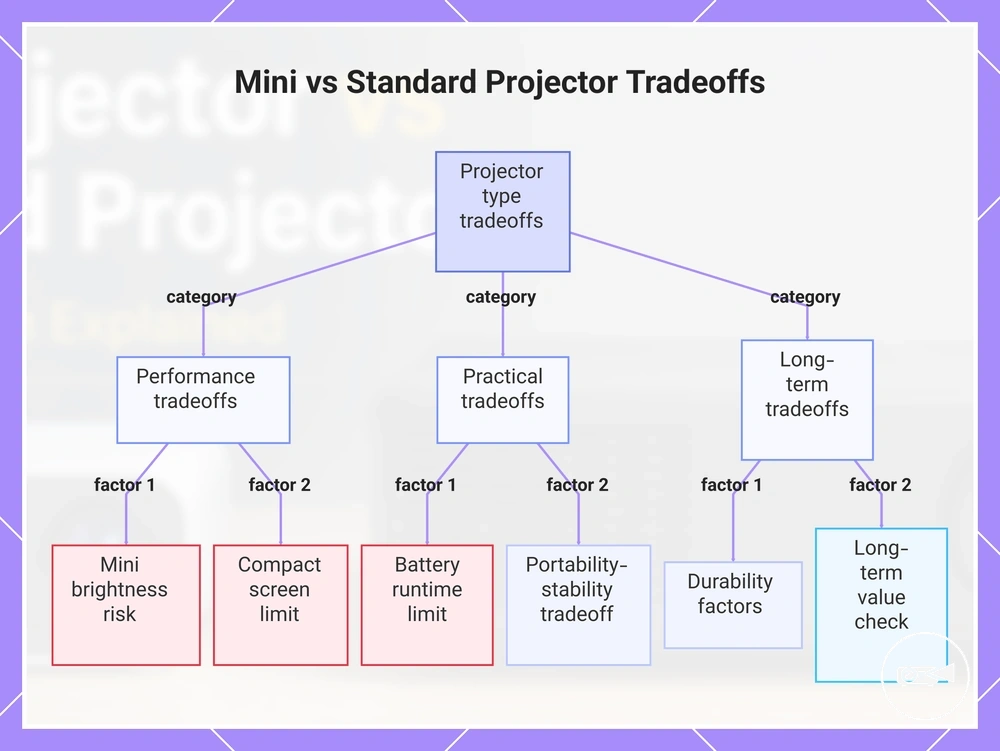
Limitations and Tradeoffs Before Choosing
Both projector types involve limitations and tradeoffs, so value depends on whether the compromise matches the buyer's use case. The checklist below organises what the reader gives up for portability or performance before choosing.
- Brightness expectations: A mini projector is a higher value risk when room light cannot be controlled, while a standard projector is the more acceptable compromise when stronger brightness is required for regular viewing.
- Battery limits: Battery operation supports portability, but limited runtime becomes a practical limit when long sessions or reliable extended use are priorities.
- Screen size: A compact model is better suited to modest screen-size expectations; choosing it for a larger screen can reduce perceived brightness and viewing comfort.
- Audio: Built-in audio may be adequate for casual use, but limited volume or clarity creates an extra equipment requirement when sound quality matters.
- Setup effort: A standard projector can support stronger fixed-room performance, but its larger body, planned placement, and cable management increase setup effort.
- Portability: A mini projector reduces transport and storage burden, while a standard projector gives up that convenience in exchange for a more stable fixed setup.
- Durability: Durability should be judged through construction quality, cooling design, and intended usage rather than projector size alone, especially when the unit will be moved frequently.
- Long-term use: Long-term value improves when brightness, battery, audio, placement, and screen size remain suitable for the buyer's normal viewing conditions rather than only an occasional scenario.
Mini projector disadvantages become acceptable when portability is the leading priority and the user can control room light, keep the screen modest, and use external power or audio when required. They become a cost-value risk when battery limits, low brightness, or restricted audio conflict with frequent or demanding use.
Standard projector drawbacks are more acceptable in a fixed room where planned placement and setup effort are manageable.
Standard projector drawbacks are more acceptable in a fixed room where planned placement and setup effort are manageable. To judge whether a mini projector is worth it, compare the expected convenience with the brightness, battery, audio, durability, and long-term-use compromises that affect the intended viewing routine.
This chart shows the main tradeoff categories to consider when choosing between a mini projector and a standard projector, including performance, practical, and long-term compromises.
This chart shows the main tradeoff categories to consider when choosing between a mini projector and a standard projector, including performance, practical, and long-term compromises.
Choosing Between Portability and Performance
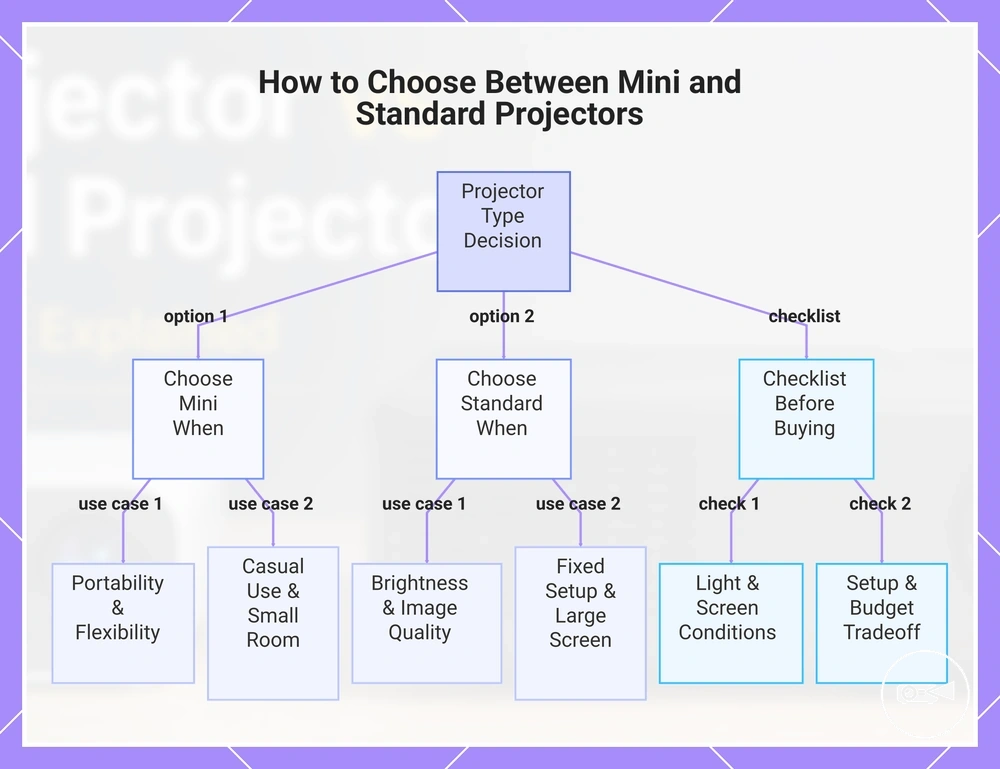
Choose a mini projector when portability and room flexibility matter more than maximum performance, and choose a standard projector when brightness, image quality, and a fixed setup are the dominant priorities. Neither type is a universal winner because the better fit follows the user's main viewing condition. The final decision should match the projector type to the priority attribute that affects regular use most.
Neither type is a universal winner because the better fit follows the user's main viewing condition.
A mini projector is the practical choice for portable casual use, small-room viewing, or outdoor flexibility where easy transport and adaptable placement matter more than a larger image. It also suits users who can control room light and accept a more modest screen size in exchange for convenience.
It also suits users who can control room light and accept a more modest screen size in exchange for convenience.
A standard projector is the better fit when stronger brightness, higher image quality, or a larger screen is the main requirement. Its larger body and setup effort are more acceptable in a controlled home viewing space where planned placement and a fixed setup support consistent performance.
For mixed priorities, rank the conditions rather than treating portability and performance as equal.
For mixed priorities, rank the conditions rather than treating portability and performance as equal. A budget-sensitive buyer should compare the cost of any required power, audio, mounting, or connection accessories with the convenience or performance gained from each projector type.
Use the mini projector buying checklist to confirm the final criteria before choosing.
Use the mini projector buying checklist to confirm the final criteria before choosing. The checklist converts Choosing Between Portability and Performance into a final decision based on the intended room, screen, power source, connected device, and budget tradeoff.
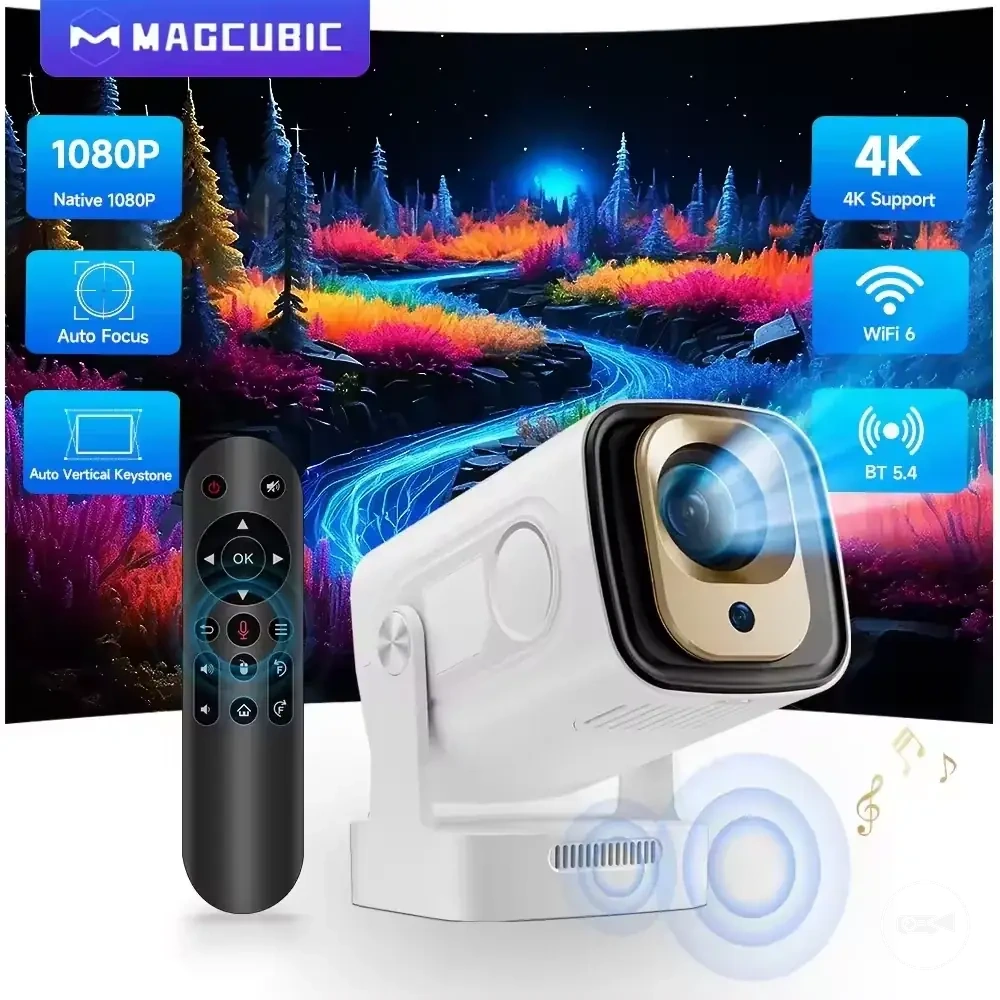
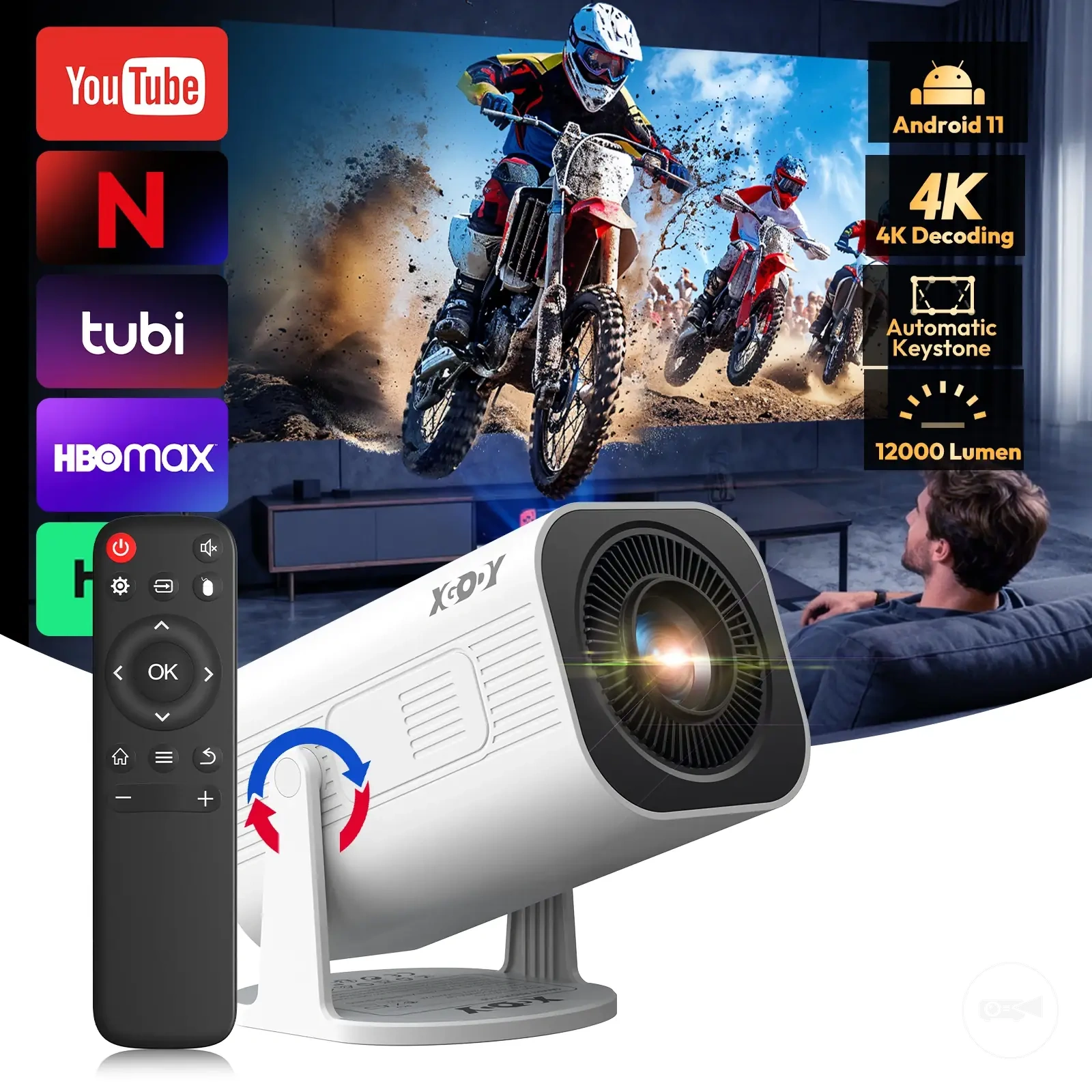
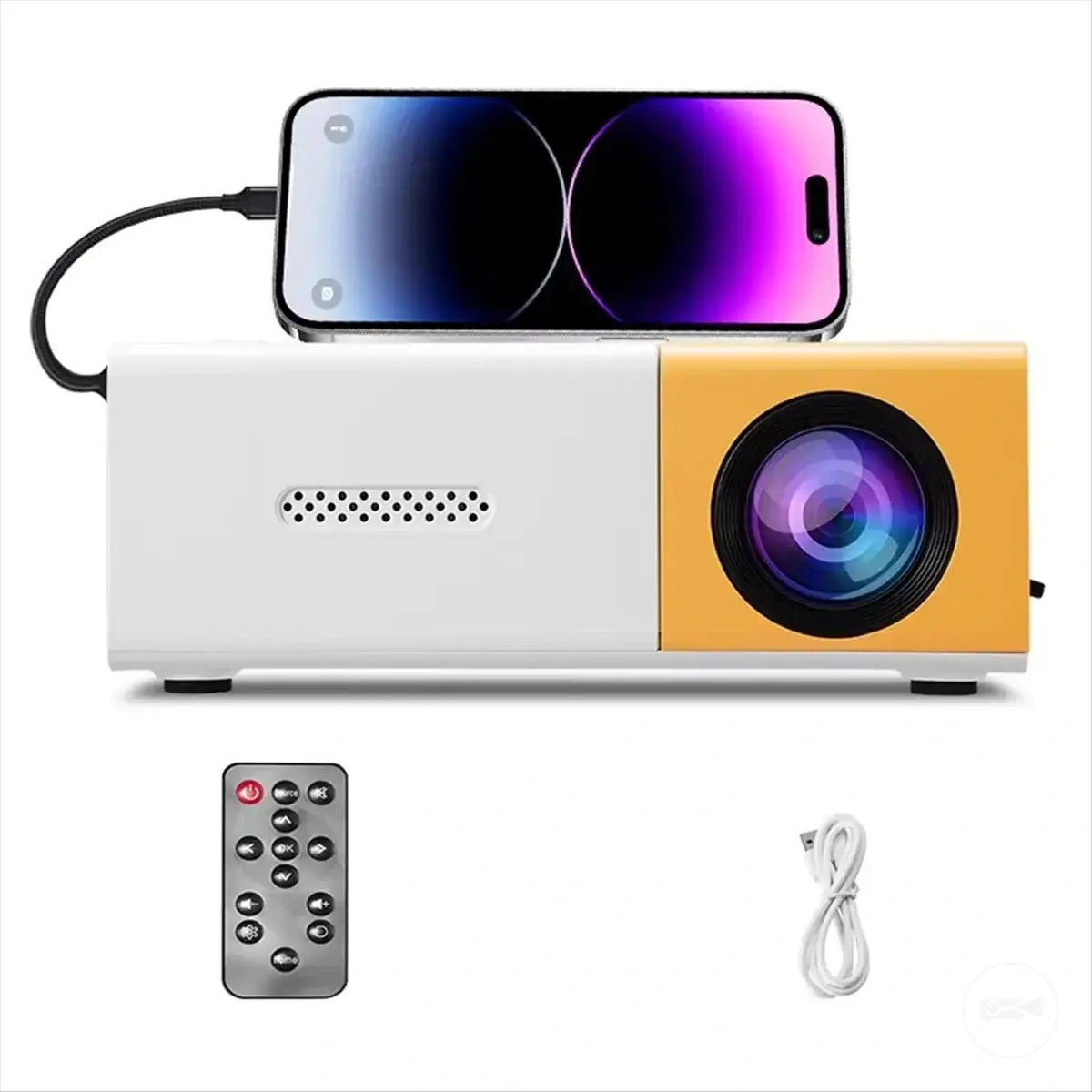
The products below are useful examples for comparing available options.
The products below are useful examples for comparing available options. Before buying, check that the compatibility criteria, key features, and product details match your needs.
- Choose mini if: portability, casual use, small-room flexibility, or easier outdoor placement is the leading need.
- Choose standard if: brightness, image quality, a larger screen, or fixed-room performance is the leading need.
- Check room light: limited light control increases the importance of brightness.
- Check screen size: a larger viewing area increases the performance requirement placed on the projector.
- Check power and setup: confirm whether battery operation, mains power, planned placement, or cable management fits the intended use.
- Check device compatibility: confirm that the projector and source device share a supported connection method.
- Check the budget tradeoff: include any required audio, power, mounting, or connection accessories in the cost-value decision.
This chart helps you decide between a mini projector and a standard projector by comparing their use cases and providing a pre-purchase checklist.