Mini Projector for Movies: Choosing the Right Viewing Features
A mini projector for movies should be chosen by how well its features fit the intended viewing conditions, not by a single advertised specification. Picture quality is shaped by room lighting and screen size, while sound, streaming access, viewing distance, and portability define the main decision variables.
A suitable mini projector should therefore match the environment in which most movies will be watched.
A dark room gives a compact projector more control over contrast and viewing comfort, whereas a living room with ambient light places greater feature priority on brightness. Portable viewing changes the decision because placement, power source, source device, and listening distance become more important. A suitable mini projector should therefore match the environment in which most movies will be watched.
Portable viewing changes the decision because placement, power source, source device, and listening distance become more important.
Judging a mini projector by resolution, brightness, or another isolated specification can produce an unbalanced result because each value addresses only one part of the viewing setup. Picture should be judged against room lighting and screen size, sound against dialogue clarity and listening distance, streaming against HDMI, Wi-Fi, casting, or app access, and portability against placement and power requirements. For example, a projector with suitable picture detail may still be a poor fit for room-to-room use when its source connection, audio arrangement, or setup practicality does not match the intended viewing conditions, so the next step is to evaluate the features together.
Its value should be judged by the combined fit of picture, sound, compatibility, sizing, and setup practicality.
A movie-focused mini projector is a compact viewing device selected for a home cinema setup, room-to-room use, or portable streaming setup. Its value should be judged by the combined fit of picture, sound, compatibility, sizing, and setup practicality.
Table of Contents
What Makes a Mini Projector Suitable for Movies
A mini projector is suitable for movies when it delivers balanced picture quality, sound, and source compatibility for the intended viewing conditions rather than excelling in only one specification. Movie suitability is judged by how brightness, resolution, screen size, streaming support, and room lighting work together to create comfortable home viewing.
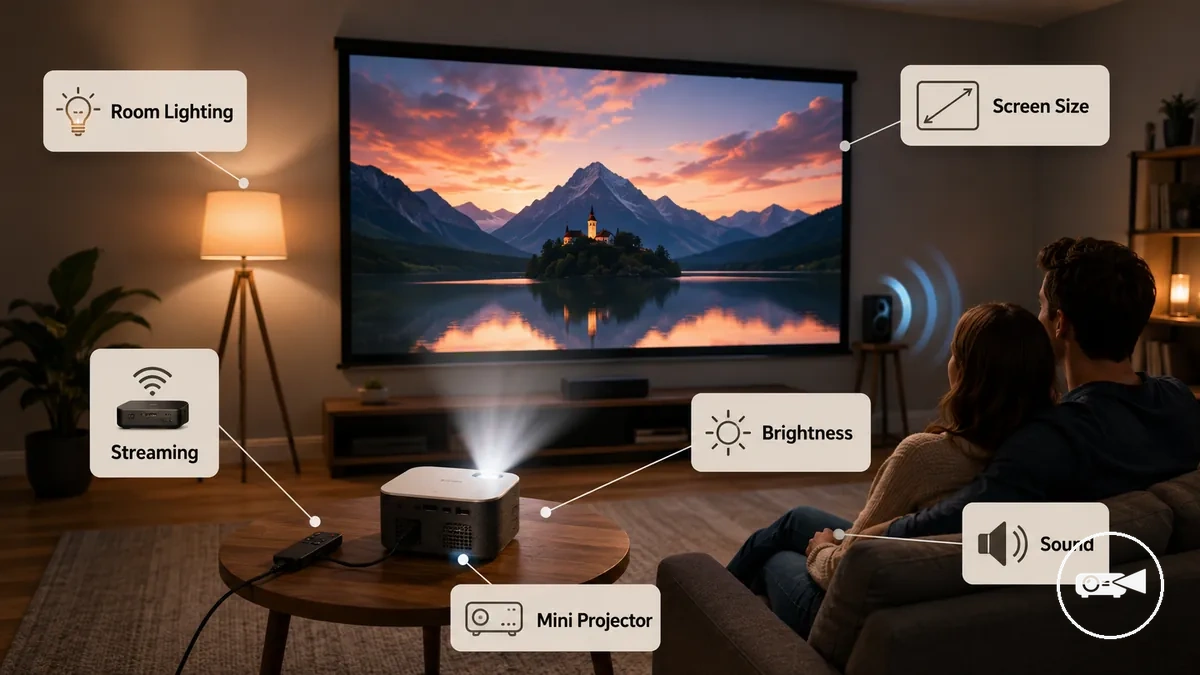
The main factors to verify before choosing a mini projector are the conditions that directly affect movie playback and viewing comfort.
- Picture visibility: Brightness matches the expected room lighting so dark scenes remain easier to see.
- Readable detail: Resolution provides sufficient picture detail for the intended screen size.
- Viewing comfort: Screen size and viewing distance create a comfortable viewing experience without unnecessary loss of sharpness.
- Usable sound: Built-in audio or an external speaker connection supports clear dialogue for the listening distance.
- Streaming path: The source device connects through a supported option such as HDMI, wireless casting, or built-in streaming apps.
Movie quality is not determined by a single specification because brightness, resolution, sound, and streaming compatibility each solve different viewing requirements. For example, a projector with higher brightness may improve visibility in a brighter room, while another with similar brightness but better source compatibility may provide a smoother streaming experience for home viewing. Movie-focused selection also differs from presentation-first or outdoor-first priorities, which emphasise different performance trade-offs, so continue with the mini projector buying guide to evaluate each feature in more detail.
Movie Picture Quality Factors
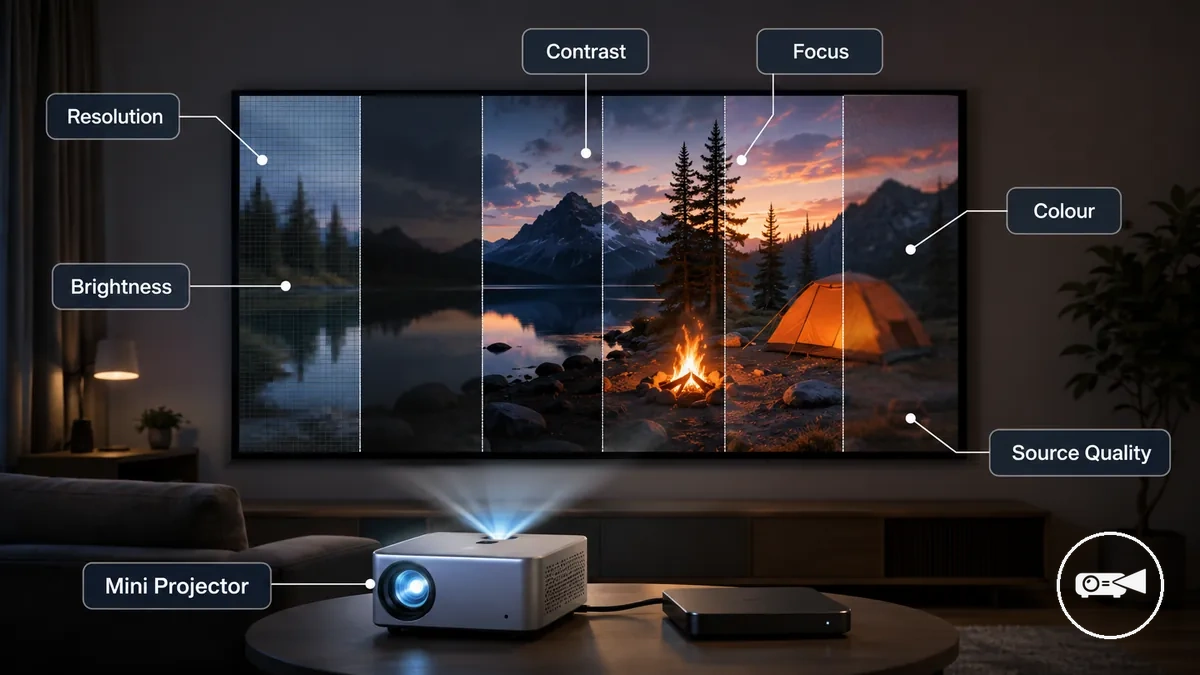
Movie picture quality on a mini projector is determined by the combined effect of its visual attributes rather than by a single specification. Resolution, brightness, contrast, colour handling, focus, and source quality work together to influence sharpness, dark-scene visibility, motion, and overall perceived clarity, so they should be evaluated as a complete viewing system.
Viewing conditions change how these attributes are perceived.
Viewing conditions change how these attributes are perceived. In a dark room, stronger contrast helps preserve shadow detail, while in a dim room sufficient brightness maintains image visibility. A larger projected screen also makes limits in resolution, focus, or source quality easier to notice, so picture quality should always be judged under the intended viewing conditions. For example, a movie that looks crisp on a 70-inch projection can reveal softer detail when projected much larger from the same video source.
The table below organises the main picture-quality factors by the viewing effect they influence.
The table below organises the main picture-quality factors by the viewing effect they influence. It provides a practical way to compare attributes before examining detailed resolution and brightness specifications in later sections.
| Picture factor | What it affects | Condition that changes it | Movie-viewing decision |
|---|---|---|---|
| Resolution | Picture detail and sharpness | Screen size and viewing distance | Higher resolution becomes more valuable as the projected image becomes larger. |
| Brightness | Image visibility | Room lighting | Select brightness appropriate for dark or dim viewing environments. |
| Contrast | Dark scenes and image depth | Ambient light level | Higher contrast improves separation between bright and dark areas during movie playback. |
| Focus | Edge-to-edge clarity | Lens adjustment and projector placement | Correct focus keeps details consistently sharp across the screen. |
| Colour handling | Natural colour reproduction | Video processing and content quality | Balanced colour helps movies appear more lifelike without oversaturation. |
| Source quality | Overall image quality and motion | Video resolution and compression | Higher-quality source material preserves finer detail and smoother motion. |
Focusing only on resolution can lead to misleading comparisons because picture quality also relies on brightness, contrast, focus, colour handling, and source quality. Evaluating these attributes together provides a more reliable basis for choosing a mini projector before comparing the individual visual specifications discussed in the following sections.
Native Resolution and Picture Detail
Native resolution has a greater effect on picture detail than supported resolution because it determines the projector's actual output image. A mini projector can accept a higher-resolution input signal, such as 1080p or 4K, while displaying it at its own native resolution, so visible sharpness is limited by the projector's imaging hardware. The difference becomes easier to notice as screen size increases or when high-quality source content is used.
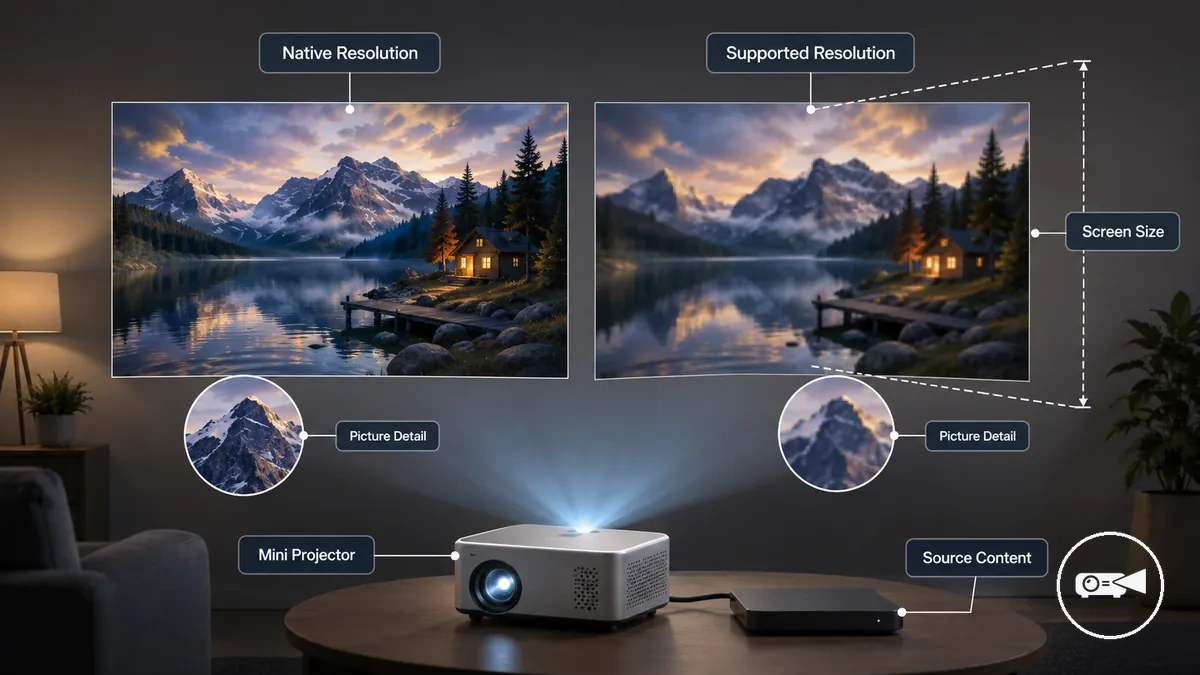
The distinction between supported input and native output is clearer when each specification is considered separately:
- Native resolution: Determines the projected image's actual output resolution and has the strongest influence on picture detail and perceived sharpness.
- Supported resolution: Indicates the highest input signal the projector can receive, but it does not mean the projected image is displayed at that same native resolution.
- Screen size: Softer image detail becomes more visible as the projected image becomes larger.
- Source quality: High-quality source content preserves more image detail, but it cannot produce more detail than the projector's native resolution allows.
For example, a 1080p mini projector used for casual viewing on a smaller screen can appear sharp, while a lower native-resolution projector accepting the same 1080p input may look noticeably softer during a larger movie-night projection. For a more detailed explanation of these relationships, see resolution and image quality.
Brightness, Contrast, and Room Lighting
Brightness and contrast have the greatest impact on movie visibility when matched to room lighting and screen size. A mini projector needs more brightness as ambient light increases or the projected image becomes larger, while stronger contrast preserves dark scenes and shadow detail for a more comfortable viewing experience. If the room cannot be darkened, brightness becomes the more important selection criterion.
| Viewing condition | Brightness concern | Contrast concern | Selection cue |
|---|---|---|---|
| Dark room | Lower brightness is generally sufficient because little ambient light competes with the projected image. | Higher contrast reveals more shadow detail in dark scenes. | Prioritise contrast for better movie immersion. |
| Dim living room | Moderate brightness helps maintain image visibility. | Balanced contrast keeps darker scenes easier to distinguish. | Choose a balance between brightness and portability. |
| Larger screen | A larger projected image requires more brightness to maintain comfortable visibility. | Good contrast helps preserve image depth across the larger screen. | Increase brightness priority as screen size grows. |
| Ambient-light viewing | Ambient light reduces perceived image visibility and washes out the picture. | Reduced perceived contrast makes dark scenes less distinct. | Prioritise brightness over portability when ambient light cannot be controlled. |
For example, a mini projector used for movie night in a dark room can deliver comfortable viewing with moderate brightness because limited ambient light preserves contrast. The same projector in a brighter living room benefits from higher brightness to keep the image easier to see.
The same projector in a brighter living room benefits from higher brightness to keep the image easier to see.
Avoid treating brightness as an exact lumen guarantee because room lighting, screen size, and contrast all influence perceived image quality. If movies are frequently watched outside a dark room, prioritise brightness for movie viewing before choosing the most portable projector.
Screen Size and Viewing Distance for Movies
Screen size should match the room depth, viewing distance, throw distance, and the mini projector's image capability to provide comfortable movie watching. A projection that fits both the available space and seating position maintains better brightness, perceived sharpness, and viewing comfort. If the image becomes too large for the room or projector, comfort and picture quality begin to decline.
The trade-off is greater immersion versus reduced brightness and image detail.
In a small room, a modest screen size usually provides a more comfortable viewing range because seating is closer to the image. A larger projection spreads available brightness across a greater surface and can make reduced sharpness more noticeable, especially when the projector or room cannot support it. The trade-off is greater immersion versus reduced brightness and image detail.
The table below organises common screen-size decisions by viewing situation.
The table below organises common screen-size decisions by viewing situation. It compares comfort, brightness, and distance considerations without suggesting one universal best screen size.
| Viewing situation | Screen-size concern | Distance condition | Selection cue |
|---|---|---|---|
| Small room | A large image can overwhelm the viewing area and reveal softer detail. | Limited room depth restricts throw distance and seating distance. | Choose a screen size that remains comfortable from the primary seat. |
| Living room | Balance immersion with available brightness and perceived sharpness. | Allow enough throw distance for projector placement while keeping a comfortable viewing distance. | Increase image size only while movies remain clear and comfortable to watch. |
| Larger movie night | A larger screen reduces perceived brightness and highlights image softness if projector capability is limited. | More room depth supports larger projections and comfortable seating. | Expand projection size only when the projector, room, and screen surface can support it. |
| Temporary setup | Available wall or portable screen space limits practical image size. | Projector placement and seating must fit temporary room conditions. | Prioritise stable image quality over maximum projection size. |
For example, moving a mini projector farther from the screen can create a larger image, but nearby seating may make reduced brightness and softer detail easier to notice. Compare screen size for movies with the available throw distance before choosing a larger projection.
Compare screen size for movies with the available throw distance before choosing a larger projection.
A larger projection improves the movie experience only when the projector, room depth, viewing distance, brightness, and screen surface can support it without compromising comfort or perceived sharpness.
Screen Surface, Aspect Ratio, and Placement Fit
Screen surface, aspect ratio, and placement fit directly influence perceived movie image quality because texture, colour, flatness, and projector alignment affect brightness, image geometry, and movie framing. A smooth, flat, neutral-coloured projection surface preserves a cleaner image than an uneven or strongly coloured wall surface. Correct alignment keeps the projected image square and reduces visible geometric distortion.
Correct alignment keeps the projected image square and reduces visible geometric distortion.
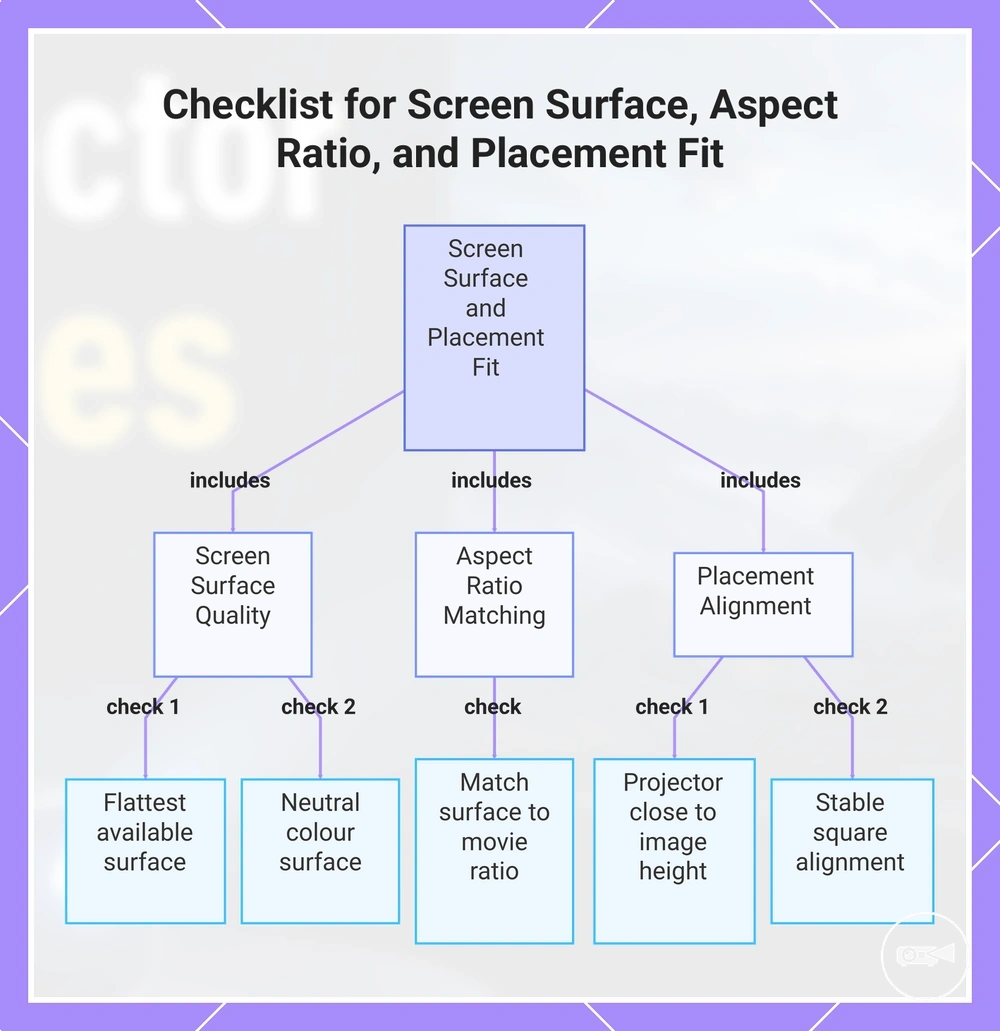
A flat wall surface can provide good results when it is smooth, evenly coloured, and large enough for the selected aspect ratio, while a portable screen offers a more consistent projection surface when the wall is textured or uneven. For example, in a compact room, a portable screen may help maintain cleaner movie framing if the available wall contains visible texture or decorations. Use the checklist below to confirm that the surface and placement support stable image quality.
- Surface flatness: Use the flattest available screen surface because bumps, folds, or uneven areas distort image geometry.
- Surface colour: A neutral white or light-grey projection surface preserves brightness and reduces unwanted colour shifts compared with dark or strongly coloured walls.
- Aspect ratio: Match the projection surface to the movie's aspect ratio so the image shape fits naturally without unnecessary cropping or stretching.
- Projector height: Position the projector close to the intended image height to minimise geometric correction and maintain more natural movie framing.
- Angle stability: Keep the projector angle stable and square to the projection surface because uneven alignment produces tilted edges and distorted image geometry.
This chart shows the key factors to check for screen surface, aspect ratio, and placement to maintain stable movie image quality.
Throw Fit and Comfortable Movie Viewing Size
Throw fit is the relationship between throw distance, projector placement, room depth, and the image size a mini projector can produce while maintaining comfortable seating distance and clear focus. A suitable throw fit matches the available room depth to the intended viewing size so the projector can create a balanced movie image without forcing awkward placement.
Use the table below to assess whether the room supports comfortable movie viewing.
Projector placement determines image size because increasing throw distance enlarges the projected image within the available room depth. If the projector is placed farther back, the larger image can reduce perceived brightness and make placement less stable, while positioning it too close limits viewing size. Use the table below to assess whether the room supports comfortable movie viewing.
| Placement condition | Image effect | Comfort risk | What to check |
|---|---|---|---|
| Projector placed close to the screen | Smaller image with easier focus | Viewing size may feel limited for the seating distance | Confirm the image remains large enough for comfortable movie viewing. |
| Projector positioned for balanced throw fit | Image size matches room depth and seating distance | Comfortable viewing with stable focus | Check that projector placement suits the available room without excessive adjustment. |
| Projector placed farther from the screen | Larger image size | Brightness can decrease and placement stability can become more difficult | Verify that focus, brightness, and room depth still support comfortable viewing. |
For example, a compact living room may achieve a more comfortable result with a moderate viewing size instead of moving the projector to the furthest possible position. When exact throw specifications are unavailable, check the manufacturer's published throw distance information before choosing a permanent projector placement.
Sound Quality and Speaker Options
Sound quality depends on the capability of the built-in speakers, room size, and listening distance. Built-in speakers are often sufficient for casual movie viewing in a small room when dialogue remains clear above fan noise, while external audio becomes the better choice when higher volume or greater immersion is the priority.
The preferred speaker option should match the room size, required volume, and listening conditions.
For solo viewing in a compact room, built-in speakers provide convenient audio without additional equipment. For family viewing or louder movie nights, a longer listening distance and projector fan noise can reduce dialogue clarity, making external audio a more suitable option. The preferred speaker option should match the room size, required volume, and listening conditions.
For solo viewing in a compact room, built-in speakers provide convenient audio without additional equipment.
The comparison below highlights the practical trade-offs between built-in speakers and external audio for movie viewing.
| Built-in speaker use | External audio use |
|---|---|
| Convenience: Integrated into the mini projector with no additional equipment required. | Convenience: Requires a separate speaker or soundbar and an audio connection. |
| Volume: Better suited to moderate listening levels in smaller rooms. | Volume: Better suited to larger rooms or louder movie playback. |
| Dialogue clarity: Usually adequate when viewers sit close enough that fan noise does not mask speech. | Dialogue clarity: Can improve speech intelligibility by providing stronger, clearer audio at longer listening distances. |
| Setup effort: Minimal because the projector speaker is already built in. | Setup effort: Higher because the external audio device must be positioned and connected. |
| Best-fit situation: Casual solo viewing or small-room movie sessions where convenience is the priority. | Best-fit situation: Family viewing, larger rooms, or louder movie nights where improved immersion and dialogue clarity justify the additional setup. |
Built-In Speakers for Casual Viewing
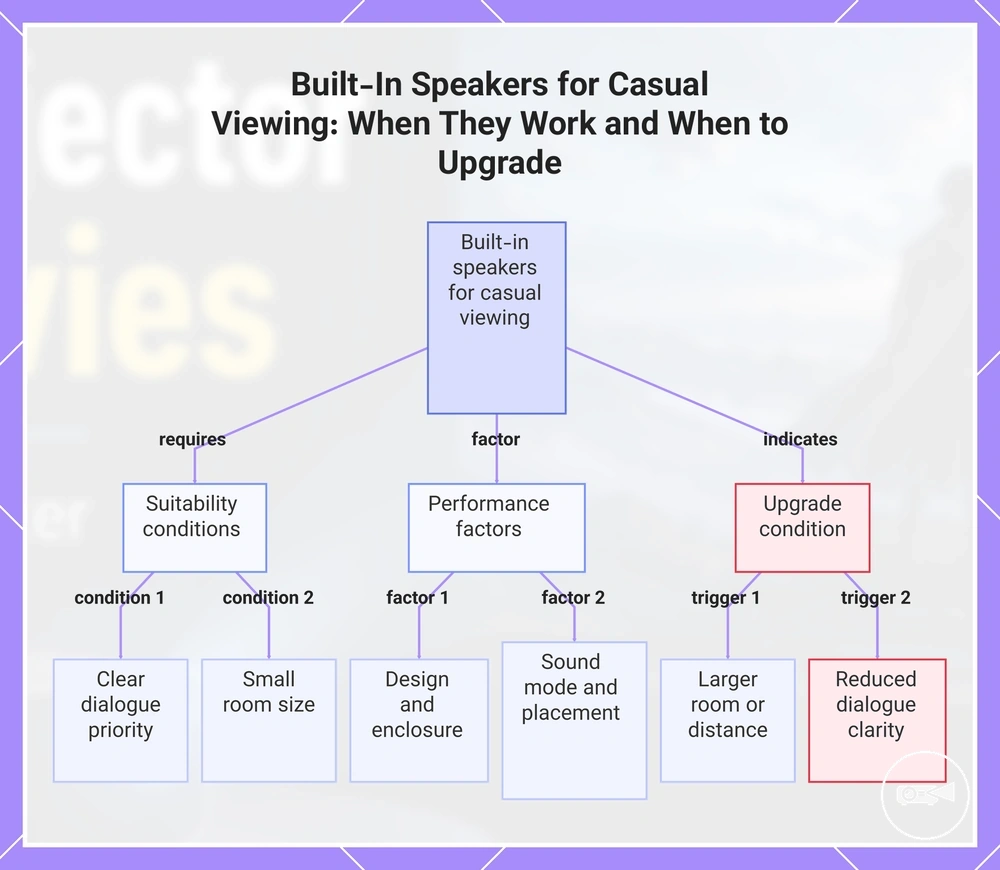
Built-in speakers are usually most suitable for casual viewing at a short listening distance where clear dialogue matters more than high volume or powerful bass. Their performance is shaped by the projector speaker design, enclosure, sound mode, and placement, making them a practical option for small rooms rather than larger spaces.
Built-in speakers are usually most suitable for casual viewing at a short listening distance where clear dialogue matters more than high volume or powerful bass.
For example, a casual movie night in a bedroom or small living room can be enjoyable with built-in speakers when convenience is more important than maximum audio depth. If a larger room, longer listening distance, or higher volume reduces dialogue clarity or user satisfaction, external audio becomes the more suitable choice while keeping realistic bass expectations.
This chart shows the suitability conditions, performance factors, and upgrade triggers for built-in speakers in casual viewing scenarios.
This chart shows the suitability conditions, performance factors, and upgrade triggers for built-in speakers in casual viewing scenarios.
External Speakers, Soundbars, and Audio Output
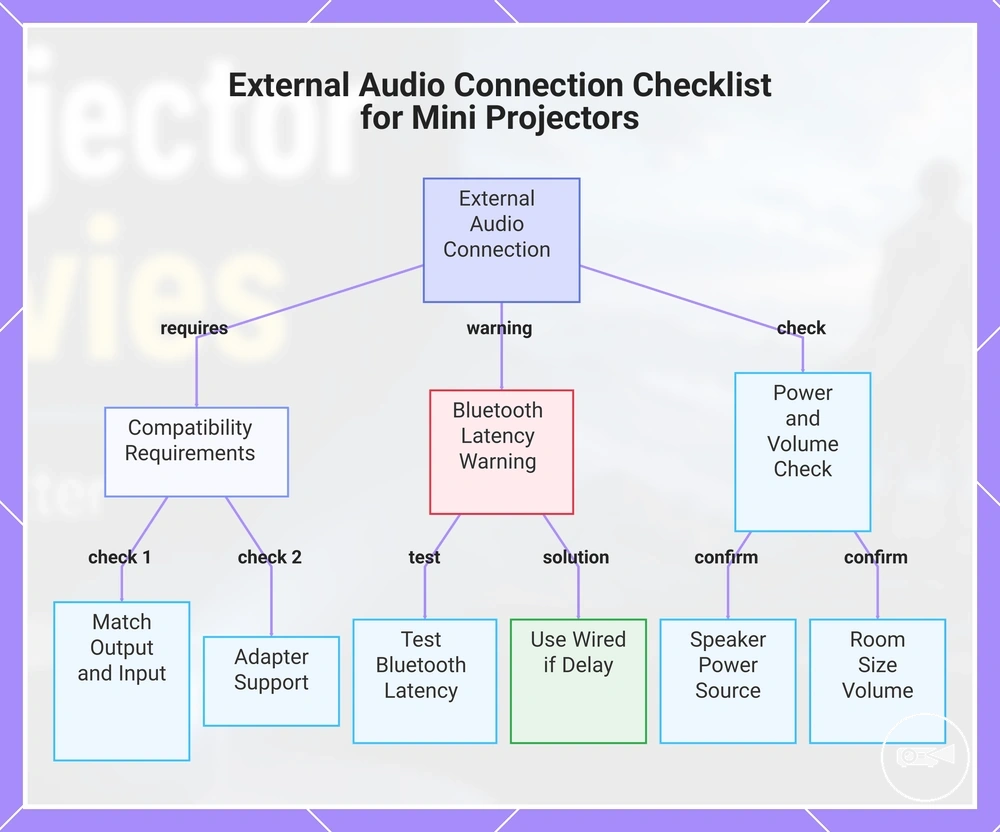
External speakers or a soundbar become a better movie setup choice when the mini projector's built-in sound cannot provide enough volume or dialogue clarity for the room. Compatibility requires a matching audio output and speaker input, such as Bluetooth, AUX, or HDMI audio, or a suitable adapter between the two connections.
Check the following conditions before connecting external audio.
If the projector lacks the required audio port, an adapter can bridge compatible analogue or digital connections, but it cannot add an unsupported audio format. Bluetooth may introduce latency that causes movie dialogue to fall out of lip-sync, so wireless playback should be tested where timing matters. Check the following conditions before connecting external audio.
- Verify that the projector provides the required audio output: Bluetooth, AUX, or HDMI audio.
- Confirm that the external speakers or soundbar accept the same connection type.
- Check whether an adapter is needed and whether it supports the projector's output and the speaker's input.
- Test Bluetooth latency during movie dialogue and use a wired connection if the lip-sync delay is distracting.
- Confirm that the speaker has its own suitable power source and enough volume for the intended room size.
This chart shows the key compatibility checks and warnings when connecting external speakers or a soundbar to a mini projector.
Streaming and Device Compatibility
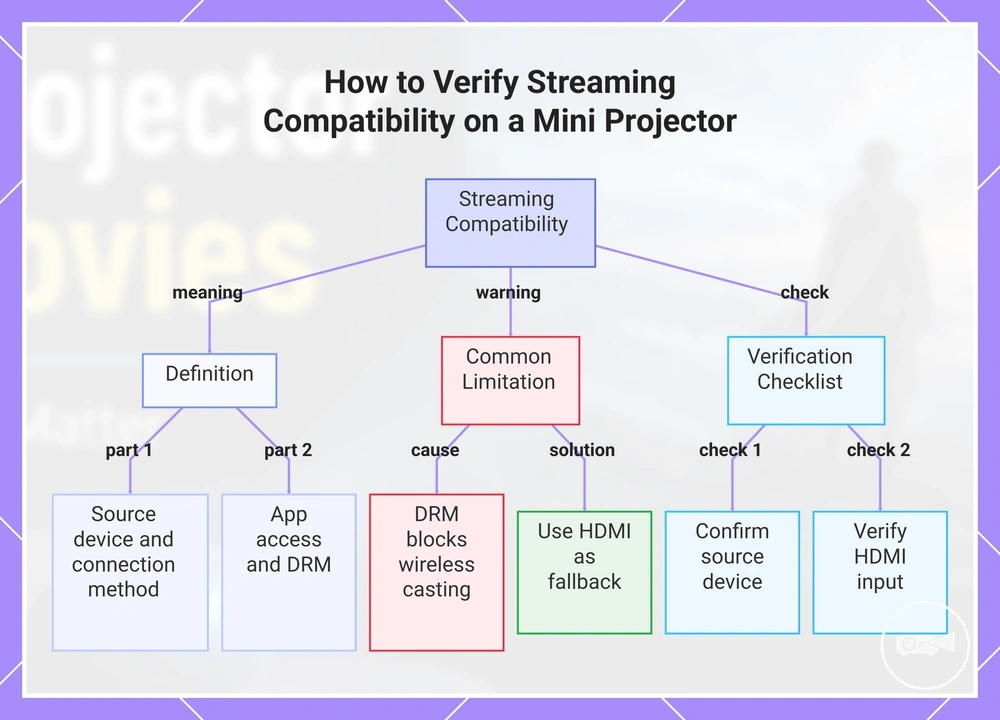
Streaming compatibility is achieved when the mini projector supports your source device, connection method, and required app access. Movies can be played from a phone, laptop, streaming stick, or game console through HDMI, Wi-Fi, wireless casting, or a compatible adapter, provided the playback path is supported. Verify the intended connection before relying on a specific streaming setup.
Verify the intended connection before relying on a specific streaming setup.
Wireless casting and built-in smart features do not guarantee access to every streaming service because some apps use DRM that limits unsupported playback methods. If wireless casting cannot play a protected service, connecting a streaming stick or laptop through HDMI often provides a compatible playback path instead. Built-in smart features and compatibility with an external streaming device should be evaluated separately.
Built-in smart features and compatibility with an external streaming device should be evaluated separately.
Use the checklist below to confirm that your projector, source device, and accessories support the intended movie playback path. For more information about connectivity for streaming devices, verify the available connection options before making a final choice.
- Confirm the source device you plan to use, such as a phone, laptop, streaming stick, or game console.
- Verify that the projector includes an HDMI input if an external streaming device will be connected.
- Check that Wi-Fi and wireless casting support match the casting technology used by the source device.
- Confirm that the required streaming app is available through the chosen playback method and is not restricted by DRM.
- Verify whether an adapter is needed for the selected phone or laptop connection.
- Check that the chosen playback path also supports the intended audio output.
This chart shows the definition of streaming compatibility, a common DRM limitation, and the key verification steps to ensure your mini projector can play movies from your devices.
HDMI, Wi-Fi, and Wireless Casting
HDMI, Wi-Fi, and wireless casting serve different movie playback needs rather than providing the same connection path. HDMI uses a wired connection between the source device and the projector, while Wi-Fi supports network features and wireless casting sends video from a compatible source device. If stable playback is the priority, HDMI is usually the more reliable connection.
If stable playback is the priority, HDMI is usually the more reliable connection.
Wireless playback is not automatically the simpler choice because latency, app limitation, or casting support can affect the viewing experience. If reducing adapters matters more than maximum playback stability, wireless casting from a compatible phone can be suitable; otherwise, HDMI is often the better choice for consistent movie playback.
| Connection method | Strength | Limitation | Best use case |
|---|---|---|---|
| HDMI | Stable wired playback with low latency from a compatible source device. | Requires an HDMI port or a compatible adapter. | Watching movies where consistent playback is the priority. |
| Wi-Fi connection | Supports built-in smart features and network-based playback. | Playback may be limited by available apps or network support. | Using supported built-in streaming apps over a wireless network. |
| Wireless casting | Conveniently shares content from a compatible phone or other source device. | Latency and app limitation can affect protected streaming services or smooth playback. | Casual movie viewing when casting is supported by both the app and the projector. |
Streaming Sticks, Phones, and App Access
Streaming sticks, phones, laptops, and built-in apps determine the movie playback path, while the mini projector displays the content. Each source device uses different connection methods and software requirements, which affect app access, playback control, and compatibility. Selecting the correct source device creates a more reliable playback path.
Selecting the correct source device creates a more reliable playback path.
A streaming stick typically connects through the HDMI port and may require USB power from the projector or an external power adapter. A phone can use casting or a compatible video adapter, while a laptop commonly connects through HDMI for direct playback control. Use the checklist below to confirm the source-device path before starting playback.
- Streaming stick: Check that the projector has an available HDMI port and sufficient USB power or an external power source for the streaming device.
- Phone: Confirm that casting or a compatible video adapter is supported, because DRM or an app limitation can restrict playback from certain services.
- Laptop: An HDMI connection usually provides direct playback control and a stable media source for movie viewing.
- Built-in apps: Verify that the required app is available on the projector and that software updates continue to support compatibility.
- Power and adapters: Confirm that any required USB power cable, charger, or video adapter matches both the projector and the selected source device.
Portable Movie Setup Features
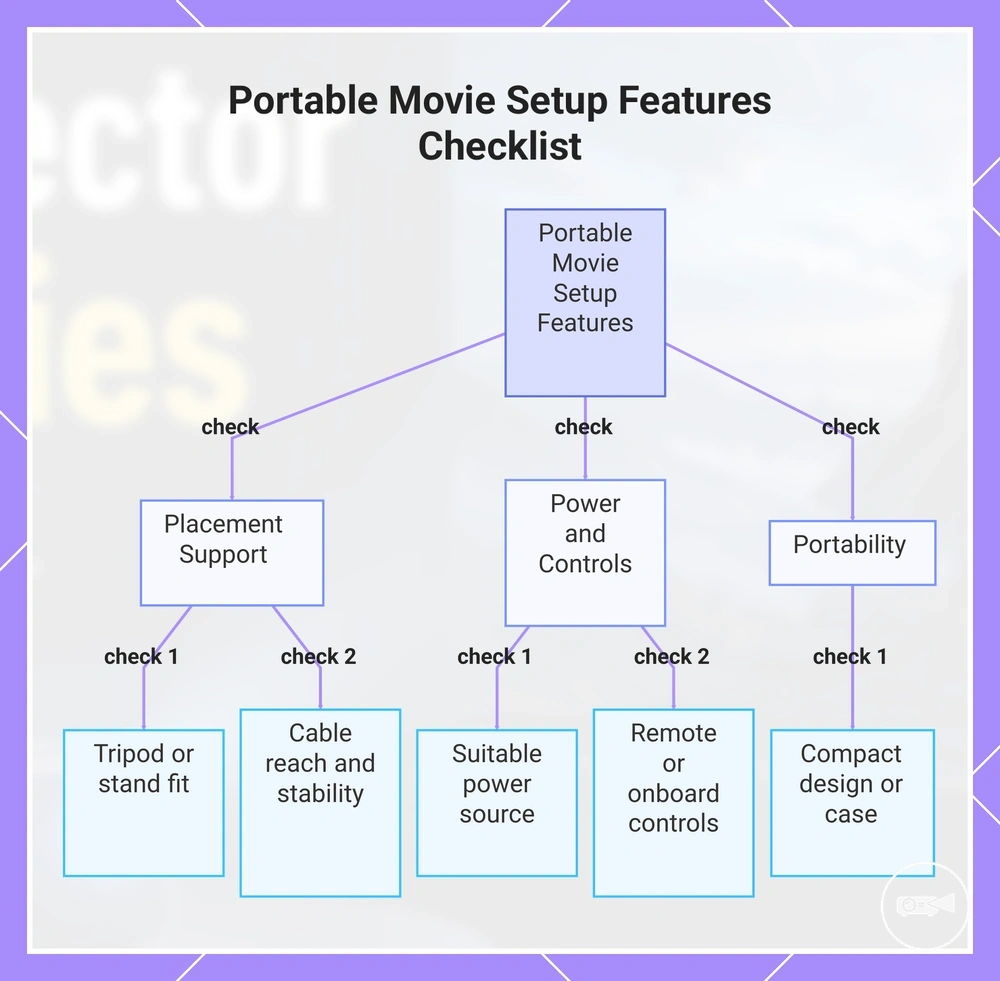
Portable movie setup features matter most when a mini projector moves between viewing spaces instead of staying in one location. Tripod support, stand fit, an appropriate power source, practical controls, and carrying practicality reduce setup effort while improving placement stability and viewing reliability. Choosing these features based on how often you move the projector makes movie nights more convenient.
Simple controls and easy room-to-room transport help maintain stable placement with less adjustment.
If you regularly move the projector from a living room to a bedroom or another temporary viewing space, setup speed becomes more important. Tripod support or a compatible stand can improve image alignment when a suitable surface is unavailable, but neither is required for every setup. Simple controls and easy room-to-room transport help maintain stable placement with less adjustment.
Use this checklist to decide whether the projector's portable features match your viewing habits.
Use this checklist to decide whether the projector's portable features match your viewing habits. Focus on features that improve convenience and setup stability rather than treating accessories as essential.
- Placement support: Check whether tripod support or good stand fit is available if you expect to use different viewing locations.
- Power source: Confirm that the available power source suits where you plan to watch, whether through mains power or a supported battery option.
- Controls: Remote controls or accessible onboard controls can speed up room-to-room setup and everyday adjustments.
- Carrying practicality: A compact design or carrying case can make transporting the projector between viewing spaces easier.
- Cable reach and setup stability: Verify that power and video cables comfortably reach the intended position without reducing placement stability.
This chart shows the key portable features to check when a mini projector moves between viewing spaces, helping you choose based on your viewing habits.
Tripod, Stand, and Room-to-Room Placement
Tripod or stand support improves room-to-room placement by giving better control over height, angle, and image alignment when the support is stable and compatible with the projector. A firm surface and stable placement help maintain focus while reducing setup effort, making viewing more comfortable.
This added adjustability can improve viewing comfort without making a tripod a required accessory.
For example, a coffee-table setup works well when the table already provides the correct viewing height, while an adjustable tripod or stand offers better height and angle control when seating or room layout changes. This added adjustability can improve viewing comfort without making a tripod a required accessory.
For example, a coffee-table setup works well when the table already provides the correct viewing height, while an adjustable tripod or stand offers better height and angle control when seating or room layout changes.
Use these points to compare placement support options:
- Height: Adjustable height helps position the projected image closer to the preferred viewing level.
- Angle: Tripod or stand adjustability can simplify image alignment when the projector cannot be placed directly in front of the screen.
- Stability and surface condition: A firm, level surface helps maintain focus and reduces unwanted movement during playback.
- Room-to-room placement: Portable placement support can reduce setup effort when moving the projector between different viewing spaces.
Power Source and Battery Practicality
A suitable power source directly affects uninterrupted movie viewing. Battery practicality should be matched to movie length, brightness mode, and the available power source, including mains power, USB power where supported, or a compatible power bank. Runtime is conditional because power settings and connected devices influence battery use.
A suitable power source directly affects uninterrupted movie viewing.
Battery claims can change when higher brightness mode or built-in audio increases power consumption, reducing practical viewing time on some models. If uninterrupted playback is important, confirm the planned power setup before watching, then use this checklist to verify reliable operation.
- Movie length: Check that the expected runtime suits the films you normally watch.
- Power outlet access: If using mains power, confirm the adapter can remain connected throughout playback.
- Cable reach: Verify that the power cable comfortably reaches the intended room placement.
- Battery mode: Treat runtime as conditional because higher brightness mode and built-in audio can shorten viewing time.
- USB power and power bank compatibility: Confirm that the projector explicitly supports USB power or power-bank operation before relying on external battery power.
- Brightness and audio settings: Lower brightness or using mains power can improve reliability for longer movie sessions.
Feature Priorities by Movie Viewing Situation
Feature priorities change with each movie viewing situation because viewing location, screen size, content source, audio expectation, and portability alter what matters most. A useful selection compares each use case with its priority attribute, acceptable trade-off, and next decision. The criteria table below matches common movie setups with practical feature priorities.
The criteria table below matches common movie setups with practical feature priorities.
The table organises each viewing use case by highest-priority features, acceptable trade-off, and the checks that protect value before choosing.
| Movie viewing situation | Highest-priority features | Acceptable trade-off | What to check before choosing |
|---|---|---|---|
| Casual bedroom movies | Convenient setup, suitable image size for a small room, built-in speaker, and simple content access | Lower maximum screen size or modest speaker output is acceptable when the viewing distance is short and the room is quiet | Check placement distance, fan noise, speaker clarity, and whether the preferred content source connects directly or through HDMI |
| Living-room viewing | Higher usable brightness, clear resolution, flexible screen size, and external audio support | Reduced portability is acceptable when the projector remains in one main viewing area | Check ambient-light control, viewing distance, available wall or screen area, and audio connection options |
| Portable streaming | Wireless or HDMI connectivity, a practical power source, compact placement, and fast setup | Smaller speakers or reduced brightness are acceptable when portability and connection simplicity have higher priority | Check streaming-device compatibility, mains or battery operation, adapter needs, and network availability at the intended location |
| Larger screen nights | Resolution, brightness, stable image alignment, suitable throw distance, and external audio | More setup effort and lower portability are acceptable in exchange for a larger image and stronger viewing comfort | Check the intended screen size, projector-to-screen distance, room darkness, seating distance, and support stability |
| Shared family viewing | Balanced brightness, clear dialogue, simple controls, broad device connectivity, and reliable mains power | Compact size has lower priority when ease of use and consistent shared viewing provide greater value | Check input availability, speaker or external audio options, control simplicity, cable reach, and placement safety |
For casual bedroom movies, convenience usually has greater value than maximum image scale. A compact setup with straightforward content access, adequate built-in audio, and a small-screen viewing condition reduces setup effort. Prioritise simple placement and quiet operation before higher-output features.
Prioritise simple placement and quiet operation before higher-output features.
Living-room viewing and larger screen nights place greater priority on usable brightness, resolution, screen size, viewing distance, and external audio support. A less portable projector is an acceptable trade-off when it provides a more stable setup for a larger image. Use mini projector value for movies as a decision check before treating any single specification as the main selection signal.
A less portable projector is an acceptable trade-off when it provides a more stable setup for a larger image.
Portable streaming and room-to-room use shift the priority attribute towards wireless or HDMI connectivity, power source, adapter requirements, and setup practicality. Confirm content-source compatibility, available power, and placement conditions before relying on portability alone.
Confirm content-source compatibility, available power, and placement conditions before relying on portability alone.
Choose by matching the movie setup to the features that directly protect viewing quality and reliability, then accept a trade-off only when it does not weaken the main use case. Strong value comes from a balanced selection rather than over-relying on brightness, resolution, portability, or audio as a single deciding feature.
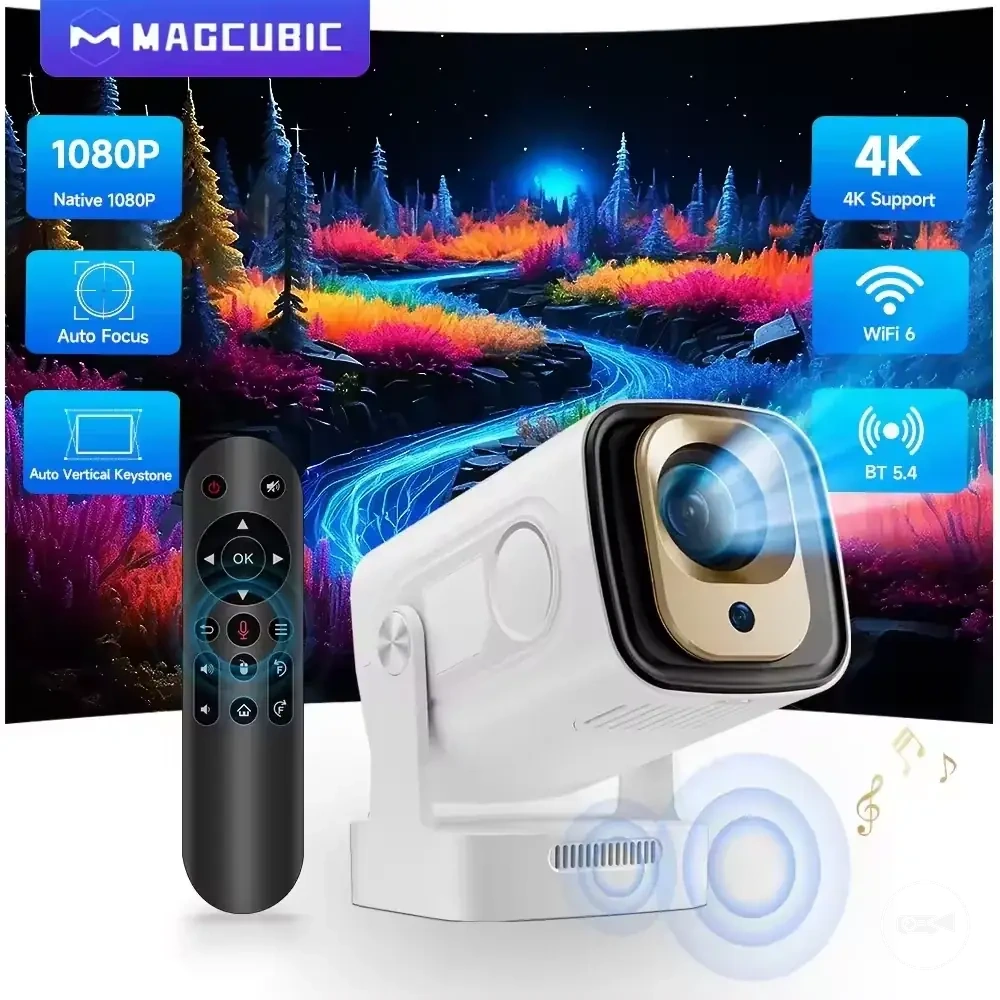
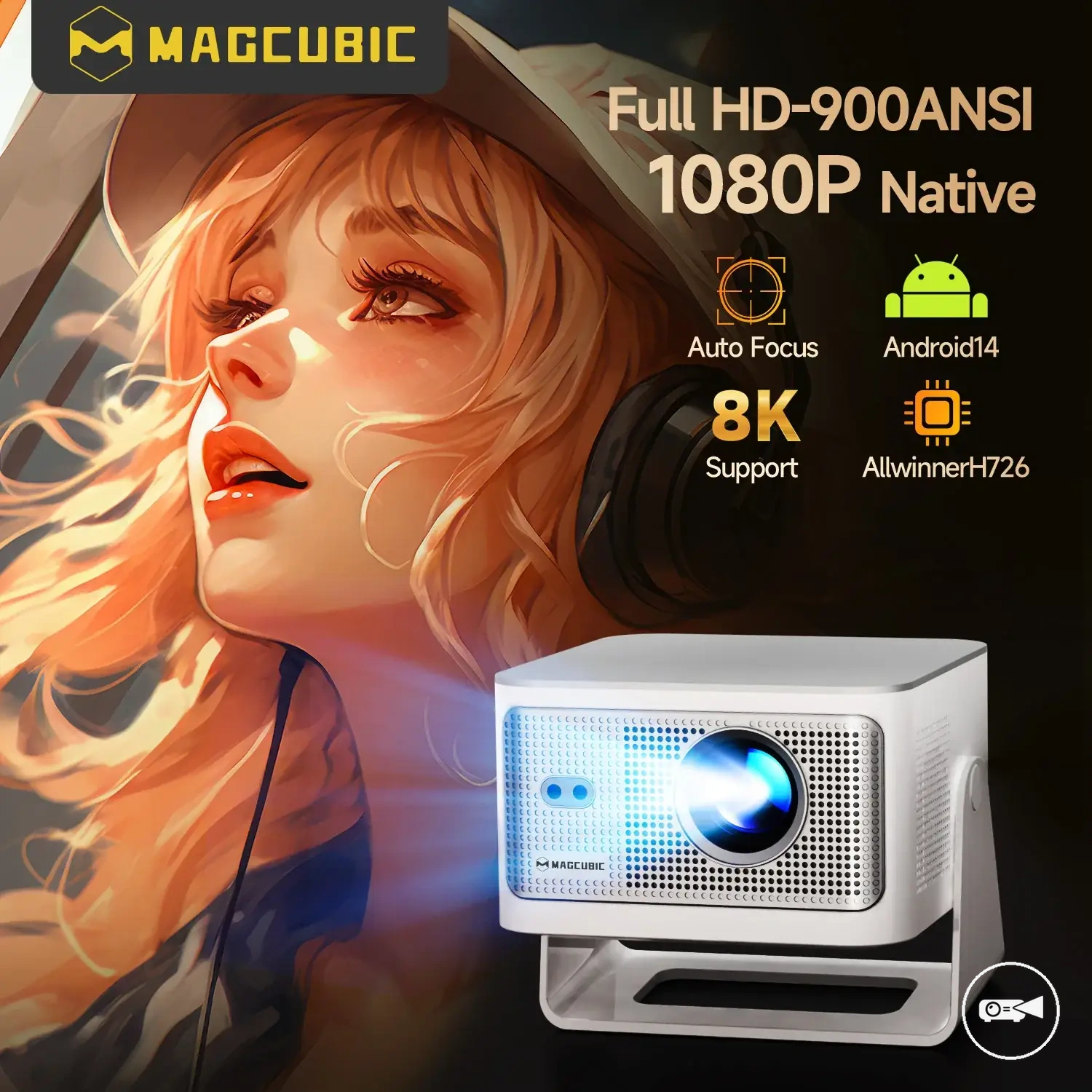
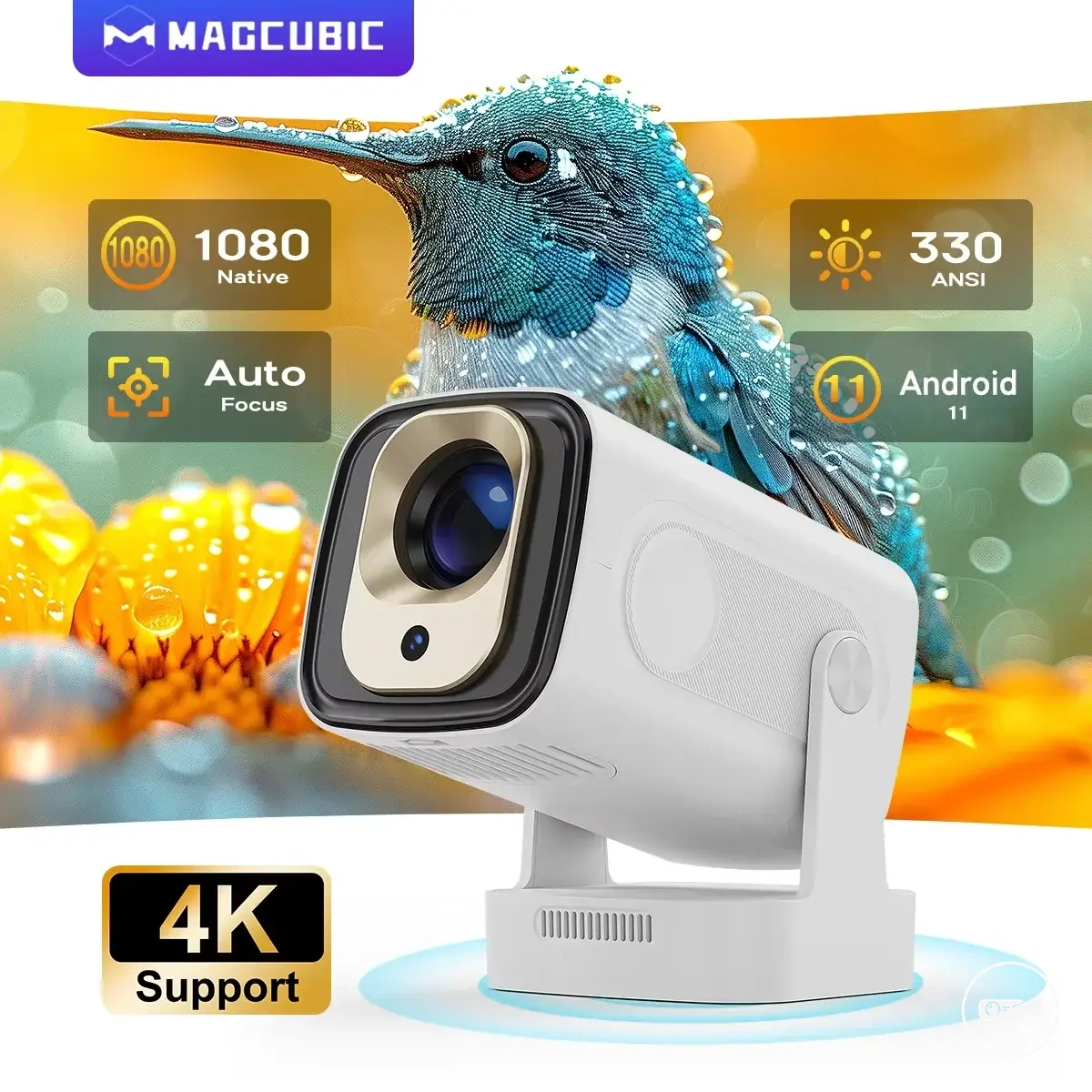
The products below are useful examples for comparing available options.
The products below are useful examples for comparing available options. Before buying, check that the compatibility criteria, key features, and product details match your needs.