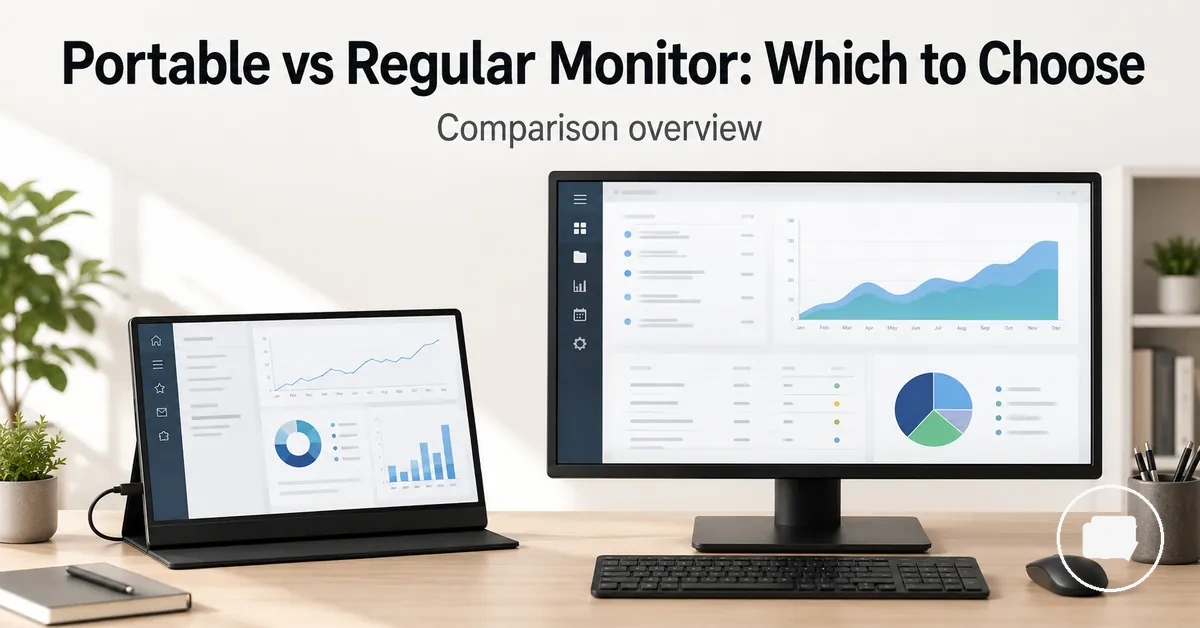
Portable Monitor vs Regular Monitor for Work and Desk Setups
A portable monitor is usually the better choice when portability and a flexible second screen matter more, while a regular monitor is usually the better choice when desk permanence and viewing comfort matter more. The right option depends on how and where you work, how much desk space you have, how your laptop connects to the display, and the balance you want between portability, screen size, ergonomics, connection, and long-term value.
For travel, hybrid work, or a small desk, a portable monitor can add a second screen without creating a permanent workspace. For a fixed desk setup, a regular monitor can provide a more stable main display for longer work sessions. If you want broader background before comparing these options, see the portable monitor guide. The comparison below focuses on how each monitor type fits different work environments rather than identifying a universal winner.
Portable flexibility and regular-monitor comfort serve different priorities. A portable monitor can suit users who frequently move between locations or need an external monitor alongside a laptop. A regular monitor can suit users who spend more time at the same desk and value a larger screen size, consistent power and connection options, and improved ergonomics. The better choice depends on work style, device compatibility, desk setup, and expected long-term value rather than on one monitor type alone.
How Portable Monitors and Regular Monitors Differ
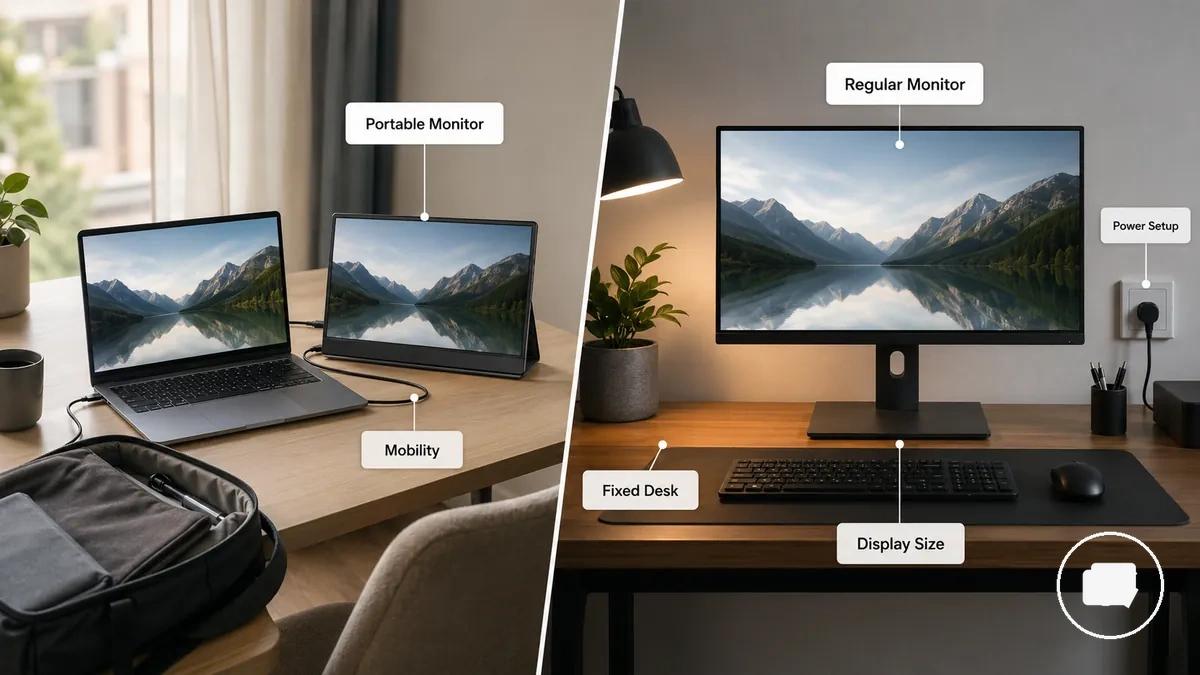
The main difference between a portable monitor and a regular monitor depends on whether you need mobility or a permanent workstation display. A portable monitor is designed for flexible use across different locations, while a regular monitor is intended to remain part of a fixed desk setup. The comparison below organizes the distinction by mobility, screen permanence, power setup, desk footprint, and workstation role.
The image below labels the visible difference between portable-display mobility and regular-monitor permanence.
| Feature | Portable monitor | Regular monitor | Decision effect |
|---|---|---|---|
| Mobility | Lightweight and easy to move | Designed for a fixed desk | Choose based on how often the display needs to move. |
| Screen size | Typically prioritizes portability | Often prioritizes a larger display size | Screen size should match the available workspace and viewing preference. |
| Power | May operate through USB-C or another compatible connection | Often uses a dedicated power setup with display cables | Power setup depends on the devices and workstation configuration. |
| Desk footprint | Suitable for temporary or compact workspaces | Occupies a permanent desk position | Desk space can influence which monitor type is more practical. |
| Main-use role | Movable second screen | Main workstation display | The intended work environment usually determines the better fit. |
A portable monitor is a portable display built around mobility and lightweight design. It can serve as a second screen for a laptop when working across different locations or using a temporary setup. The emphasis is on flexibility rather than permanent placement. Its primary role is to provide a flexible-screen solution.
A regular monitor is a desktop monitor intended for a fixed workstation where screen permanence and stable placement are priorities. It often serves as the main display for longer work sessions in a dedicated desk setup. In everyday user language, regular monitor, desktop monitor, and external monitor may overlap, but in this comparison they all represent the fixed-display side rather than separate product categories. Its primary role is to support a fixed workstation.
Portable display versus fixed desktop display
A portable display is a screen designed for transportability, while a fixed desktop display is intended to remain in a dedicated desk location. A portable monitor typically emphasizes lower weight, a built-in or foldable stand, manageable cable needs, and easy movement between locations. A regular monitor instead focuses on stable desk placement, stand or mount support, and larger panel options, separating a portable display from a fixed desktop display.
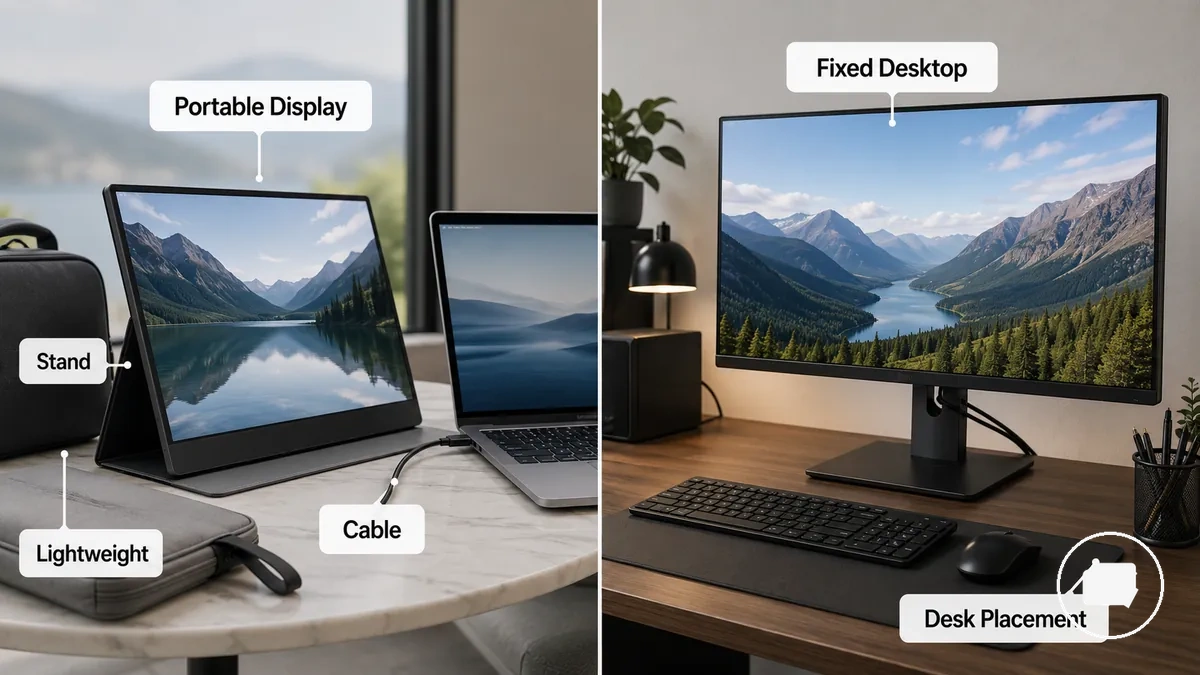
A laptop user working in different locations may prefer a portable display because it is easier to carry and reposition. For broader background, what a portable monitor is used for explains its general role beyond this local comparison. The same laptop user may choose a regular monitor at a home desk where stable desk placement, a fixed stand or mount, and consistent cable routing are more practical. The choice can therefore differ between working from home and travelling.
Secondary screen versus main workstation monitor
A portable monitor or regular monitor is better suited to different roles depending on screen size, viewing distance, stability, and daily work duration. The image below compares screen role and placement rather than every feature, helping distinguish a secondary screen from a main workstation monitor. The choice is usually between a support-screen role and a main-monitor role.
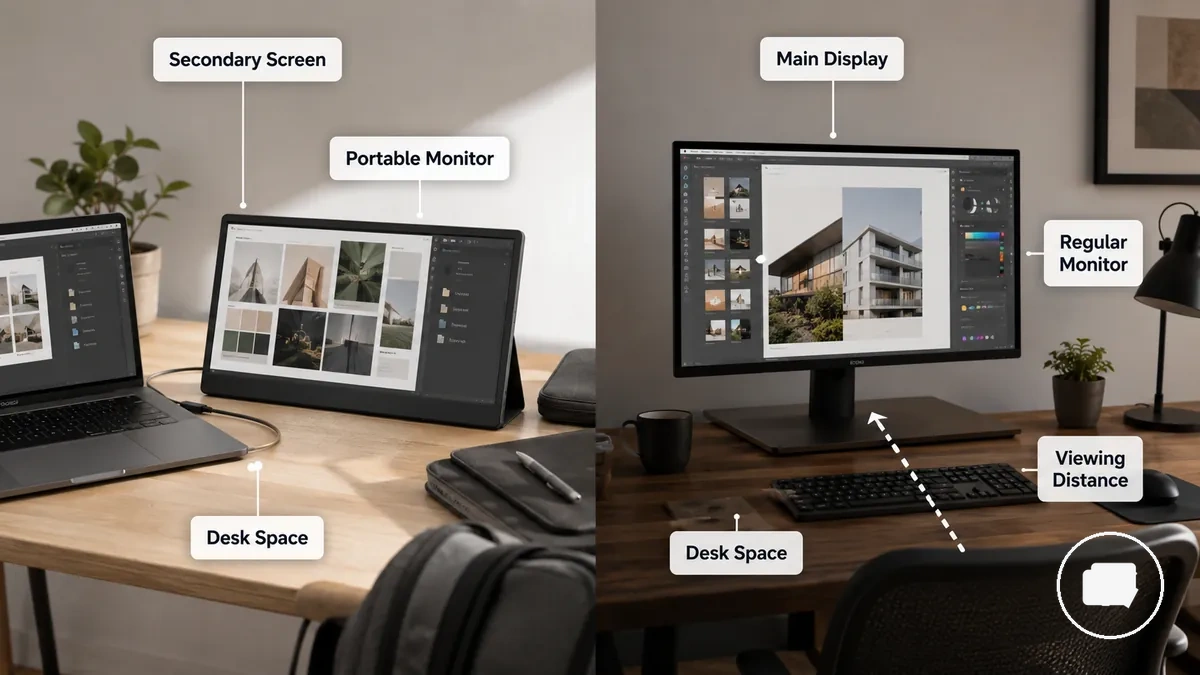
- Secondary screen role
- Portable monitor is commonly used as a secondary screen beside a laptop.
- Provides extra workspace while keeping desk burden lower.
- Often suits compact desks or flexible workspaces.
- Main workstation role
- Regular monitor is commonly used as the main workstation monitor.
- Greater screen size, stable placement, and comfortable viewing distance may better support longer daily work.
- Often fits a permanent desk setup with greater long-term comfort.
A laptop user may prefer a portable monitor as a side screen while travelling or working between locations. A home-office user may instead choose a regular monitor as the main display for longer daily work. A small-desk user may value the extra workspace of a secondary screen without increasing desk burden significantly. The better role depends on where and how the monitor will be used.
Screen Size, Brightness, and Display Quality
Display quality depends on screen size, panel quality, brightness, resolution, and viewing context rather than on monitor type alone. The diagram below organizes the display attributes that affect readability, multitasking, and long-session comfort. These attributes help explain how a portable monitor and a regular monitor may suit different work environments.
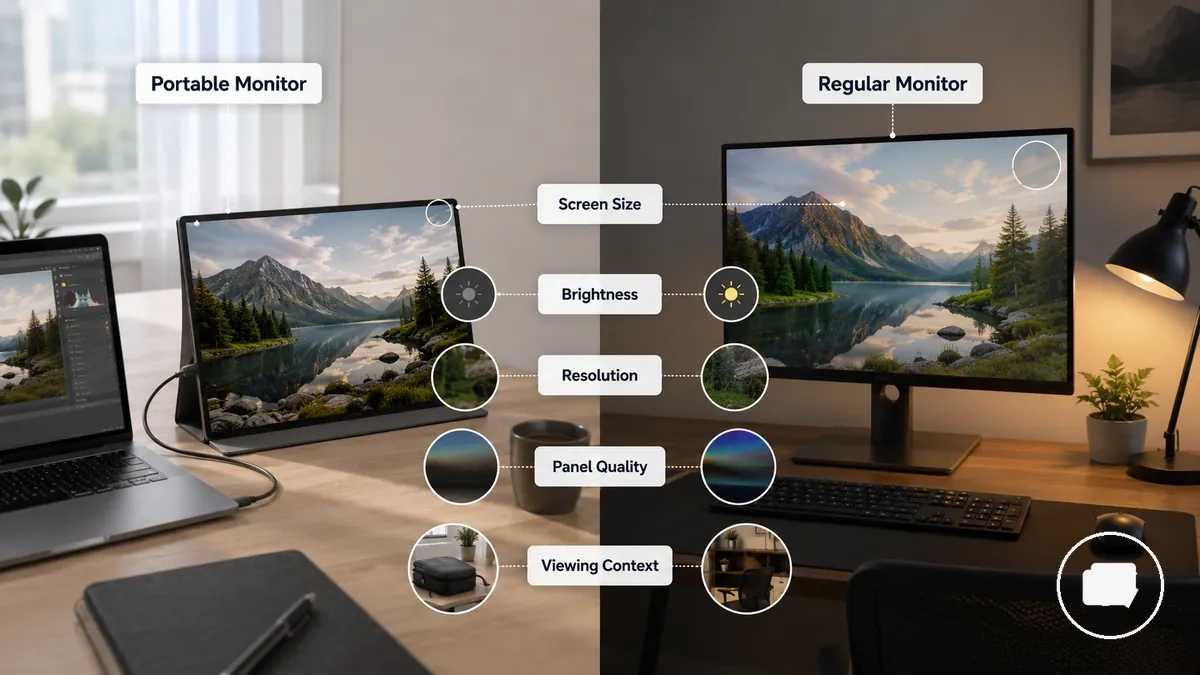
| Attribute | Portable monitor consideration | Regular monitor consideration | Decision effect |
|---|---|---|---|
| Screen size | Often prioritizes portability over a larger viewing area | Often provides more screen space | Can affect readability, viewing distance, and multitasking. |
| Brightness | Visibility may depend on room lighting and glare | Brightness levels vary by model and environment | Can influence screen visibility and viewing comfort. |
| Resolution | Resolution varies by model | Resolution varies by model | Can influence display clarity and text detail. |
| Panel quality | Picture quality and colour work depend on the panel quality | Panel quality also varies between models | Can influence picture quality and visual comfort. |
| Viewing context | Often used beside a laptop or in flexible workspaces | Often used at a fixed desk with a consistent viewing distance | The working environment can affect perceived display quality. |
For office work, spreadsheets, video calls, and light creative work, the most suitable display often depends on screen size, readability, and viewing context rather than a single specification. A portable monitor can provide extra workspace without adding much desk burden, while a regular monitor may offer a more comfortable viewing distance for longer sessions. Brightness may become more important in rooms with glare or strong ambient light, and resolution can influence display clarity when viewing detailed documents or multiple windows.
Screen size, brightness, display quality, panel quality, resolution, and viewing context work together to shape the overall viewing experience. Readability, colour work, multitasking, and long-session comfort can vary by model and environment, so the most suitable display depends on where and how the monitor will be used.
Screen area and viewing comfort
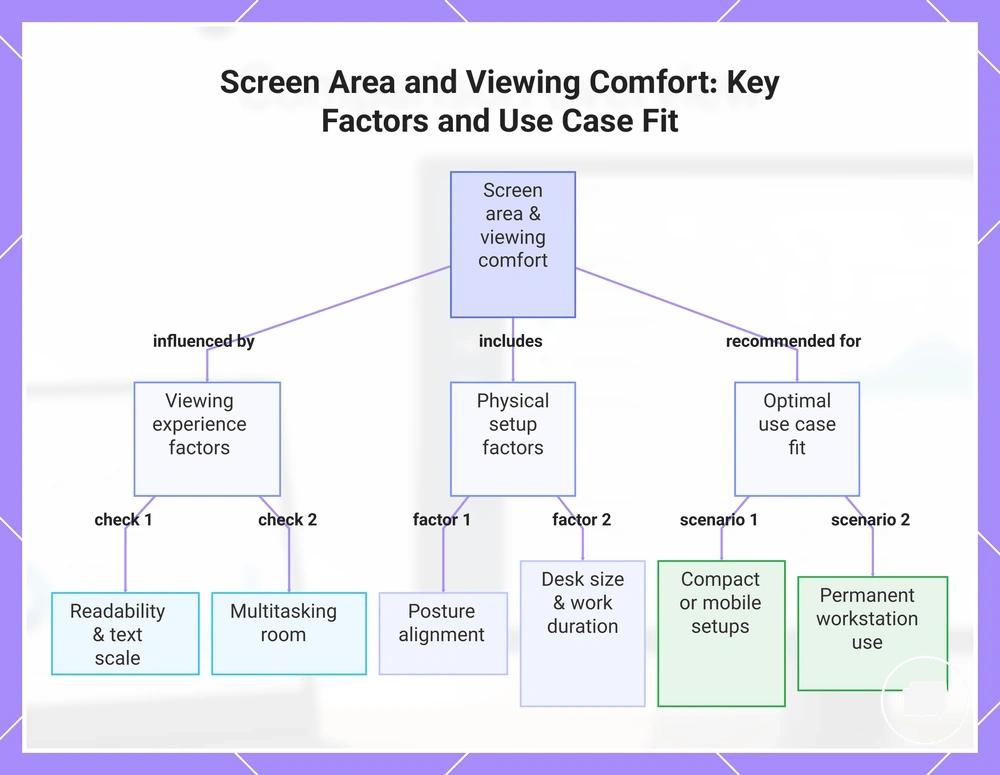
Screen area influences viewing comfort through the relationship between screen size, viewing distance, text scale, and available workspace rather than through one ideal display size. A larger display area may make multitasking easier, while a smaller screen area can suit limited desk space or a laptop extension. The balance between these factors often determines overall viewing comfort during longer work sessions.
The list below checks how screen area changes viewing comfort for small desks, laptop extension, and permanent workstations.
- Readability: A larger screen area may support a more comfortable text scale and viewing distance, while a smaller display can require more zooming or window switching.
- Multitasking room: More screen space can make it easier to keep multiple documents or applications visible at the same time.
- Posture: A viewing setup that matches the available screen area may reduce unnecessary leaning or repeated head movement during longer work sessions.
- Desk size and work duration: A portable monitor may suit a small desk or laptop extension where space is limited, while a regular monitor may provide greater viewing comfort for a permanent workstation. The better fit depends on desk space, task type, and expected work duration.
For a compact workspace, a portable monitor may provide useful screen area without taking up much desk space. For a laptop extension, additional display area can make everyday multitasking more comfortable. For a permanent workstation, a larger screen area may improve viewing comfort and help reduce long-session fatigue when the viewing distance and posture are well suited to the workspace.
This chart shows how screen area influences viewing comfort through key viewing and physical factors, and recommends optimal use cases for different workspaces.
Brightness, colour, and picture quality limits
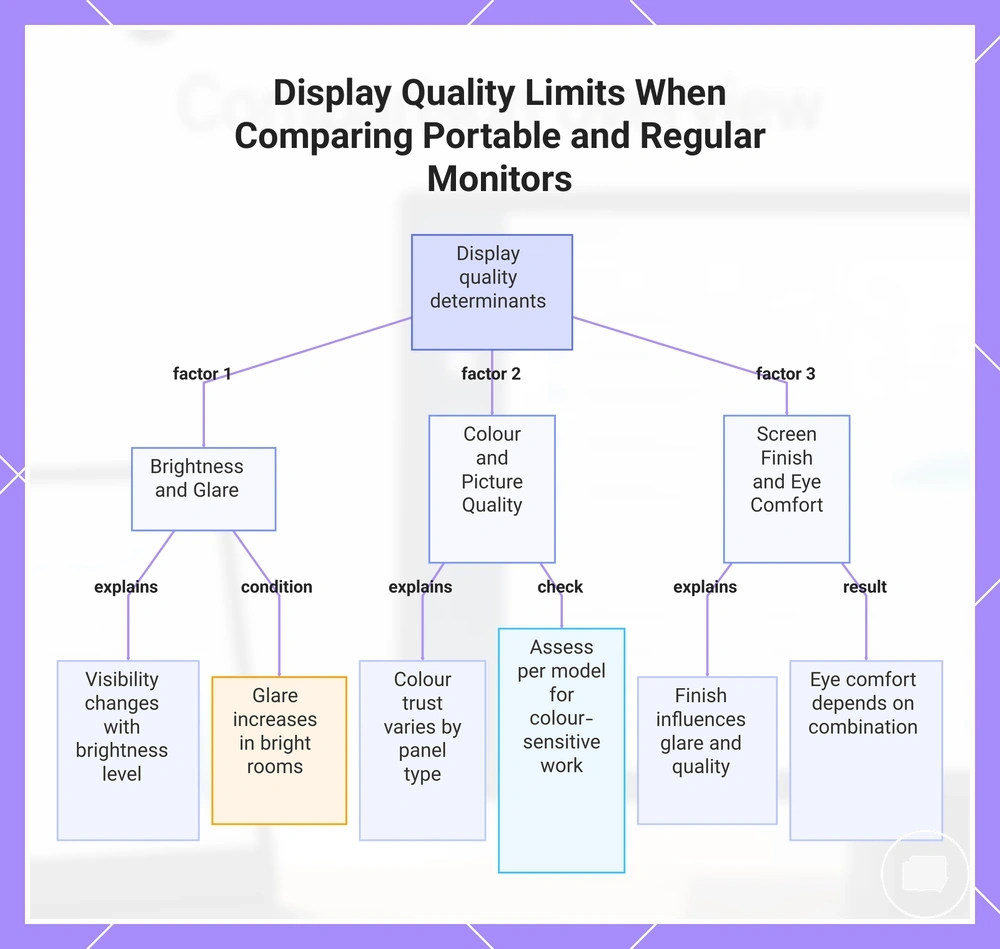
Brightness, colour, and picture quality can vary between portable monitors and regular monitors because visible quality depends on panel type, brightness level, screen finish, and room lighting rather than monitor type alone. The checklist below helps verify the main display-quality limits before comparing monitor types. Overall display quality depends on the specific model and the viewing environment.
The checklist below verifies the main factors that can influence visible quality before choosing between monitor types.
- Brightness: Screen visibility may change with brightness level, particularly in strong or uneven room lighting.
- Colour: Colour trust can vary by panel type and picture quality, especially when colour-sensitive work is involved.
- Screen finish: Screen finish may influence glare and perceived display quality under different viewing conditions.
- Glare and visibility: Bright rooms can increase glare, which may reduce visibility and affect eye comfort depending on the display and its placement.
- Eye comfort: Eye comfort depends on the combination of brightness, panel type, screen finish, and room lighting rather than on a single display attribute.
When working in changing lighting conditions, checking brightness, glare, and screen finish may be more useful than comparing monitor types alone. For colour-sensitive work, picture quality and colour should be assessed according to the specific model and viewing environment rather than assumed to be consistent across all displays. Bright-room use and creative work therefore remain conditional cases that depend on both the monitor and the workspace.
This chart shows the main display quality factors that determine visible performance and the checks to verify before choosing between monitor types.
Portability, Desk Space, and Everyday Setup
When work moves between different locations, everyday setup depends on work location, desk depth, cable tolerance, and storage needs as much as the monitor itself. The table below matches common setup conditions to the likely monitor fit and practical trade-off. Portability and desk footprint are the main factors that shape day-to-day usability.
| Setup condition | Portable monitor fit | Regular monitor fit | Practical trade-off |
|---|---|---|---|
| Small desk | Small footprint that suits a compact workspace | Larger footprint may reduce available desk space | Balances screen space with limited desk depth |
| Shared workspace | Movable setup with simpler storage between sessions | Stable placement when the desk remains assigned | Flexibility versus permanence |
| Permanent desk | Can serve as an additional display when needed | Stable placement for an everyday setup | Prioritises a fixed setup over frequent movement |
| Temporary work area | Easy to move and store after use | Less convenient to relocate regularly | Convenience versus a larger desk footprint |
A portable monitor is generally better suited to a flexible workspace because its smaller desk footprint can make storage and movement easier when the work location changes. A regular monitor is generally better suited to a permanent desk where stable placement is more important than portability. The setup choice often depends on available desk space, cable tolerance, storage requirements, and whether the display remains in one location.
Someone working across multiple locations may prefer a movable setup that is easy to pack away between sessions. Someone using the same permanent desk each day may value the consistency of a fixed setup with a larger footprint. These scenarios distinguish occasional flexible work from daily fixed workstation use without treating either monitor type as the universal choice.
Small desks and flexible workspaces
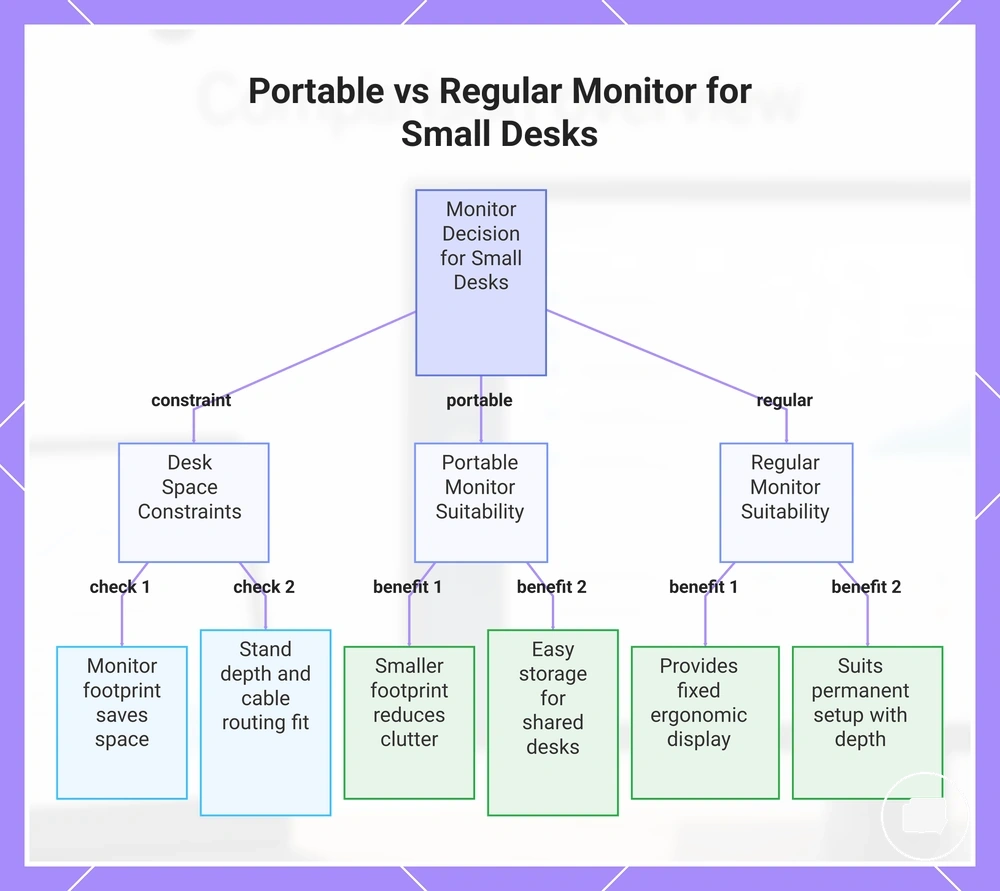
A small desk often makes a portable monitor more practical when desk size limits monitor footprint, stand depth, cable clearance, and storage, but it is not the right choice for every workspace. A regular monitor may still be more suitable for users who prioritise a fixed ergonomic display over a smaller footprint. Desk size, monitor footprint, stand depth, cable clearance, storage, and clutter are the main desk-space constraints that influence the comparison.
The checklist below helps verify whether a small desk can accommodate a portable or regular monitor comfortably.
- Monitor footprint: A smaller footprint can leave more usable desk space on a compact desk or in a limited workspace.
- Stand depth: The stand should fit the available desk depth without reducing everyday working space.
- Cable clearance: Cable routing can affect whether a flexible workspace remains tidy or becomes cluttered.
- Storage: A portable monitor may be easier to store when a shared desk serves different purposes throughout the day.
- Viewing comfort: A regular monitor may still suit users who have enough desk depth for a permanent setup and prefer an ergonomic display.
In a shared desk or on a kitchen table, easy storage and a smaller monitor footprint may improve flexibility when the workspace changes frequently. In a dorm room or compact home office, limited desk space can make a portable monitor easier to position without increasing clutter. A regular monitor may remain the better fit when sufficient desk depth, cable clearance, and a permanent setup are available. The most practical choice depends on how the workspace is used rather than on desk size alone.
This chart shows the desk-space constraints and workspace conditions that determine whether a portable or regular monitor is more suitable for a small desk.
Laptop second-screen use
A portable monitor usually suits laptop second screen use when mobility is a priority, while a regular monitor beside a laptop often provides greater viewing comfort and desk consistency in a fixed workspace. The choice depends on whether the laptop is used across different locations or mainly at one desk, and whether cable simplicity or long-session comfort matters more. Mobility, cable simplicity, and viewing comfort are the primary decision factors.
The comparison below shows how laptop users can compare mobility, cable simplicity, viewing comfort, and desk consistency without turning the decision into a setup guide.
| Portable second-screen use | Regular monitor beside laptop |
|---|---|
|
|
When remote work involves moving between locations, a portable monitor can be a practical laptop second screen because it is easier to carry alongside the laptop. When the laptop stays on the same desk each day, a regular monitor may provide more comfortable viewing during longer work sessions. For more guidance on mobile laptop workflows, see portable monitor for work. A portable second screen generally suits mobile work, while a regular monitor often suits users who value a consistent desk environment.
Permanent desk and long-session use
A permanent desk often shifts the comparison towards a regular monitor when long-session use is the priority. A regular monitor may provide a larger screen, an adjustable stand, stable placement, and a more consistent viewing distance, which can improve comfort for many users during extended workstation sessions. Long-session comfort depends on the desk setup, viewing position, work duration, and individual preferences.
The criteria below identify when permanent desk use can change the comparison.
- Screen size: A larger screen may make multitasking and document viewing more comfortable during longer work periods.
- Adjustable stand: Stand adjustment can help position the display to suit the workstation and preferred viewing angle.
- Viewing distance: A consistent viewing distance is easier to maintain with a stable placement on a fixed desk.
- Stable placement: A regular monitor in a permanent workstation usually requires less repositioning between work sessions.
- Work duration: Long-session use may favour a regular monitor, while a portable monitor can remain a practical choice for an occasional second screen or temporary setup.
For a daily workstation, a regular monitor often suits users who work from the same permanent desk and value a larger screen with stable placement. A portable monitor may be the better fit when extra screen space is only needed occasionally or the workspace changes frequently. The trade-off depends on work duration, workstation consistency, and whether the display supports occasional second-screen use or a full-time workstation.
Power, Ports, and Connection Trade-Offs
Connection reliability depends on matching the laptop, monitor, and accessories with the required power, video signal, and ports rather than on the monitor type alone. A portable monitor and a regular monitor can have different connection burdens depending on USB-C, HDMI, device support, and cable requirements. Power, video signal, and port compatibility are the main factors that influence setup reliability.
The table below organises the main connection trade-offs by power, video signal, ports, and device support so you can see what to verify before choosing between monitor types.
| Connection factor | Portable monitor consideration | Regular monitor consideration | What to verify |
|---|---|---|---|
| USB-C video | May support video signal and power through one cable, depending on the laptop and monitor. | USB-C support varies by monitor model. | Confirm USB-C video signal and device support. |
| HDMI | May require a separate cable or additional power, depending on the device. | May connect through HDMI with model-dependent requirements. | Check available HDMI ports and cable requirements. |
| Power source | Power delivery may depend on the connected device and can influence battery drain. | Often uses a dedicated power source. | Verify how the monitor receives power. |
| Adapters | An adapter may be needed when available ports do not match. | An adapter may also be required for certain devices or connections. | Confirm adapter compatibility. |
| Dock use | A dock may simplify connectivity in some laptop setups. | A dock may help manage display and peripheral connections. | Check compatibility with the laptop and monitor model. |
When a laptop is used in different locations, connection convenience often depends on the available ports, cable, dock, and monitor model rather than the monitor alone. A portable monitor may reduce the connection burden in some mobile setups, while a regular monitor may better suit a fixed workspace with dedicated power and stable connectivity. Connection simplicity depends on the laptop, dock, cable, adapter, and monitor model, so universal compatibility should not be assumed.
Power, ports, and connection choices should be evaluated as compatibility decisions rather than setup guarantees. USB-C, HDMI, video signal support, power delivery, and device support can all influence setup reliability, convenience, and potential battery drain. Compatibility varies by the laptop, cable, adapter, dock, and monitor model rather than by a single connection type.
Single-cable convenience
Single-cable convenience depends on whether a laptop's USB-C port supports both display output and sufficient power for a portable monitor. When those conditions are met, one USB-C cable can carry the video signal and power, making the setup simpler with fewer cables. The advantage therefore depends on USB-C display support and available power rather than the connector alone.
The checklist below helps verify whether single-cable convenience is realistic for your laptop.
- USB-C display output: Confirm that the USB-C port supports display output, not just charging or data transfer.
- Power delivery: Check whether the laptop can provide enough power for the portable monitor through the same cable.
- Cable quality: Use a cable that supports the required display signal and power capabilities.
- Adapter need: If the laptop lacks compatible USB-C display support, an adapter or an additional cable may be required.
The same portable monitor can provide a simple one-cable setup with one laptop but require an adapter or a separate power connection with another because port support varies by device. Compatibility depends on the laptop, USB-C capabilities, cable support, and power requirements rather than on the monitor alone. A one-cable setup can be a practical advantage when the required conditions are met, but single-cable convenience should not be assumed for every laptop.
Power dependence and battery drain
Power dependence can affect laptop battery drain, cable layout, and desk convenience when a portable monitor draws power from the connected device. A portable monitor may increase laptop battery use if it relies on the laptop as its power source, while other setups may use an external adapter instead. Battery drain and the need for external power vary with the power source, connection type, and device capabilities.
The points below compare common power conditions with their likely effects and what to check before choosing a setup.
- Condition: The portable monitor is powered by the laptop. Likely effect: Laptop battery drain may increase. What to check: Whether the laptop can provide enough power for the intended use.
- Condition: An external adapter powers the monitor. Likely effect: Laptop battery drain may be reduced, but cable clutter can increase. What to check: Whether an external power source is practical for the workspace.
- Condition: Higher brightness or a larger panel size is used. Likely effect: Power draw may increase. What to check: Whether the available power source suits the expected usage.
- Condition: A different connection type is used. Likely effect: Desk convenience and cable clutter may change. What to check: Whether the connection type and device output support the preferred setup.
When working between locations, a laptop-powered portable monitor may reduce the need for a separate power accessory but can increase battery drain. A setup that uses an external adapter may add cables while reducing reliance on the laptop battery. The balance between battery drain, cable clutter, and convenience depends on brightness, panel size, connection type, and device power output rather than on the portable monitor alone.
Fewer ports and accessory limits
Fewer ports and accessory limits can affect portable monitor usability because connection options, stand quality, and mounting flexibility vary by monitor design. A portable monitor may require an additional cable or adapter in some setups, while a regular monitor may provide more options for workstation expansion. Port count and accessory support are setup constraints rather than indicators that one monitor type is always provides a better experience.
The comparison below checks port count, stand quality, cable requirement, adapter need, mounting flexibility, and workstation expansion as setup constraints.
- Port count: A portable monitor may offer fewer ports, while a regular monitor may provide more connection options for workstation expansion.
- Stand quality: Stand quality and stand options vary by model and can influence display positioning in a fixed workspace.
- Cable requirement and adapter: A portable monitor may require an additional cable or adapter when the available ports do not match the connected device.
- Mounting flexibility: Mounting options vary between monitor types and models, which can affect workstation expansion and display placement.
- Docking, console use, or laptop work: A docking setup, console use, or laptop work may require different ports or accessories depending on device compatibility and connection needs.
When a laptop is the primary device, fewer ports may have little effect if the required connections are already available. In a docked workstation or a setup that includes a console, additional ports or greater mounting flexibility may become more important for workstation expansion. The practical impact depends on the required connections, accessory support, and compatibility rather than on the monitor type alone.
Where a Portable Monitor Makes More Sense
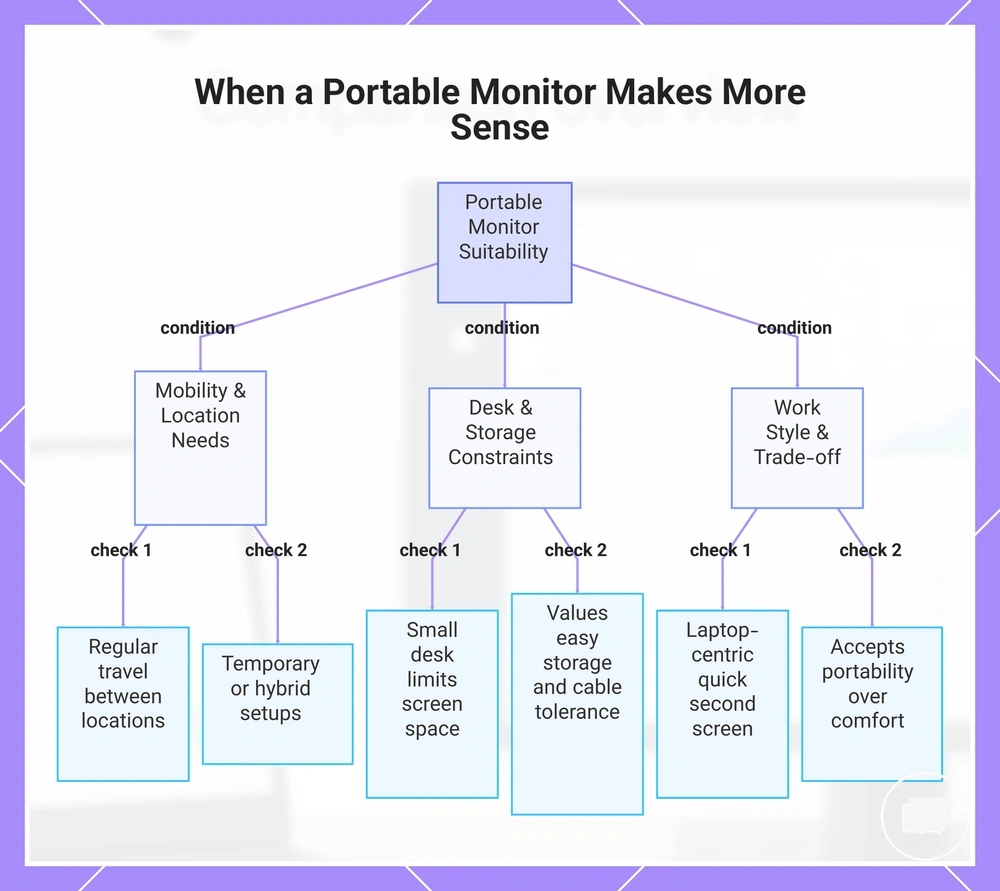
A portable monitor makes more sense when mobility, desk flexibility, and quick second-screen use are higher priorities than maximum screen comfort. It often suits users who move between locations, work in a flexible workspace, or need extra screen space without maintaining a permanent desk setup. The decision depends on mobility, desk flexibility, and quick second-screen use.
The checklist below helps verify whether portability is the dominant priority for your workspace.
- Mobility: You regularly travel or move between work locations and need a display that is easy to carry.
- Small desk: A small desk limits available screen space, making a portable monitor a practical second screen.
- Laptop work: Your work is centred on a laptop and benefits from a quick second-screen setup.
- Temporary setup: You frequently create and pack away a temporary setup instead of using a permanent workstation.
- Hybrid work: You alternate between home, office, or shared workspaces where desk flexibility is important.
- Storage and cable tolerance: You value easy storage and accept that cable requirements may vary depending on the connected devices.
- Comfort trade-off: You are comfortable prioritising portability over the larger display and long-session screen comfort that a regular monitor may offer.
If you need a second screen but cannot commit permanent desk space to a regular monitor, a portable monitor can provide additional screen space while remaining easy to store between sessions. This approach often suits laptop work, hybrid work, and temporary setups where flexibility is more important than a fixed workstation. A portable monitor is generally the more suitable choice when those constraints matter more than maximum screen comfort.
This chart shows the key factors that determine when a portable monitor is more suitable than a regular monitor, based on mobility, workspace, and work style priorities.
Travel, hybrid work, and temporary setups
When work regularly moves between locations, a portable monitor can make screen extension easier because transportability and fast setup often become higher priorities than a permanent desk arrangement. It may suit users who switch between travel, hybrid work, and a temporary setup where a laptop is the primary device. These situations commonly prioritise transportability and fast setup.
The scenarios below separate travel, hybrid work, and temporary desk conditions.
- Travel: A portable monitor can provide additional screen extension when working from different locations where a fast setup is preferred.
- Hybrid work: Moving between home and office may favour a portable monitor when the workspace changes and flexibility is more important than a fixed desk.
- Temporary setup: A temporary desk can benefit from a portable monitor that is easy to position and store after use.
A portable monitor is often a suitable choice when transportability, fast setup, and occasional screen extension are more important than maintaining a permanent workstation. It may support productivity by making it easier to add a second screen in a movable work environment, although the benefit depends on the work location and workflow. Users with a stable main desk may still prefer the screen comfort of a regular monitor for longer sessions, even if they travel frequently.
Extra screen space without a large desk footprint
A portable monitor can add extra screen space while keeping the desk footprint relatively low when workspace is limited. It may fit more easily into a compact setup than a full-size monitor, helping create more workspace alongside a laptop without requiring the same amount of desk area. This approach focuses on extra screen space with a low footprint.
The checklist below helps assess whether extra screen space can be added without a full-size monitor footprint.
- Desk footprint: A smaller monitor footprint can leave more usable workspace on the desk.
- Stand angle: A suitable stand angle may help position the display without using unnecessary desk depth.
- Cable path: A simple cable path can support clutter control in a compact setup.
- Storage: Easy storage may be useful when the display is only needed for certain tasks.
- Multitasking need: Extra screen space can help support focus and multitasking when additional workspace is needed.
For a laptop user who needs more workspace but cannot fit a full-size monitor, a portable monitor can provide screen extension without placing the same demand on desk space. This approach may support focus, multitasking, and clutter control while keeping storage needs manageable. It can add useful workspace without replacing the larger viewing area and long-session comfort that a full-size monitor may provide.
Where a Regular Monitor Is the Better Choice
A regular monitor is often the stronger choice when a permanent setup, comfort-focused setup, and a larger screen matter more than portability. It can better suit users with a long-session need who rely on a main display throughout the day. These conditions generally prioritise permanent, comfort-focused, and larger-screen needs.
The comparison below organises the decision around comfort, screen size, desk permanence, ergonomics, and upgrade flexibility.
| Selection criterion | When a regular monitor is often the better fit |
|---|---|
| Comfort | When long-session need and consistent viewing comfort are priorities. |
| Screen size | When a larger screen is preferred for everyday work as the main display. |
| Desk permanence | When the display remains in a permanent setup rather than moving between locations. |
| Ergonomics | When stand adjustment and workstation ergonomics are important considerations. |
| Upgrade flexibility | When future changes to the stand, panel options, or workstation are part of the decision. |
For daily desk work, a full-time home office, or a workstation where the display serves as the main display, a regular monitor often provides a suitable balance of screen size and long-session comfort. It can also suit users who value desk permanence and ergonomics over frequent movement. Upgrade flexibility may become more important when the workstation is expected to evolve over time.
A regular monitor is generally the stronger option when permanent setup, comfort-focused setup, a larger screen, long-session need, ergonomics, and upgrade flexibility outweigh portability. The choice remains conditional because mobility and space constraints may still make a portable monitor the more practical trade-off for other users.
Main monitor use for daily work
A regular monitor is often more suitable as the main monitor for daily work when screen size, posture, window management, and consistency are the primary requirements. These factors can support comfort and productivity throughout the workday, although the overall benefit depends on the workstation and individual workflow. This combination aligns with typical main-screen daily-work needs.
The criteria below help check when a regular monitor works better as the main monitor.
- Screen size: A larger screen may provide more room for documents, applications, and window management.
- Posture: A fixed workstation display can make it easier to maintain a consistent viewing position.
- Window management: More screen area may reduce the need to switch between overlapping windows.
- Consistency: A permanent setup can provide a stable work environment for daily work.
- Work duration: A regular monitor may suit users who rely on a main display throughout the day.
When a workstation is used every day, a regular monitor often serves well as the primary display because it combines screen size, consistency, and window management in a fixed setup. A portable monitor can still be a practical option for daily work when mobility is important, but it is more commonly used as a side screen than as the main monitor. The choice depends on whether a portable monitor is needed for secondary use or a regular monitor is preferred as the primary display.
Ergonomics, stability, and upgrade flexibility
A regular monitor is often the stronger choice when ergonomics, stability, and upgrade flexibility depend on stand adjustment, mounting, panel options, and workspace permanence. These factors vary by monitor design, and portable monitor stands or premium portable displays may offer additional features depending on the model. The table below compares stand adjustment, mounting, VESA support, panel size, refresh options, and accessory compatibility as ergonomic and upgrade criteria.
| Criterion | Regular monitor advantage | Portable monitor limitation or variation | Decision effect |
|---|---|---|---|
| Stand adjustment | Often provides height adjustment and broader positioning options. | Stand adjustment varies by model and may offer fewer adjustment ranges. | Can support ergonomics in a permanent workspace. |
| Mounting | Often includes mounting options with VESA support. | Mounting and VESA support depend on the model. | May improve workstation flexibility and future upgrades. |
| Stability | A stable stand often suits workspace permanence. | Stability depends on the stand design and workspace conditions. | Can provide more consistent display positioning. |
| Panel options | Usually offers a broader choice of panel size and refresh options. | Panel size and refresh options vary by portable monitor model. | May provide greater upgrade flexibility as display needs change. |
| Accessory compatibility | Often supports a wider range of compatible accessories. | Accessory compatibility varies by model and available features. | May simplify future workstation expansion. |
When a workstation remains in one location, these criteria may make a regular monitor more suitable for ergonomic adjustment and future upgrades. A portable monitor can still be an appropriate option when mobility is the higher priority, and premium models may include improved stands, mounting features, or accessory compatibility. The most suitable choice depends on the monitor model, workspace permanence, and intended use.
Cost and Long-Term Value Differences
Cost and long-term value depend on how a monitor is used rather than on price alone. A portable monitor and a regular monitor can each provide strong value when portability, screen size, build quality, display quality, and frequency of use match the intended workspace. The table below separates paid-for attributes from real-use value outcomes so price and value remain distinct.
| Value factor | Portable monitor value signal | Regular monitor value signal | Decision cue |
|---|---|---|---|
| Portability | Higher value when frequent travel or movement is part of daily use. | Lower priority in a fixed workspace. | Choose based on how often the monitor moves. |
| Screen size | Compact size supports portable convenience. | A larger screen may provide stronger screen value. | Match screen area to the primary workload. |
| Display quality | Display quality varies by model. | May offer more options for a permanent workstation. | Compare display quality with the intended use. |
| Build quality | Build quality and portability should be considered together. | Stable desktop designs may suit fixed use. | Consider where the monitor will be used most often. |
| Frequency of use | Frequent mobile use can increase long-term value. | Frequent desk use can improve screen value. | Match the monitor type to everyday use. |
| Desk permanence | Suitable when the workspace changes regularly. | Often suits permanent workstation comfort. | Choose according to workspace permanence. |
When a monitor travels between locations, portability may justify paying for features that reduce carrying effort or simplify temporary setups. When the monitor remains on the same desk most of the time, screen size, build quality, display quality, and frequency of use may contribute more to long-term value. The better value depends on which attributes are used regularly rather than which monitor has the lower purchase cost.
Paying more for portability can make sense when portable convenience is used frequently instead of occasionally. If a monitor mainly supports a permanent workstation, a regular monitor may provide stronger screen value because its larger screen and workspace-focused design are used more consistently. The decision should reflect the paid-for attribute and the real-use condition rather than the price difference alone.
When a monitor is expected to remain on one desk, workstation comfort and screen value may outweigh the benefit of portability. If the monitor regularly moves between locations, portable convenience may provide greater long-term fit despite the trade-off in screen size. For more guidance on evaluating these trade-offs, see portable monitor price and value.
Cost and long-term value are strongest when the monitor type matches everyday use rather than when the lowest price is chosen. Comparing portability, screen size, build quality, display quality, frequency of use, and workstation comfort provides a more reliable basis for selecting the right monitor for long-term value.
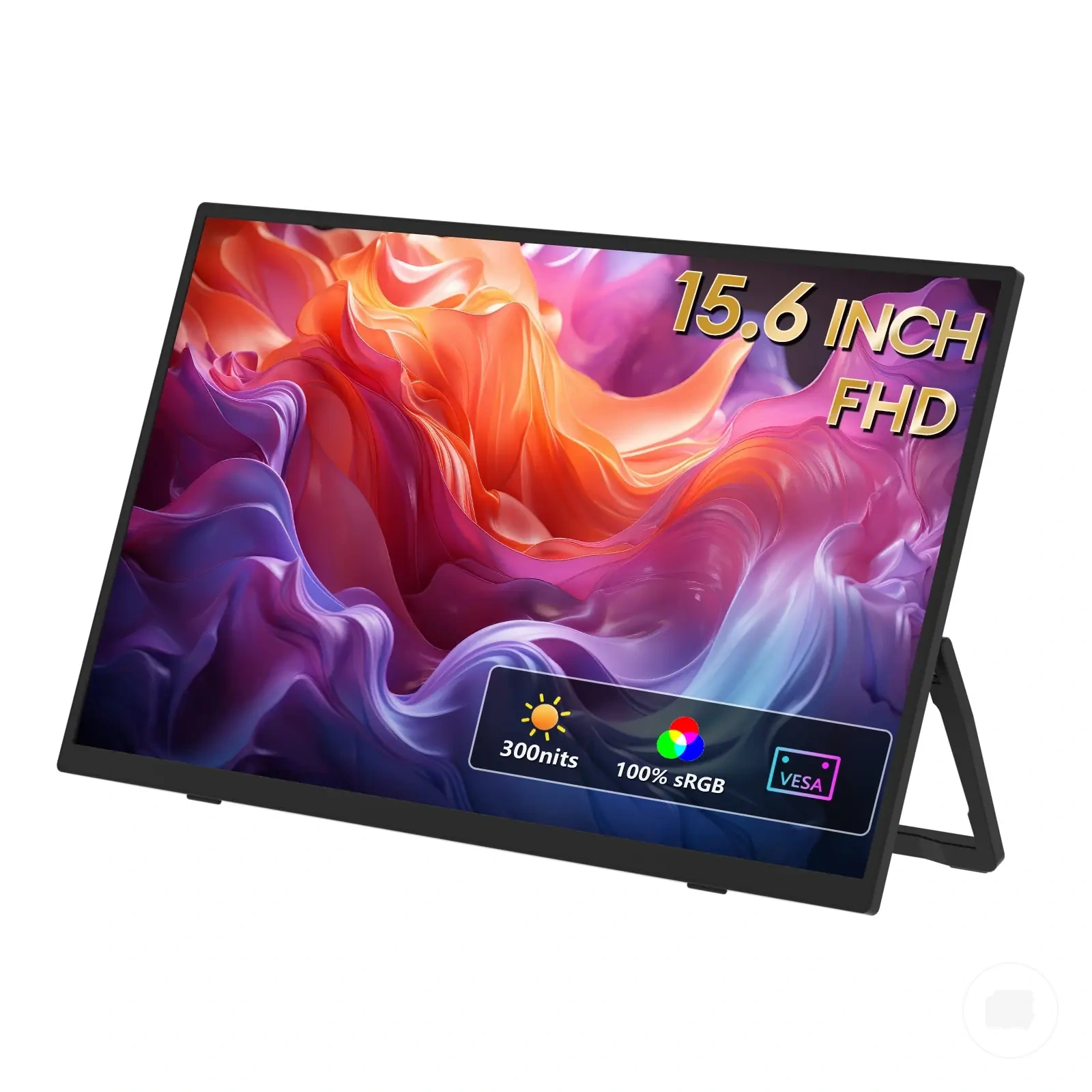
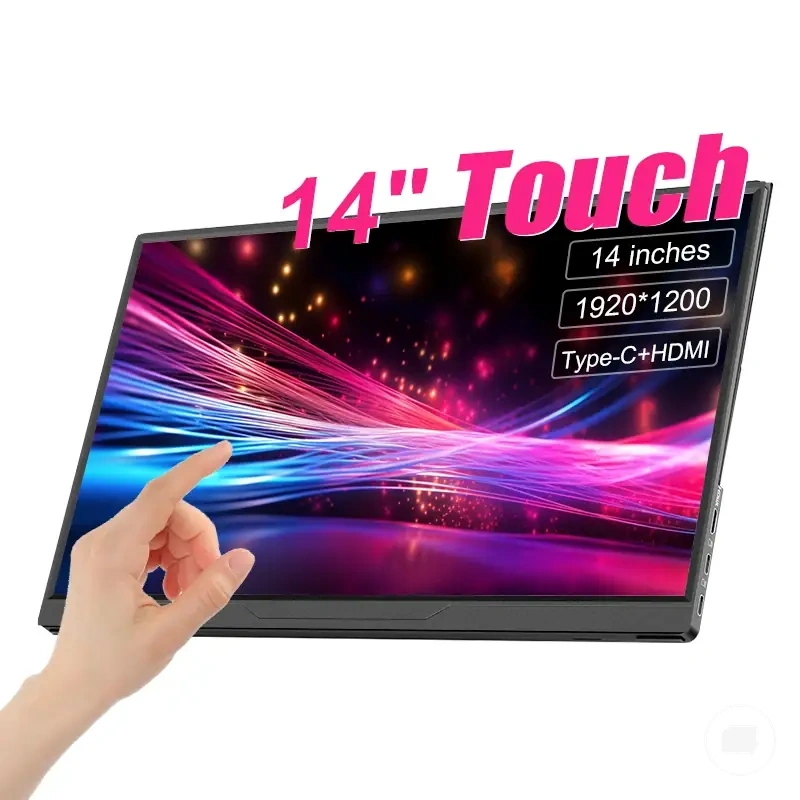
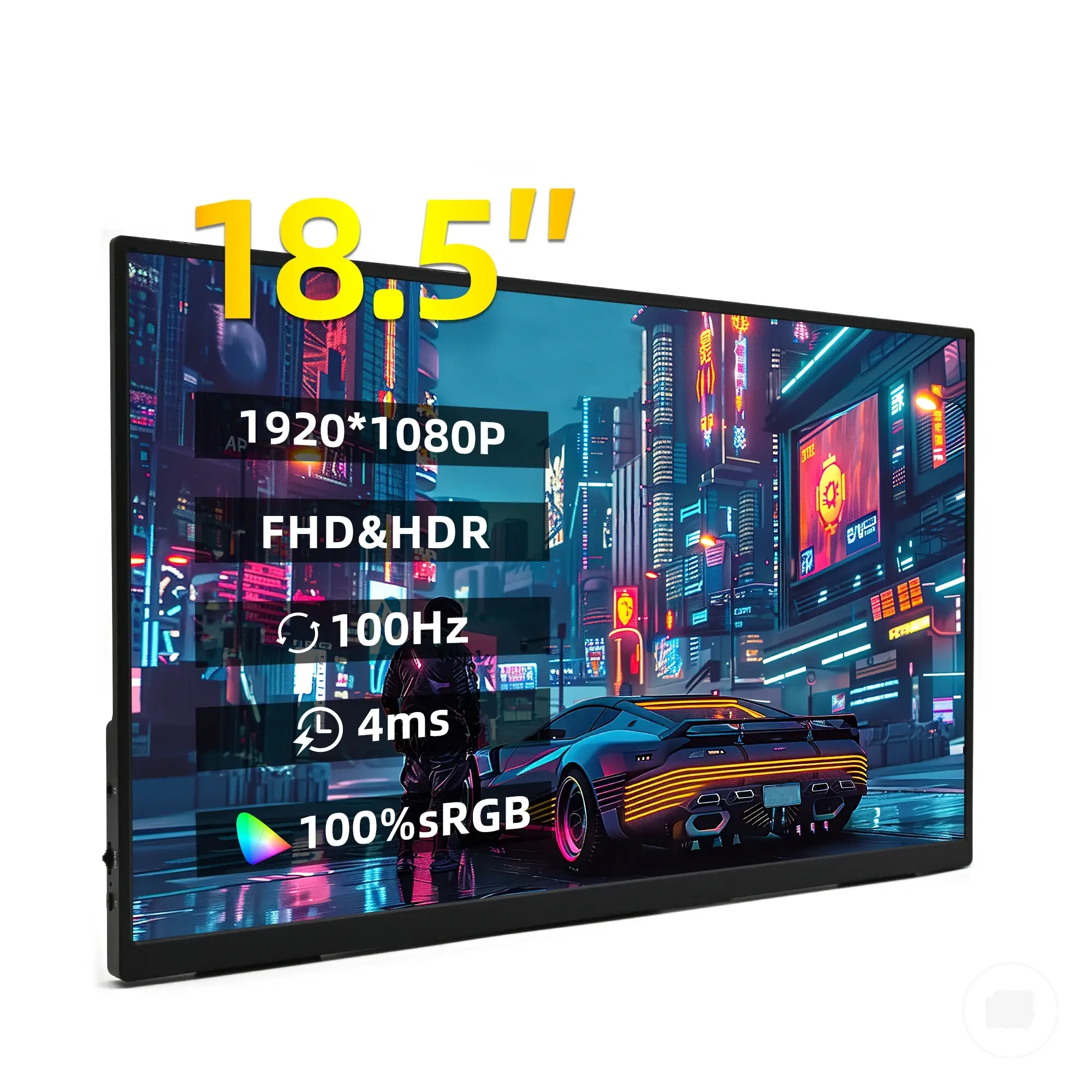
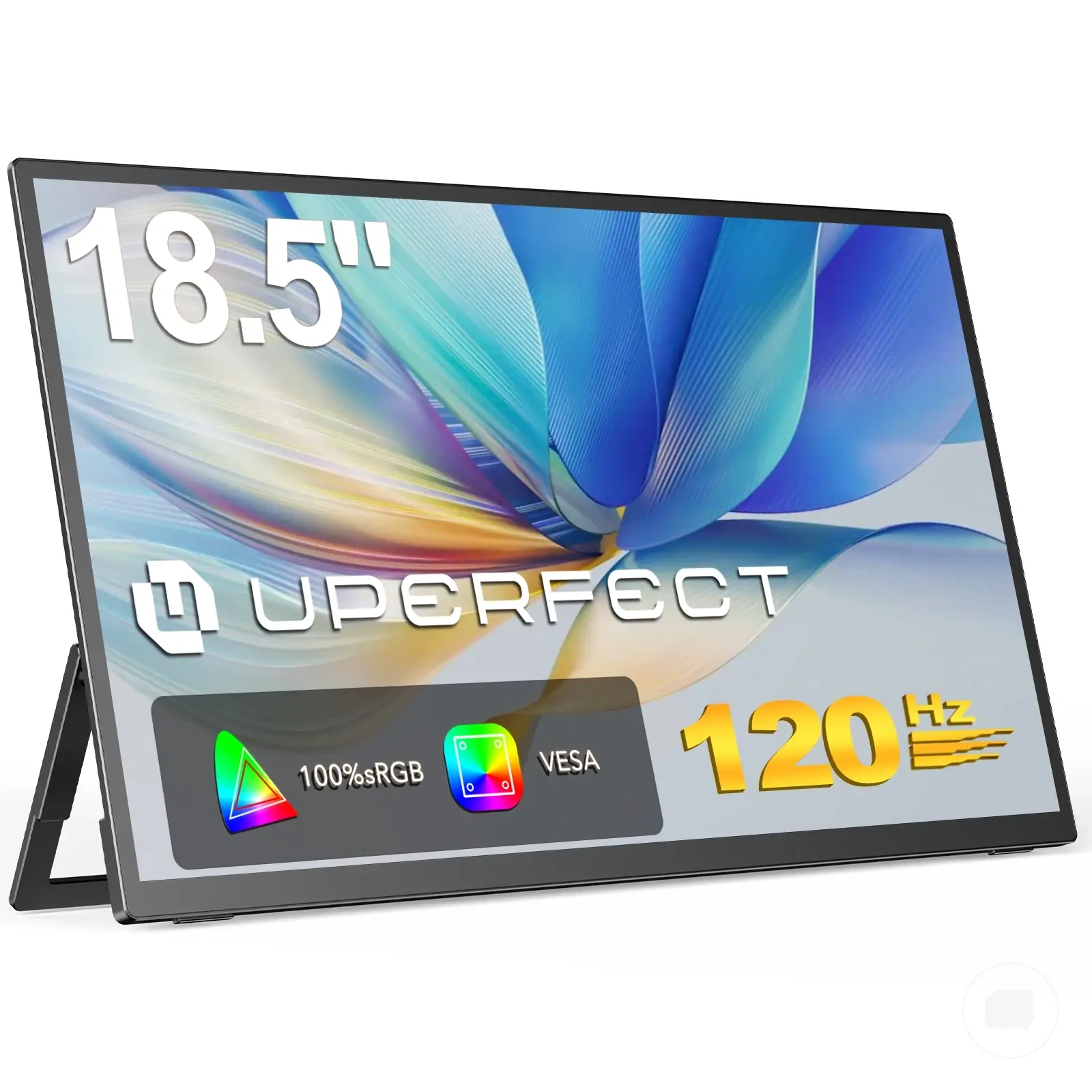
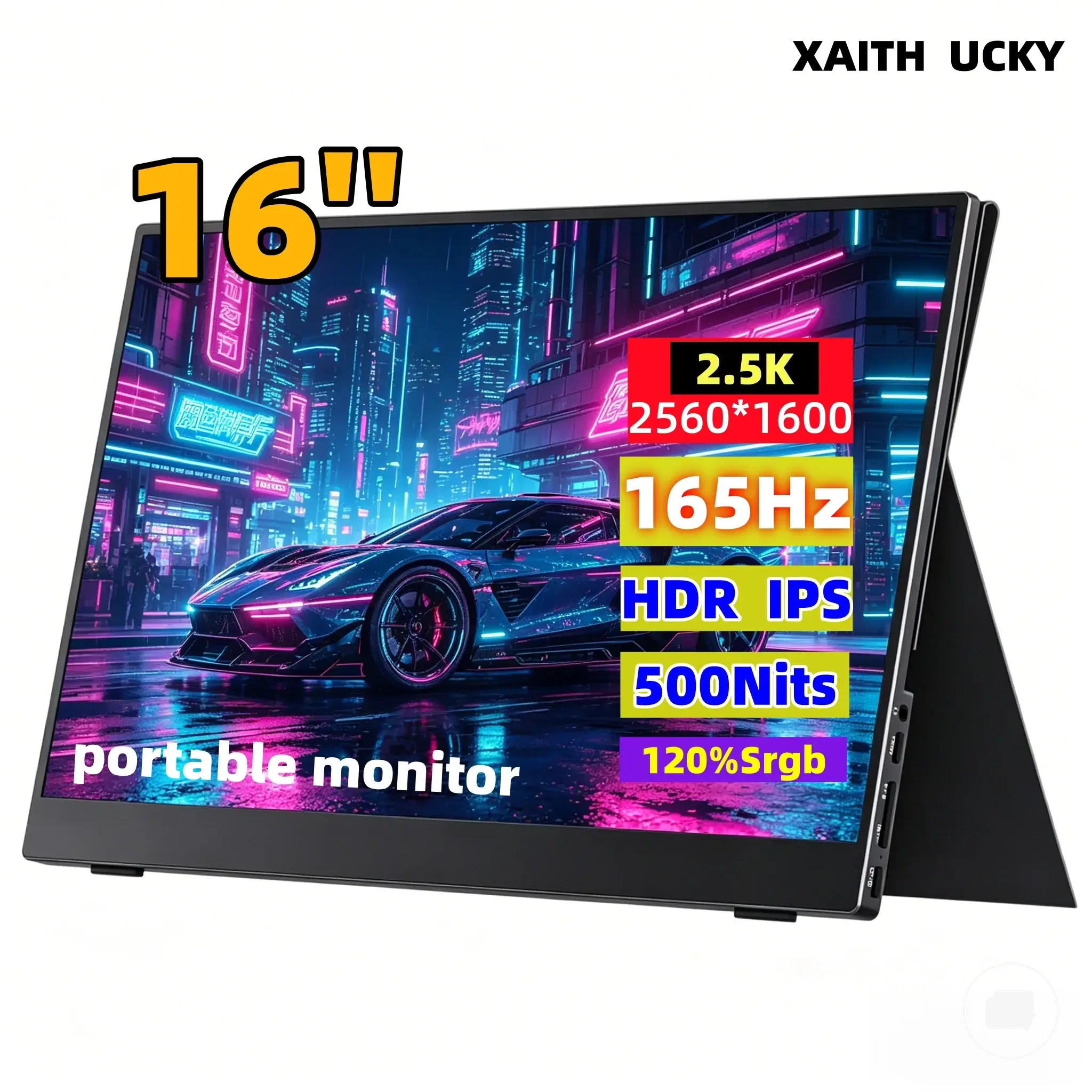
Here are product examples that may make comparison easier. Before buying, always review the compatibility criteria, essential features, and product details.
Portable convenience versus screen value
Portable convenience and screen value represent different kinds of value, so the better choice depends on frequency of use. A portable monitor can provide greater value when portability, mobility, and desk-saving are used regularly, while a regular monitor may provide greater screen value through more display area, comfort, and productivity in a fixed workspace. The decision is a trade-off between portable convenience and screen value.
The comparison below separates portable convenience from screen value.
| Paying for portable convenience | Paying for screen value |
|---|---|
|
|
If you regularly work between locations, paying for portability may be worthwhile because portable convenience is used often enough to justify the trade-off. If your monitor rarely leaves a permanent workstation, paying for additional display area and comfort may provide stronger screen value instead. The better decision depends on frequency of use rather than assuming a lower purchase cost represents better value.
Regular monitor value for permanent setups
Regular monitor value is often stronger when the setup is permanent because a fixed desk can make better use of a larger screen, improved ergonomics, broader feature choices, and longer daily use. These advantages depend on how the monitor is used rather than on price alone, making a permanent setup an important factor in long-term value.
The checklist below helps verify when a regular monitor gives stronger value in a permanent setup.
- Desk permanence: A fixed desk supports a monitor that remains in place for everyday use.
- Longer daily use: Longer daily use may increase the value of a dedicated display.
- Larger screen: More display area can improve workspace comfort and support everyday productivity.
- Ergonomics: Suitable adjustment options may help maintain a more consistent working position.
- Feature choices: Broader feature choices may provide greater long-term value when the monitor serves as the primary display for a fixed workstation.
If a monitor is expected to remain on the same fixed desk for most of its use, these value signals often make a regular monitor the more practical long-term choice. A premium portable monitor may still be worthwhile when both mobility and screen quality are important, but the better option depends on how often the display is used away from the permanent setup.
Which Monitor Type Should You Choose?
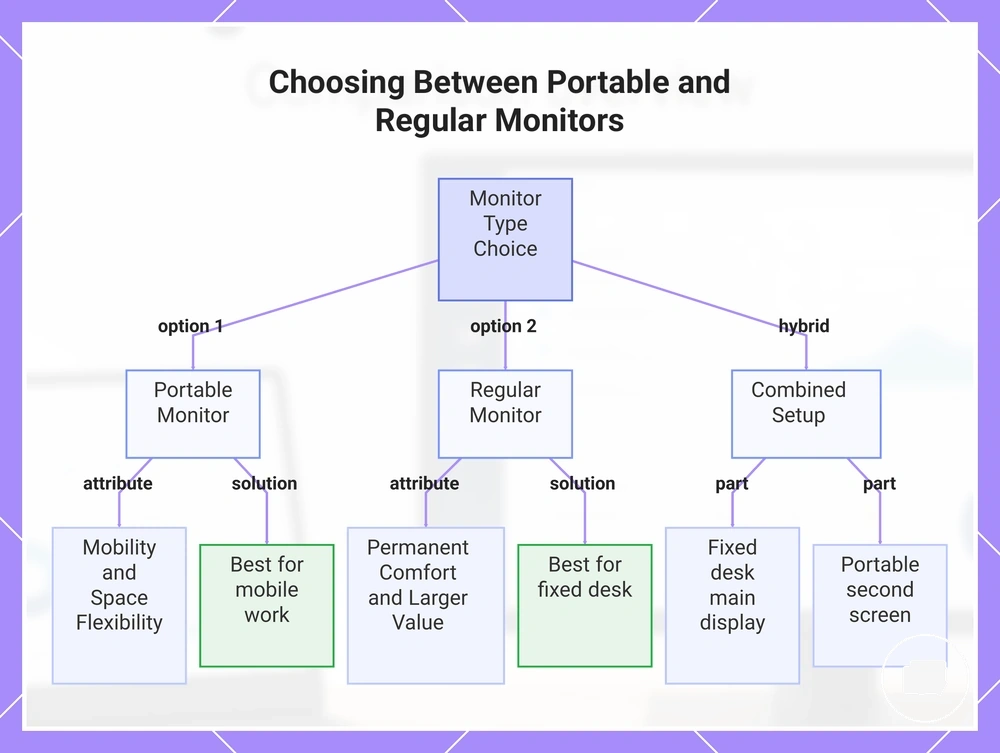
Choose a portable monitor if mobility and space flexibility are your main priorities. Choose a regular monitor if permanent comfort and larger-screen value matter more for everyday use. The right choice depends on your user situation, priorities, and the trade-off between portability and a fixed workspace.
If you regularly work in different locations or have limited desk size, a portable monitor may be the more practical option because it supports mobility and space flexibility. If you mainly work from one fixed location and value screen comfort during longer sessions, a regular monitor may provide greater larger-screen value. The decision should reflect your work location, desk size, and preferred level of screen comfort.
Choose the monitor type that matches how you expect to use it most often rather than assuming one option fits every situation. If you are still comparing the trade-offs, is a portable monitor worth it can help support your decision before making a final choice.
If your work alternates between a permanent workstation and travel, using both monitor types may be a practical solution. A regular monitor can serve as the main display at a fixed desk, while a portable monitor can provide a convenient second screen when mobility and space flexibility are required.
Choose the monitor type that best matches your work location, desk size, screen comfort requirements, connection needs, and budget logic. A portable monitor often suits flexible work, while a regular monitor may provide stronger larger-screen value for a permanent setup.
Here are product examples that may make comparison easier. Before buying, always review the compatibility criteria, essential features, and product details.
The checklist below weighs the final decision using the same core considerations discussed throughout this comparison.
- Mobility: Choose a portable monitor if you regularly work in different locations.
- Desk permanence: Choose a regular monitor if your display remains on a fixed desk.
- Screen comfort: Consider whether longer work sessions make a larger screen more valuable.
- Connection needs: Confirm that your devices support the connections required for your preferred monitor type.
- Budget logic: Compare value based on how frequently you will use the monitor in its intended environment.
- Work duration: Think about whether your typical use is mainly mobile or mainly desk-based.
- Both monitor types: Consider a regular main display with a portable second screen if your workflow includes both permanent and mobile work.
This chart compares the two monitor types based on mobility, comfort, and workspace needs, helping you decide which option fits your situation.